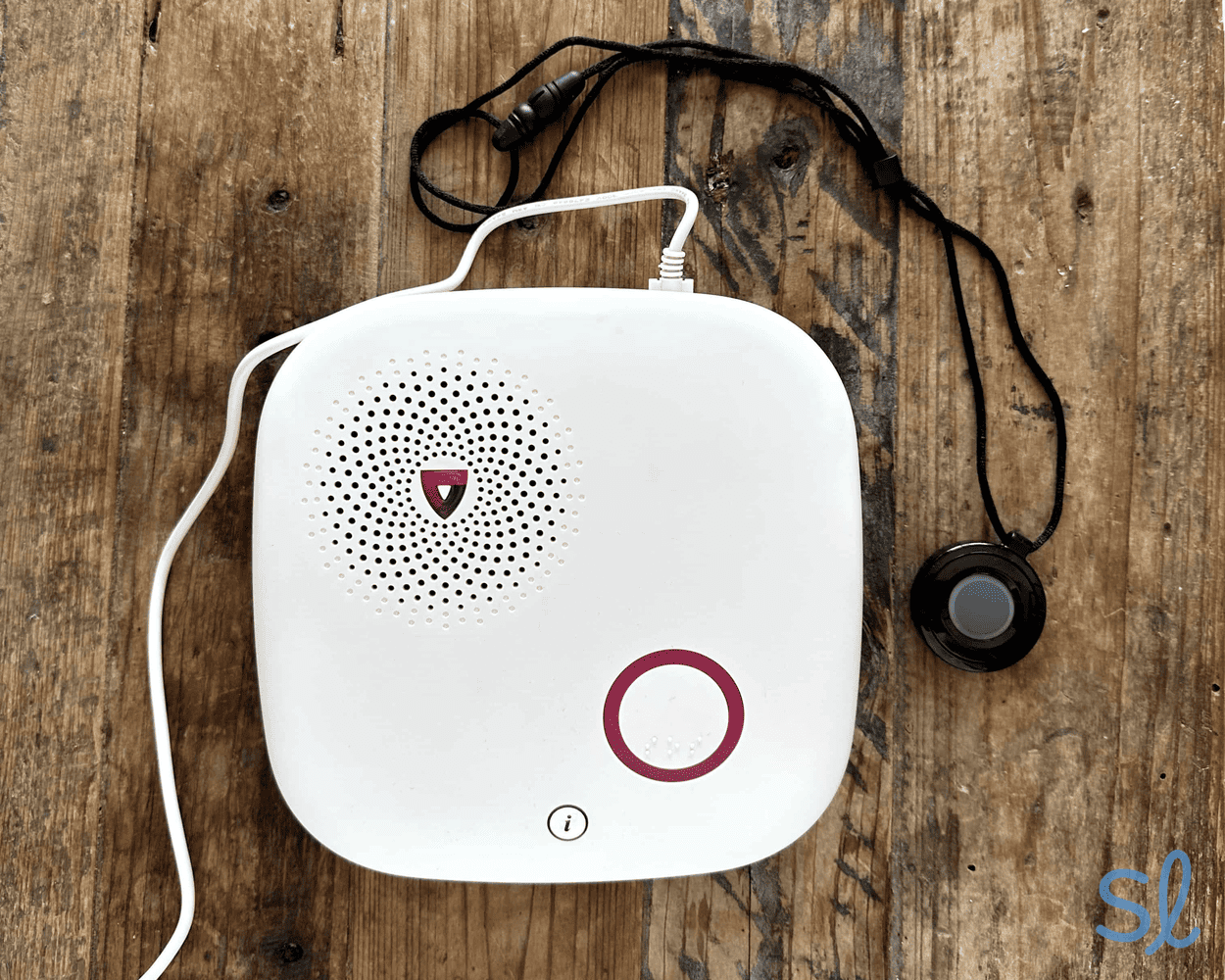
As we get older, we want to maintain a sense of independence. It's only natural. And while we might not get around like we used to, the freedom that comes with living on our own and staying mobile has never been more important.
If you or your loved one wants to continue living at home, a medical alert system provides the peace of mind and confidence you deserve. Medical alert systems can also be used in retirement communities and assisted living facilities to keep patients safe in the unfortunate event of a fall or other emergency.
These devices certainly save lives and restore confidence and freedom. There's just one problem: there's an overwhelming number of options on the market. Narrowing down your choices to find the right alert system can be an uphill battle. That's why we created this trusty guide on medical alert systems. We share everything you need to know about these life-saving devices, as well as how you can find the right system to suit your budget and lifestyle.
Medical Alert Systems for Every Need
10 Resources
- Best Medical Alert Systems March 19, 2026
- Best Medical Alert Apps November 20, 2025
- Best Systems for Veterans March 19, 2026
- Best Medical Alert Systems for Seniors With Dementia February 17, 2026
- Best Medical Alert Systems for Seniors With Hearing Loss February 6, 2026
- Best Medical Alert Systems With Fall Detection February 14, 2026
- Best Medical Alert Systems With Voice Activation January 16, 2026
- Best Medical Alert Systems Without a Landline March 13, 2026
- Best Medical Alert Watches February 14, 2026
- Best GPS Systems March 13, 2026
Whether you're looking for an on-the-go cellular system, medical alert smartwatch, or a system with a smartphone app, we've got you covered. We've compared the industry's most popular medical alert systems.
Hands-On Medical Alert Reviews

12 Resources
- ADT Medical Alert System Review February 18, 2026
- Alert1 System Review February 18, 2026
- Aloe Care Health System Review February 18, 2026
- Bay Alarm Medical System Review January 8, 2026
- Lively System Review February 18, 2026
- Life Alert System Review January 28, 2026
- LifeFone System Review February 18, 2026
- LifeStation System Review February 18, 2026
- Medical Alert System Review January 16, 2026
- Medical Guardian System Review March 9, 2026
- MobileHelp System Review February 18, 2026
- Lifeline System Review February 18, 2026
We've reviewed the most popular medical alert systems on the market to help you find the provider and system that's right for your lifestyle.
Getting a Good Deal on a Medical Alert System

11 Resources
- ADT Medical Alert Systems, Tested and Reviewed February 6, 2026
- Bay Alarm Medical Cost and Value in 2026 February 14, 2026
- Lively Medical Alert System February 18, 2026
- Life Alert Medical Alert System February 24, 2026
- LifeStation Medical Alert System February 18, 2026
- Medical Alert System February 18, 2026
- Medical Guardian Alert System March 10, 2026
- MobileHelp Medical Alert Systems January 16, 2026
- One Call Alert Medical Alert System February 18, 2026
- Lifeline Medical Alert System January 16, 2026
- QMedic Medical Alert System January 16, 2026
Ready to find an option that meets your budget? Our team has put together everything you need to know about medical alert system pricing, from monthly costs to equipment fees, before you commit to any provider. These detailed pricing pages break down what you'll actually pay and help you spot the best deals from our top-rated companies.
Compare our Favorite Medical Alert Systems Side-by-Side

9 Resources
- Bay Alarm Medical vs. Medical Guardian December 5, 2025
- Medical Guardian vs. Life Alert December 5, 2025
- Medical Guardian vs. Lifeline December 9, 2025
- MobileHelp vs Bay Alarm Medical February 18, 2026
- MobileHelp vs. Medical Guardian February 18, 2026
- Medical Guardian vs. Lively December 10, 2025
- LifeFone vs. Medical Guardian November 19, 2025
- LifeStation vs. Medical Guardian July 23, 2025
- Medical Care Alert vs. Medical Guardian July 23, 2025
Choosing the right medical alert system can be tough with so many great providers on the market. If you're stuck between two providers or you just want to compare and contrast brands, visit our comparison pages for a side-by-side look.
Introduction to Medical Alert Systems
Before going into our deep dive into medical alert systems, why not check out our video on the topic from our YouTube channel? Here, we go over the different types of medical alert systems, how they work, and what the setup process involves. After watching the video, come back here to get all the in-depth intricacies of medical alert systems to help you search for the right device.
How Do Medical Alert Systems Work?
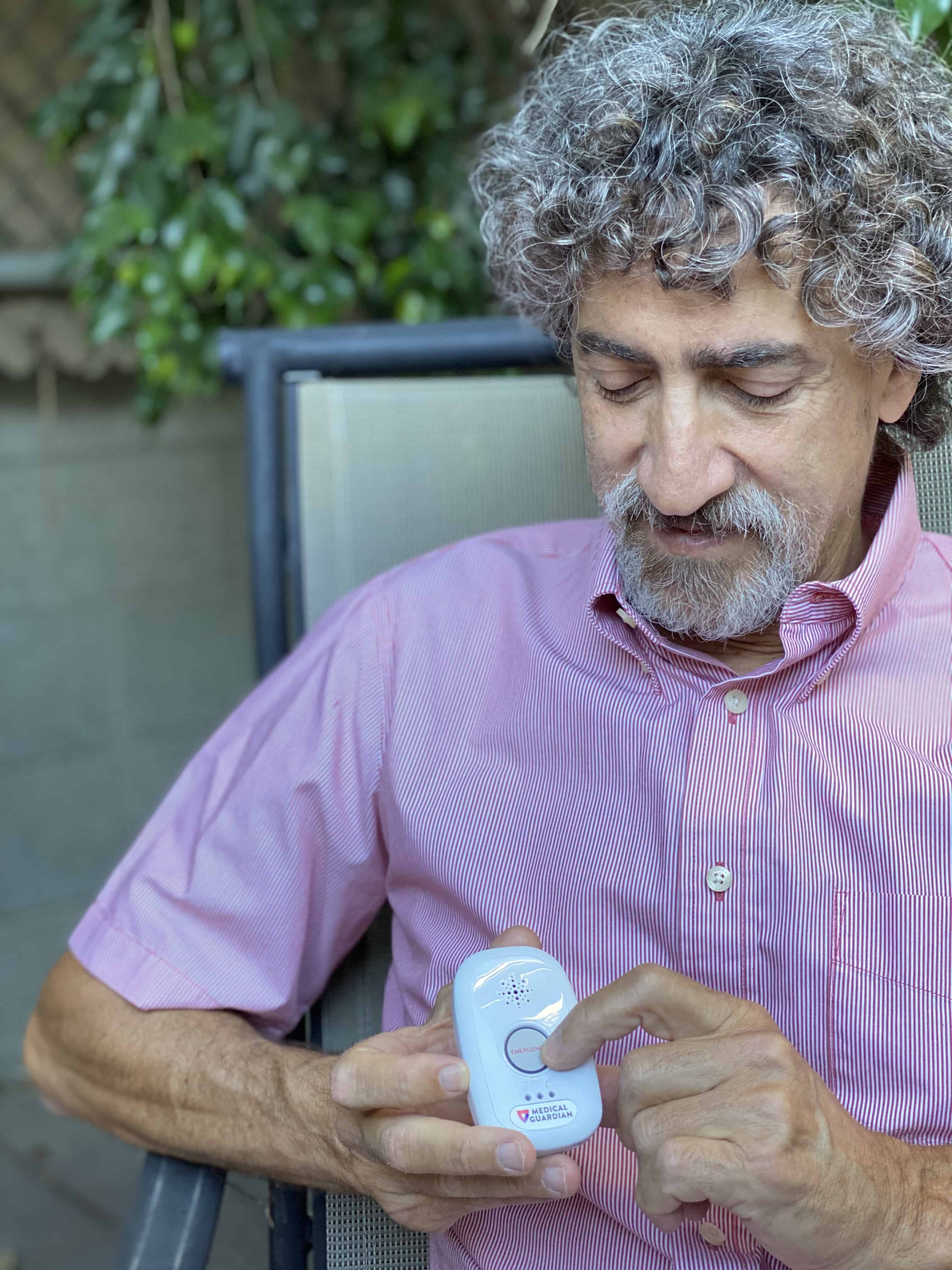
Medical alert systems are easy to use, and, thankfully, they all function pretty much the same way. You or your loved one wears a discreet pendant with a help button built into it. You'll also have a base unit with a two-way speaker that connects to your pendant during an emergency for in-home systems. This base unit will be built into your pendant for mobile systems, or it will be a small device that can fit in your pocket. Your medical alert system works with four easy steps:
- During an emergency (like a slip or fall), press your wearable help button or pendant.
- Your button will immediately send a signal to an emergency monitoring center.
- An operator will speak to you to assess the situation and determine what type of help you need.
- The operator will send the appropriate responders straight away and stay on the call with you until help arrives.
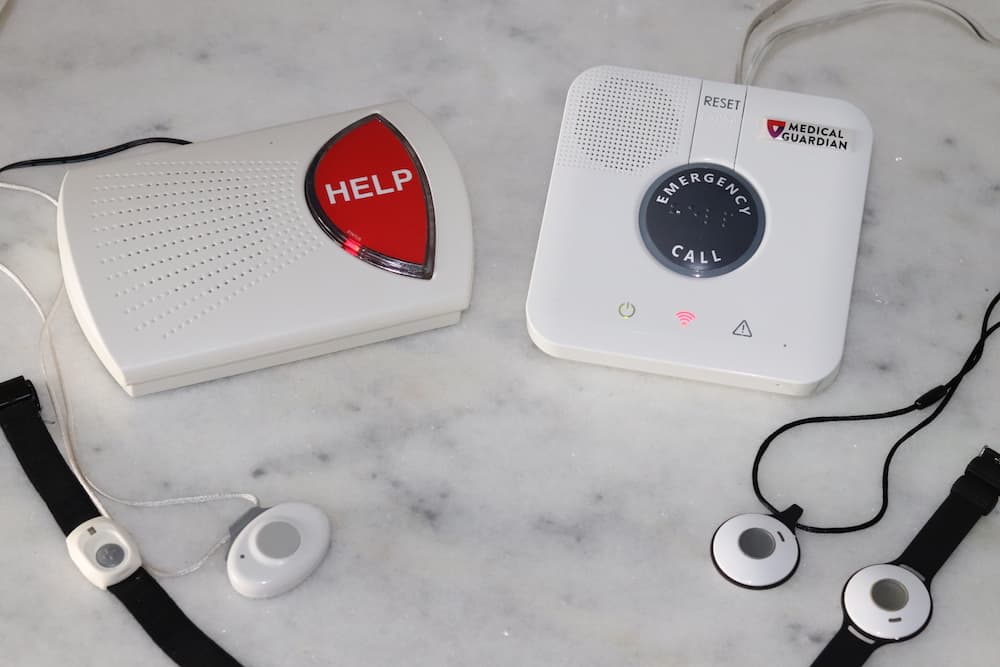
Bay Alarm Medical and Medical Guardian in-home systems
If you are at home during an emergency, the friendly emergency personnel can speak with you through the base station’s microphone. If you’re away from home, rest assured that many mobile medical alert systems offer two-way voice built right into the device itself. Mobile systems also offer GPS tracking technology so that responders can locate you quickly, no matter where you are.
Medical alert systems come in many different styles, each with various features. Some systems even come with automatic fall detection, which can sense a fall and call for help when you’re unable to press your help button, a critical feature since over 14 million falls among older adults are reported each year in the U.S.1
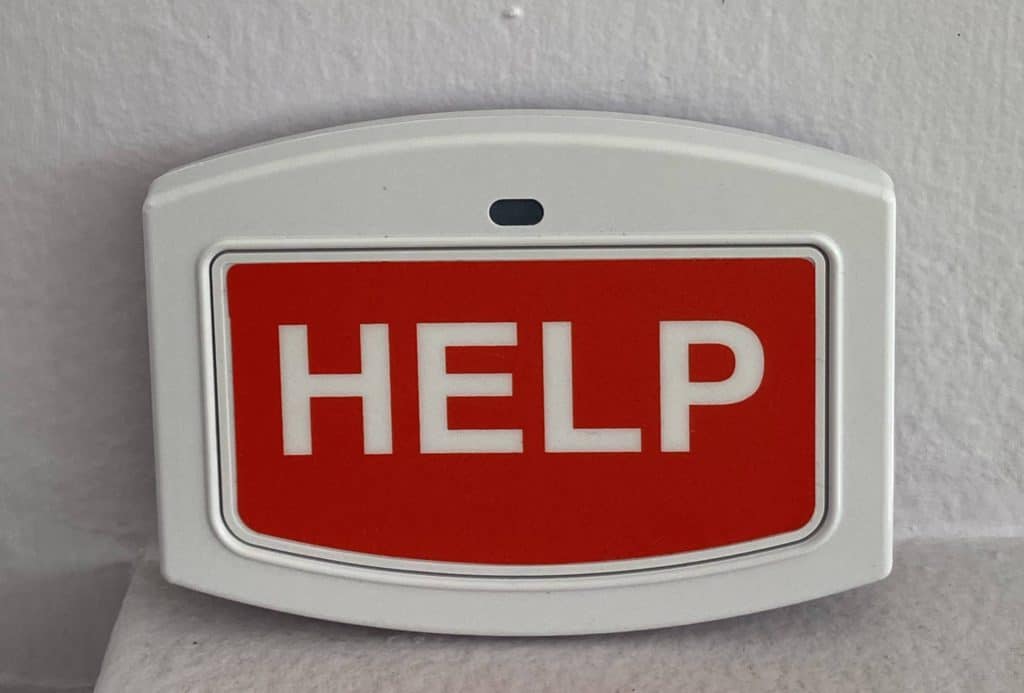
Bay Alarm Medical – Wall Button
Types of Medical Alert Systems
There are several types of medical alert systems. We'll break them down below.
At-Home Systems
Most at-home medical alert systems feature a base station with a two-way speaker. The base station is paired with a wearable help button. Some systems feature add-ons like wall help buttons, fall detection pendants, or the ability to integrate with your home's smoke alarm system for comprehensive protection.
At-home systems have range limits, so it's important to pay close attention to those limits and how well they work in your home.
You'll also need to choose from two main types of at-home systems:
- Landline: These plug right into your phone line. If you live in an area with spotty cellular coverage, a landline system is ideal for a steady and reliable connection.
- Cellular: If you don't have a landline or would rather not have to connect your system to a phone jack, a cellular medical alert system is a great option. Make sure the provider you choose uses a carrier with reliable service at your residence.
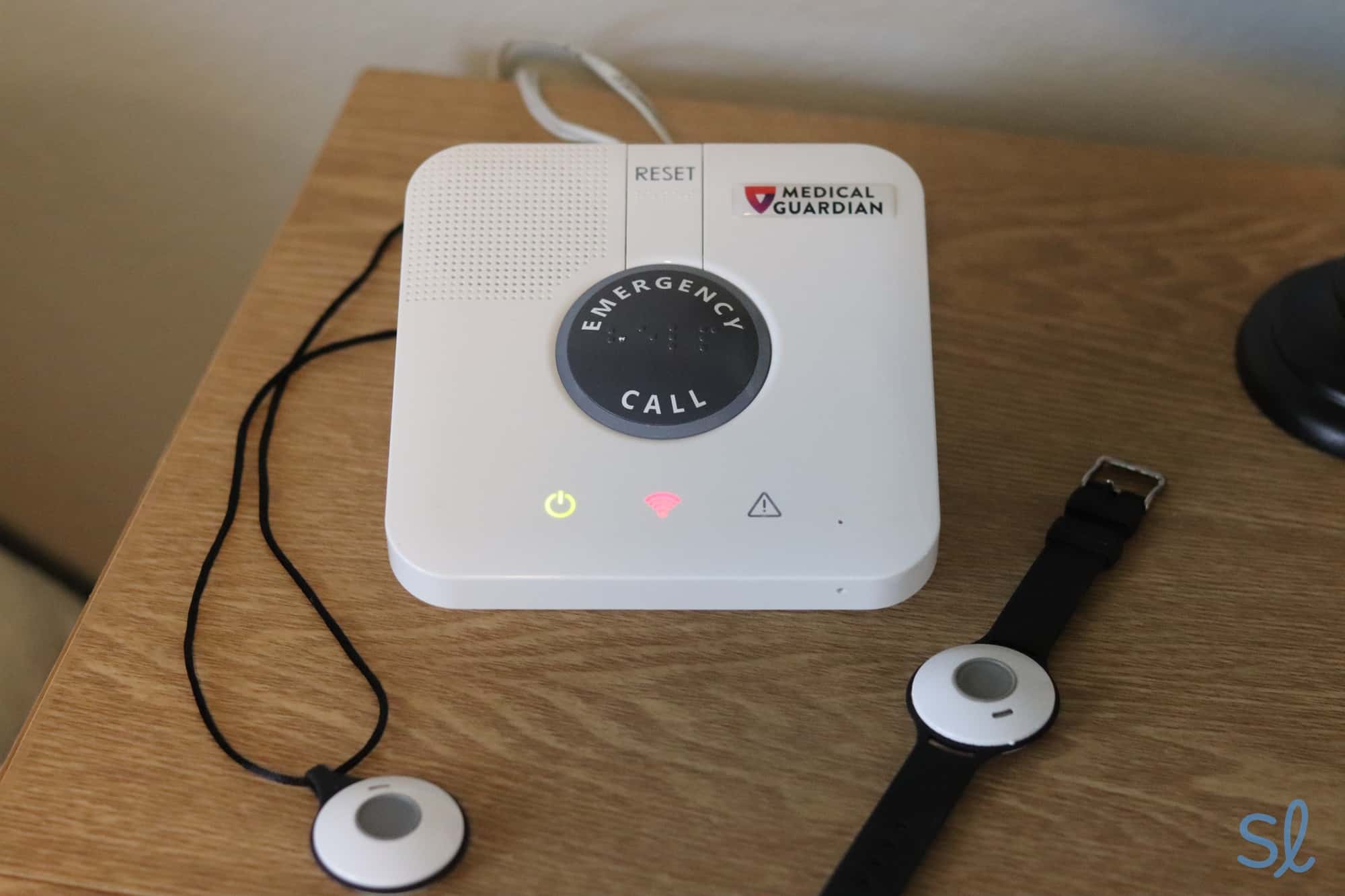
Medical Guardian’s MGClassic in-home system
On-the-Go Systems
If you want a system that can be used on the go while running errands or traveling, you'll need to decide how you want to carry or wear the system.
- All-in-one wearable system: An all-in-one system combines everything you need into a single device. There’s no need to juggle multiple pieces of equipment, though these devices can be bulkier than other options.
- Two-piece system: Two-piece systems include a base station plus a lightweight help button. You use the base station as a charger and wear the button as a pendant or necklace. This setup works well if you prefer a more discreet option.
- All-in-one smartwatch system: Medical alert watches offer basic smartwatch functions, such as step tracking and receiving messages, as well as medical alert features like a help button and 24/7 monitoring.
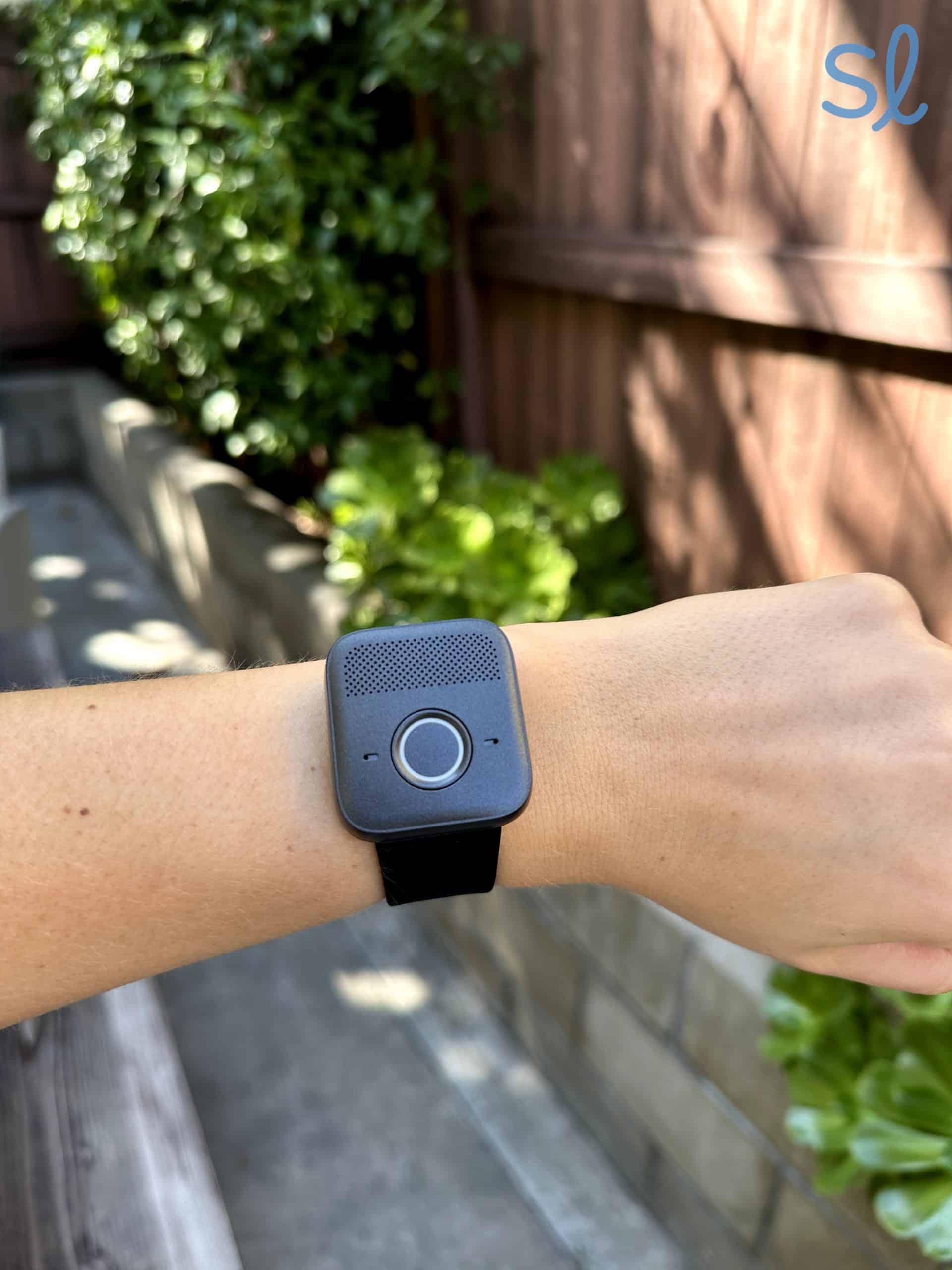
Trying out Medical Guardian’s MGMini Lite
Hybrid Systems
Can't decide which type you want? That's where hybrid systems come in! A few top medical alert companies, such as MobileHelp and Bay Alarm Medical, offer bundles that come with at-home and on-the-go equipment.
» Learn More: MobileHelp vs. Bay Alarm Medical
Watch our video review below to learn more about the different types of medical alert systems.
Are Alert Systems Easy to Use?
I understand that many seniors feel intimidated and overwhelmed by new technology. And honestly, who isn’t? But rest assured that most medical alert systems are quite easy to use. Most systems have a simple plug-and-play setup. Just plug your landline-based system into a phone jack and follow a few straightforward steps.
If you have a cellular system, simply charge the device, turn it on, and you’re ready to go. There’s some configuration involved, but getting set up with quality emergency alert coverage has never been easier.
Today’s medical alert companies work hard to make their products more accessible and user-friendly. If you’re considering a medical alert system for yourself or a loved one, you’ll be glad to know that today’s DIY systems are a breeze to set up and use.
Medical Alert System Equipment
Seniors and caretakers are often curious about what’s included with the average alert system package. And we understand you want to know exactly what you’re signing up for. So here’s a basic rundown of medical alert system equipment:
- A wearable device, such as a necklace pendant, a bracelet, a smartwatch, a hip device, etc., with a help button built-in.
- A base station with a help button and two-way communication (microphone and speaker).
- Optional fall detection. This feature is usually an add-on upgrade (typically around $10 to $15 per month), and while it’s not truly considered “equipment,” it is another helpful element of medical alert systems.
Other add-on equipment includes accessories like a lockbox key holder, a medication reminder or organizer, wall-mounted emergency buttons, voice extenders, and more.
In-Home vs Mobile Medical Alert Systems
Are you an active senior always on-the-go? Or do you stay at home most of the time? You’ll want to consider your pace of life, as it will influence whether you get an in-home or mobile medical alert system.
In-Home Medical Alert Systems
In-home systems are ideal for less active seniors who live alone. These alert systems are usually landline-based (requires a phone line), but cellular in-home systems are also available. The range on in-home devices typically extends from 600 feet to 1,400 feet from the base station. If you or your loved one enjoys spending time in the garden out back or chatting in the front yard with friends, a long-range in-home medical alert system is the way to go. Almost every company offers an in-home alert setup.
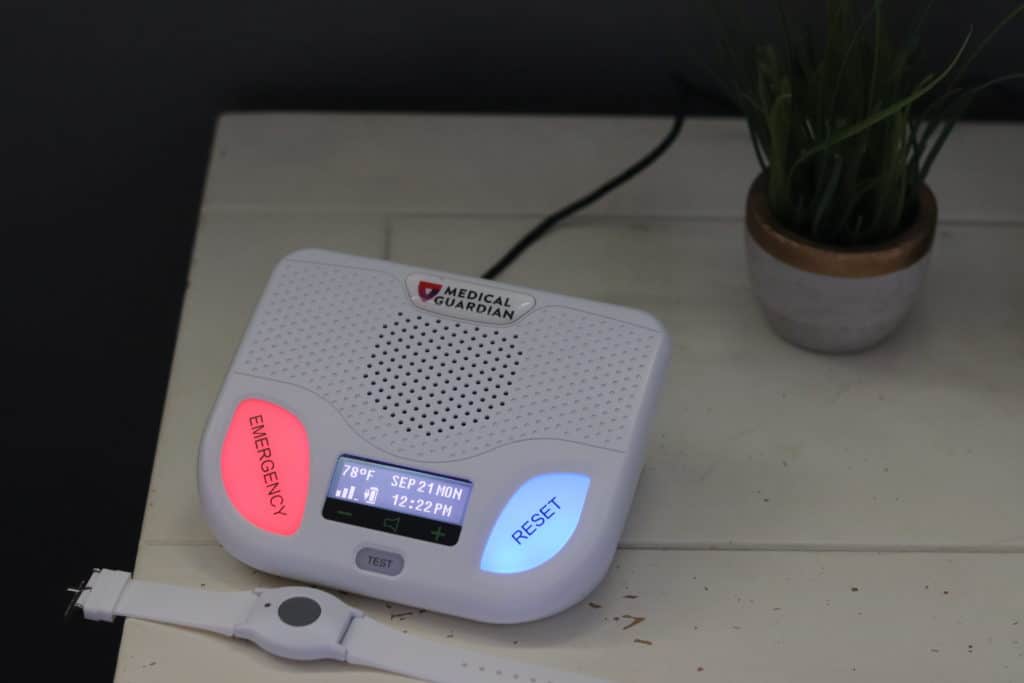
Medical Alert System – Medical Guardian’s Home Guardian system
Mobile Medical Alert Systems
On the other hand, mobile alert systems use a cellular signal to connect you to the monitoring center should an emergency arise. Mobile on-the-go medical alert systems are a wise choice for seniors who enjoy trips to the grocery store, the mall, church, walking nearby trails, and anywhere away from home.
These systems work anywhere with reliable 4G LTE or 5G cellular coverage. And mobile medical alert systems are also ideal for seniors who sometimes travel to different states. Medical alert companies now offer mobile alert solutions.
So which meets your needs? Should you get an in-home or mobile alert system? Well, that's a choice you or your caretaker must make. But if you take an honest look at your lifestyle, the decision should be easy!
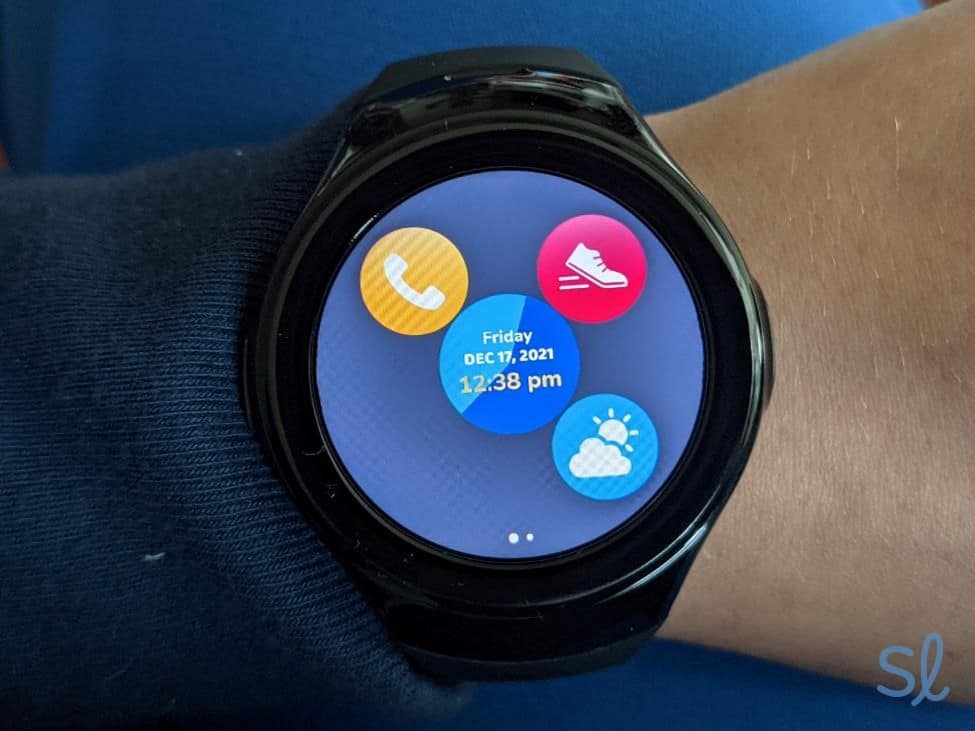
Testing out Bay Alarm Medical’s SOS Smartwatch
Features of Medical Alert Systems
It's important that you or your loved one enjoys all the right features at your fingertips. Thankfully, today's alert systems offer outstanding features that are easy to use. These features include:
- Water-resistant or waterproof help buttons
- GPS location services for activity tracking
- Long-lasting battery life (typically 24 hours to 5 days on mobile devices, depending on usage and model)
- Optional fall detection
- Two-way communication
- Long-range functionality
- Redundant monitoring centers
- Fast response times (typically under 60 seconds)
- Nationwide coverage (on cellular systems)
- Multi-lingual support
- 30-, 60-, or 90-day money-back guarantees
- No contract, cancel anytime service
- Lifetime equipment warranty (on select systems)
Other upgrades and add-ons include: medication reminders; medication dispensers; activity tracking; daily fitness reminders; vital signs monitoring (blood pressure, weight, blood oxygen saturation levels, etc.); price-lock guarantee; caregiver tools; and more.
The Latest Medical Alert System Technology
You might be the type of person who cares about new technology that can make your life easier and safer. If that's you, you'll be happy to know that medical alert companies have come a long way with technology in the past couple of decades. With this in mind, the latest medical alert technology includes:
- Automatic fall detection: This technology continues to evolve with each passing year. It utilizes advanced algorithms, gyroscopes, and accelerometers to detect sudden slips or falls, then automatically contacts the monitoring center on your behalf.
- GPS location services: Seniors can opt for a built-in GPS tracker that enables them to be found by friends, family, caretakers, or emergency responders. This adds another layer of emergency alert coverage for active seniors.
- Mobile caregiver tools: Many of today's alert systems include a helpful companion app. And oftentimes the app has a nifty caregiver portal that allows caregivers to watch over their loved one, receive activity alerts, get event notifications, and more.
- Environmental monitoring: This technology is especially important for seniors who live alone. Environmental monitoring keeps seniors safe from life-threatening hazards like fire and carbon monoxide leaks.
- Support in 140+ languages: For many seniors, English is not their first language. That's why today's monitoring stations staff employees with a wide range of language abilities. As you might imagine, it's critical to receive help in your native language when you need it most.
- Voice-activated emergency response: Newer systems now integrate with voice assistants, allowing you to call for help hands-free by simply saying a command phrase.
- Medication reminders and health monitoring: Some advanced systems now include medication reminders, vital sign tracking, and activity monitoring to help maintain overall wellness.
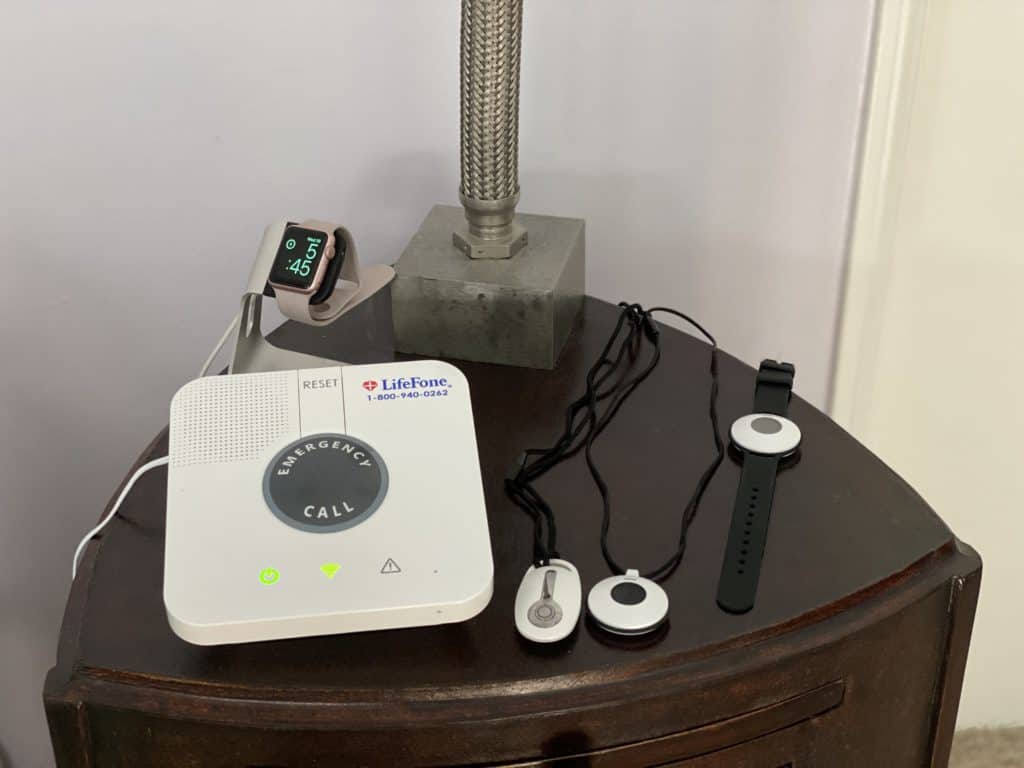
LifeFone – At Home (Landline or Cellular) Equipment
Fall Detection (Does it Really Work?)
There has been a lot of talk about fall detection among the senior and caregiver communities. What exactly is fall detection? Does it really work? And is it worth it? We're going to share it all, good and bad, and let you make the judgment call on whether or not it's right for you.
Fall detection is typically sold as an upgrade for an extra $5 to $15 per month. The technology is built into your pendant device, smartwatch, or another wearable. If you fall, the accelerometer technology detects it immediately, and the device signals the monitoring center. This technology helps to alleviate the fear of a potentially devastating slip or fall. Seeing that many falls happen in the shower, the technology is usually water-resistant and meant to be taken into high-risk fall zones like the bathroom.
Sure, fall detection can (and does!) save lives. It can also deliver peace of mind just knowing that you or your loved one has the feature ready to go. But it’s not perfect yet. Sometimes the fall detection will send a signal when any type of fast movement is detected, like dropping something or sitting down quickly. Other times, when a real fall occurs, it might not sense it as a true fall, and therefore won’t alert the monitoring center.
However, while the technology is not yet 100 percent accurate, it's safe to say that having an imperfect fall detection device is still better than having no fall detection at all.
Medical Alert Monitoring (is it fast and reliable?)
When searching for a medical alert system for yourself or a loved one, you will want to consider response times and overall reliability. After all, an alert system is only as effective as the monitoring personnel behind it.
Thankfully, the top companies are outfitted with TMA Five Diamond Certified monitoring centers that deliver surprisingly fast response times. When you or your loved one presses the help button, an agent typically responds in 15 to 45 seconds, and those seconds can genuinely save a life.
Also, today’s monitoring centers are highly reliable. Their job is to process an emergency alert as fast and accurately as possible. So rest assured you will likely have a professional, friendly agent on the line if/when you experience a medical emergency. They will then follow the protocol to decide the best course of action. This might mean contacting a caretaker or family member, or it could mean dispatching police, fire, or EMS for more serious emergencies.
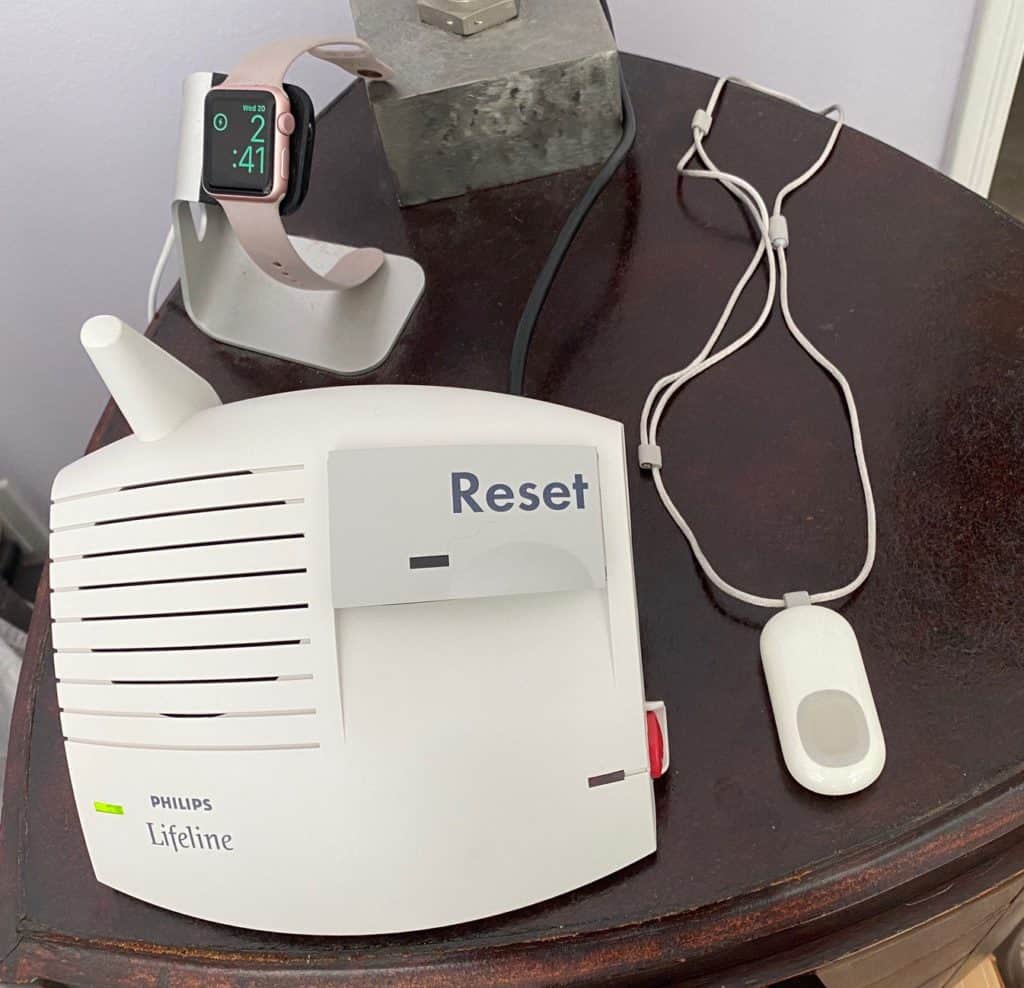
Lifeline Equipment
Medical Alert System Costs
When considering the costs of medical alert systems, you have to consider your monthly budget. But also ask yourself what your safety or the safety of your loved one is worth to you. You will quickly come to realize that $25-$35 per month is money well spent, especially when it can save a life.
Medical alert systems cost anywhere between $20 to $50 per month or more. But it’s entirely possible to find a quality alert system in the $20 to $30 range. This price includes the equipment and the required monthly monitoring. Then, if you so desire, you can purchase fall detection for approximately $10 more per month, along with other add-ons to suit your needs. When all is said and done, you can get full-service 24/7 coverage for well under $50 per month.
Buyer's Tip: Worried about the cost of a medical alert system? Visit our guide to the medical alert systems without a monthly fee.
It is important to note that mobile alert systems are generally more expensive than in-home systems. You can expect to pay about $10-$15 more per month for a GPS medical alert system with on-the-go coverage. The benefits of mobile alerts certainly outweigh the costs.
Medical Alert System Contracts
There are certain alert systems that require a long-term contract of 12 months or more. But the majority of systems offer contract-free, cancel-anytime coverage. While signing a contract can make the monthly monitoring fee cheaper, we always recommend reading the fine print. Some medical alert systems with long-term contracts offer prorated refunds if you decide to cancel your service early.
Questions to Ask Before Buying a Medical Alert System
To choose the medical alert system that’s right for you or your loved one, you should ask the following questions before pulling out your pocketbook or purse:
- Is it wearable and comfortable? If you are thinking of a pendant-style medical alert system or a smartwatch system, you want to make sure the device is wearable and comfortable for you or your loved one. If there’s a chance it won’t be worn, then it may not be worth buying.
- Is it waterproof? Since most falls happen in the tub and shower, it’s important that the device functions in and around the water. Thankfully, medical alerts available today all work in wet conditions.
- What is the range? You want to ensure the signal can be picked up long-range. If you are opting for a cellular system, you will want to ask about the cell service.
- What is the average response time from the call center? A strong call center should respond within 30 to 60 seconds. If response times are consistently slower, consider looking into another provider. The point of the medical alert system is to get help immediately, not after the fact.
- What are the costs and fees? You may want to avoid lengthy contracts and look for options that offer month-to-month coverage. Be wary of any hidden fees or complicated pricing systems. You want the most straightforward plan you can find.
Does Insurance Cover Medical Alert Systems?
Unfortunately, Medicare generally doesn’t cover medical alert systems. However, there are some Medicare Advantage plans that may cover them, so it’s always worth asking. As of 2026, some Medicare Advantage plans include medical alert systems as a supplemental benefit, particularly those focused on chronic condition management. In some states, Medicaid might cover the cost. Since coverage is on a state-by-state basis, check the rules where you live. You may also want to check with your private insurance provider about medical alert coverage, if applicable. If you are paying out of pocket, ask about discounts for Veterans or other groups that you may belong to. Also, ask to see if the cost is tax deductible.
Convincing a Loved One to Use a Medical Alert System
Sometimes purchasing the medical alert system itself is not the most significant hurdle. Your loved one may not want one in their home due to fears about the implication of such a system, misconceptions surrounding the service, or other objections. We put together the video below to demonstrate how to approach the topic with your loved ones while validating their concerns. Using our guidance, you can show empathy for their situation while demonstrating the value of medical alert systems for their safety. Check it out below before choosing your preferred medical alert device setup.
Closing Thoughts
As we age, safety becomes all the more important for ourselves and our loved ones. Since medical emergencies like slips or falls can happen without warning, it’s critical to wear a medical alert device that delivers fast and reliable coverage.
The good news is that there are many affordable options on the market. It’s now possible for every senior to live with peace of mind and confidence in their alert system. So if you’re a caretaker or a senior who’s looking for all-around peace of mind, look no further than a quality medical alert system.
Most alert systems offer 24/7 in-home coverage starting at around $28 to $32 per month as of 2026. And if you’re an active senior who enjoys spending time away from home, you can find a cellular system in the $35 to $50 range. Then, for added protection, consider upgrading to get automatic fall detection.
Overall, your lifestyle is the most important thing to consider when purchasing an alert system. When you sit down and ask yourself what makes sense for you or your loved one, you'll find that the right alert system is well within reach.

As Editor-in-Chief of the personal finance site MoneyTips.com, Jeff produced hundreds of articles on the subject of retirement, including preventing identity theft, minimizing taxes, investing successfully, preparing for retirement medical costs, protecting your credit score, and making your money last… Learn More About Jeff Hoyt

Linda earned her Master’s degree in Occupational Therapy from Tufts University and has assisted 10,000+ seniors throughout her 25-year career. She specializes in home health care and fall prevention for seniors and has nearly three decades of experience recommending medical… Learn More About Linda Schlenker
Citations
-
Centers for Disease Control. (2024). Older Adult Falls Data.