Best GPS Medical Alert Systems in 2026
Thanks to its accurate location tracking and excellent caregiver app, Bay Alarm Medical garnered our top pick for the best GPS medical alert systems.



How We Tested the Medical Alert Systems
How We Chose the Best Medical Alert Systems With GPS
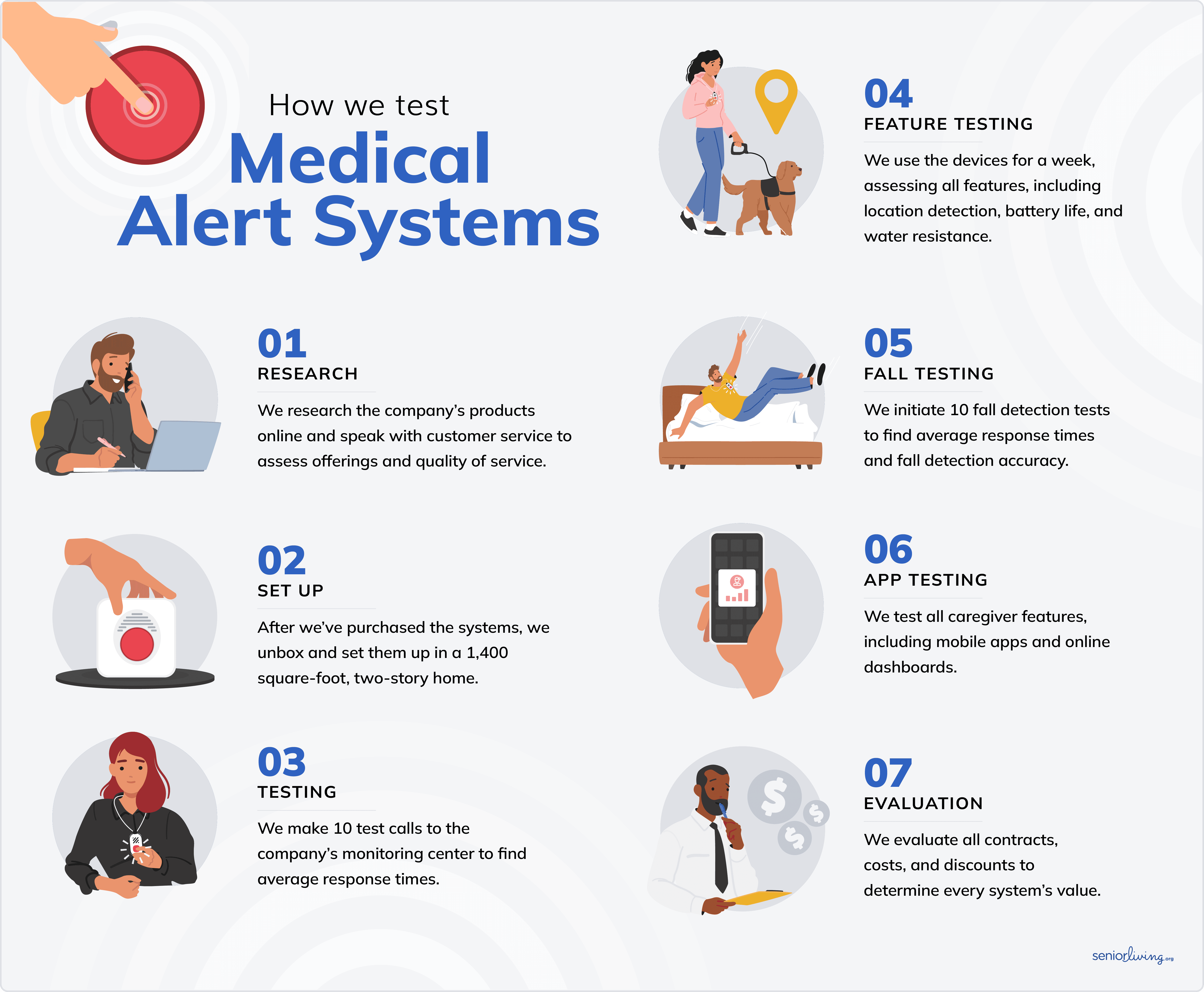
We evaluated over 15 medical alert providers to find the best GPS medical alert systems for older adults. Our team spent over 200 hours on research, hands-on testing, and discussions with customer service reps. We recruited the help of older adults to test systems whenever possible.
Some of the most important things we considered were reliability, emergency support, price, wearability, and value for seniors. To make the cut, every provider on the list had to meet the following standards:
- Nationwide coverage: GPS medical alert systems are designed to pinpoint the user’s location so help can be sent straight to them. All of the systems on our list rely on the nation’s most reliable cellular providers, like AT&T and Verizon.
- No contracts: All of the providers on our list offer month-to-month subscriptions, so you’ll never be locked into a long-term contract or pay early termination fees.
- On-the-go offerings: Every provider in our top five offers at least two on-the-go medical alert systems to give you the best protection no matter where you are.
- Affordable packages: All of our top providers offer a variety of budget-friendly and premium options to fit most budgets.
- Senior-friendly design: High-tech or low-tech, the systems on our list provide simple features that are easy and intuitive to use.
Why Trust Us?
Our senior tech team tests out the latest devices for seniors every year. We have extensive experience working alongside older adults to ensure that we select the best products and services, especially regarding safety devices like medical alert systems. We speak directly with seniors about their personal needs, experiences, and preferences.
We also work with experts like Linda Schlenker. She has spent more than three decades working with older adults and advising them on the best ways to stay safe and protected — in their homes and on the go.
SeniorLiving.org is supported by commissions from providers listed on our site. Read our Editorial Guidelines

- AT&T or Verizon connection
- Location tracking
- Pendant and smartwatch systems available

- AT&T or Verizon connection
- Location tracking
- Pendant, wrist-worn, and smartwatch systems available

- AT&T connection
- GPS location tracking
- Pendant and wrist-worn systems available

- Verizon connection
- Location tracking
- Pendant and mobile phone systems available

- Discount on monthly rates and free Connect Premium for veterans
- Prices starting at $19.95 per month
- Unique features: Systems designed for two users
Contents
Many older adults opt for home-based medical alert systems, but these have a limited range and don’t always offer the option of tracking devices for seniors that are discreet or easy to use. Fortunately, dozens of GPS medical alert systems allow seniors to carry or wear a device with them at all times.
Tracking devices for seniors include medical alert systems that come equipped with GPS, as well as certain smartphone apps. Our senior tech experts tested and compared the best GPS medical alert systems on the market and narrowed the list to our top picks. We evaluated each system using several important factors, such as battery life, response times, and GPS accuracy. Based on our evaluation, we chose Bay Alarm Medical as our top pick, thanks to their caregiver mobile app, excellent location tracking, and variety of systems.
Using Bay Alarm Medical's SOS All-in-One 2, a GPS medical alert system.

-
1. Bay Alarm Medical - Most Affordable
View Packages Links to Bay Alarm MedicalWhat we like most
- AT&T or Verizon connection
- Location tracking
- Pendant and smartwatch systems available
Bay Alarm MedicalView Packages Links to Bay Alarm MedicalOverview:
Wearing Bay Alarm Medical's SOS Micro system
Bay Alarm Medical is my top pick for affordable GPS medical alert systems, with prices starting at $34.95 per month. Bay Alarm Medical’s SOS Micro is a lightweight, wearable option for on-the-go protection. The system also comes with a companion mobile app, so I could easily track the device’s location. This was one of my favorite features, as I didn’t have to wait for an emergency alert text to know where the device was.
» Our Full Review: Bay Alarm Medical Alert System Review 2026
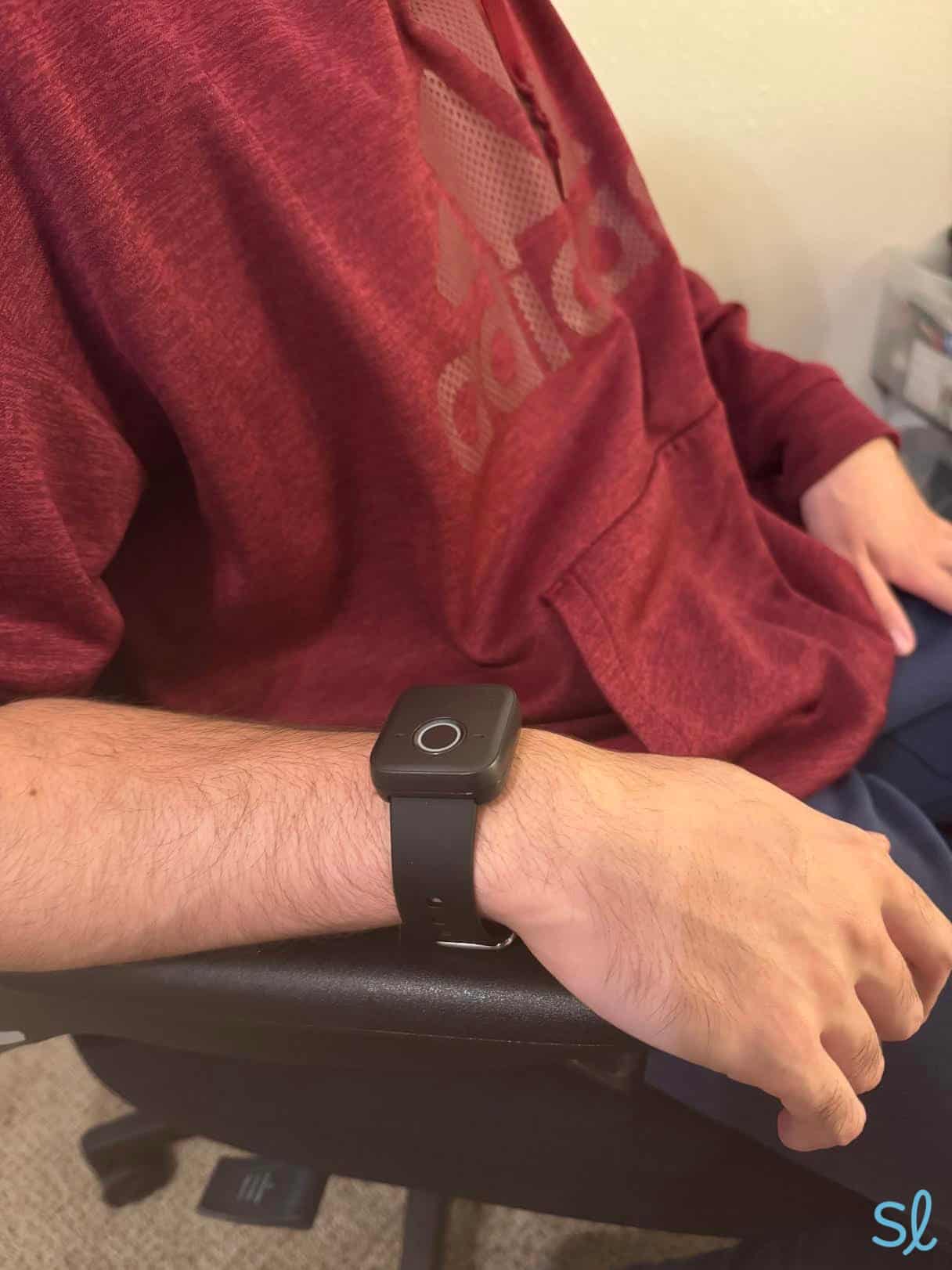
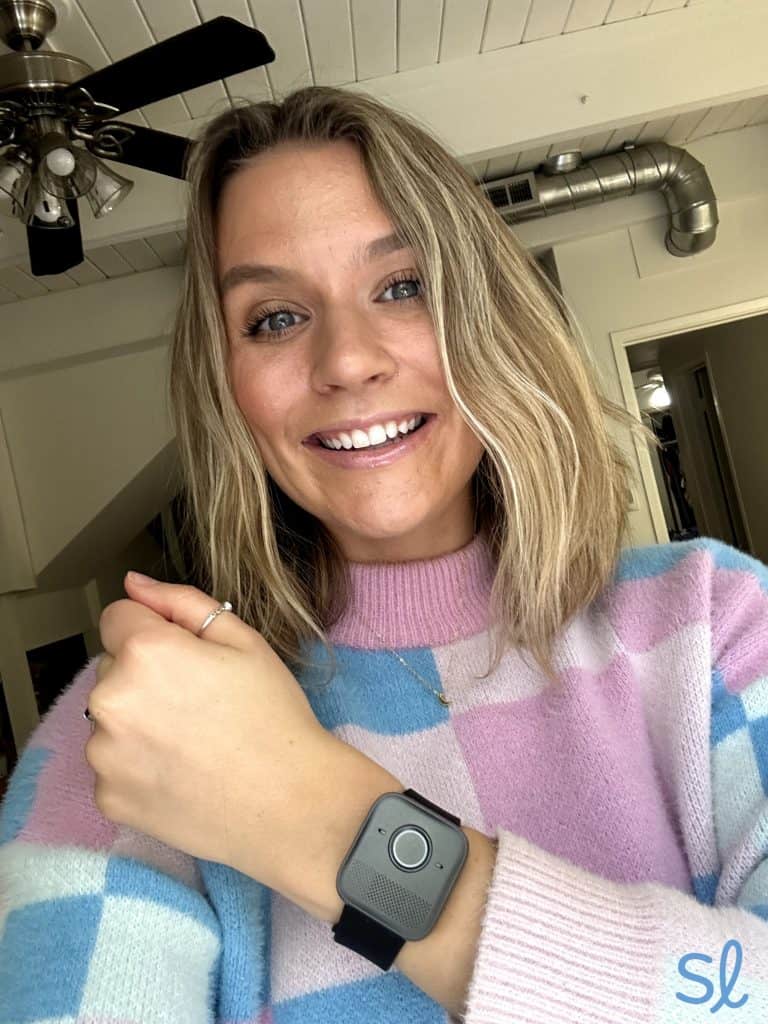
Bay Alarm Medical also offers the SOS Smartwatch, perfect for active older adults or those who want a discreet alert system. The touch-screen watch tracks your steps, sets daily health goals, and calls for help, much like Medical Guardian’s MGMove. Lastly, the company offers the All-In-One system, which is pretty similar to the SOS Mobile.
» Pricing Info: Bay Alarm Medical Plans and Pricing
Pros & Cons:Pros About Bay Alarm Medical
- SOS Mobile can sync with smartphone tracking app
- 24/7 U.S.-based monitoring
- Affordable rates and bundling options
- Optional fall detection
- 30-day risk-free trial
- Smartwatch system
- Price lock guarantee
- No contracts
Cons About Bay Alarm Medical
- Small product lineup
- Equipment fees for GPS systems
Our Hands-on Experience:Plans, Pricing, and Features
System Price Battery life Tracking Fall detection available Features SOS Micro $34.95 per month Up to 36 hours GPS; AT&T or Verizon cellular Yes Caregiver tracking app; all-in-one, wrist-worn system; sleek design SOS Smartwatch $39.95 per month Up to 24 hours GPS; AT&T cellular Yes Step tracking; touch screen; sleek watch design SOS All-In-One 2 $34.95 per month Up to 3 days GPS; AT&T cellular Yes Caregiver tracking; mobile device and help button  Expert InsightsFrom Linda Schlenker, M.S., M.A., O.T.RIn my professional opinion, the two most important features in a medical alert system are a waterproof design and fall detection. The number one place people fall is exiting the shower, precisely where one doesn't have their phone. It does not make sense to have to take off a medical alert bracelet for such a high-risk activity. I have also seen fall detection save many lives.
GPS Accuracy
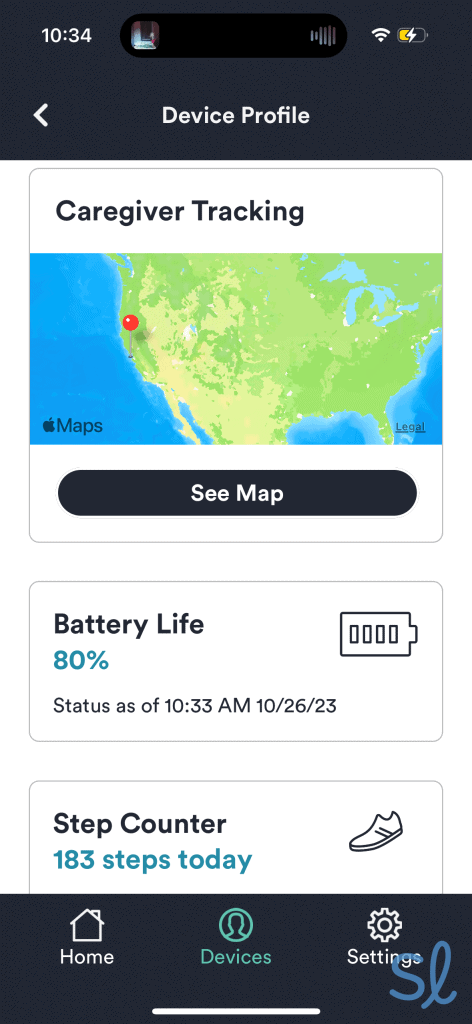
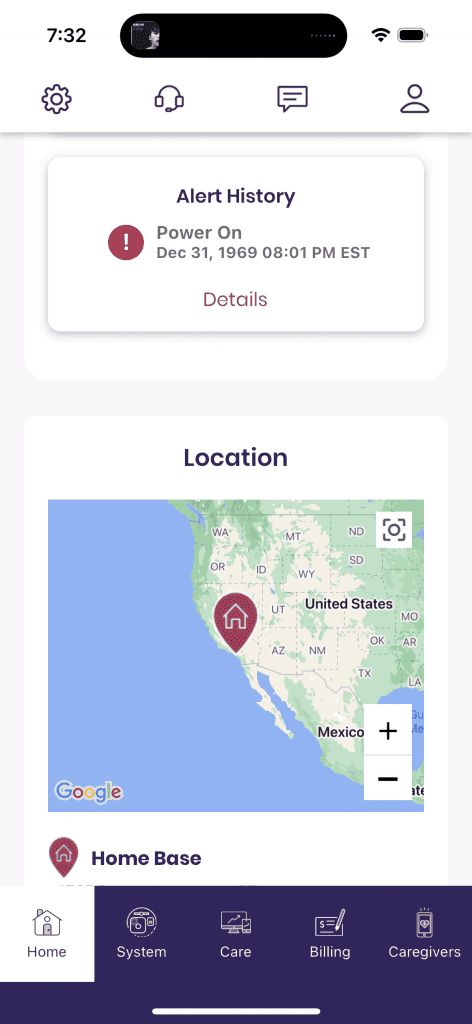
Not only does Bay Alarm Medical’s SOS Mobile offer a very accurate GPS tracking device for seniors, but it also makes it easier for caregivers to track their loved ones' locations. With the companion mobile app, I could see exactly where my grandma was at any given time.
I could see her while she was on the move (headed to the pharmacy), as well as when she was resting at home. The app has lots of other great features too, like step tracking, the status of the device’s battery life, and more.

Navigating Bay Alarm Medical's companion mobile app
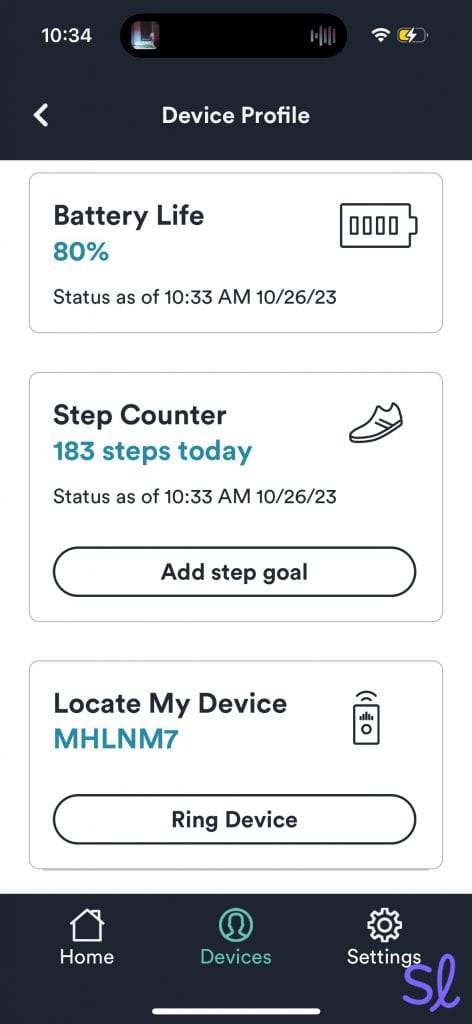
My favorite app feature is the Locate My Device option. If I misplaced my system, all I had to do was press “Ring Device” in the app. Then, the SOS Mobile started ringing through its two-way speaker. If your loved one is forgetful like me, it’s a great feature.
You can ring a lost device in the Bay Alarm Medical app
Response Times
Bay Alarm Medical has solid response times. I tested out the response times on the SOS Smartwatch by pressing the watch’s help button on the side of the watch. After holding down the button for five seconds, I connected to an agent in around five seconds.
I let the agent know I was just making a test call, and she confirmed and verified my identity. These response times are very similar to Medical Guardian’s times for the MGMove smartwatch.

Testing out Bay Alarm Medical's SOS Smartwatch
Battery Life
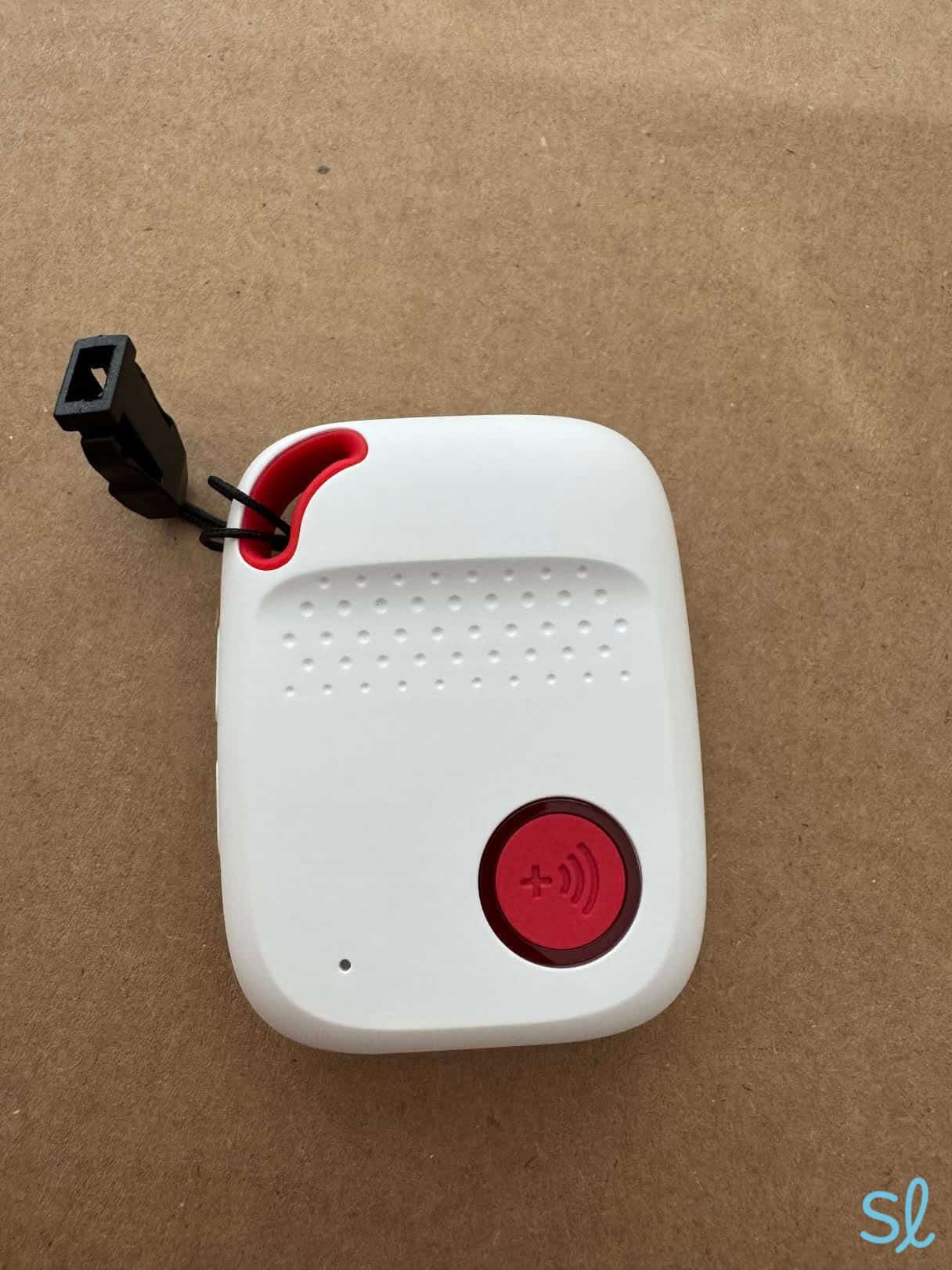
Similar to most of the other companies on our list, the battery life will vary by system. The SOS All-in-One 2 has the best battery life of up to three days. During my testing, the device lasted for about three days, so that’s pretty accurate.
When my device hit 10 percent battery life, the system’s help button started flashing red every 26 seconds. I appreciate this reminder to charge your device.

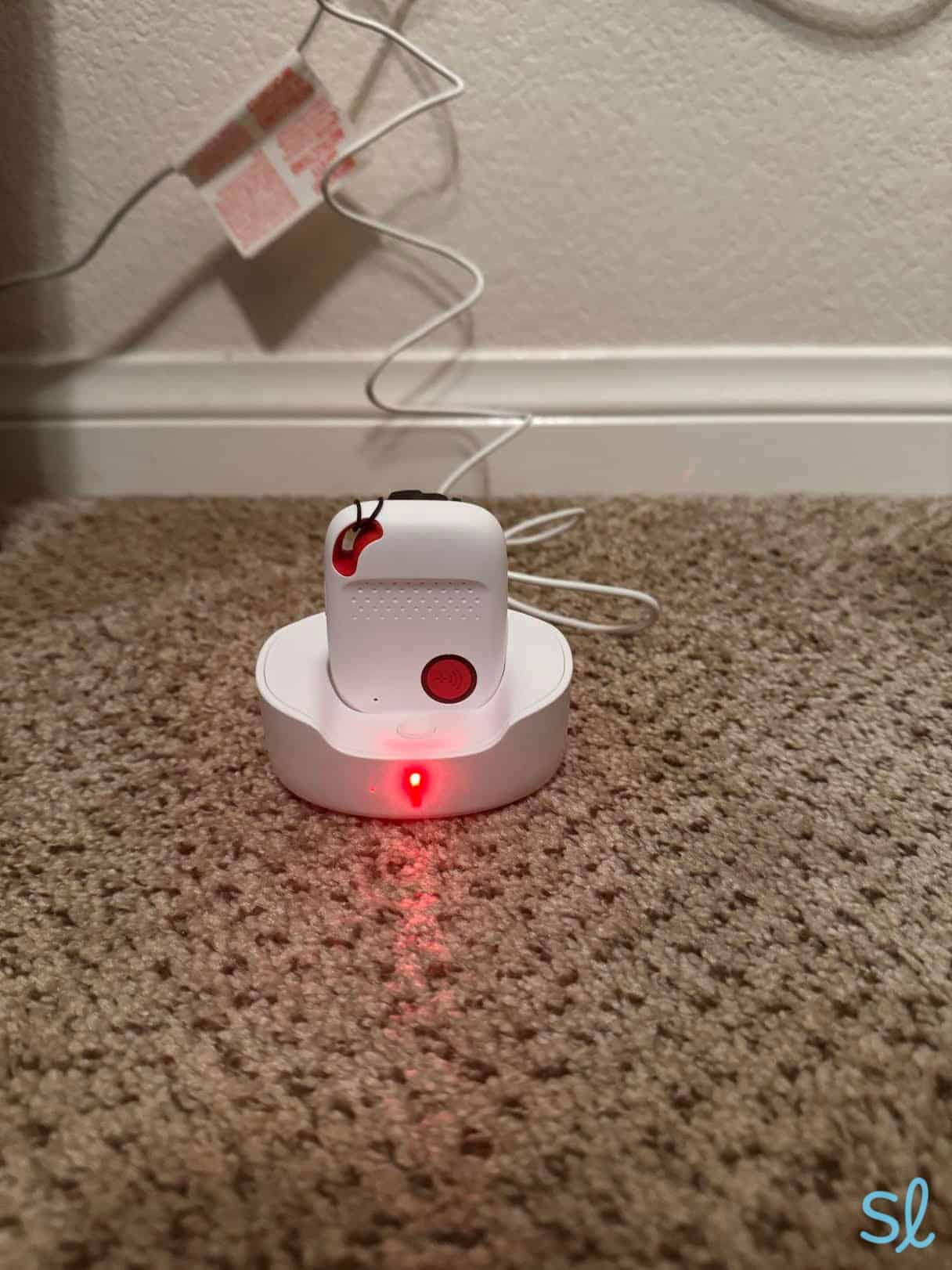
Charging Bay Alarm Medical's SOS All-in-One2 system
The SOS Smartwatch lasts up to 24 hours, according to Bay Alarm Medical, which is pretty short for a medical alert system.
I still got a full day of use out of my watch before it was time to recharge. I set my watch on its charging station, and it took about two hours to fully recharge, which is pretty typical for mobile devices.
Watch our full video review of the SOS Smartwatch below to learn more about this GPS system.
-
2. Medical Guardian - Best Variety
View Packages Links to Medical GuardianWhat we like most
- AT&T or Verizon connection
- Location tracking
- Pendant, wrist-worn, and smartwatch systems available
Medical GuardianView Packages Links to Medical GuardianOverview:
Testing out Medical Guardian's MGMini Lite
Medical Guardian offers three GPS medical alert systems, including a pendant-style system, a small wrist-worn help button, and a sleek smartwatch option. All three include location tracking and 4G LTE service. While Medical Guardian’s costs are slightly higher than providers like Bay Alarm Medical, the company offers cutting-edge technology, discreet equipment, and reliable, U.S.-based 24/7 monitoring.
» Pricing Guide: Medical Guardian Prices and Deals
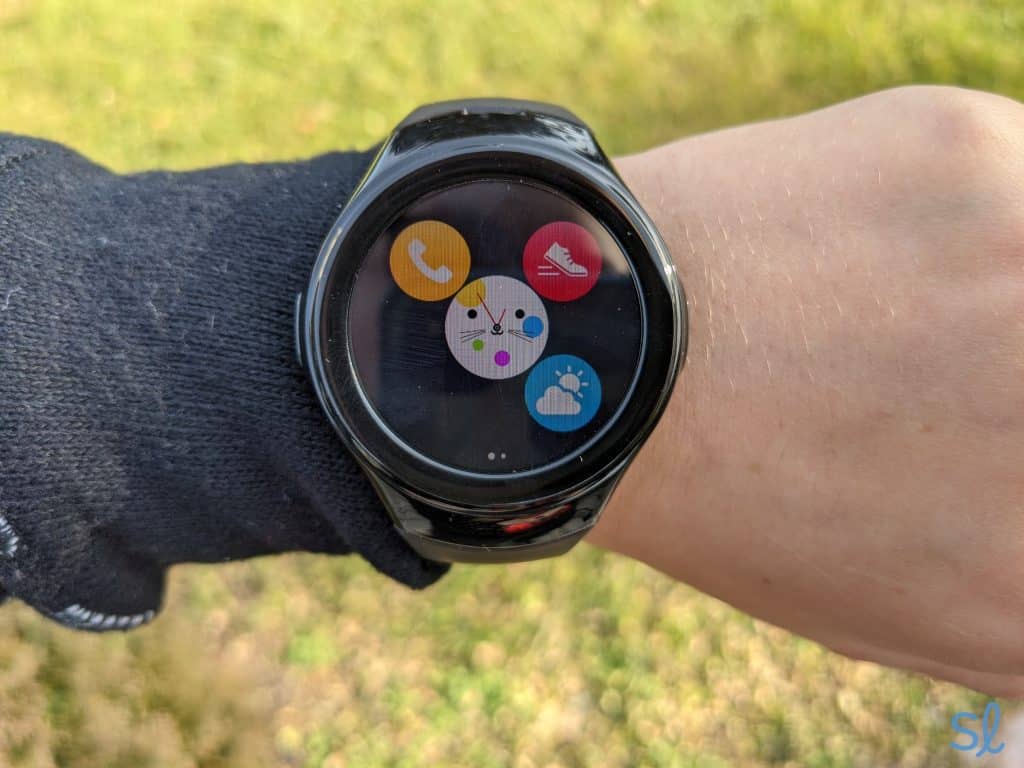
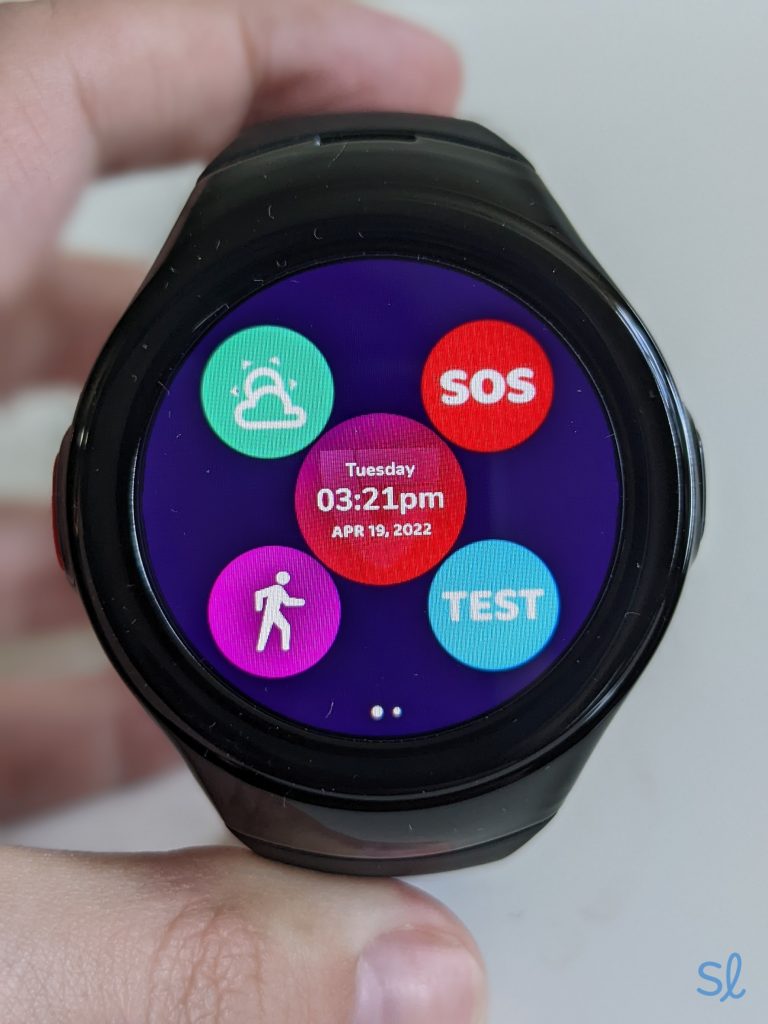
One of my favorite GPS systems that Medical Guardian offers is MGMove. It looks more like a smartwatch than a medical alert system! For active seniors or those who want a more stylish device, MGMove is a solid option. The watch comes with features like an emergency help button, advanced location tracking, step tracking, and reminders.
Expert InsightsFrom Linda Schlenker, M.S., M.A., O.T.RI love that there are high-tech options like smartwatches, but also simple systems for people who aren't comfortable with a lot of technology. There really is something for everyone.Pros & Cons:Pros About Medical Guardian
- Smartwatch-style medical alert devices
- Customizable features
- High-tech systems
- Diverse product lineup
- No hidden fees
- No long-term contracts
- U.S.-based monitoring center
Cons About Medical Guardian
- GPS tracking doesn’t always give precise location
- No free trial
- Pricier premium systems
Our Hands-on Experience:Plans, Pricing, and Features
System Price Battery life Tracking Fall detection available Features MGMini $43.95 per month 5 days GPS; cellular; Wi-Fi Yes All-in-one system; lightweight, discreet design MGMini Lite $46.95 per month 36 hours GPS; cellular; Wi-Fi Yes Watch system; step tracking capabilities, discreet design MGMove $42.95 per month 24 hours GPS; cellular No Smartwatch system; texting capabilities, sleek design *You can save up to 16 percent on your monthly premiums by paying annually.
GPS Accuracy
I’ve tested out all three of Medical Guardian’s GPS systems and had a good experience overall with the location tracking accuracy. When testing the MGMini Lite, Medical Guardian’s wrist-worn system, I tried out the location detection using the MyGuardian mobile app. This app shows you the system’s location, along with other useful information like its status and alert history.
I wore the MGMini at home and while running errands. During that time, I frequently checked the mobile app to see if my location was indicated correctly. It always pinpointed me on a map right where I was!
Checking my system's location in Medical Guardian's MyGuardian mobile app
Testing out Medical Guardian's MGMove
Response Times
My grandma and I tested out the MGMove to see just how fast we could get an emergency response agent on the line. We held multiple tests by pressing the red button on the side of the watch and holding it down for five seconds, as the instructions say.
After that five seconds, a friendly agent answered our call in just four seconds, so it took us a total of nine seconds to get someone on the line. This was incredibly fast, especially compared to some of the other providers we tested, like MobileHelp.
» You Might Like: 2026 MGMove Review
I will say, I had a slightly slower experience with the MGMini when I was at home. To test the system’s emergency response, I pressed the button in the center of the device, and it turned blue. It took a full minute for me to connect with an operator.
However, I had faster response times of around 20 seconds when I tested the system away from home. I’m assuming this long wait time was due to poor cell service in my area at the time.
» Related Reading: Medical Guardian Review
Battery Life
The battery life for Medical Guardian’s systems varies by device. It ranges from around 24 hours for the MGMove to five days for the MGMini. When trying out the systems for myself, I experienced a similar battery life to what Medical Guardian advertises. This is pretty solid, though the battery doesn’t last as long as systems from some of the other providers on our list. For comparison, one of Bay Alarm Medical’s systems has a battery life of up to three days.
My grandma and I were most impressed with the MGMini’s five-day battery life, especially since I’m pretty forgetful when it comes to charging my devices. For the other two systems, I just got in the habit of charging the device by my bed each night.
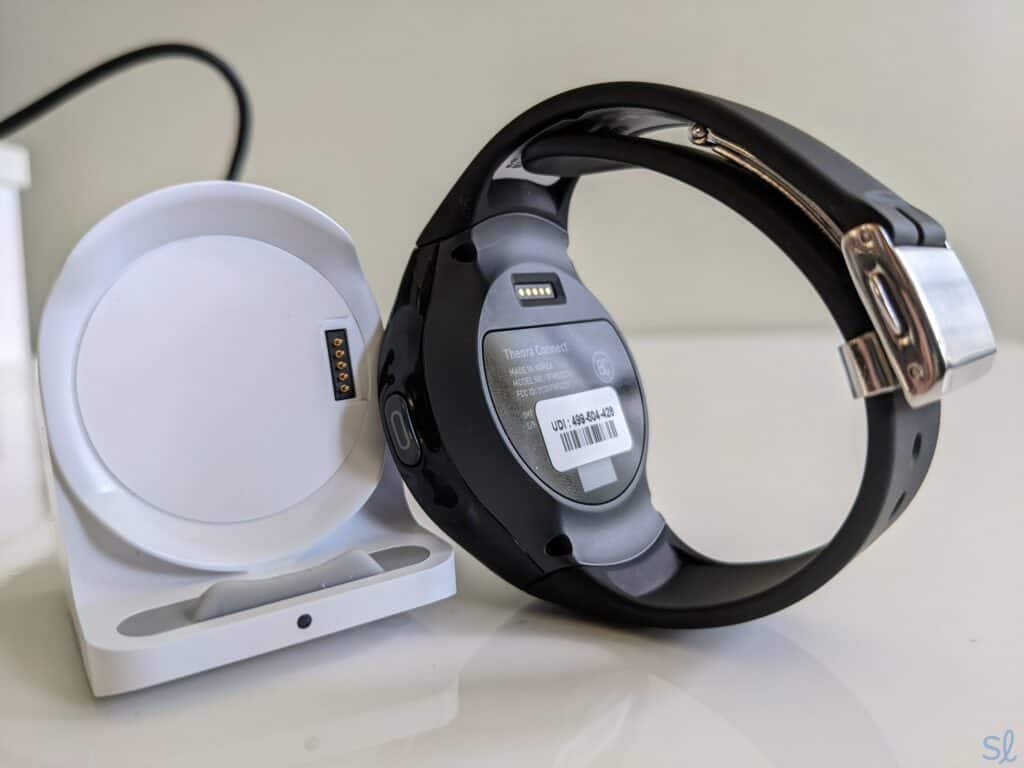
Line up the gold pins on the MGMove with the gold pins on the charging cradle for a successful charge.
-
3. ADT Medical Alert - Best Equipment Protection Plan
See Pricing Links To Adtmedalert.comWhat we like most
- AT&T connection
- GPS location tracking
- Pendant and wrist-worn systems available
ADT Medical AlertSee Pricing Links To Adtmedalert.comOverview:
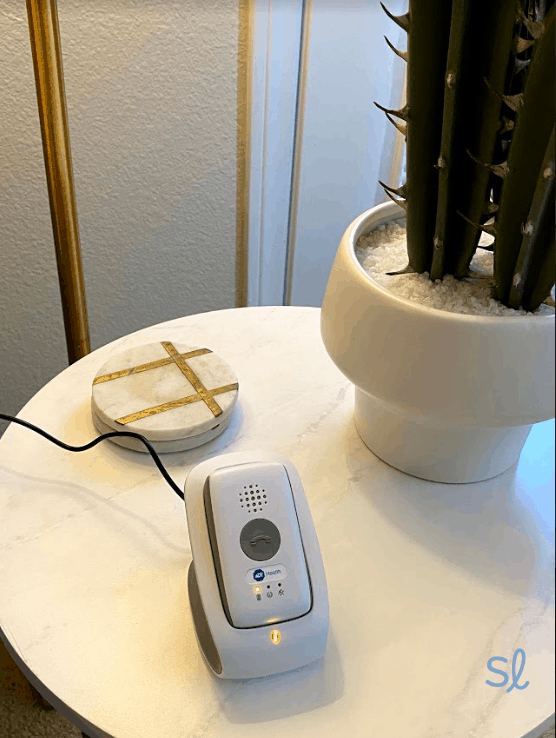
Charging my On-The-Go Emergency Response ADT Health system
ADT offers three medical alert systems. One of them, called ADT On-The-Go, includes GPS tracking. While we prefer providers that give seniors multiple options, ADT’s On-The-Go system offers great value. It has 24/7 monitoring and GPS tracking by ADT’s urgent response agents, optional fall detection ($11 per month), and a high-quality two-way speaker with adjustable volume controls. I had no issues hearing the agent on the other end or speaking into the mobile device.
» Learn More: ADT Medical Alert System Review
ADT offers their proprietary Premium Protection Plan with all systems at no extra cost. This protection plan is a step above Bay Alarm Medical and Medical Guardian. Both offer a separate paid protection plan with only partial reimbursements for lost or damaged equipment. ADT’s plan covers the cost of battery replacements, along with equipment damage caused by regular wear and tear, power surges, and accidents. It doesn’t, however, cover the cost of lost equipment.
Pros & Cons:Pros About ADT Medical Alert
- Premium Protection Plan protects equipment from damage for life
- 24/7 monitoring with GPS tracking
- Loud, clear two-way speaker
- No long-term contracts
- No hidden fees
- Optional fall detection
- Necklace and wristband pendant options
Cons About ADT Medical Alert
- Premium Protection Plan does not cover lost equipment
- No companion app or location tracking for caregivers
- Fall detection is a little more expensive than most other providers
- No smartwatch devices
Our Hands-on Experience:Plans, Pricing, and Features
System Price Battery life Tracking Fall detection available Features On-The-Go $41.99 per month Up to 40 hours GPS; cellular Yes Strong 2-way speaker on mobile device; lightweight and easy to carry; lifetime damage protection *You can save up to $5 on your monthly premiums by paying annually, plus free two-day shipping and a free lockbox.
GPS Accuracy
Unlike Medical Guardian, Bay Alarm Medical, Lively, and MobileHelp, ADT doesn’t offer a companion app for caregivers. This is one of the provider's biggest drawbacks, since it means that caregivers can’t track their loved ones’ locations.
Instead, I had to wait to get a text or email from ADT to know if my device had been activated. That said, I was still able to test the accuracy of the ADT’s GPS tracking system by initiating a test emergency call.
» Pricing Guide: ADT Medical Alert Systems: Pricing and Getting the Best Deal
I walked to a specific corner in my neighborhood and held down the help button. When the agent answered, they were able to pinpoint my location down to the intersection. While ADT’s GPS tracking is highly accurate, I would love to see an app that caregivers could use to track devices.
Response Times
After conducting five test calls, I recorded average response times of around 20 seconds. This was faster than the results I got with MobileHelp, but nearly twice as long as Bay Alarm Medical and Lively. Still, 20 seconds is not a long wait, especially when some other providers can take a minute or more to respond.
Battery Life
ADT’s On-The-Go system has a convenient charging cradle that plugs straight into the wall. I just set the mobile device in the charger and waited for the light to indicate that the battery was fully charged. Unfortunately, this turned out to be a pretty long wait, as it takes the battery about three hours to get from zero to 100 percent.
» You Might Like: ADT Home Security Systems for Seniors
With a full battery, the On-The-Go system can last for up to 40 hours. This is nearly twice as long as Medical Guardian’s MGMove, but far shorter than the MGMini. It’s also comparable to Lively’s Mobile2 and Bay Alarm Medical’s SOS Micro.
-
4. Lively - Best Cell Phone Systems
 See Pricing Links to Lively
What we like most
- Verizon connection
- Location tracking
- Pendant and mobile phone systems available
LivelySee Pricing Links to LivelyOverview:
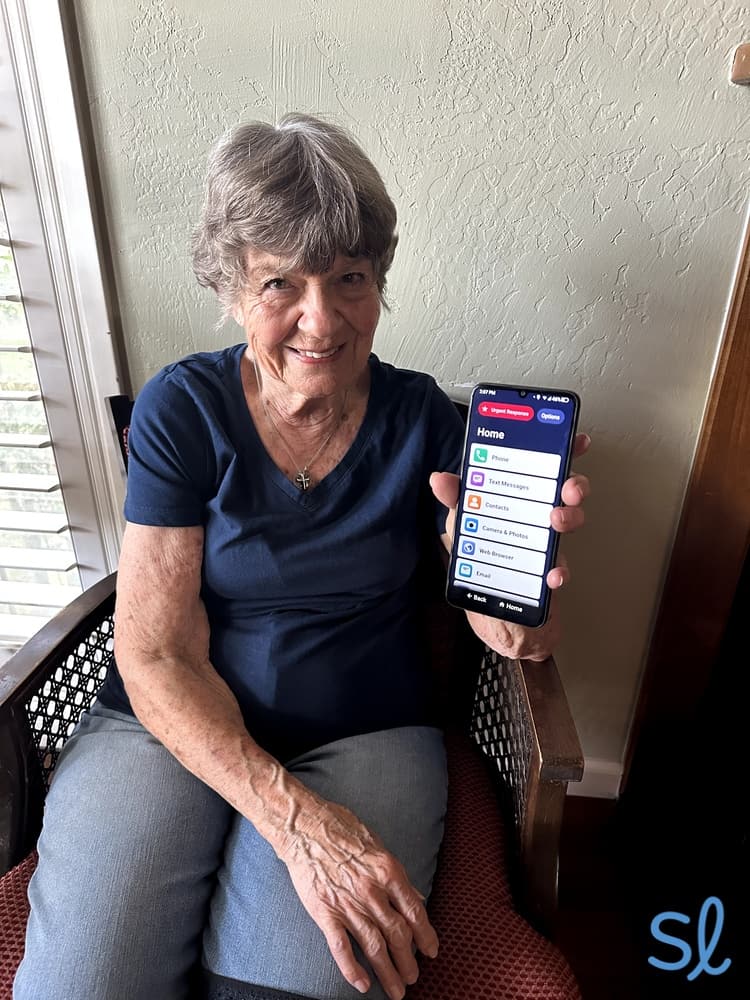
My grandma trying out the Jitterbug Smart4
Lively is a unique provider, as they offer hybrid cell phones and GPS medical alert systems. For the 91 percent of adults aged 65 and older who own a cell phone, a phone with a built-in medical alert system offers the best of both worlds.
For those who are just looking for a medical alert device, Lively also offers a stand-alone GPS. Whether you go with a device or phone, you’ll have your pick of Lively’s health and safety features. For even more flexibility, you can use these features on your Apple Watch or Alexa-enabled smart speaker.
» Plan Breakdown: Jitterbug Phone Plans for Seniors in 2026
Many older adults may avoid purchasing a medical alert system because of its appearance, so Lively’s phones are a great solution for discreet protection. My grandma owns a Medical Guardian system, but she loves that Lively’s devices look just like regular cell phones. Keep in mind that Lively charges an up-front equipment and activation fee for your chosen device. If you opt for one of Lively's phones, you’ll also pay a monthly talk, text, and data fee.
» Dive Deeper: Lively Medical Alert Review
Pros & Cons:Pros About Lively
- Cell phone and stand-alone medical alert options
- Fast, 24/7 emergency response
- Optional fall detection
- Variety of health and safety features
- Senior-friendly phone designs
- No mobile contracts
Cons About Lively
- Equipment and activation fees
- Only one option for non-cell phone users
Our Hands-on Experience:Plans, Pricing, and Features
System Price Battery life Tracking Fall detection available Features Lively Mobile2 $24.99 to $34.99 per month Up to 40 hours GPS; Verizon cellular Yes Waterproof help button; stand-alone alert device Jitterbug Smart4 $14.99 to $44.99 per month Up to 37 hours GPS; Verizon cellular; Wi-Fi No Urgent Response button; smartphone design Jitterbug Flip2 $14.99 to $44.99 per month Up to 12 hours GPS; Verizon cellular No Urgent Response button; flip phone design GPS Accuracy
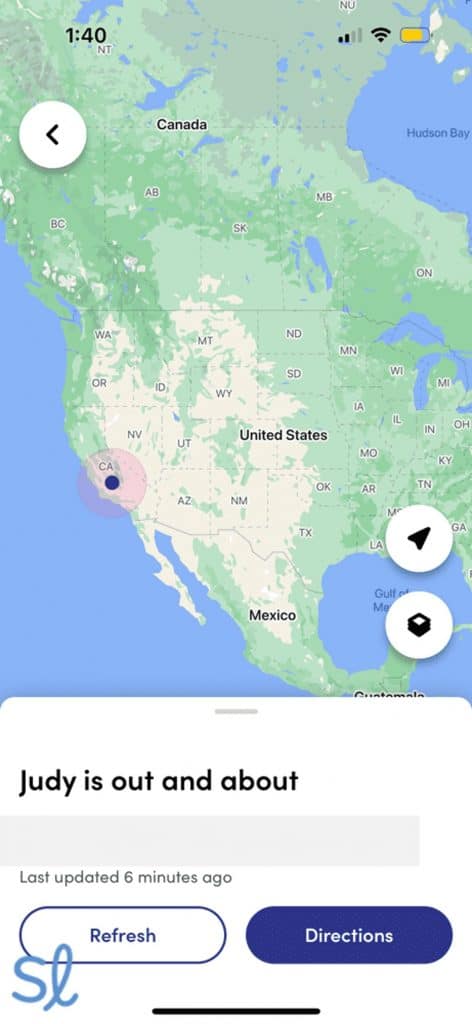
We tested out the accuracy of Lively’s stand-alone medical alert system, Lively Mobile2, along with the Jitterbug Smart4 and Jitterbug Flip2. Our plan included Lively Link, which is a mobile app that lets me track my grandma’s location at any given time, comparable to Bay Alarm Medical’s companion app. I could also see an emergency call history, the status of her device, and receive alerts if she called for help.
Tracking my grandmas location using the Lively Link mobile app
We were both surprised by the accuracy of the GPS when testing the Jitterbug Smart4 and Jitterbug Flip2. Anytime I clicked “view on map” in the Lively Link app, it would automatically bring up an accurate map pinpointing my grandma’s precise location. I could also refresh the map to see if there had been any changes since I last checked.
» Also Check Out: Best Medical Alert Systems With Voice Activation
Response Times
Based on the test emergencies my grandma and I initiated on Lively’s three devices, the average response time was 10 seconds. These response times were the same as they were for Bay Alarm Medical and Medical Guardian. During an emergency, every second counts, so I appreciate these speedy responses.
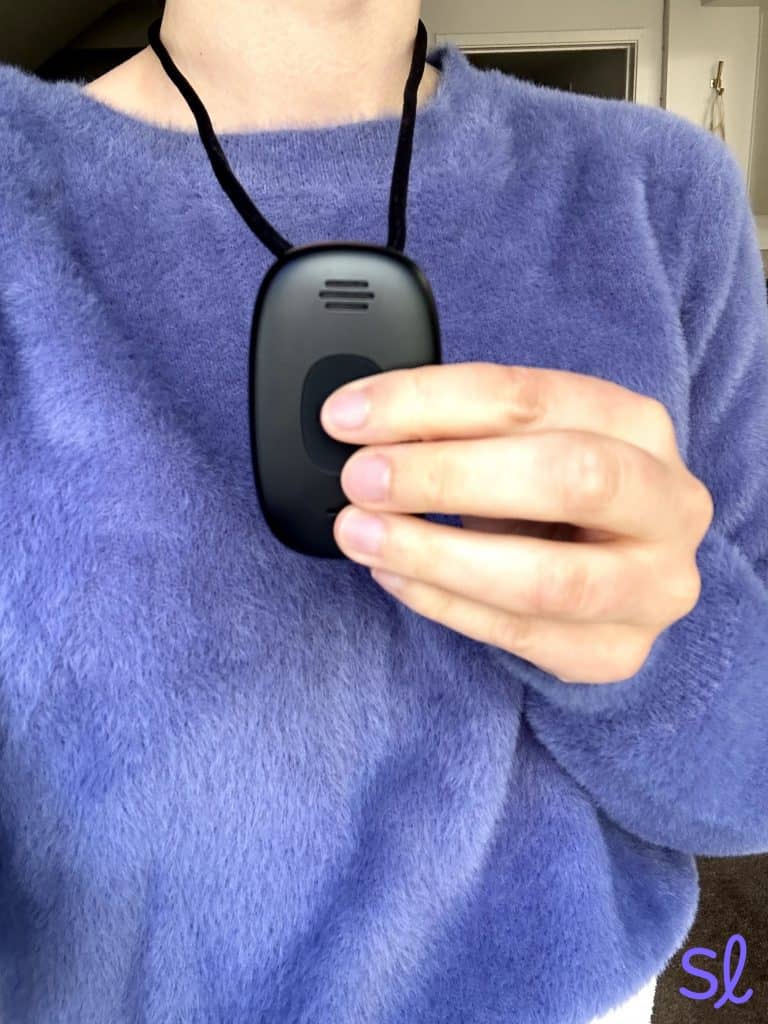
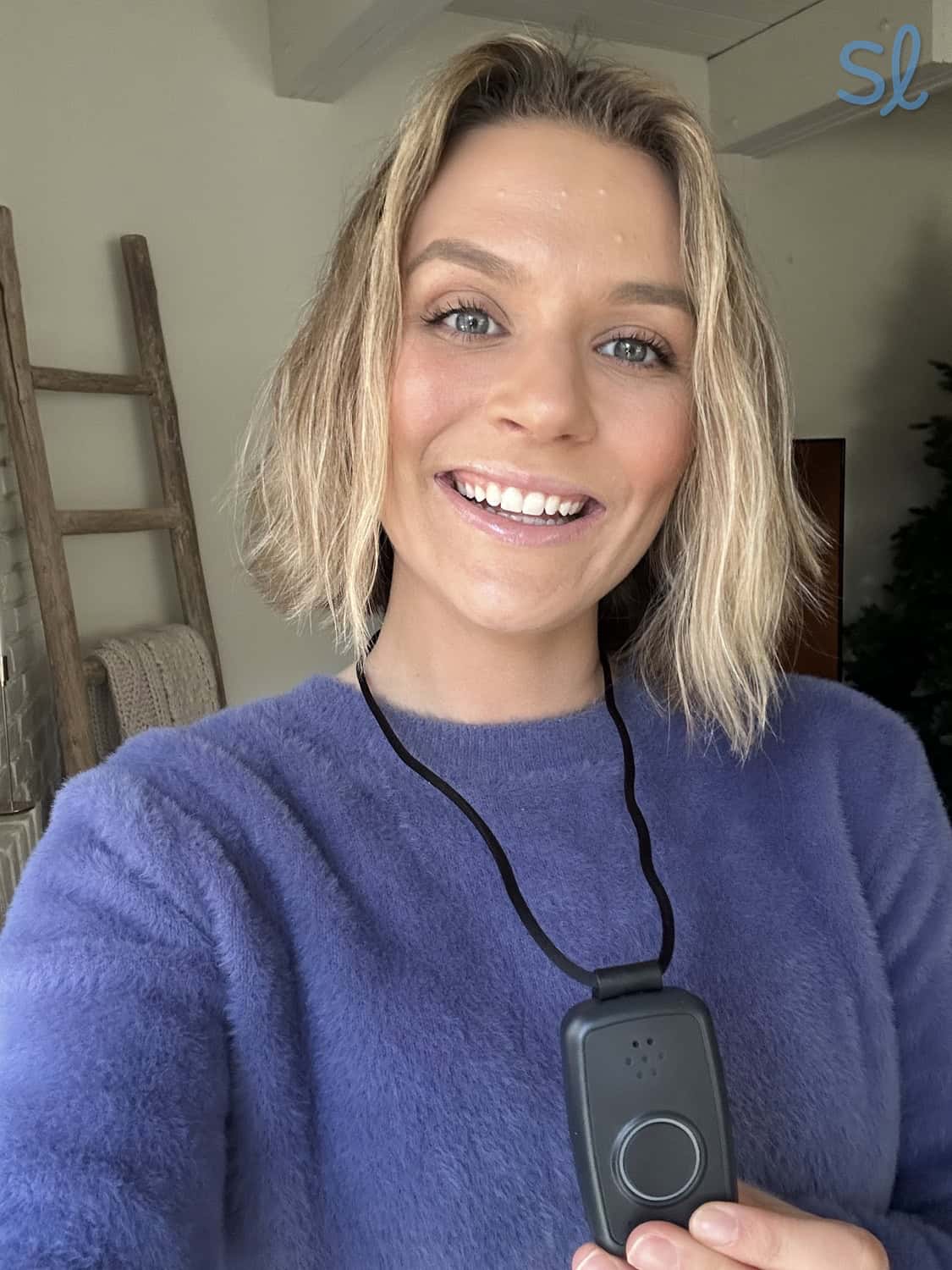
Placing a test call on the Lively Mobile2
Battery Life
The Jitterbug Smart4’s battery lasts up to 37 hours, which is pretty typical for a smartphone. My grandma and I noticed that the battery lasted much longer than the last iteration of this phone, the Jitterbug Smart3; I appreciate that Lively has improved the batteries of its devices over time. The Jitterbug Flip2 lasts up to 12 hours, so I just charged my device each night before bed.
» Related Reading: Jitterbug Smart4 Review and Jitterbug Flip2 Review
As for the Lively Mobile2, it lasts up to 40 hours. While that’s still pretty solid, Bay Alarm Medical’s SOS mobile has it beat with an extra 32 hours of battery life. As long as you remember to charge your device every day or two, it shouldn’t be an issue.
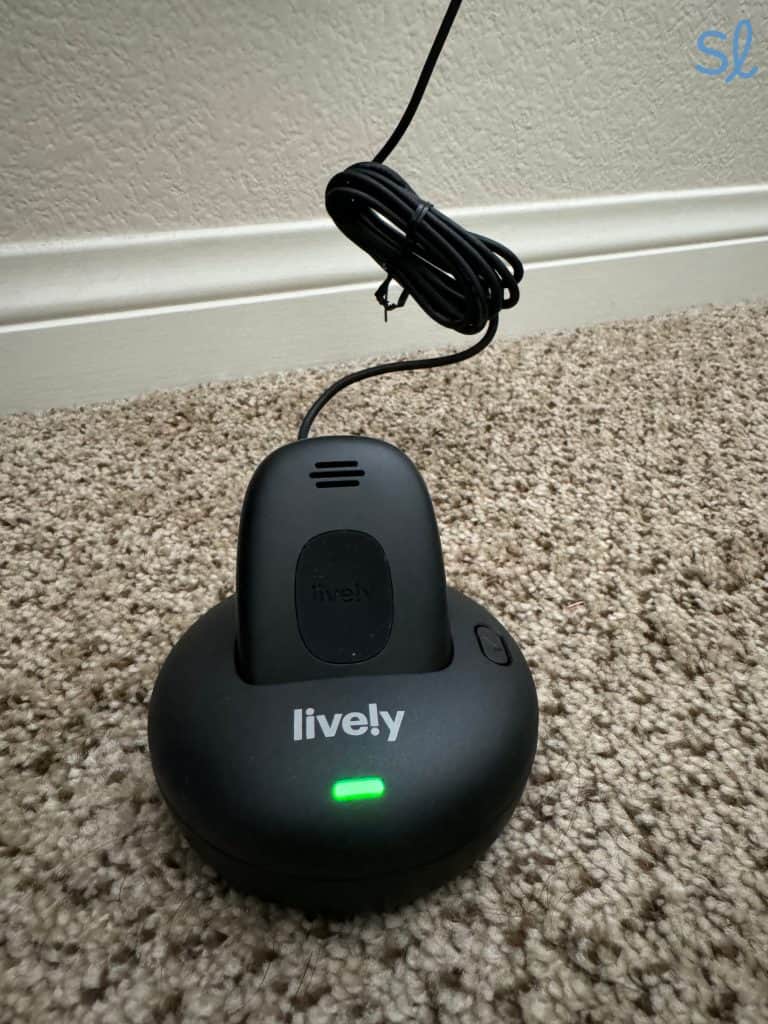
Charging the Lively Mobile2
-
5. MobileHelp - Best for Two Users
 See Pricing Links to MobileHelp
What we like most
- Discount on monthly rates and free Connect Premium for veterans
- Prices starting at $19.95 per month
- Unique features: Systems designed for two users
MobileHelpSee Pricing Links to MobileHelpOverview:
Using the MobileHelp Micro system
MobileHelp provides GPS coverage and protection for two users at one affordable rate. While some providers (like Lively or Medical Guardian) require you to purchase two systems at full price or pay an extra fee for a second subscriber, MobileHelp offers multiple systems built for spouses or roommates. The Mobile Duo comes with two mobile GPS units, perfect for senior couples who are active outside of the home.
MobileHelp also offers the Duo bundle that combines their at-home and on-the-go GPS units, which is a great fit if you spend time on the go but your partner is more of a homebody. MobileHelp’s prices for spouse monitoring are competitive and, depending on the plan you choose, even more affordable than a one-person system from a carrier like Lively.
» Learn More: 2026 MobileHelp Review
Pros & Cons:Pros About MobileHelp
- Two-for-one systems
- Diverse product lineup
- Inexpensive spouse monitoring
- 30-day free trial period
- Free shipping for all systems
Cons About MobileHelp
- GPS tracking is limited for caregivers
- Less discreet equipment
- Short battery life
- Activation fees with monthly subscriptions
Our Hands-on Experience:Plans, Pricing, and Features
System Price Battery life Tracking Fall detection available Features MobileHelp Solo $34.95 per month 1 day GPS; AT&T cellular Yes Waterproof help button; 2-piece on-the-go system MobileHelp Micro $34.95 per month 1 day GPS; AT&T cellular Yes Weighs only 1.8 ounces; sleek and discreet Mobile Duo Bundle $49.95 per month 1 day GPS; AT&T cellular Yes 2 on-the-go systems for spouses or roommates; waterproof help button Home Duo Bundle $44.95 per month 1 day GPS; AT&T cellular Yes At-home and on-the-go equipment; waterproof help button; in-home base station GPS Accuracy
When I went out for a walk, I tested the accuracy of the mobile unit’s GPS feature, and it was about as accurate as Medical Guardian’s MGMove. It would give me a general area (within about 30 feet), but it wasn’t always perfectly precise.
» Useful Resource: Best Cellular Medical Alert Systems
One potential drawback of MobileHelp’s system is the way that location tracking is tacked onto plans. I couldn’t just check my system’s location at any given moment. Instead, I had to “ping” my device’s location each time I wanted to check it, and I could only request the location 30 times per month.
If I needed to use it more often, I’d have to pay an extra $6 per month for another 30 location requests. I’m not a big fan of this limitation, as other companies like Medical Guardian and Bay Alarm Medical let you check the device’s location as often as you want. This system is not ideal for caregivers or family members who like to check on their loved ones more than once per day.
Response Times
When I initiated multiple test emergencies, I recorded average response times of 25 to 30 seconds. This is slower than other providers on our list, like Lively and Bay Alarm Medical. While every second counts in a real emergency, it’s hard to complain about a GPS medical alert system that can have an agent on the line in less than a minute!

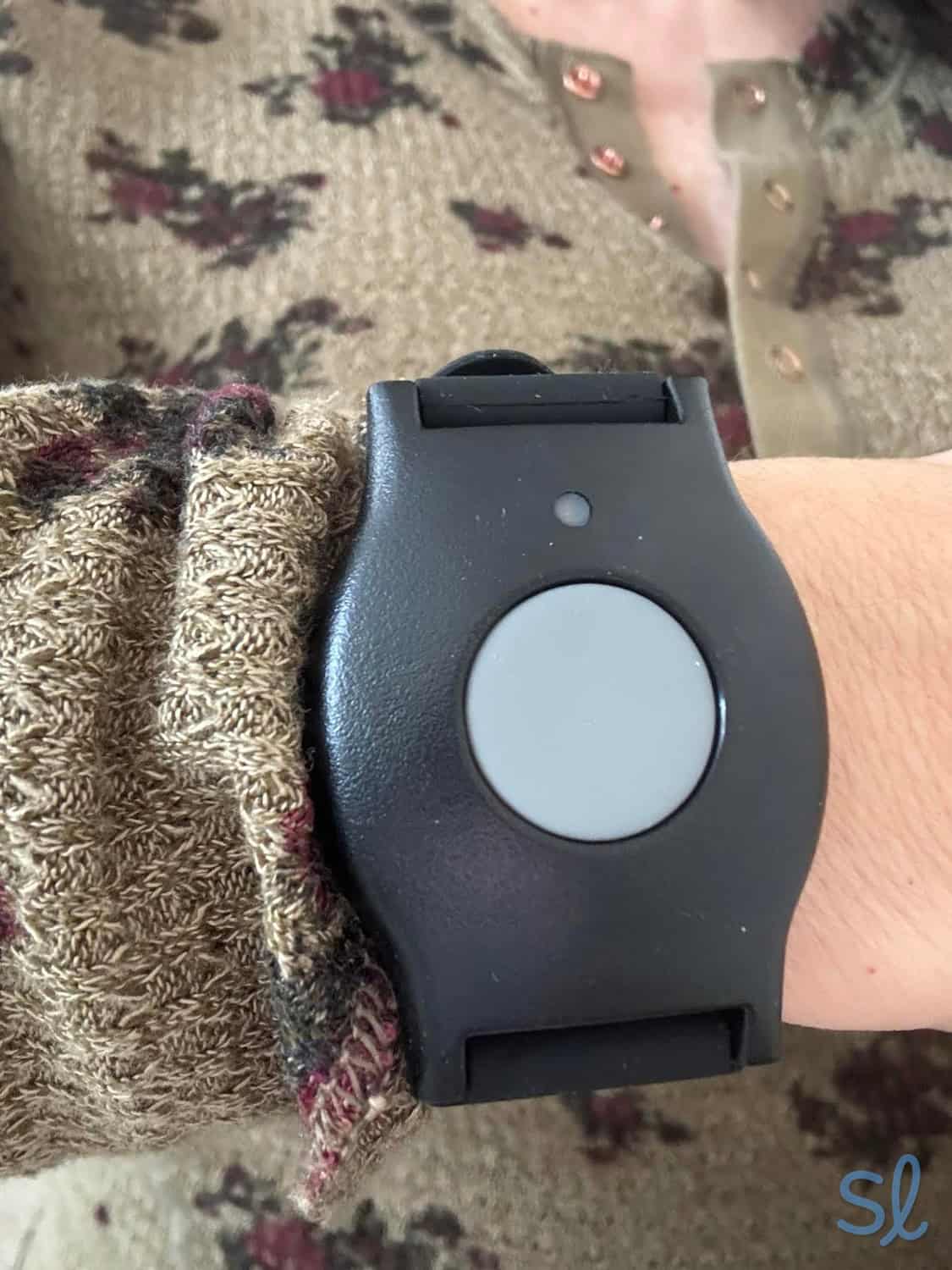
Wearing a MobileHelp button as a wristband
Battery Life
MobileHelp’s GPS systems have a battery life of about one day. There are options with longer battery lives from companies like Medical Guardian and Lively. I do wish MobileHelp had some systems that offered better battery life.
However, as long as you remember to charge your device once a day, it shouldn’t be an issue. Plus, building a daily charge into your routine might be easier to remember than charging your device every three or four days!
Is a GPS Medical Alert System Right for Me?
Independence has a positive impact on the quality of life for seniors. This includes the freedom to visit family and friends, enjoy outdoor recreation, and travel. As older adults travel, they must stay protected, no matter where they are.
That’s why a GPS medical alert system that can track your location and send help is useful. These mobile systems are also excellent for seniors who spend time out and about in their local community.
» Related Reading: Senior Travel and Vacations
If you’re caring for an aging loved one who is experiencing cognitive decline due to Alzheimer’s or memory loss, a medical alert system with GPS can provide safety for your loved one and much-needed peace of mind for you.
Dementia is often accompanied by behaviors such as wandering, disorientation, getting lost, or going missing. If your loved one wanders, you can locate them quickly and get them home safely with a GPS system. In fact, six in 10 people living with dementia will wander at least once.2
FYI: If you’re looking for a quality medical alert device for a loved one with Alzheimer’s or dementia, check out our guide to the best medical alert systems for seniors with dementia.
How Do I Use a GPS Medical Alert System?
If you’ve decided that a medical alert system with GPS is right for you or a loved one, you might be wondering how exactly it works, and if it will fit into your lifestyle. The good news is it’s simple! There are just a few quick steps:
- Always make sure that your device is charged using the provided charging equipment.
- Remember to take your device with you when you leave the house. Depending on the type of device you have, it can either be worn around your neck, on your wrist, or placed in a pocket or bag.
- In the event of an emergency, simply press the call button on your device and you will be connected with your programmed emergency contacts.
- The emergency response personnel will be able to locate you using the GPS signal that your device emits, allowing for necessary aid to reach you as soon as possible.
What Are the Different Types of GPS Medical Alert Systems?
There are a few different options for medical alert systems with GPS, so you can find a system that best fits your needs:
- All-in-one GPS devices come with a wearable mobile unit. The unit features a built-in speaker and microphone, so you can easily call for help and communicate with the operator. These systems work in any location with cellular coverage and can easily be worn as a necklace or watch on the go. We’d recommend all-in-one devices for those who don’t want a system with multiple pieces of equipment.
- Two-piece GPS devices are similar to all-in-one devices, but you’ll need to carry two pieces of equipment with you instead of one.Typically, two-piece systems come with a portable base station and a wearable help button. The two-way speaker is built into the base station, so your help pendant can be much smaller. Two-piece systems are best for those who want a smaller, discreet help button, or those who want a base station that can be thrown in a purse, pocket, or attached to a belt clip.
- Hybrid GPS systems come with two separate systems: an in-home base station and a two-piece or all-in-one GPS device. Both devices feature a microphone and help button to connect to the monitoring center. The in-home base unit provides monitoring in the home, while the GPS device will protect you on the go. Hybrid systems are best for two users, or someone who wants both a traditional in-home unit and an on-the-go system.
Frequently Asked Questions About GPS Medical Alert Systems
-
Do I need a cell phone to use a GPS medical alert system?
No, even though GPS-enabled medical alert systems use cellular connectivity, you do not need your own cellular plan to use the system. The cellular connection will be provided by the company, though caregivers may need a mobile device to use a companion app.
-
Does a cell phone replace the need for a medical alert device?
If you’re like me and forget your cell phone in another room or misplace it for a while, you’ll realize a cell phone doesn’t provide the same protection as a medical alert system does. Since medical alert devices are worn at all times, they provide around-the-clock protection that cell phones don’t.
-
How fast are the emergency response times for medical alert systems?
Medical alert system users are typically connected to a live operator within 10 to 45 seconds after pressing their help button.
-
Are medical alert systems covered by Medicare?
Original Medicare does not provide coverage for medical alert systems; however, some Medicare Advantage plans and other private insurers do. Check with your insurance provider to see if they cover medical alert devices or offer any discounts to help you save.
-
Pew Research Center. (2019). Mobile Fact Sheet.
-
Alzheimer’s Association. (2025). Wandering.