The Best Smartwatches for Seniors
Medical Guardian's MGMove is our favorite smartwatch, thanks to its exceptional customer support, 24/7 professional monitoring, and dedicated caregiver tools.


Our team of technology and senior safety specialists rigorously tested the industry’s top-rated medical alert watches to choose our best picks for older adults.
How Our Experts Tested the Best Smartwatches for Seniors
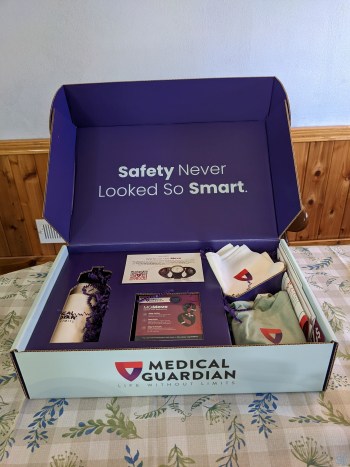
Our tech team tested more than a dozen of the latest smartwatches and found the best options for tech-savvy seniors and caregivers. We also collaborated with our resident occupational therapist, Linda Schlenker, who has over 30 years of experience working with seniors. She approved and reviewed all of our top picks. Here’s a closer look at our testing process:
- We researched the top-performing smartwatches on the market and spoke directly with customer service agents. We verified specifics like battery performance, response time averages, warranty coverage, and hidden fees.
- We tested our top picks for a week, taking notes on all aspects of day-to-day use.
- We recruited older adults to use the devices in real-world scenarios whenever possible. Together, we evaluated the criteria that matter most to seniors, such as tactile button feel, screen readability, and health monitoring accuracy.
- Lastly, we dialed our experience down into three key categories: price, battery life, and size and comfort.
How We Chose the Best Smartwatches for Seniors
Smartwatches offer exciting new ways for seniors to stay fit, connected, and access medical assistance. Every smartwatch on our list had to meet the following criteria:
- Health and fitness features: Not all older people need an SOS button on their watches and phones, but health is a major priority for most older adults. All of the smartwatches on our list offer access to emergency medical services or health monitoring and fitness-tracking features.
- Value: When it’s our health on the line, we can’t afford to make the wrong choice. We selected smartwatches that deliver premium health features and reputable emergency services at reasonable prices, but we didn’t choose any models just because they’re cheap.
- Ease of use: High-tech devices can be intimidating. Some watches require navigating complex apps, which can be a hurdle. We prioritized devices that are intuitive to set up and use, minimizing frustration for you and your loved ones.
Why Trust Us
Our senior tech experts and I try the latest products and tech for older adults every year. We’ve spent hundreds of hours testing and reviewing medical alert systems and mobile devices, including smartwatches.
We consult seniors to learn about their personal experiences with different smartwatches, including what they like, what they dislike, and features that improve their overall experience.
SeniorLiving.org is supported by commissions from providers listed on our site. Read our Editorial Guidelines

- 24/7 monitoring
- Caregiver mobile app
- Prices starting at $42.95 per month

- 24/7 monitoring
- Caregiver mobile app
- Prices starting at $34.95 per month

- 24/7 monitoring with a Lively plan
- Caregiver mobile app with a Lively plan
- Cellular data plans starting at $10 per month

- Built-in fall detection
- Access to international emergency services
- Cellular data plans starting at $10 per month
- Sleep and blood oxygen monitoring
- Extensive health and wellness features
- Up to six days of battery life

- Medical reminders through speaker and app
- Voice-activated search feature for medical questions
- Built-in pedometer and heart monitor

- Built-in fall detection
- Large, bright touchscreen
- Ample accessibility features
Contents
Today’s small, lightweight smartwatches can double as health monitors and wearable alert systems. This means that older adults don’t have to rely on smartphones or larger, traditional medical alert systems in an emergency.
Our tech experts have found that smartwatches are excellent tools for keeping active seniors safe and connected. Many retirees also use these wearables to maintain their fitness routines. To identify the absolute best options, we put the industry's leading smartwatches to the test and refined our list to these top seven picks.
To bring you the best options out there, our team of tech experts tested out the industry’s leading smartwatches and narrowed down the list to our top picks.
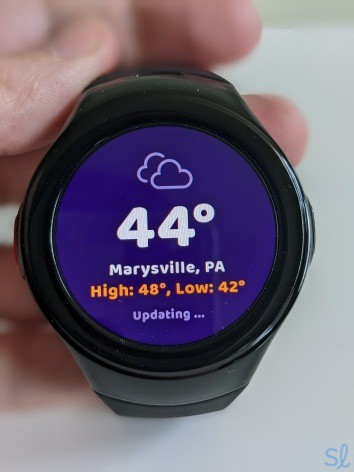
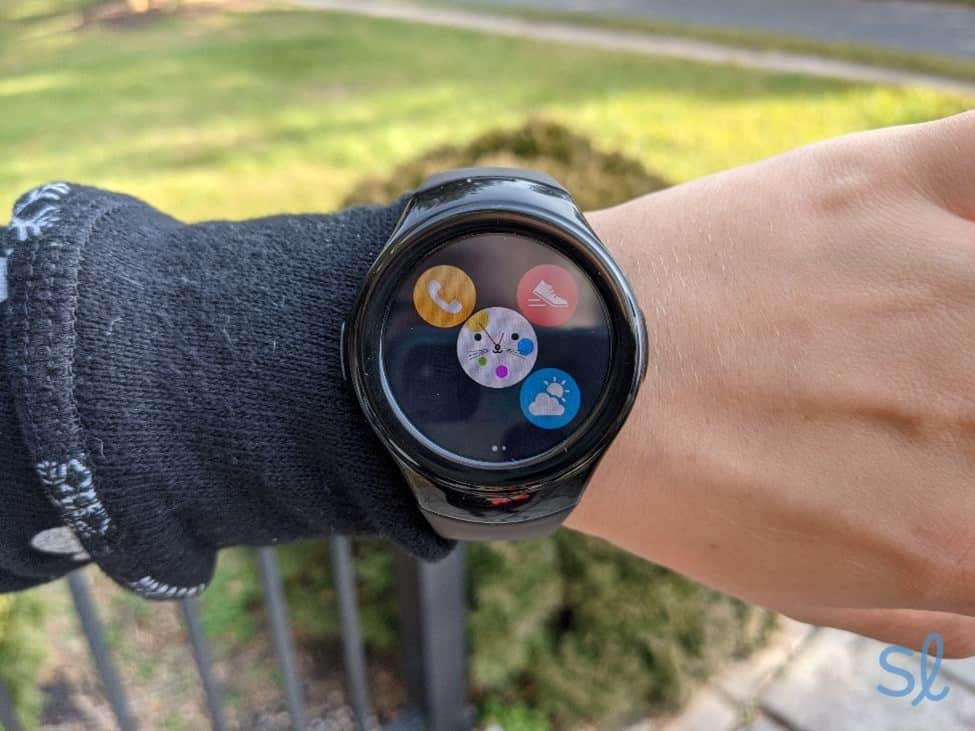
MGMove weather app updating

Our Top Seven Smartwatches for Seniors
-
Medical Guardian MGMove - Best caregiver monitoring
-
Bay Alarm Medical SOS Smartwatch - Best for tech-averse seniors
-
Apple Watch Series 9 - Most advanced smartwatch
-
 Alert1 On-the-Go Wrist Watch Medical Alert - Best emergency assistance for active seniors
 -
 Fitbit Versa 4 - Best for active seniors
 -
 HandsFree Health WellBe Medical Alert Watch - Best health monitoring
 -
 Samsung Galaxy Watch 6 - Best smartwatch for style-conscious Android users
-
1. Medical Guardian MGMove - Best caregiver monitoring
View Packages Links to Medicalguardian.comWhat we like most
- 24/7 monitoring
- Caregiver mobile app
- Prices starting at $42.95 per month
Medical Guardian MGMoveView Packages Links to Medicalguardian.comOverview:
Testing out the MGMove Watch
Medical Guardian’s MGMove is a well-rounded smartwatch designed specifically for older adults. It combines 24/7 protection, weather alerts, and health features like step counting. Caregiver monitoring tools are also available. They can be accessed through the MyGuardian web portal and mobile app.
 Expert InsightsFrom Taylor Shuman, Senior Tech ExpertI love the weather alert option! Where I live in Arizona, it's important for my senior clients to not be out walking or hiking when our temperatures skyrocket. We also get flash floods, and it's good to have the heads up to get off the trail or the road when this is happening.
I love that caregivers can send texts to the watch, set reminders about important appointments, and view the wearer’s location. I could set reminders for upcoming appointments through the mobile app and send messages to the watch. It made checking in and staying connected with her a breeze! Caregivers can also access the user’s call history and current activity, which is a huge plus.
» You Might Like: Best Medical Alert Systems for Seniors With Hearing Loss
The MGMove is fairly similar to Bay Alarm Medical’s SOS Smartwatch (the next watch on our list). But, it doesn’t have the option to send texts or set reminders like the Medical Guardian watch does. If you’re looking for a medical alert watch with the latest features, MGMove is a great choice.
Pro Tip: Are you looking for a smartwatch with built-in medical alert features? Check out our guide to the best medical alert watches!
During testing, I simply pressed the watch’s SOS button to connect with Medical Guardian’s emergency response center. An agent answered in about 10 seconds and asked what help was needed.
As an added bonus, I found that the watch looks “normal” and is discreet for those who don’t want others to know they’re wearing a medical alert device. MGMove is an excellent option for seniors who want robust protection, and for loved ones looking for ample caregiving features.
Pros & Cons:Pros About Medical Guardian MGMove
- Robust caregiver features and portal
- Medical alert features
- 24/7 urgent response center
- Texts and reminders
- Easy to use
- Discreet design
- GPS tracking
- Step tracking
Cons About Medical Guardian MGMove
- Fewer high-tech features than nonmedical smartwatches
- Some features cost an additional monthly fee
- Fall detection costs extra
Summary:Price
While the MGMove isn’t the most expensive smartwatch, it can get pricey if you want all of its best features. The watch has a one-time equipment fee of $199.95, along with a monthly subscription of $42.95. This subscription is what gives you 24/7 access to Medical Guardian’s monitoring center. Though this is typical for medical alert systems, MGMove is a bit pricey compared to similar systems.
» Compare Medical Alert Providers: MobileHelp vs. Medical Guardian
You can add fall detection ($10 per month), texts and alerts ($5 per month), and real-time notifications for loved ones during an emergency ($2.99 per month). When you add that all up, MGMove has the most expensive monthly rates on our list. You can also add a protection plan for $6.99 per month. That’s a good option if you put a lot of wear and tear on your mobile devices like I do.
» Learn About: Best medical alert systems in 2026
If you already have a medical alert system, the MGMove may be an added expense you don’t need. Moreover, this watch costs roughly $40 more than the Bay Alarm Medical SOS Smartwatch, and monthly rates are $5 higher.
That said, the MGMove’s health, monitoring, and caregiving features may be worth the cost, depending on your needs. Plus, you can save a few bucks each month if you pay for your system annually rather than monthly. You can read our Medical Guardian pricing guide to learn more about getting the best deal with the company.
Expert InsightsFrom Taylor Shuman, Senior Tech ExpertHealth monitoring is key, allowing people to track their heart rate and rhythm, steps in a day, and even sleep cycles! I have worked with seniors who were concerned about A-fib and other heart issues. Keeping the smartwatch on can reassure them that there are no issues.Battery Life

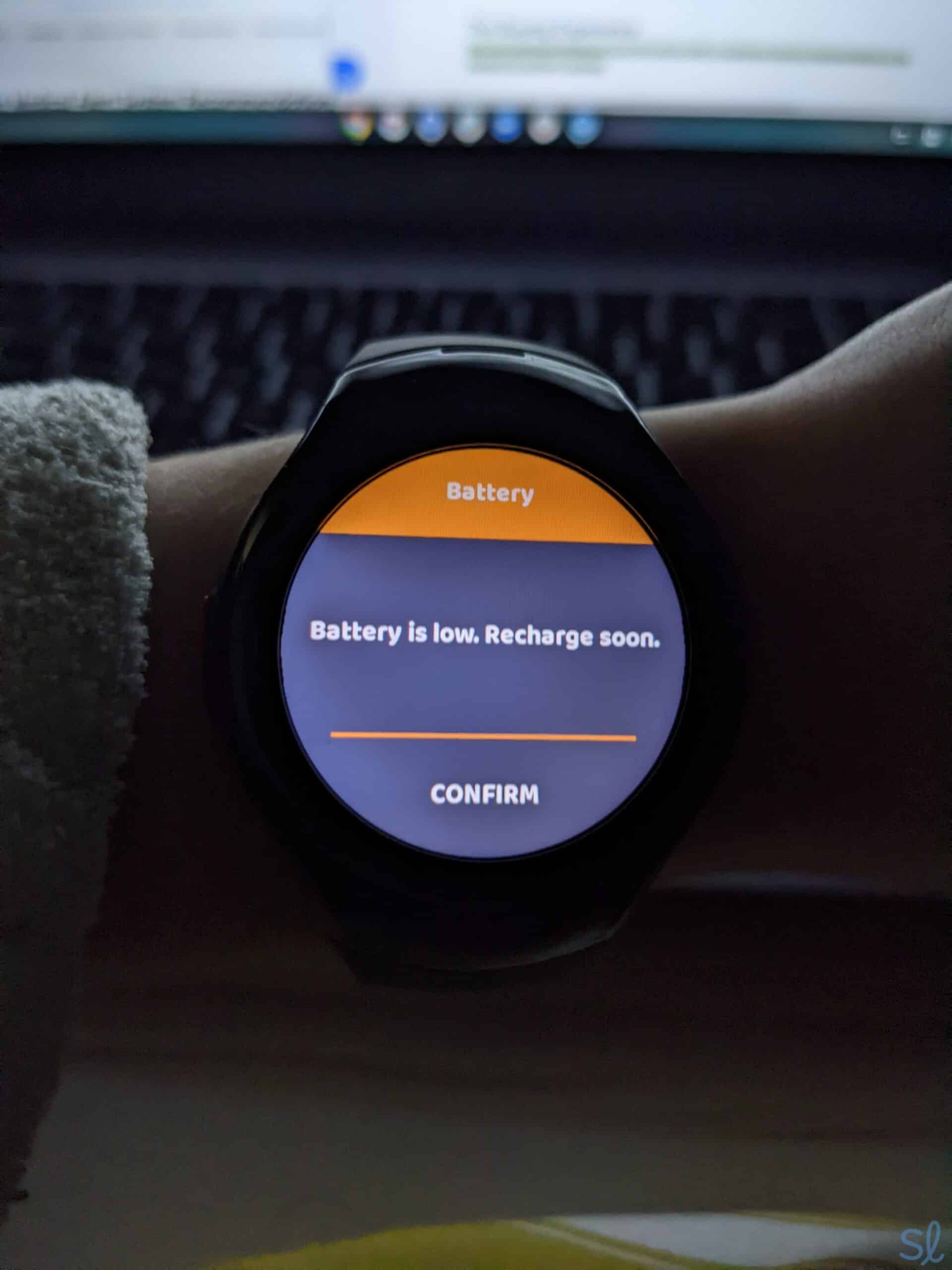
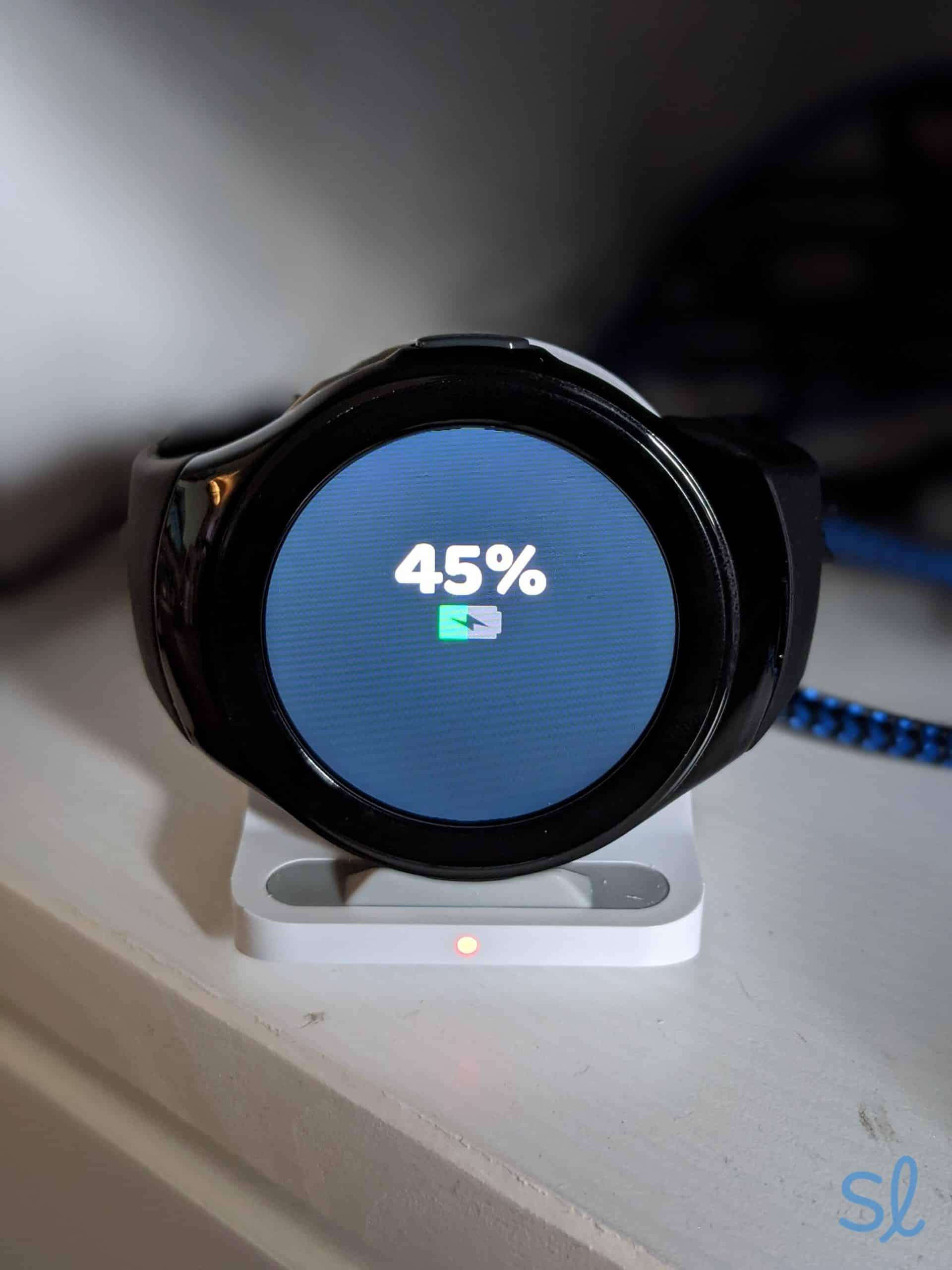
Low-battery alerts on Medical Guardian's MGMove
My grandma and I were happy with how easy and fast it was to charge the MGMove. Medical Guardian advertises up to 24 hours of battery life. We found this to be true while testing the watch.
» Also Check Out: Best Medical Alert Systems for Seniors With Dementia
My grandma wore it for two days. She regularly used it to set reminders, view the time, check the weather, and test the emergency response features (she got a response in around 10 seconds). She only had to charge the MGMove once during this 48-hour period. The watch let her know when the battery was getting low by beeping and showing low-battery.
Size and Comfort

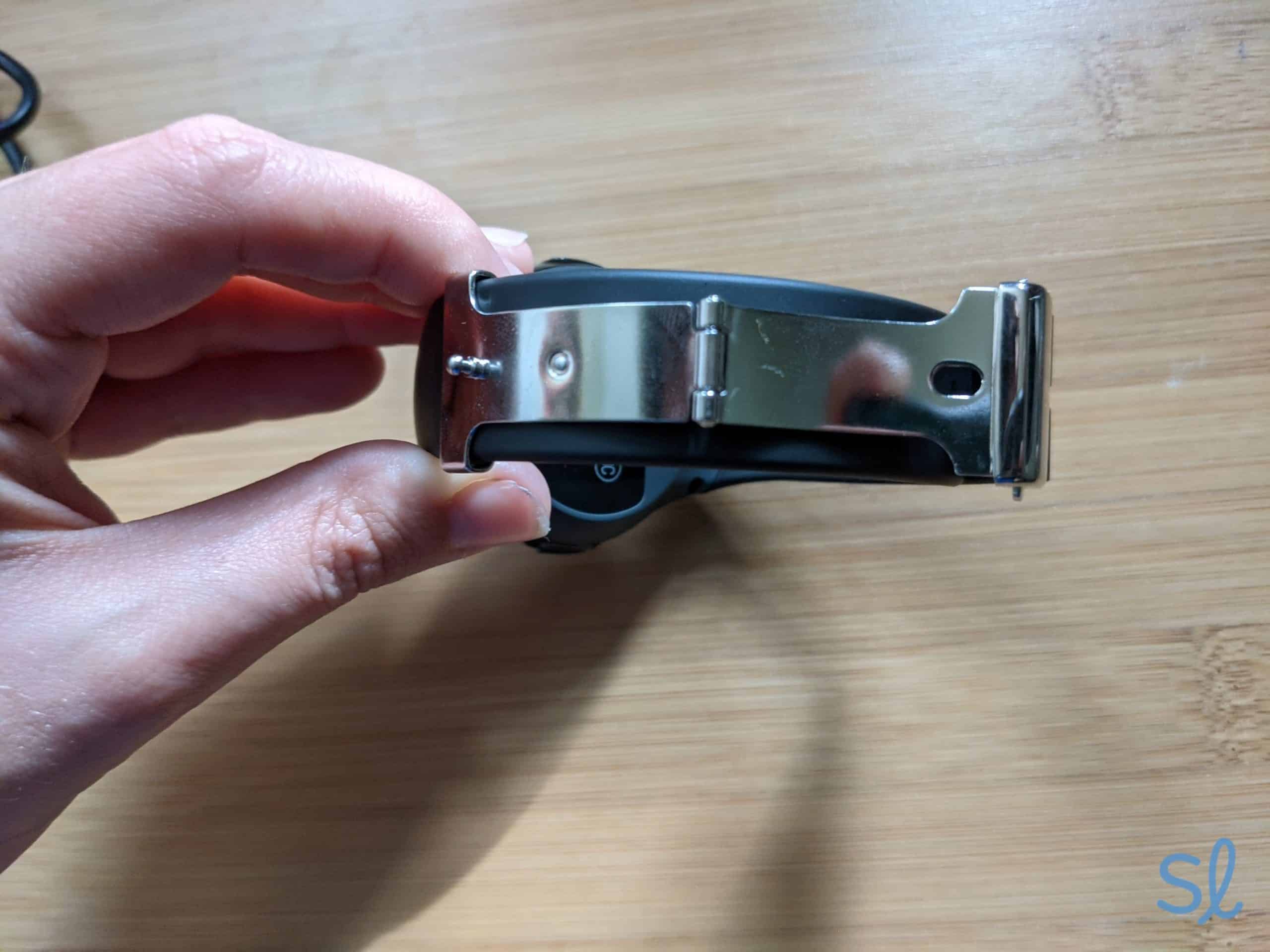
MGMove's watch band has a metal pin and clasp
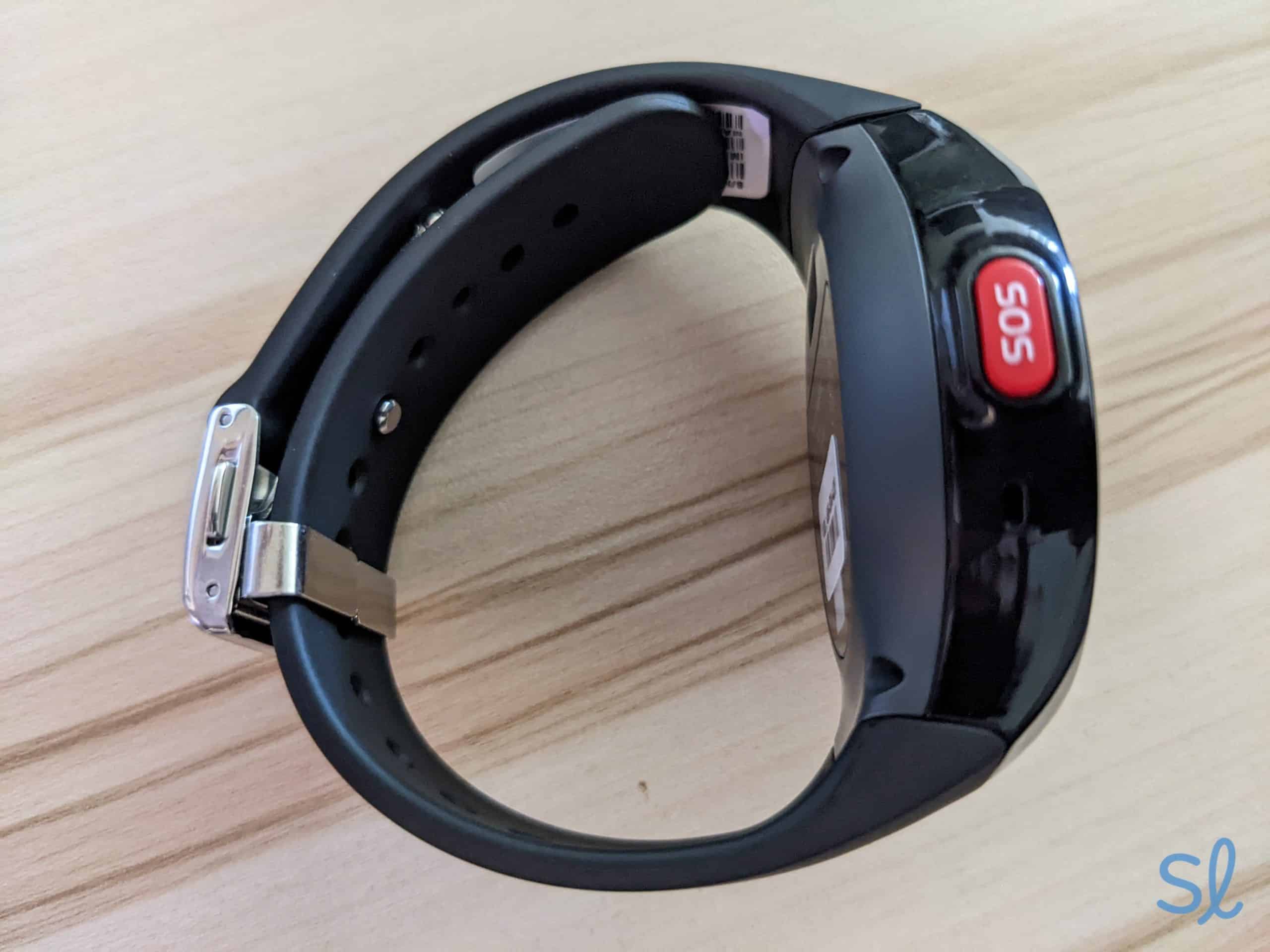
My grandma wasn’t a big fan of the watchband. The band’s metal pin was difficult to adjust. If you have arthritis or struggle to handle precise tasks with your fingers, you might find it frustrating to put the watchband on.
My grandma needed my help to ensure the band was secured correctly. Once that was done, she found it light and comfortable to wear. With a little practice, she was able to take it off and put it on herself.
» Learn More: Medical Guardian review
You can order different strap length, ranging from 5.25 inches to 7.75 inches. The watch screen has a 1.25-inch diameter, regardless of the strap length. This may be a little small for seniors with vision issues. Fortunately, my grandma had no problem reading the time or seeing the notifications pop up on the screen.
-
2. Bay Alarm Medical SOS Smartwatch - Best for tech-averse seniors
View Packages Links to Bayalarmmedical.comWhat we like most
- 24/7 monitoring
- Caregiver mobile app
- Prices starting at $34.95 per month
Bay Alarm Medical SOS SmartwatchView Packages Links to Bayalarmmedical.comOverview:
SOS Smartwatch
The Bay Alarm Medical SOS Smartwatch is simple to use. It doesn’t require pairing with a smartphone, like some smartwatches do. It features large icons with clear images. I knew exactly what to press, whether I wanted to call for help or check the weather. If it’s time to invest in round-the-clock emergency medical monitoring and technology isn’t your thing, a Bay Alarm Medical package is worth considering.
» Learn More: Best medical alert systems with fall detection
When I tested the watch, I found a step tracker that monitors daily activity. The GPS tracker also lets caregivers and emergency alert personnel monitor my location. Using the mobile app, I could see my daily step count and the device’s exact location when I wore it on a walk. This is excellent for loved ones who want to stay in the loop.
Expert InsightsFrom Taylor Shuman, Senior Tech ExpertMany of my clients are just not comfortable with a lot of technology. It's nice to have a simple device that still offers the benefits of a smartwatchLike the Fitbit Versa 4, the SOS Smartwatch doesn’t require smartphone pairing. That means you don’t need a phone to use it. Not all best-in-class medical alert systems for active seniors are phone-free, so that’s a big plus.
Pros & Cons:Pros About Bay Alarm Medical SOS Smartwatch
- Built-in GPS over 4G LTE
- Instant emergency medical assistance 24/7
- No smartphone pairing necessary
- Can be bundled in with home alert system
- Attractive, contemporary display
- Water-resistant
- Step tracking and daily step goals
- Weather alerts
Cons About Bay Alarm Medical SOS Smartwatch
- Fall detection costs extra
- Needs frequent recharging
Summary:Price
The cost of this smartwatch is one of its biggest selling points. At just $159, it’s less expensive than the Galaxy Watch6 and MGMove. The $42.95 subscription fee is also competitively priced. However, this price doesn’t include fall detection. The smartwatch with fall detection costs $52.95 per month. Fall detection is a $10 add-on, which is the industry standard.
» Compare Your Options: Bay Alarm Medical vs. Medical Guardian
The combination of a simple interface and 24/7 emergency assistance is a major bonus. But, the monthly subscription may put the SOS Smartwatch out of your price range. If you’re looking for a smartwatch without a monthly fee, consider an Apple Watch or the Galaxy Watch6.
Still, if you’re accident-prone, you live alone, or you have a serious condition that puts you at risk for falls, you may find the peace of mind well worth the investment.
Battery Life
The SOS Smartwatch’s battery life is OK, but it’s not as long as I hoped. After fully charging the device, I wore the watch with minimal usage for about 14 hours before the low-battery indicator came on. It still had one or two more hours of usage left, but Bay Alarm Medical advertises up to 18 hours of battery life.

Charging the SOS Smartwatch
Needing to charge the battery more than once per day is a drawback, especially if this watch is your primary medical alert device. I recommend it for seniors who don’t venture away from home (or a charging outlet) often.
If battery life is a top priority, consider the Samsung Galaxy Watch6 or Fitbit Versa 4, which have 40-hour and six-day battery lives, respectively.
» Related Reading: Bay Alarm Medical review
Size and Comfort
Like the MGMove, the SOS Smartwatch features a smallish 1.25-inch screen. The large, bright icons more than make up for the small size. I held down the emergency button for around five seconds to test it out. I was connected to an operator in 10 seconds.
At first, holding the button down felt kind of awkward, since it was on the side of the watch instead of the top. Luckily, I got used to it quickly.

Sizing the SOS Smartwatch band
Like the MGMove, I had to secure a metal pin in place when putting on the watch. That was a little tricky, especially when I was in a hurry. If you struggle with dexterity, you might find this watch a bit difficult to take on and off, but it does get easier with practice.
-
3. Apple Watch Series 9 - Most advanced smartwatch
View on Amazon Links to AmazonWhat we like most
- 24/7 monitoring with a Lively plan
- Caregiver mobile app with a Lively plan
- Cellular data plans starting at $10 per month
Apple Watch Series 9View on Amazon Links to AmazonOverview:
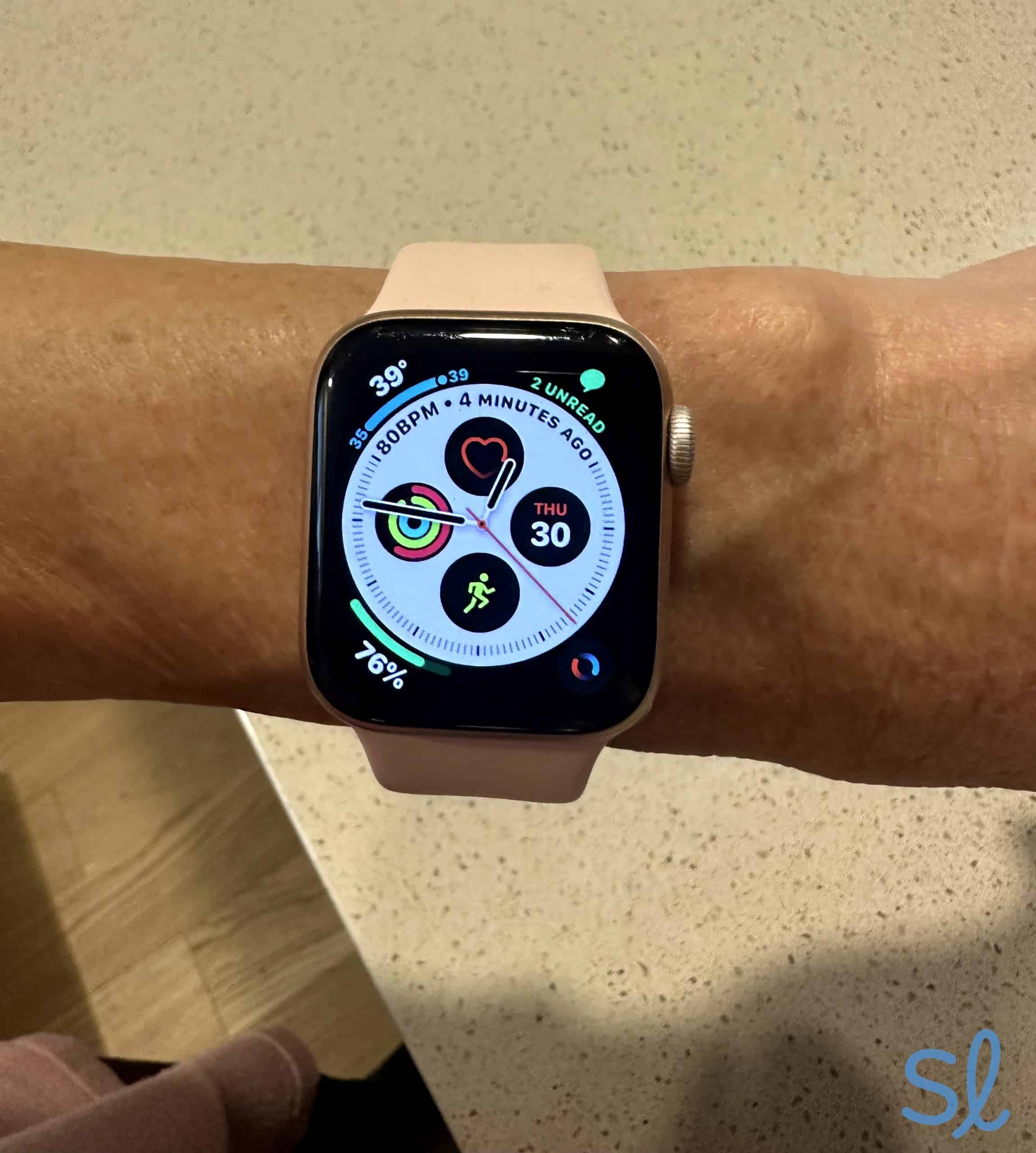
My mom using her Apple Watch Series 10
The Apple Watch Series 10 can generate an electrocardiogram (ECG). That may be a non-negotiable health feature for seniors with heart arrhythmia or heart disease. Few other smartwatches have this potentially lifesaving feature. Similar to the Fitbit Versa 4, you can share the health data collected from your watch with your family or health care provider.
Expert InsightsFrom Taylor Shuman, Senior Tech ExpertThe ECG option is a big draw for many of my clients with heart disease. This is as much of a game changer as when the pulse oximeters came out at an affordable price. It's great, real-time information about one's health.I also really liked that I could use this watch to find my phone. My mom and I even played a little game to test it out, where we each “misplaced” the phone and let the other use the Apple Watch to find it! As soon as either of us got close to the phone, we heard audible feedback to help us zero in on it. If you have an iPhone and frequently misplace it, this could be a very useful feature.
» Further Reading: Best iPhones for seniors
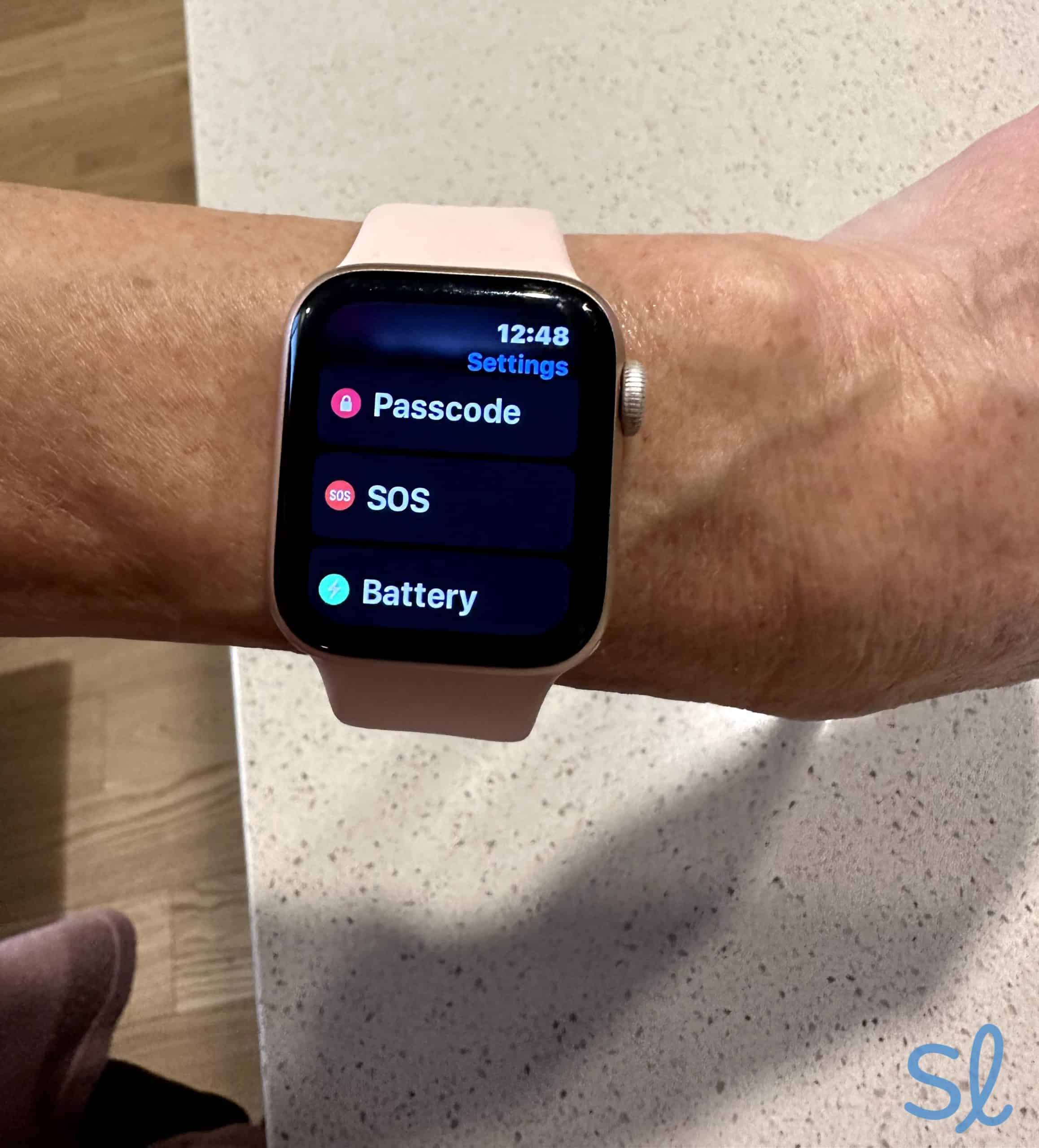
The Series 10 also has fall detection and a one-tap SOS button that connects with local emergency personnel. My mom could turn these features off or on in the settings, which she liked. If you don’t want to use the screen a lot, the latest Apple Watch lets you tap your thumb and index finger to answer calls, open notifications, start or pause music, and much more.
I used Apple’s Health apps directly on the watch without an iPhone. Similar to the Fitbit Versa 4, they include a sleep-quality tracker, fitness options, and a Mindfulness app to log how you’re feeling each day.
We were sad to see that the blood oxygen monitoring feature from its predecessor, the Apple Watch Series 9, is no longer available. Nonetheless, my mom has been an Apple Watch user for years, and she’s a big fan of all the advanced features it has.

Checking out the Apple Watch SOS feature
Pros & Cons:Pros About Apple Watch Series 9
- Exquisite design with retina display
- Sleep tracker and ECG
- Medical ID integration
- Built-in fall detection
- Voice calling and messaging
- Fitness, sleep, and mindfulness tracker
- Comfy, claspless band in nine sizes
- No monthly fees for health apps
Cons About Apple Watch Series 9
- Pricier than any other model on our list
- Only 18 hours of battery life
- A handful of apps to set up
Summary:Price
The Apple Watch Series 10 costs $399 or $699, depending on the model you choose. The only real difference between the two is the casing. The cheaper option has an aluminum casing, while the more expensive watch is made of titanium.
You can also choose between different sizes that change the price. The slightly larger watch will cost you an additional $30. We think the less expensive version is strong enough, even for seniors who put a lot of wear and tear on their devices.
Expert InsightsFrom Taylor Shuman, Senior Tech ExpertFor those who have the budget for it, I think the Apple Watch Series 10 is one of the most comprehensive smartwatches for seniors. It has fall detection, is water resistant, and has all of the critical health features.The benefit of the Apple Watch Series 10 is that you don’t have to pay a monthly subscription to enjoy the health monitoring. This means you could get pretty much everything the Fitbit Versa 4 offers, without the $9.99 monthly fee.
However, the Apple Watch Series 10 is $250 to $550 more expensive than the Versa 4. It may be hard for some seniors to justify the upfront cost, but the Series 10 does have very robust features. I made phone calls, sent texts, listened to music, and worked out with the watch.
» Helpful Guide: How to Use Apple Maps
One caveat: If you want to make calls, send texts, or connect to the internet without your phone, you’ll need to add a cellular plan from your phone carrier. These plans usually cost around $10, depending on the carrier, so it’s still fairly affordable compared to medical alert monthly rates.
It’s definitely worth it to invest in a cellular plan because you’ll be able to access emergency services in case of a fall. If you don’t answer immediately, the watch will contact responders and reach out to your emergency contacts to alert them.
The Apple Watch is also one of the only smartwatches offering international emergency response. If you’re traveling outside the country, you can rest easy knowing you’ll still be protected.
Battery Life
The Apple Watch Series 10 battery life is decent, especially considering how powerful it is. It features fast processing speeds for a smartwatch and has many useful features like GPS tracking and health monitoring.
» For Location Tracking: Best GPS Medical Alert Systems
The battery lasts up to 18 hours with regular use or up to 36 hours in low-power mode. Low-power mode essentially turns off any connection to your iPhone or Wi-Fi. That means no texts, incoming calls, or internet searches. But, if you just want to use your watch to tell the time and monitor your health, low-power mode is a good way to extend the battery life when you can’t get to the charger.
My mom typically charges her watch overnight when she goes to bed, so it’s fully charged for her daily walk each morning. The drawback to this is that she doesn’t get to use the watch’s sleep monitoring features.
Size and Comfort
The Apple Watch has two different sizes to choose from: 42 mm and 46 mm. The screen size of the 46 mm version is 1.7 inches in diameter, while the screen size of the 42 mm version is about 1.5 inches.
» Useful Guide: Technology for Seniors
The screen’s brightness levels are nearly twice as strong as older iterations of the Apple Watch. While either size is an improvement on smaller smartwatches like the Alert1 or SOS Smartwatch, I would recommend spending the extra $30 to get the larger screen if you have vision loss.
The screen is also designed to work well in bright sunlight or low-light environments. My mom noticed this when using her watch in the living room and on her walks.
» Learn About: Smartphone apps and resources for people with vision loss or impairment
The Series 10 has intertwined bands that clasp with an easy-to-use metal nub. This band is an improvement over earlier versions. My mom found it very easy to take on and off, though she did notice that it felt a bit heavier on her wrist than other watches. This was partly because we tested the 46 mm version, which weighs 35.3 grams, compared to the 42 mm version, which only weighs 29.3 grams.
-
4. Alert1 On-the-Go Wrist Watch Medical Alert - Best emergency assistance for active seniors
See Pricing Links To Alert1What we like most
- Built-in fall detection
- Access to international emergency services
- Cellular data plans starting at $10 per month
Alert1 On-the-Go Wrist Watch Medical AlertSee Pricing Links To Alert1Overview:
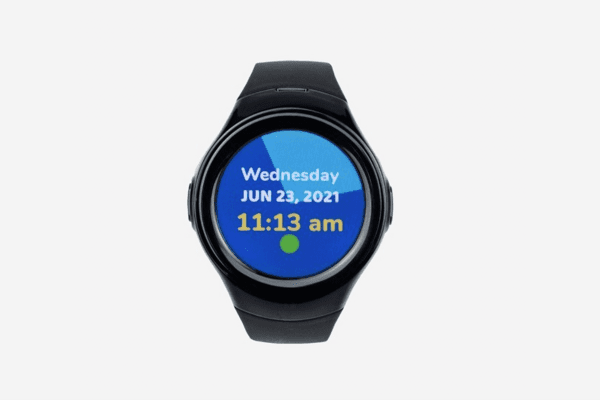
Alert1 On-the-Go Wrist Watch Medical Alert. Source: Alert1
If you’re budget-conscious and don’t need health reminders, Alert1’s affordable, no-frills packages might make sense for you. Even at an affordable price, the Alert1 watch aids your fitness goals by tracking your steps.
With seniors’ use of smart gadgets skyrocketing, older adults are spending more time in front of screens than ever before. A little extra help clocking your daily steps may be just what you need to avoid a sedentary lifestyle.
Did You Know? While over 61 percent of adults 65 years and above use a smartphone, only three percent use a smartwatch.2
The Alert1 On-the-Go Wrist Watch doesn’t cover any new terrain. But it does give you emergency medical monitoring without any frills to drive up the monthly fee. It’s ready to use right out of the box, without complicated setup or app registration.
» Stay Active As You Age: Workouts and exercises for seniors
Alert1 won’t know you as well as the Fitbit Versa 4, which has lots of advanced health features. Still, you’ll have the incentive to stay on top of your daily fitness — and spend less time glued to your devices — with Alert1’s built-in pedometer.
Pros & Cons:Pros About Alert1 On-the-Go Wrist Watch Medical Alert
- Stylish, easy-to-read, shower-proof display
- Certified, U.S.-based emergency-response agents
- Fall detection available as an add-on
- 24/7 assistance with GPS tracking
- Pedometer to stay on top of fitness goals
- Pacemaker-compatible
- Competitive subscription plan
Cons About Alert1 On-the-Go Wrist Watch Medical Alert
- One-time activation fee
- No message or reminders
- Needs to be charged frequently
Summary:Price
I found that the The On-the-Go Wrist Watch is a middle-of-the-road option when it comes to price. Monthly subscriptions start at $29.95 if you prepay for 12 months (or $38.95 if you choose month to month). All Alert1 devices have a one-time activation fee of $19.95. I’m not a big fan of activation fees, as the other watches on our list don’t have them.
With a subscription, you get 24/7 access to U.S.-based emergency-response agents. Similar to the other medical alert watches on our list, I held down the help button on the watch for five seconds. Like Bay Alarm Medical, Alert1 charges $10 per month to add fall detection.
A countdown appeared on the screen, letting me know when the call would be placed. After 30 seconds, I was connected to an operator. The industry average for medical alert system response times is 15 to 45 seconds, so Alert1 falls in the middle of the pack.
» Learn More: Alert1 review
One of the biggest upsides to Alert 1 is that they don’t charge an equipment fee for the One-The-Go Wrist Watch. That makes the upfront cost far less than the MGMove or the Apple Watch Series 10.
However, this watch’s features are pretty bare bones when compared to other affordable options on our list, like Bay Alarm’s SOS Smartwatch. All in all, Alert1’s watch is best for those who want a simpler watch with a low upfront cost.
Battery Life
The biggest letdown for me was battery life. Alert1 advertises battery life of up to 24 hours, but that only holds true if you use it to do the bare minimum. My grandma and I found that it didn’t last more than 16 hours without needing a recharge. If you use the watch throughout the day and plug it in when you go to bed, this shouldn’t be a problem. But if you have a hard time remembering to charge your devices regularly (like I do), it’s a drawback.
Size and Comfort
The Alert1 On-the-Go Wrist Watch features a round screen that’s 1.25 inches in diameter. Like the MGMove and SOS Smartwatch, it may not be easy for you to read if you have vision issues.
The upside is that it helps keep the watch lightweight. My grandma wore the watch when she took her dog on a walk around the neighborhood. She said it felt light and didn’t get in the way. The watch has a band mechanism that’s similar to the MGMove, so it did take a little time to adjust.
-
5. Fitbit Versa 4 - Best for active seniors
View on Amazon Links to AmazonWhat we like most
- Sleep and blood oxygen monitoring
- Extensive health and wellness features
- Up to six days of battery life
Fitbit Versa 4View on Amazon Links to AmazonOverview:
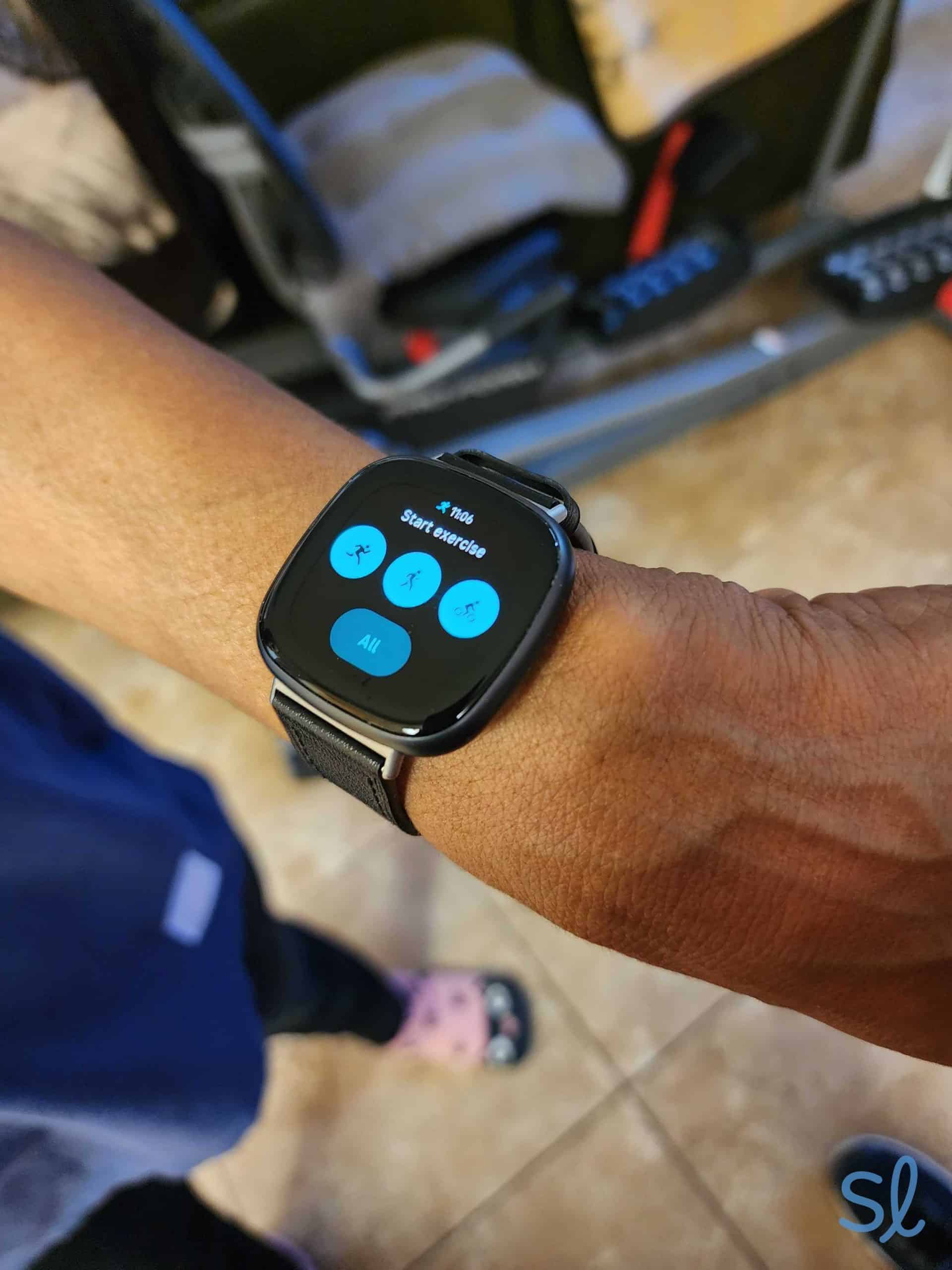
Starting a workout on the Fitbit Versa 4
Fitbits ushered in the mobile health monitoring revolution. They make it easy to see how much exercise we’re actually getting. Fitbits still focus on fitness, but you can now use them as smartwatches, too.
As long as I had my smartphone nearby, I could receive and send text messages, take phone calls, and listen to music on Spotify during a run. Or, if I just wanted to track a workout, I didn’t need my phone handy.
» Learn More: Best smartphones for seniors
One of my favorite things about the Versa 4 is the built-in Amazon Alexa voice assistant. I could send texts, make calls, set alarms, and check the weather, all with my voice. This is excellent for those who hate to text or have mobility issues.
» Save More: Best Medical Alert Systems With No Monthly Fees
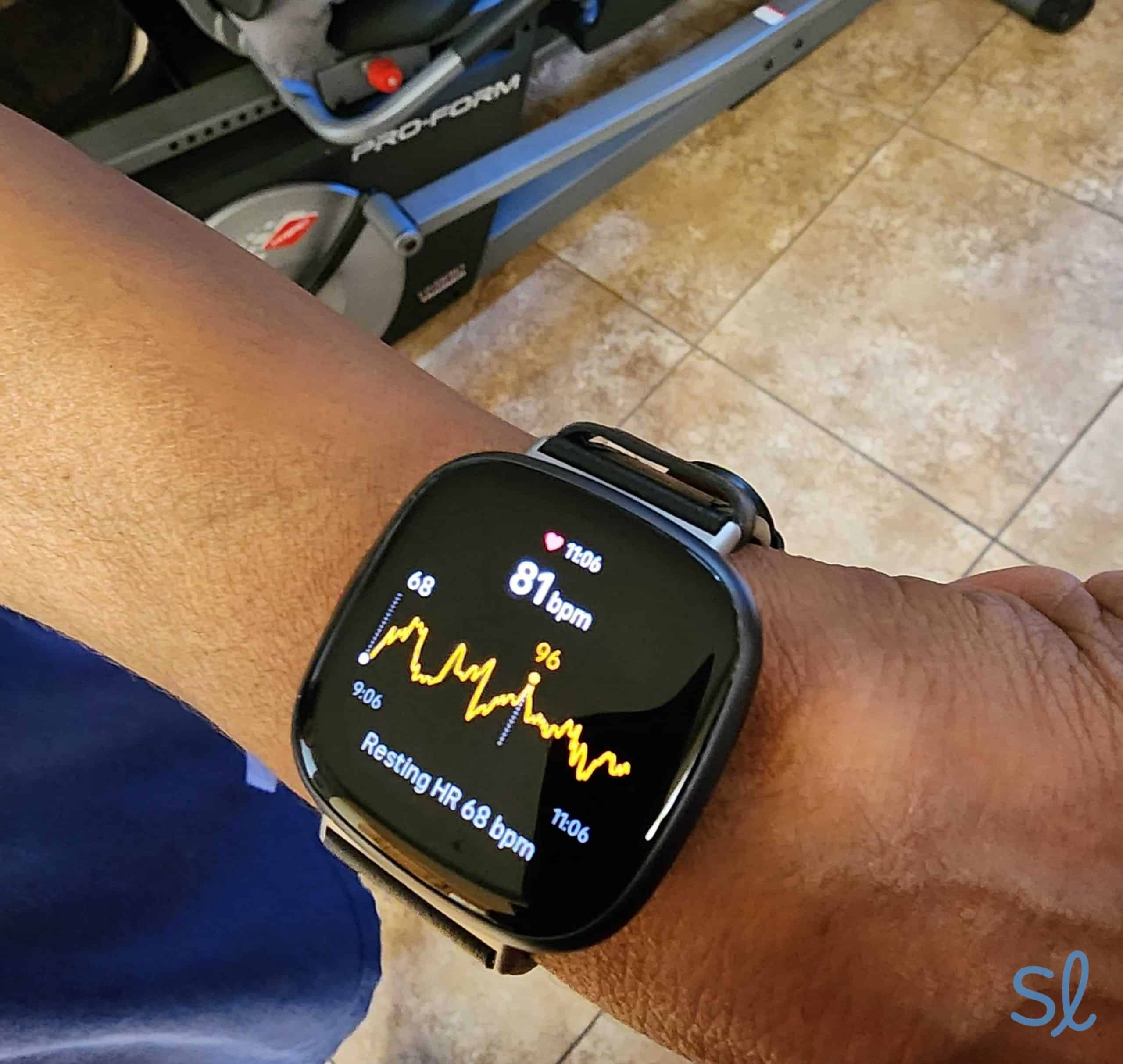
The Fitbit Versa 4 is the second Fitbit with built-in GPS. That means you don’t need your phone to track your fitness stats away from home. I love the watch’s advanced health monitoring; I could track my steps, calories, heart rate, sleep, and blood-oxygen levels.
I have an arrhythmia, and the watch even alerted me when I had irregular heart rhythms. This is excellent for catching abnormal readings. You won’t see these advanced features on most medical alert watches, including the SOS Smartwatch or MGMove.

Checking heart rate information on the Fitbit Versa 4
The Versa 4 also gave me a daily “Readiness” score to help me decide if I needed a workout or a nap. I loved this feature because it gave me an excuse to take it easy! If you have trouble catching quality Zs, the Versa 4 also monitors your sleep so you can pinpoint and correct unhealthy patterns.
» Learn More: 2026 Fitbit review
The water-resistant Versa 4 can hold its own against the Apple Watch Series 10, thanks to its long battery life and its slightly larger hi-res display that’s gentle on older eyes. If staying healthy and active are your main concerns, the Versa 4 is a top choice.
Pros & Cons:Pros About Fitbit Versa 4
- Built-in GPS
- Sleep and blood-oxygen monitoring
- Dozens of workout routines
- Bigger, crisper display
- Battery lasts up to six days
- Built-in Amazon Alexa
- Answers phone calls and text messages
- Advanced health and fitness tracking
Cons About Fitbit Versa 4
- No emergency alert features
- Advanced features require a subscription
Summary:Price
At $199.95, the Fitbit Versa 4 is a pretty good bargain. It doesn’t have the emergency alert features of the Apple Watch Series 10 or MGMove. It does, however, offer some of the same health monitoring features as the Alert1 On-the-Go Wrist Watch — without a monthly subscription.
» Pricing Info: How Much Do Medical Alert Systems Cost?
You’ll need to pay for Fitbit Premium to get personalized workout recommendations, the daily “Readiness” score, and sleep analysis. New Fitbit devices come with up to six months of Fitbit Premium for free, and it’s only $9.99 per month after that. Those are the cheapest monthly rates on our list!
Battery Life
The battery life on the Fitbit Versa 4 is outstanding. According to the company, it lasts up to six days. We tested it for a week and only had to charge it on the last day. My grandma loved that she could wear it while she slept without putting it on the charger every night.
In our eyes, this gives the Fitbit Versa 4 a huge advantage over watches like the Apple Watch Series 10 and Galaxy Watch6. Both have shorter battery lives.
Size and Comfort
Fitbits have always been made to be small, lightweight, and comfortable. The Fitbit Versa 4 is no exception. My grandma liked that it wasn’t cumbersome, even when she washed her hands or got ready for bed.
One drawback to note: My skin reacted to the original watch band — it almost felt like a rug burn. I ordered a new band in a different material; it was easy to switch out the bands and my skin didn’t react to the new one.
Compared to earlier versions, the Versa 4 has a large screen with a 1.58-inch diameter, making it much easier to read. My grandma and I also preferred the rubber stop band to the metal pin of the Samsung Galaxy Watch6 and MGMove.
-
6. HandsFree Health WellBe Medical Alert Watch - Best health monitoring
See Pricing Links To HandsFree HealthWhat we like most
- Medical reminders through speaker and app
- Voice-activated search feature for medical questions
- Built-in pedometer and heart monitor
HandsFree Health WellBe Medical Alert WatchSee Pricing Links To HandsFree HealthOverview:Imagine a smartwatch that reminds you not only to take your medication, but also when it’s time for a refill or you’re due for a doctor’s visit. The WellBe Medical Alert Watch from HandsFree Health is that smartwatch. It delivers critical medical reminders when paired with the WellBe Medical Alert Speaker ($99.95) or the free WellBe app.
» Related Reading: Best voice-activated medical alert systems for seniors
Similar to most of the watches on our list, the WellBe Medical Alert Watch has a 24/7 emergency help button, a pedometer for step tracking, GPS, and a heart rate monitor. As I discovered firsthand, daily use is pretty easy once you register via the WellBe app. This watch is pretty standard unless you pair it with the WellBe Medical Alert Speaker.
I was pleasantly surprised by the $159.95 price tag, which makes it the perfect option for budget-conscious consumers who just want a simple watch.
Pros & Cons:Pros About HandsFree Health WellBe Medical Alert Watch
- Budget-friendly
- Bundle with WellBe Medical Alert Speaker for medical reminders and voice-activated features
- Pedometer
- Heart rate monitor
- Fast charging time
- 24/7 emergency assistance
- GPS tracking
Cons About HandsFree Health WellBe Medical Alert Watch
- Fall detection model costs more
- No phone calls or messaging
Summary:Price
At $159.95, this watch is one of the most cost-effective choices on this list if you don’t include add-ons like fall detection. At $29.95, its monthly service is also more affordable than plans offered by Medical Guardian or Bay Alarm Medical.
Did You Know? According to the CDC, more than one in four older adults reports falling each year.3
If you want a basic watch that keeps track of your health, the WellBe Watch is your most budget-friendly option. Like most medical alert watches, you’ll pay an extra $10 per month for fall detection.
Battery Life
The watch’s battery life is supposed to last up to 24 hours on one charge. I was pleasantly surprised that it held its charge all day, even with heavy use. I frequently checked the pedometer and heart rate monitor, and I made several test calls to the emergency response center.
During my calls, I was connected to an operator in around 25 seconds. That’s solid, but still around 15 seconds slower than the SOS Smartwatch’s response time.
The WellBe Medical Alert Watch is a great choice for seniors who don’t want to charge their devices multiple times a day. Instead, I just plugged in the watch when I went to sleep, and it was ready to go the next day.
Size and Comfort
The WellBe Watch has a screen of just 0.96 inches in diameter. That’s more than 25 percent smaller than the SOS Smartwatch and MGMove. So it’s a good choice if you’re prone to falls, but not ideal if you struggle with smaller screens.
I really like this smartwatch’s band. It’s made of thick, durable rubber with adjustable holes for sizing. The metal pin that clicks into these holes is much easier to press into place without applying lots of pressure.
-
7. Samsung Galaxy Watch 6 - Best smartwatch for style-conscious Android users
View on Amazon Links to AmazonWhat we like most
- Built-in fall detection
- Large, bright touchscreen
- Ample accessibility features
Samsung Galaxy Watch 6View on Amazon Links to AmazonOverview:
Samsung Galaxy Watch6. Source: Samsung
If you’re an Android fan, the Samsung Galaxy Watch6 plays a good second fiddle to the Apple Watch Series 10. Starting at $299.99, the cheaper Galaxy Watch6 can’t go head-to-head with the Series 10’s more advanced internal processing speeds, but it does have ECG monitoring, and it can track steps, heart rate, sleep, and stress levels.
» Keep Moving: Activities for Seniors
Like the Apple Watch Series 10, the Galaxy Watch6 is equipped with 4G LTE, so you can stay connected with texting and voice calling. The Galaxy Watch6 technically pairs with iPhones (while the Apple Watch only pairs with iPhones), but I found that it works better with Android smartphones.
Pro Tip: Are you ready to upgrade your phone? Check out our guide to the best Android phones for seniors!
The Galaxy Watch6 offers MIL-STD-810G protection, perfect for accident-prone seniors. Translated into English, that means it’s extremely durable. It’s both water- and dust-resistant, and it’s easy to replace the band as needed.
» You Might Like: Best Android-Compatible Hearing Aids
The Samsung Galaxy Watch6 is a solid solution for independent older adults who can still handle emergencies by themselves and want a stylish, intelligent wearable. It doesn’t have as much power under the hood as Apple’s Series 10, but you’ll find fewer apps to juggle and a couple of unique extras.
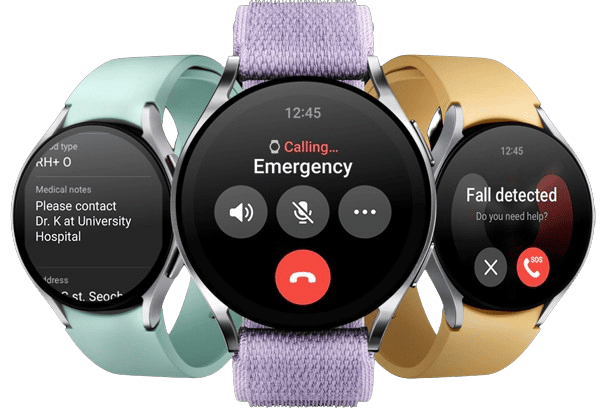
These include the new BIA sensor, which provides readings on body fat, skeletal muscle, body water, and BMI. The Galaxy Watch6 also has fall detection and an SOS button for added peace of mind.
Pros & Cons:Pros About Samsung Galaxy Watch 6
- Fall detection with emergency contact text alert
- Suite of health- and fitness-monitoring features
- Military-grade durability
- ECG monitoring
- Built-in fall detection
- Up to 40 hours of battery life
- Voice calling and messaging
- No subscription required for special health features
Cons About Samsung Galaxy Watch 6
- Traditional metal clasp may be difficult to use for some seniors
- Only available in two sizes
- Battery doesn’t last as long as previous versions
Summary:Price
The Galaxy Watch6 is more affordable than the Apple Watch Series 10, even though they offer similar health features and no monthly subscriptions. The 40 mm version costs $299.99, while the 43 mm Galaxy Watch6 Classic version costs $449.99.
Senior Saving Tip: For the latest seniors-only deals on tech, entertainment, dining, travel, and leisure, check out our up-to-the-minute senior discounts and savings guide.
If you’re willing to pay more for an advanced smartwatch, I believe the Galaxy Watch6 offers better value than the Apple Watch Series 10. That’s especially true if you want to choose between using it with an iPhone or Android phone. On the other hand, if you’re an iPhone-lover and you’re used to navigating Apple devices, an Apple Watch might suit you better.
Battery Life
With the exception of the Fitbit Versa 4, the Samsung Galaxy Watch6 outperforms every other smartwatch on this list with its 40-hour battery life. It felt like an eternity before I had to charge it. In reality, it was around the 32-hour mark that the battery needed to be recharged. I charged it to 100 percent in under an hour.
The only downside is that the Watch6 is far more powerful than previous versions of Galaxy smartwatches, which reduces battery life. Some previous versions had batteries that could last up to 58 hours on one charge.
Size and Comfort
My grandma and I really liked the design and style of the Galaxy Watch6. We tested the 40 mm version, which has a screen size of 1.3 inches (compared to almost 1.5 inches on the 43 mm version).
My grandma found it easy to wear and use without squinting at the screen. The watch has a traditional watch clasp that was pretty easy for us to adjust. She liked the option to have fabric bands, which isn’t something you see with most smartwatches. Once my grandma figured out the right size and practiced a few times, she didn’t have much difficulty putting it on.

A Guide to Choosing the Best Smartwatch for Your Needs
The last thing you want is to get stuck with a smartwatch that doesn’t do what you need it to, especially if you’re committing to a monthly plan. Before you sign on the dotted line, keep these three factors in mind.
Medical Alerts and Reminders
The first question you need to ask yourself is: Do I need the option to contact emergency medical assistance? If so, make sure your smartwatch has an SOS button that connects to certified medical personnel 24/7. Some seniors also benefit from an app that reminds them when to refill prescriptions or take their medications.
Health Monitoring
Most active older adults will want some form of fitness tracking, such as a step counter or pedometer. We also recommend blood-oxygen sensors and ECG functionality for seniors who live with conditions such as adult asthma, an irregular heartbeat, or congenital heart disease.
Daily Use
You need to decide how hands-on you want to get with your smartwatch. If you want a watch you can leave on your wrist and forget about, keep an eye out for models with long battery lives that don’t require smartphone pairing.
Also consider how easy a watch is to put on. Sounds basic, but sometimes we spend so much time fixating on the tech that we forget it’s just a watch. How many sizes does it come in? Is the material hypoallergenic? Does it come with a clasp?
Why Seniors Should Consider Wearing a Smartwatch
Smartwatches are a relatively new addition to the world of mobile devices and wearables. They’ve become more popular as companies add newer and more practical features. These watches can be useful for older adults who need a mobile emergency alert device or an easier way to stay in touch with friends and family.
If you already like to wear a watch, upgrading to a smartwatch could make your life even easier. Rather than pulling out your smartphone every time you get a text, you could look down at your wrist (depending on the brand and model you choose).
Many smartwatches also come with fall detection, emergency alert buttons, and health monitoring features. This means that a smartwatch could actually reduce risk in your life, giving you and your loved ones greater peace of mind.
How Does Fall Detection Work on a Smartwatch?
Falls happen to a lot more people than you’d expect. Sensors worn around the neck were more accurate at weeding out false falls from the real falls in the past. However, smartwatch fall detection has gotten more sophisticated thanks to pioneering technological advances made by companies like Apple and Samsung.
Did You Know? For smartwatch users 55 and over, Apple automatically toggles on fall detection.3
Apple changed the fall detection game with a study. They collected over 2,500 days’ worth of data from real-world falls involving 2,500 study participants at movement disorder clinics and assisted living facilities. The result was an accurate picture of how falling looks to your smartwatch’s motion sensors. As soon as an Apple Watch detects a fall, it automatically pulls up a voice-activated emergency contact button. If you don’t respond, your watch will call 911 for you.
Smartwatch Sleep Tracking: Benefits for Seniors
Getting eight hours of beauty rest — once the easiest thing in the world to do — gets more difficult with age. A busy bladder may disrupt your sleep or you may suffer from sleep apnea or restless leg syndrome. How can you tell? You often can’t.
» Check Out: Changes in Health and Health Care Needs as We Age
That’s where smartwatch sleep trackers, which measure sleep duration and quality, can offer some relief. The idea is pretty simple: Identifying our sleep patterns — or dangers, in the case of apnea — may help us self-correct. Nice in theory, but does it work?
The experts at the Johns Hopkins Sleep Disorders Center say sleep trackers don’t really measure sleep. They measure lack of sleep, or inactivity. In that sense, sleep trackers estimate only how much sleep you’re actually getting. For anything more than that, you’d need to do a proper sleep study.4
Sleep trackers can help you spot trends. If a nap at 2 o’clock leaves you feeling like Superman, your tracker will give you hard evidence. On the other hand, if you get up every night at 2 a.m. after you drink an espresso with dinner, you can connect the dots. The same goes for exercise routines and even ambient conditions in your room, depending on how much data your sleep app collects.
Frequently Asked Questions About Smartwatches for Seniors
-
Do I have to pay a monthly fee to use my smartwatch?
No, you don’t need to pay a monthly fee to use most smartwatches. Some medical smartwatches offer monthly subscriptions for extra emergency medical assistance.
-
What does a smartwatch SOS button do?
who will talk you through your situation. And, if needed, they’ll stay on the line with you until help arrives. If you need EMS on the spot, they’ll dispatch help and get in touch with your emergency contacts.
-
Should my smartwatch have fall detection?
Not necessarily. Apple Watches and Galaxy Watches now come with sophisticated fall detection, but some medical professionals believe fall detection is more accurate when devices are worn around the neck.
-
Can I make phone calls with my senior smartwatch?
If you have an Apple or Samsung smartwatch, you can make calls. Some models on this list, including the Fitbit Versa 4, allow you to connect via a nearby paired smartphone.
-
Do I need an in-home emergency button if I have a smartwatch?
It depends on your health. If you live alone and have a preexisting medical condition or you’ve used EMS during an emergency before, consider buttons placed around the house. This will also give you time to recharge your medical smartwatch, since they typically have shorter battery lives.
-
ADT. (2025). ADT is Committed to Your Home and Business Security.
-
Vivint. (2025). Company Profile.
-
SimpliSafe. (2025). Customize your SimpliSafe System.
-
Better Business Bureau. (2025). FrontPoint Security Solutions, LLC.
-
Security.org. (2024). Brinks Home Security Systems.