Best Medical Alert Systems With Fall Detection for Seniors
Bay Alarm Medical’s SOS Micro is our top pick for a GPS medical alert system with fall detection because of its fast response time, lightweight mobile system and reliable fall detection.


Our team of senior tech and fall-prevention experts tested the industry’s Our team of senior tech and fall-prevention experts tested the industry’s best medical alert systems with fall detection and narrowed down the list to our top picks.
best medical alert systems and narrowed down the list to our top picks with fall detection.
How We Tested Medical Alert Systems With Fall Detection
Our medical alert team spent over 1,000 hours researching and testing more than a dozen medical alert systems with fall detection. We spent a week testing each system in a 1,700-square-foot two-story home.
Here’s a closer look at how we tested fall-detection devices.
- We charged each system and tested the normal help button response time to establish a baseline.
- We wore the fall-detection pendant and simulated a fall to test automatic detection accuracy.
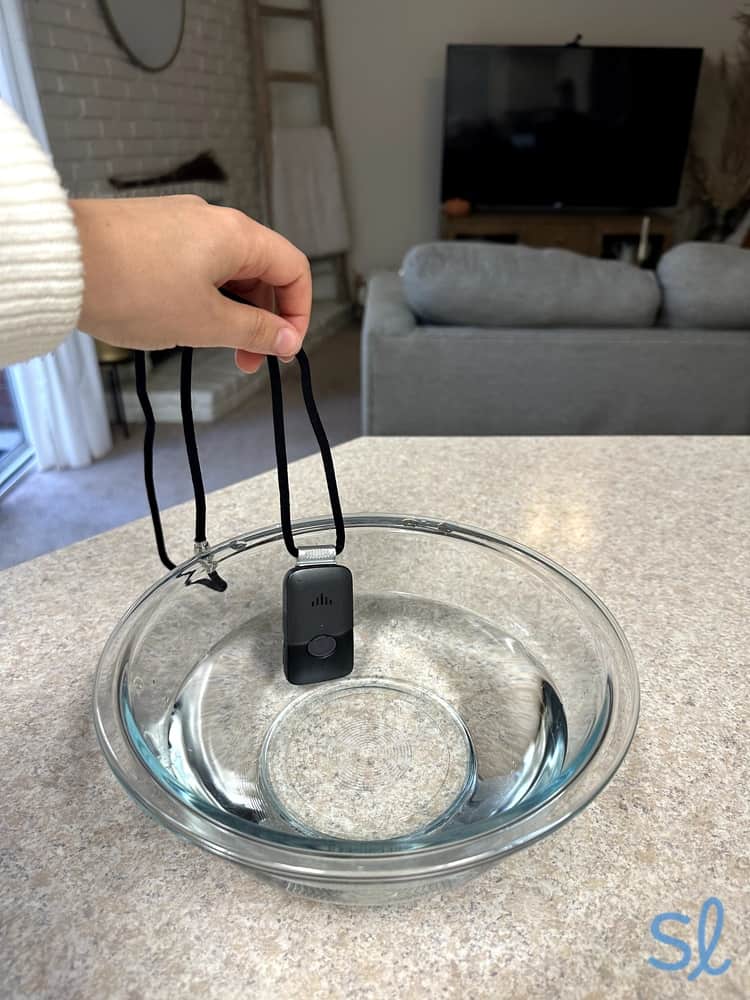
- We dropped the pendant from various heights and tested it in the shower and in a bowl of water. Since most falls happen in the bathroom, waterproof protection is nonnegotiable for reliable fall detection.
- After simulating a fall or dropping the pendant, we timed how long it took for the monitoring center to respond.
- We repeated the process 10 times for each alert system to assess consistency and reduce false alarms.
How We Chose the Best Medical Alert Systems With Fall Detection
The medical alert systems on this list needed to meet the following criteria:
- Average response time: As medical alert technology has progressed, so have response times. To make our list of the best medical alert systems with fall detection, average response times for fall detection had to be at least as fast as the industry standard of 90 seconds.
- False alarm rate: Some false alarms are to be expected, but we opted for alert systems with accuracy rates of at least 70 percent. We also omitted medical alerts that disregarded any real falls.
- Pricing: The models we chose for this list offer competitive pricing for fall detection, which typically adds $5 to $15 per month to your bill. We evaluated monthly prices, equipment fees, fall-detection costs and any additional fees to help you find affordable, reliable protection.
- Setup: We tested our top picks right out of the box to see how easy they would be to set up for an older adult or their caregiver. Quick setup matters when you need immediate fall protection. We included systems that we set up and started using in less than 10 minutes.
- In-home range: In-home range is crucial for fall detection, because you need coverage throughout your entire home — especially in high-risk areas such as bathrooms, bedrooms and stairs. We set up each system in the kitchen of a 1,700-square-foot two-story, four-bedroom home, and evaluated the coverage range by testing the system in different parts of the house.
- Caregiver features: Mobile companion apps, text alerts and similar features make it easier for caregivers to monitor fall-detection alerts and respond quickly when needed. Since falls can happen suddenly and without warning, real-time caregiver notifications are essential. The brands on this list include extra features to make things easier for older adults and their caregivers, especially when a fall is detected.
- Battery life: Mobile systems with fall detection must be charged daily or a few times a week. Since a dead battery means no fall protection, consistent power is nonnegotiable. Most home-based systems also include backup batteries if the power goes out. We considered overall battery life, types of batteries and the convenience of each system’s maintenance.
You can visit our medical alert system methodology guide to learn more about our hands-on testing process.
Why Trust Us
Our team of senior tech experts and fall-prevention specialists have tested dozens of medical alert systems over the years, with a particular focus on fall-detection accuracy and response reliability. We’re constantly researching and testing the latest technology designed to keep older adults safe after a fall.
We also consulted Linda Schlenker, an occupational therapist with over three decades of experience advising seniors and caregivers on the benefits of medical alert systems with fall detection. Schlenker approved all the medical alert systems on our list. She and her patients have extensive experience using the systems, and they know firsthand how automatic fall detection can save lives when every second counts.
SeniorLiving.org is supported by commissions from providers listed on our site. Read our Editorial Guidelines

- System costs $34.95 per month
- At-home and on-the-go protection
- Fall detection costs $10 per month

- System costs $31.95 to $38.95 per month
- At-home cellular or landline protection
- Fall detection costs $10 per month

- System costs $24.99 to $34.99 per month
- At-home and on-the-go protection
- Fall detection costs $9.99 per month

- Affordable automatic fall detection
- Easy-to-use system
- Lifetime price lock
Contents
If you’re concerned about yourself or your aging loved one falling, a medical alert system with automatic fall detection is one of the most important safety tools you can invest in. Fall-detection technology ensures that help is automatically summoned even if the wearer is unconscious, disoriented or unable to press a button after a fall — all situations that occur in a significant portion of senior falls. This lifesaving feature helps seniors live more safely at home, while providing peace of mind to their caregivers and families.
Our team of tech experts evaluated over a dozen fall-detection systems in 2026. Our rankings are based on factors that matter most when falls occur, including fall-detection accuracy, response times, two-way audio clarity, GPS tracking for falls outside the home, in-home range, caregiver alert features, battery reliability and overall value.

Comparing the Best Medical Alert Systems With Fall Detection
|
Bay Alarm Medical SOS Micro
|
Medical Guardian MGHome
|
Lively Mobile2
|
LifeFone VIPx
|
|
|---|---|---|---|---|
| Rating | 5.0 | 4.5 | 4.2 | 4 |
| Monthly price | $34.95 | $31.95 (landline) or $38.95 (cellular) additional per month | $24.99 to $34.99 | $43.95 |
| Fall-detection accuracy | 90% | 80% | 80% | 90% |
| Average response time for fall detection | 20 to 60 seconds | 20 to 30 seconds | 10 to 12 seconds | 30 to 35 seconds |
| Number of false alarms for falls detected during testing | 1 | 4 | 2 | 2 |
| Fall-detection fee | $10 per month | $10 per month | $9.99 per month | $5 per month |
| GPS location | Yes | Yes | Yes | Yes |
| Water-resistant | Yes | Yes | Yes | Yes |
-
1. Bay Alarm Medical SOS Micro - Best GPS Fall Detection
View Packages Links to Bayalarmmedical.comWhat we like most
- System costs $34.95 per month
- At-home and on-the-go protection
- Fall detection costs $10 per month
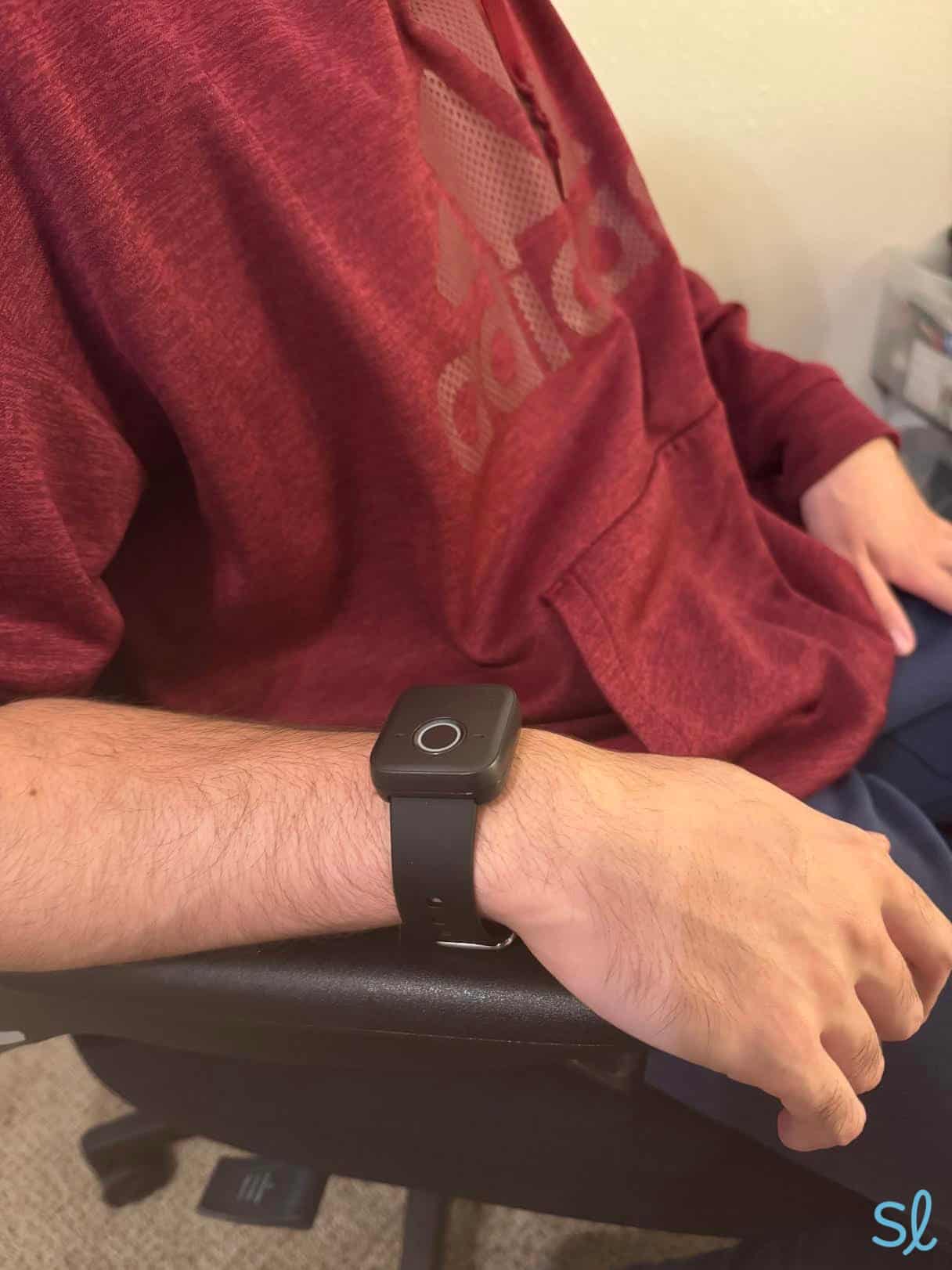
Bay Alarm Medical SOS MicroView Packages Links to Bayalarmmedical.comOverview:Bay Alarm Medical’s GPS-equipped SOS Micro is our top choice for automatic fall detection with location tracking. Since the Micro has automatic fall detection, it will call Bay Alarm Medical’s call center for you, even if you’re unable to push the button manually. We like wearing the SOS Micro as a watch, and we found that it was lightweight and fit well. The call button is large and easy to access.
Current Deal: Bay Alarm Medical offers seasonal promotions. Check their website for current discounts on select plans, which may include free shipping and complimentary service periods.
If the device detects a fall or you press the button, Bay Alarm Medical pinpoints your location through GPS and sends an alert to its 24/7 monitoring center. Because many falls occur outside the home, having accurate GPS tracking ensures that responders can reach you quickly, even if you’re unable to speak or describe your location. Dead zones indoors can occur in places like basements or rooms without windows, so it’s important to test your device throughout your home and in other indoor areas you frequent.
With a 15-day risk-free trial, no long-term contracts and Bay Alarm Medical’s affordable pricing, the company delivers reliable fall detection without the financial burden of expensive contracts.

Wearing Bay Alarm Medical's SOS Micro system
Pros & Cons:Pros About Bay Alarm Medical SOS Micro
- Automatic fall detection
- Affordable pricing
- Fast response time
- Indoor and outdoor protection
- Comfortable, discreet device
- Caregiver tracking app
- 15-day risk-free trial
- No contract
Cons About Bay Alarm Medical SOS Micro
- Equipment fee required
- To ensure optimum efficiency, device should be charged daily
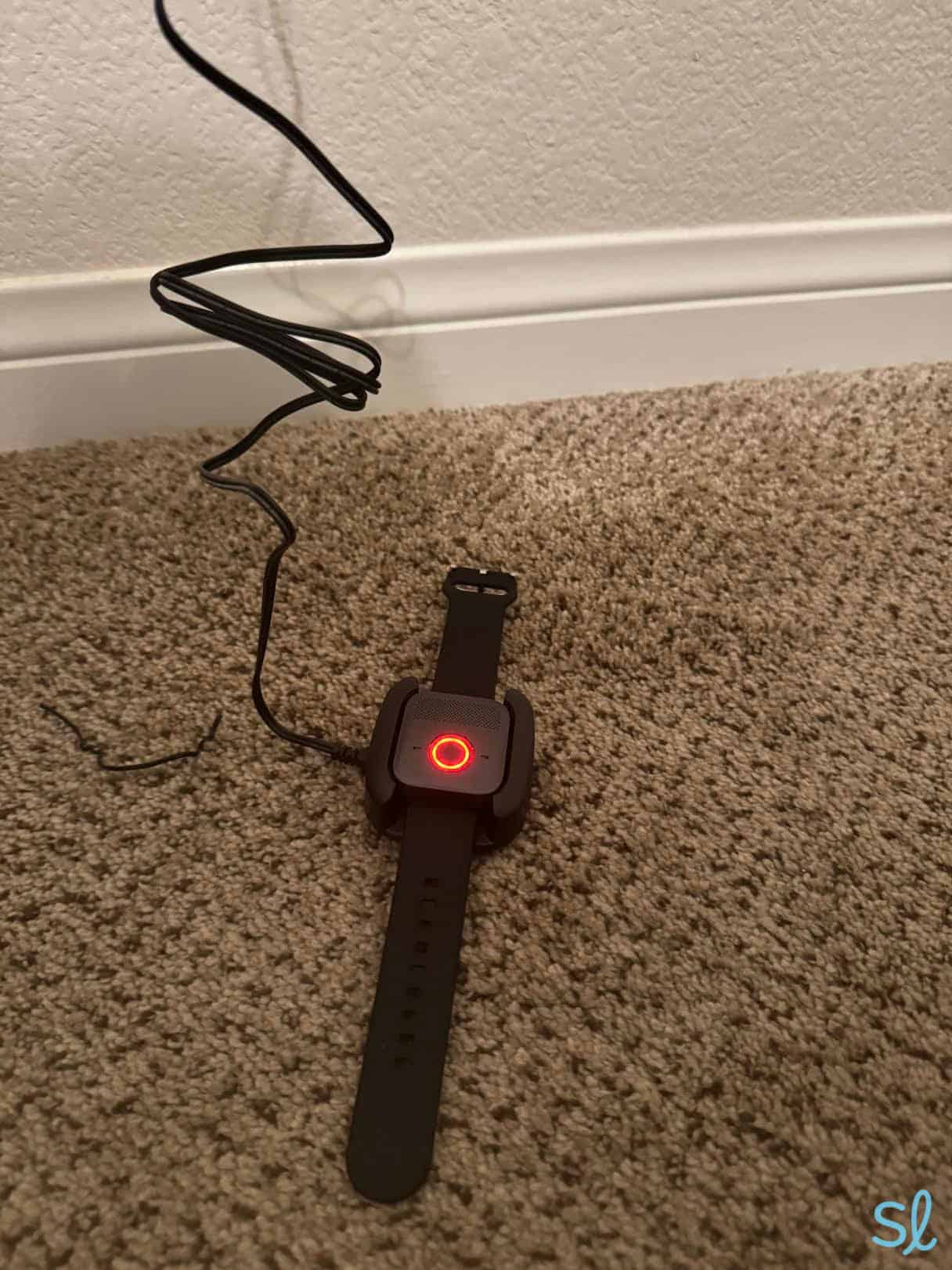
Our Hands-on Testing:The setup instructions for the device were straightforward and clear. The battery took around three hours to charge and then held power for 36 hours. We just snapped the watch into the charging cradle and it started charging. Once the device was in the cradle, it started flashing a red light every five seconds and saying “charging.” Once the SOS Micro was fully charged, the red status light turned solid.

Charging Bay Alarm Medical's SOS Micro system
When wearing the watch, we knew the battery was low when it started flashing red slowly. In our testing, we found that the response may lag or not work at all if the device needs to be charged, so make sure to keep it up and running!
Keep in mind that the device is water resistant, not waterproof. It should not be submerged in water. Showering with it on is OK, but swimming and bathing should be avoided.
We love that a smartphone or other internet-connected device isn’t required to use the SOS Micro. Just plug it into the charging cradle and turn it on! That’s similar to other medical alert watches, including Medical Guardian’s MGMove. Some older adults don’t own a smartphone or don’t want to deal with connecting another device to their phone, so this is useful.
» You Might Like: Best Smartwatches for Seniors
To test the device, we simulated a fall onto couch cushions placed on the floor. An operator answered within 12 seconds, which is very fast. We could also press the SOS button for five seconds to place a test call. We recommend always pressing the button if possible, because automatic fall detection is never 100 percent accurate.
Like all medical alert systems with automatic fall detection, the SOS Micro may think you’ve fallen when you haven’t. When we spoke to Bay Alarm’s customer-service representative, they mentioned that it can happen if you move your arm up and down or sit down abruptly. If the device thinks you have fallen, the call center will contact you within 12 seconds. If you’re fine, simply let them know and hang up.
Watch our video review below or read our full Bay Alarm Medical review to learn more about our experience with the SOS Micro.
Features for Caregivers
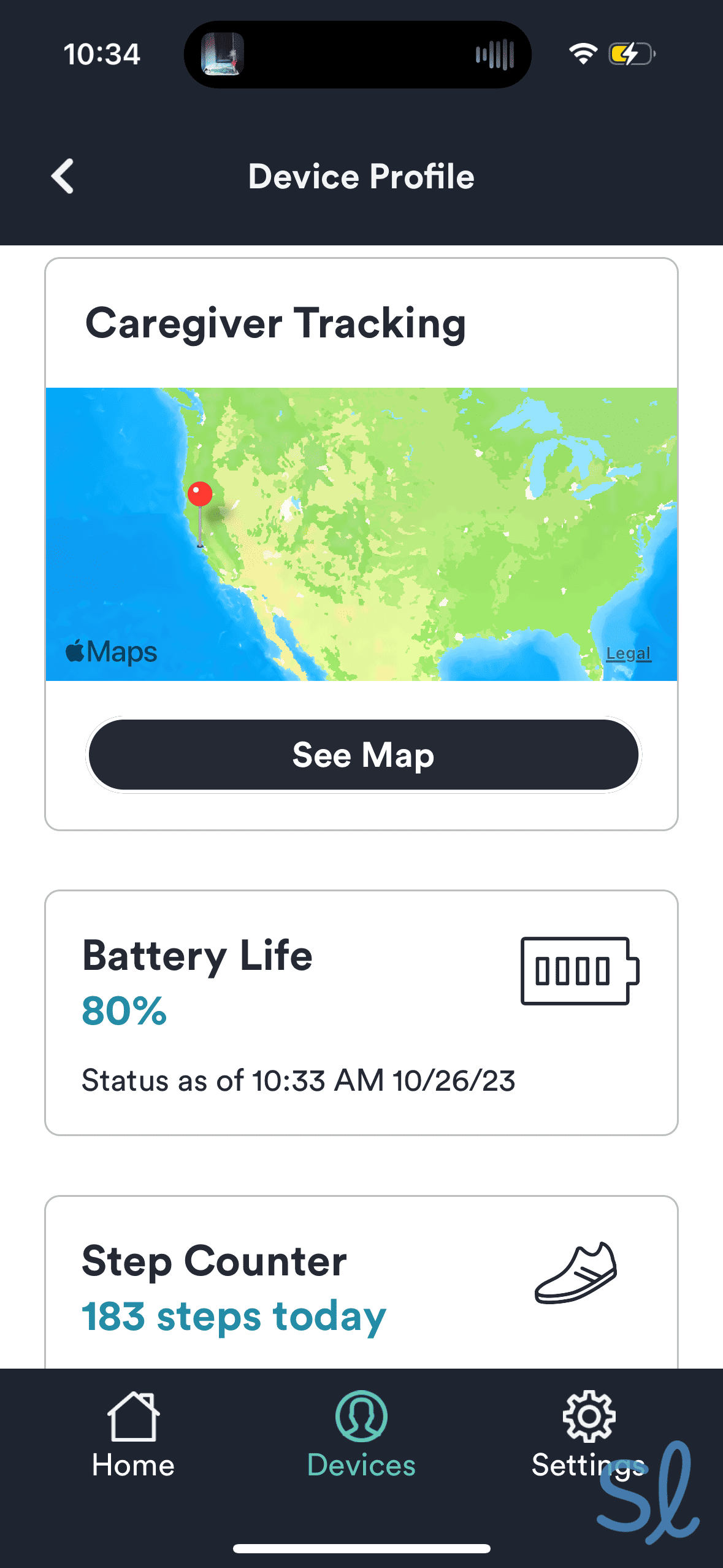
The free Bay Alarm Medical app keeps users and their caregivers connected. For families concerned about fall risks, the app provides peace of mind through real-time location tracking and instant fall alerts.
Caregivers can also update emergency contacts and manage billing. Family members can view their loved one’s exact location after a fall-detection alert, check the device’s battery life to ensure that the system is always ready and ring the device in case it’s misplaced.

Navigating Bay Alarm Medical's companion mobile app
Bay Alarm Medical Pricing and Product Details
SOS Home SOS Micro SOS Smartwatch SOS All-In-One 2 Monthly price $24.95 ($34.95 for cellular connection) $34.95 $39.95 $34.95 Fall detection available $10 per month (cellular plan only) Yes Yes Yes Additional price for fall detection $10 per month $10 per month $10 per month $10 per month Fall detection built in or requires extra pendant Pendant Built in Built in Pendant Equipment fee None $149 $199 $149 to $247 (based on package) Battery life Up to 2 years Up to 36 hours Up to 24 hours Up to 3 days -
2. Medical Guardian MGHome - Best At-Home Systems With Fall Detection
View Packages Links to Medicalguardian.comWhat we like most
- System costs $31.95 to $38.95 per month
- At-home cellular or landline protection
- Fall detection costs $10 per month
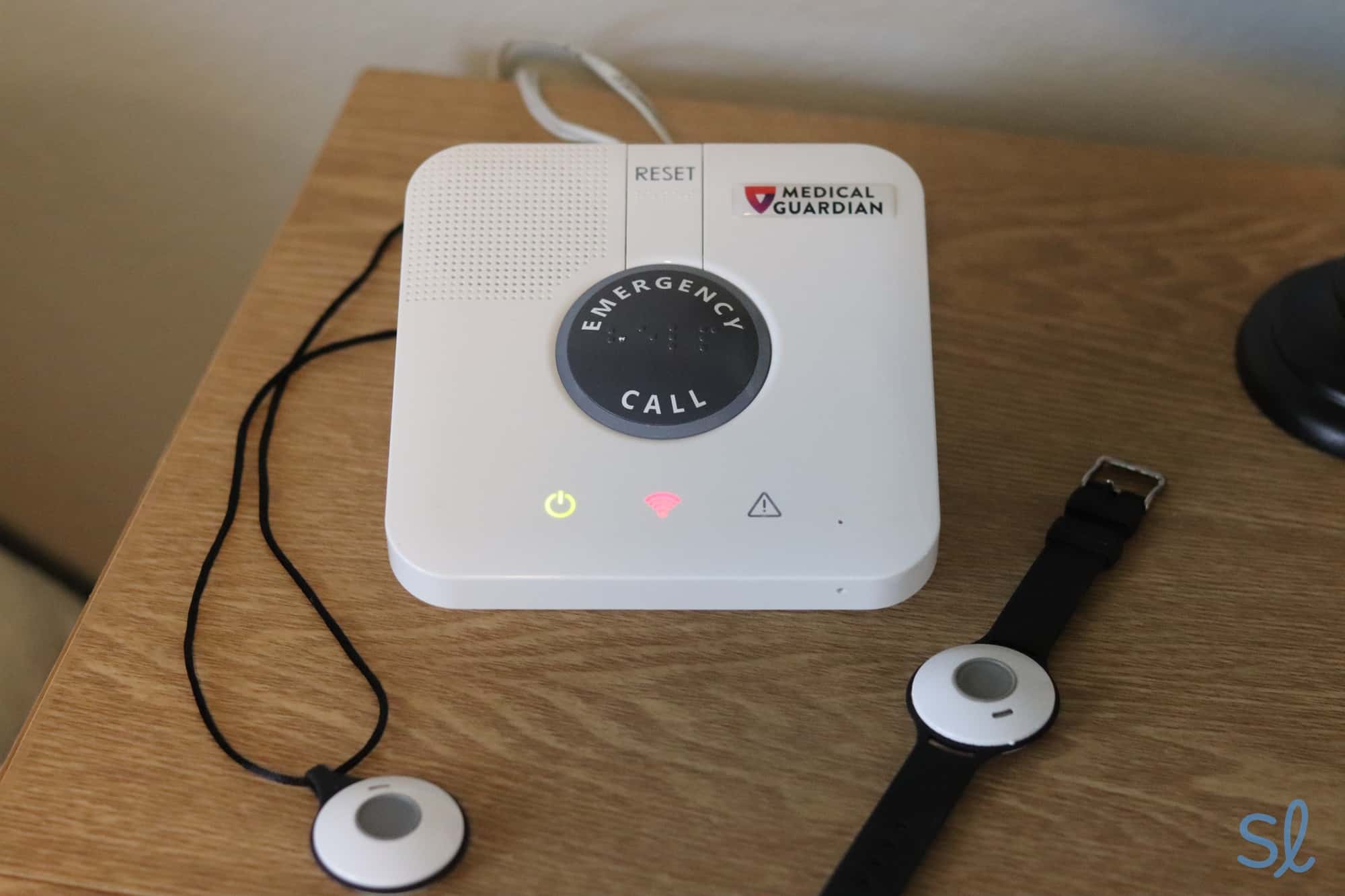
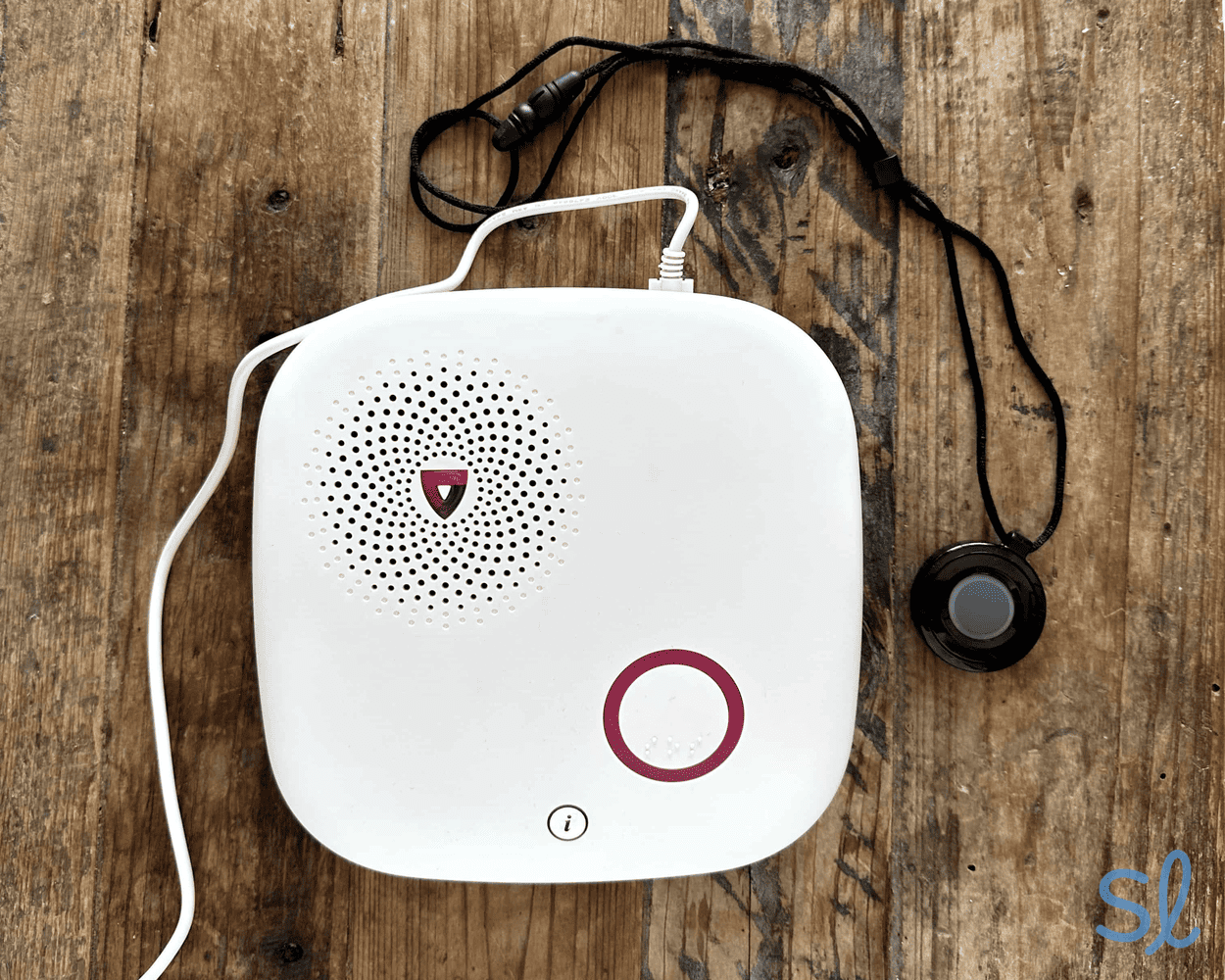
Medical Guardian MGHomeView Packages Links to Medicalguardian.comOverview:The MGHome is our favorite system with fall detection for older adults who spend most of their time at home. Unlike a mobile system, you don’t need to recharge your device every day or two. All we had to do was keep our base unit plugged in and wear our help button. This is a great option for people with memory loss and others at high risk of falling who may forget to charge their devices.
The system lacks GPS, though, so it doesn’t have on-the-go protection. It will, however, connect you to emergency services if a fall is detected in the bathroom, bedroom, stairs or any other location within 1,400 feet of the base unit.
Quick Tip: Want to compare our top picks for medical alert systems with fall detection to other providers? Visit our list of the best medical alert systems in 2026.
Medical Guardian’s MGHome system runs on a cellular or landline connection. If you live in a remote location that isn’t near a cell tower, the landline model is a great option. If you’re located near an AT&T cell tower, you can get the cellular model even if you don’t personally own a cell phone. When we spoke to customer service, they recommended that option. Automatic fall detection can be added to either system for $10 per month.
Medical Guardian’s plans don’t have hidden fees or long-term contracts, which is a plus for older adults on a budget. You will, however, be required to pay a one-time equipment fee of $149.95 for either the landline or cellular medical alert system.
 Pros & Cons:
Pros About Medical Guardian MGHome
- Fall-detection pendant can be worn as a wristband or necklace
- Two people can wear fall-detection devices simultaneously for full-household coverage
- Large in-home coverage range ensures that fall detection works throughout your home
- No hidden fees or long-term contracts
- Easy to set up and use
- U.S.-based monitoring center with fast response times after fall-detection alerts
- Member portal and app provides caregiver tools
Cons About Medical Guardian MGHome
- May experience occasional false alarms with automatic fall detection
- No free trial
- Pricier premium systems
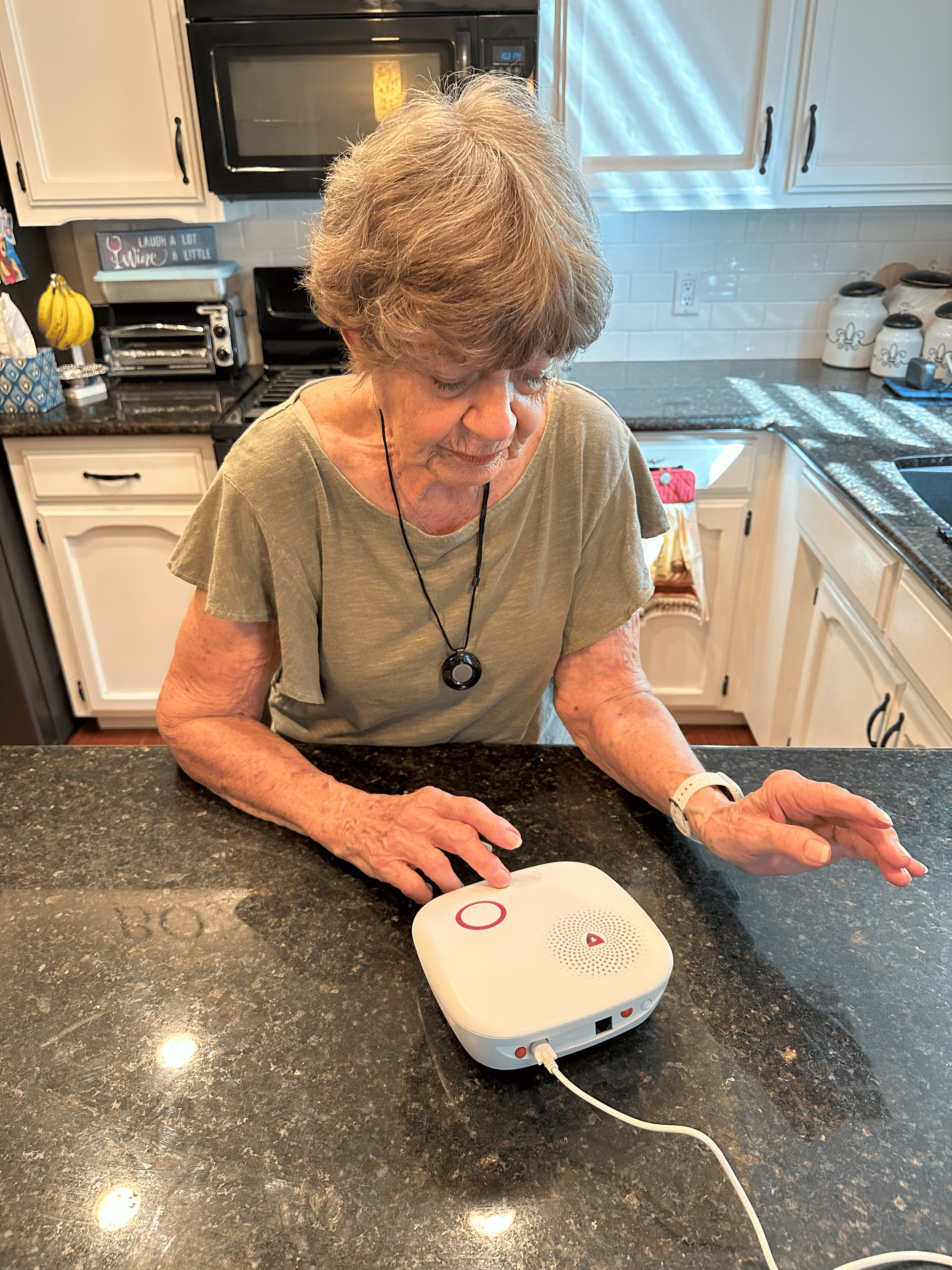
Our Hands-on Testing:Medical Guardian’s MGHome system is easy to set up and use. We just needed to plug the base unit into an outlet before being powered on. Our editor’s grandma set it up without any trouble.
To set up the system, we plugged the cord into the base unit and then plugged the unit into the wall. Then we pressed the red button on the back of the base unit. The Smart Voice Assist button glowed green, let us know how strong our cell signal was and said “device ready.” When we unplugged the device from power, an audible voice indicated that the system
would run on its backup battery. The backup battery is an excellent feature in case you fall when the power is out.
» Learn More 2026 Medical Guardian review
There was one occasion when our editor’s grandma set down the pendant, walked into another room and didn't realize the system recorded a fall. Twenty minutes later, first responders arrived at her front door asking if she was OK. False alarms can be inconvenient, but that quick response proved that the fall-detection sensors were working as intended. Our editor’s grandma now keeps her pendant nearby even if she takes it off, so she can cancel any false alarms.

Testing out Medical Guardian's MGHome Cellular system
We spoke to customer service to find out more about false alarms and the overall accuracy of the automatic fall detection. We were told that the system is not overly sensitive, so false fall-detection alarms are less common than they were years ago. The friendly and informative representative we spoke to said a drastic change in motion is required to set off the alarm.
One important thing to note is that, unlike Bay Alarm Medical’s SOS Micro, the Medical Guardian MGHome fall-detection pendant is not a two-way communication device. To speak to the call center, you’ll need to be close to the system’s base unit.
 Expert InsightsFrom Linda Schlenker, M.S., M.A., O.T.RSome people I have worked with are hesitant to have fall detection because they are concerned with false alarms. While this can happen, I still firmly believe it is better to risk a false alarm here and there than to need help and be unable to call for it.
Check out our video below for a closer look at how we tested the MGHome system with automatic fall detection.
Features for Caregivers
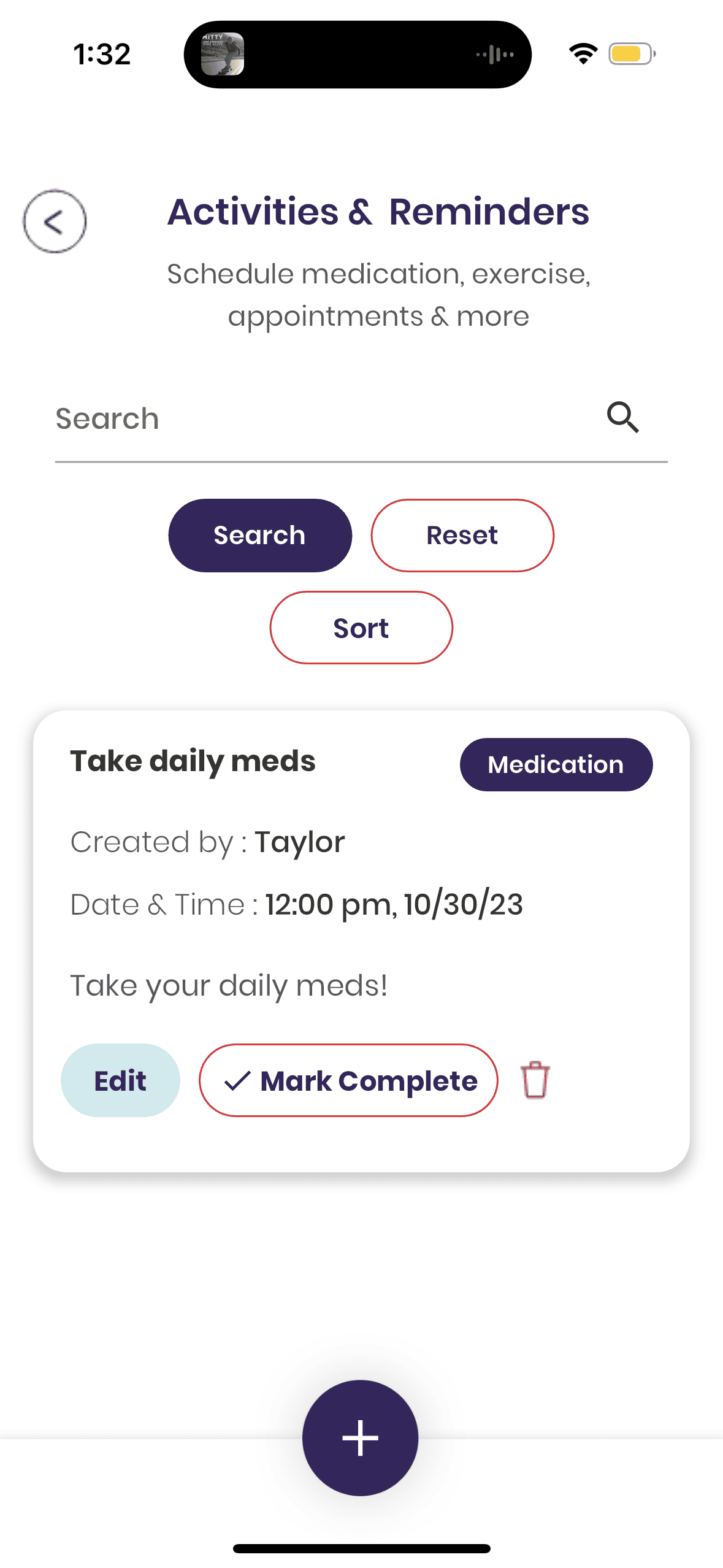
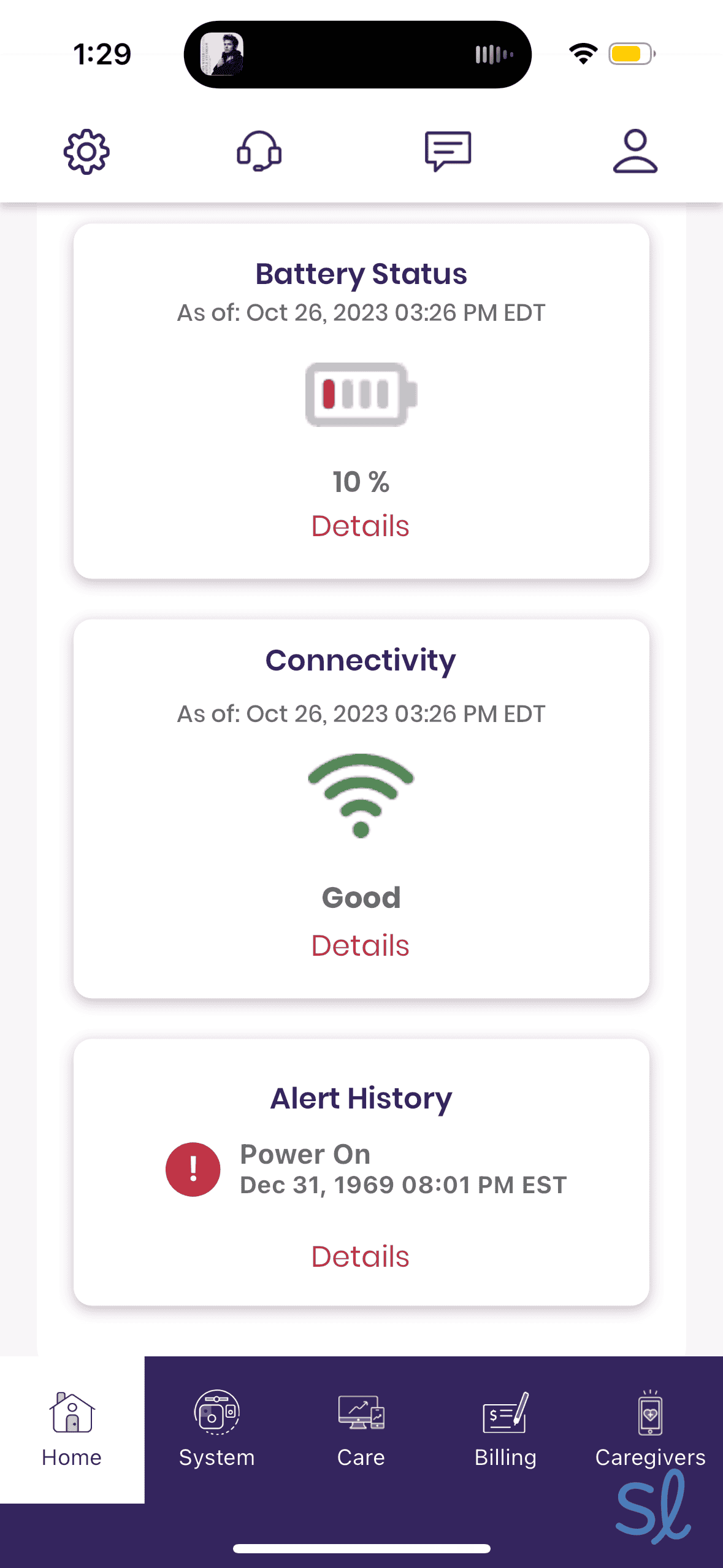
All of Medical Guardian’s systems include access to the MyGuardian customer care portal and app. The wearer and invited members of their Care Circle can chat, set up activity reminders, enable auto-pay, locate their device and more. Importantly for those relying on fall detection, members of the Care Circle receive instant fall alerts so they know immediately when their loved one needs help.
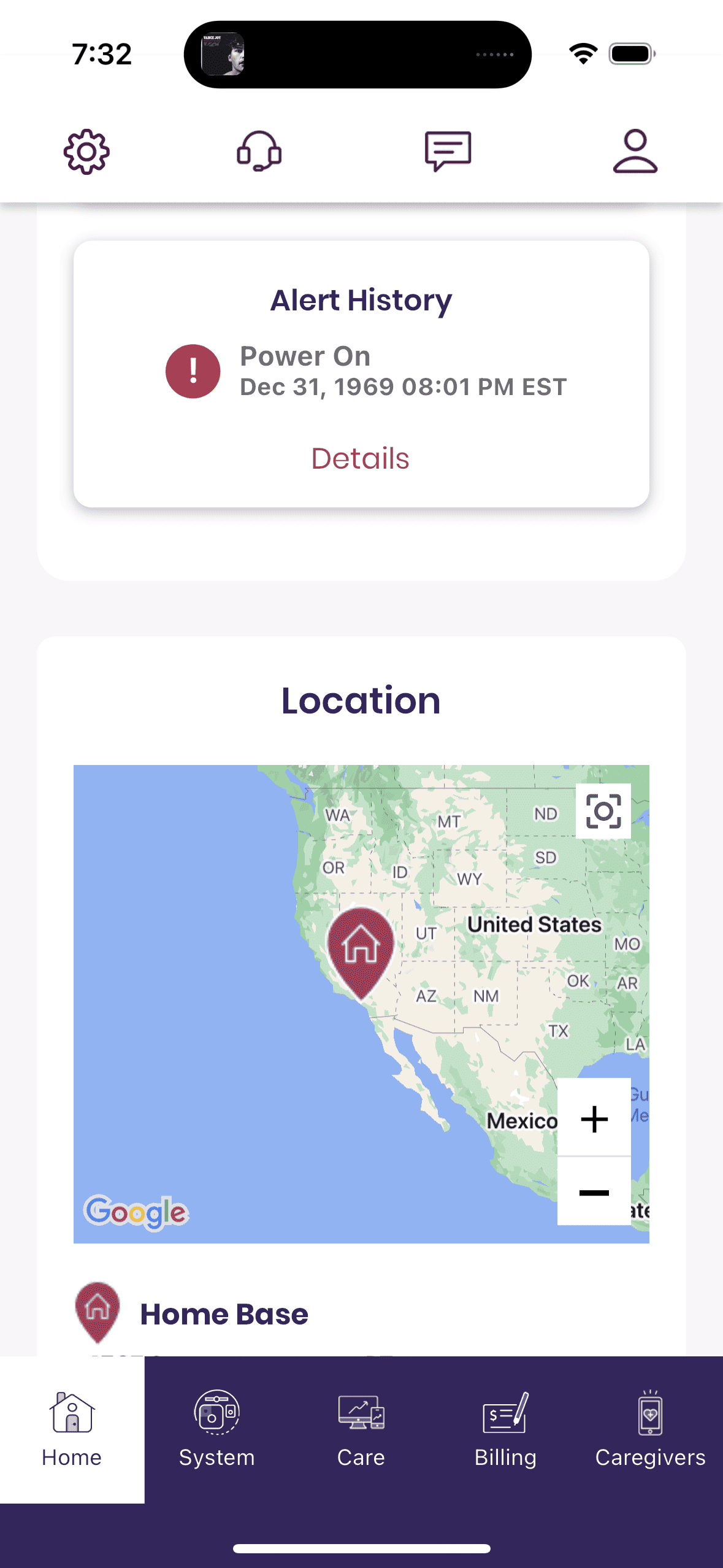
We accessed the Medical Guardian care portal through the MyGuardian mobile app, which we could also use on a computer web browser. The portal has a ton of information, including the system’s current location, battery levels, connectivity information and history, and alert history.
You can even set reminders in the app that will come through audibly on the system. The reminders can be set with specific titles and certain dates and times. This is super useful if you need reminders for appointments or to take medications.
Medical Guardian Pricing and Product Details
MGMove MGMini MGMini Lite MGHome Cellular MGHome Landline Monthly price $42.95 $43.95 $46.95 $38.95 $31.95 Fall detection available Yes Yes Yes Yes Yes Additional price for fall detection $10 per month $10 per month $10 per month $10 per month $10 per month Fall detection built in or requires extra pendant Built in Built in or pendant Built in Pendant Pendant Equipment fee $199.95 $149.95 $149.95 $149.95 $149.95 Battery life Up to 24 hours Up to 5 days Up to 36 hours Up to 2 years Up to 2 years -
3. Lively Mobile2 - Best Mobile Fall Detection With Caregiver Features

What we like most
- System costs $24.99 to $34.99 per month
- At-home and on-the-go protection
- Fall detection costs $9.99 per month
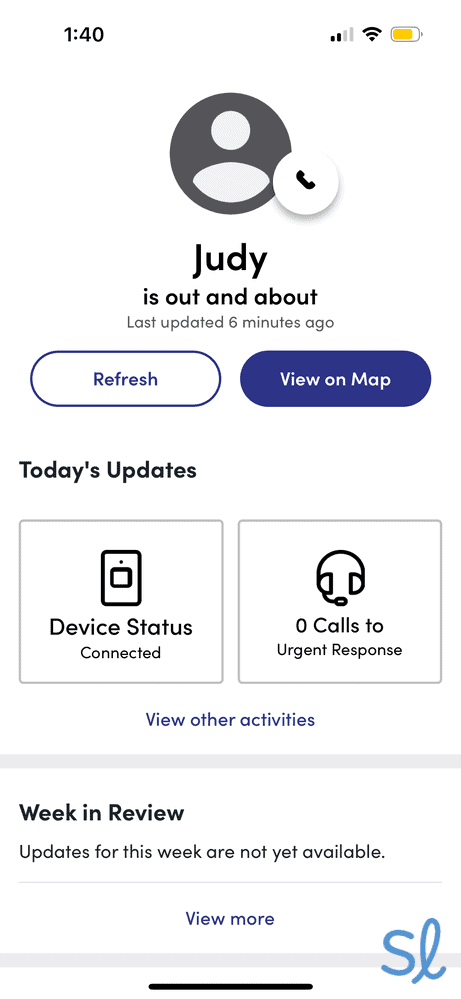
Overview:The Lively Mobile2 made our list of the best medical alert systems with fall detection because of its fast response times and the caregiver tools featured on the Lively Link mobile app. Caregivers can use the app to monitor their loved one’s location and the health of their device. If you press the Urgent Response button — or if automatic fall detection is activated — the app will send your caregiver real-time notifications of the event. The app also keeps your caregiver apprised of your device’s battery level.
The Lively Mobile2 is an all-in-one, on-the-go device with optional fall detection built in. For active seniors who move around frequently, the Mobile2’s GPS connectivity and built-in fall-detection sensor ensure that help can be summoned automatically if a fall occurs, even when you’re away from home.
The Urgent Response feature gives users 24/7 access to trained U.S.-based agents who can dispatch emergency help after a fall or address safety concerns at any time using the system’s two-way speaker.
» For Voice Activation: Best Medical Alert Systems With Voice Activation
Lively’s health and safety packages offer automatic fall-detection technology, paired with comprehensive caregiver connectivity tools. Users can choose between the Basic package for $24.99 a month or the Premium package for $34.99 a month. The Premium package includes Nurse On Call medical advice and Care Advocate well-being support.
Placing a test call on the Lively Mobile2
Pros & Cons:Pros About Lively Mobile2
- Built-in fall-detection sensors for automatic alerts
- Waterproof device can be worn in the shower, where falls commonly occur
- GPS tracking helps responders locate users after outdoor falls
- Lively Link app provides caregivers instant fall notifications
- Can purchase online at Lively or Amazon, or at Best Buy stores
- No long-term contracts
- 24/7 professional monitoring available
Cons About Lively Mobile2
- Fall detection available only on Lively Mobile2 device when worn as necklace
- Lanyard may cost an additional $15 through some vendors
- Activation process can be cumbersome
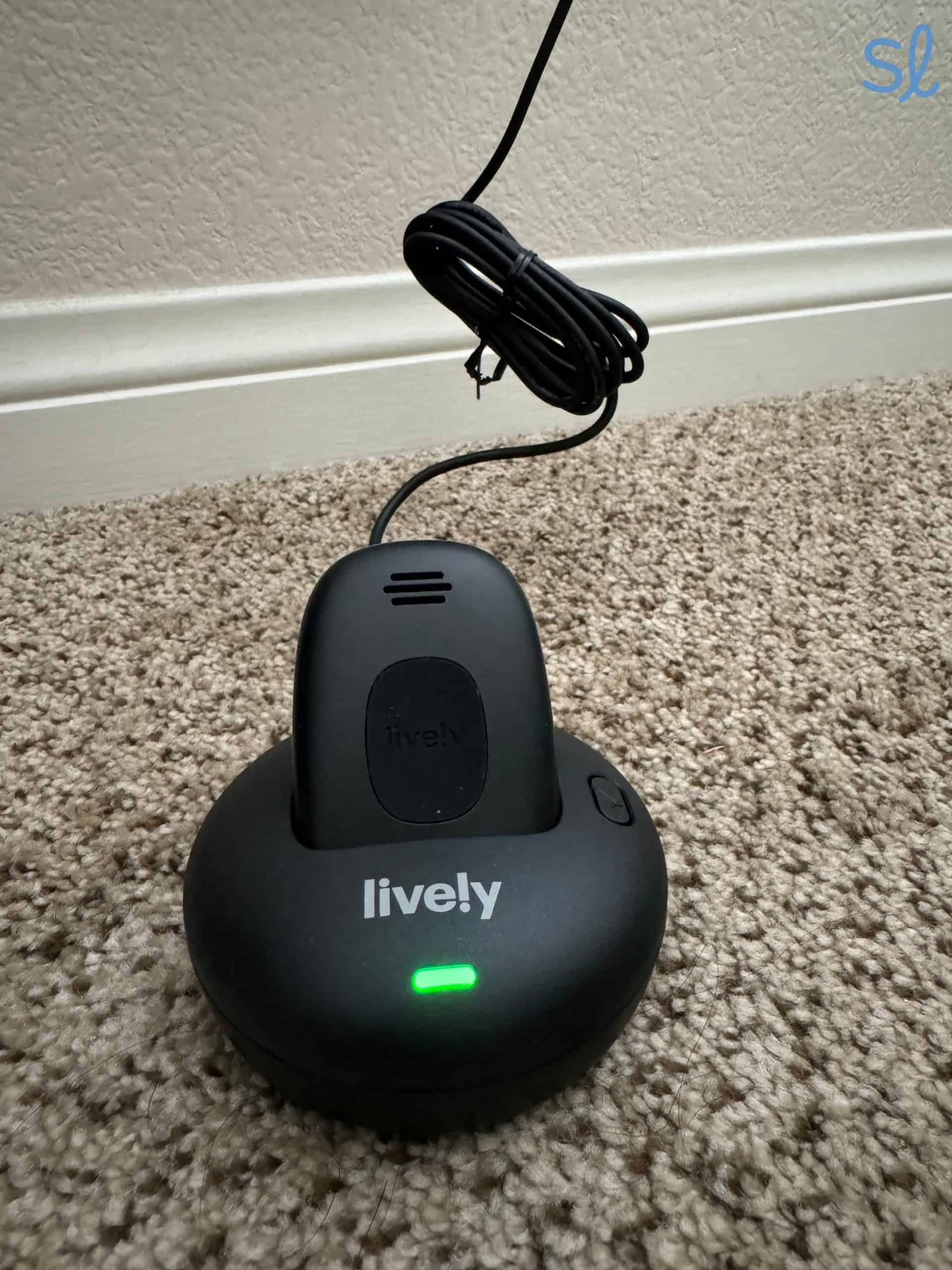
Our Hands-on Testing:We found that setting up the Lively Mobile2 was relatively straightforward. Unlike some plug-in systems, however, a call or online activation process is required. Charging was also easy. Once you attach the lanyard to the charging dock and plug it into an outlet, you insert the Mobile2 device into the base to let it charge. After several seconds, a voice says, “We’re setting up your device. Please wait.” After several more seconds it repeats, “We’re setting up your device. Please wait.” When it was complete, we heard, “Welcome to Lively.”
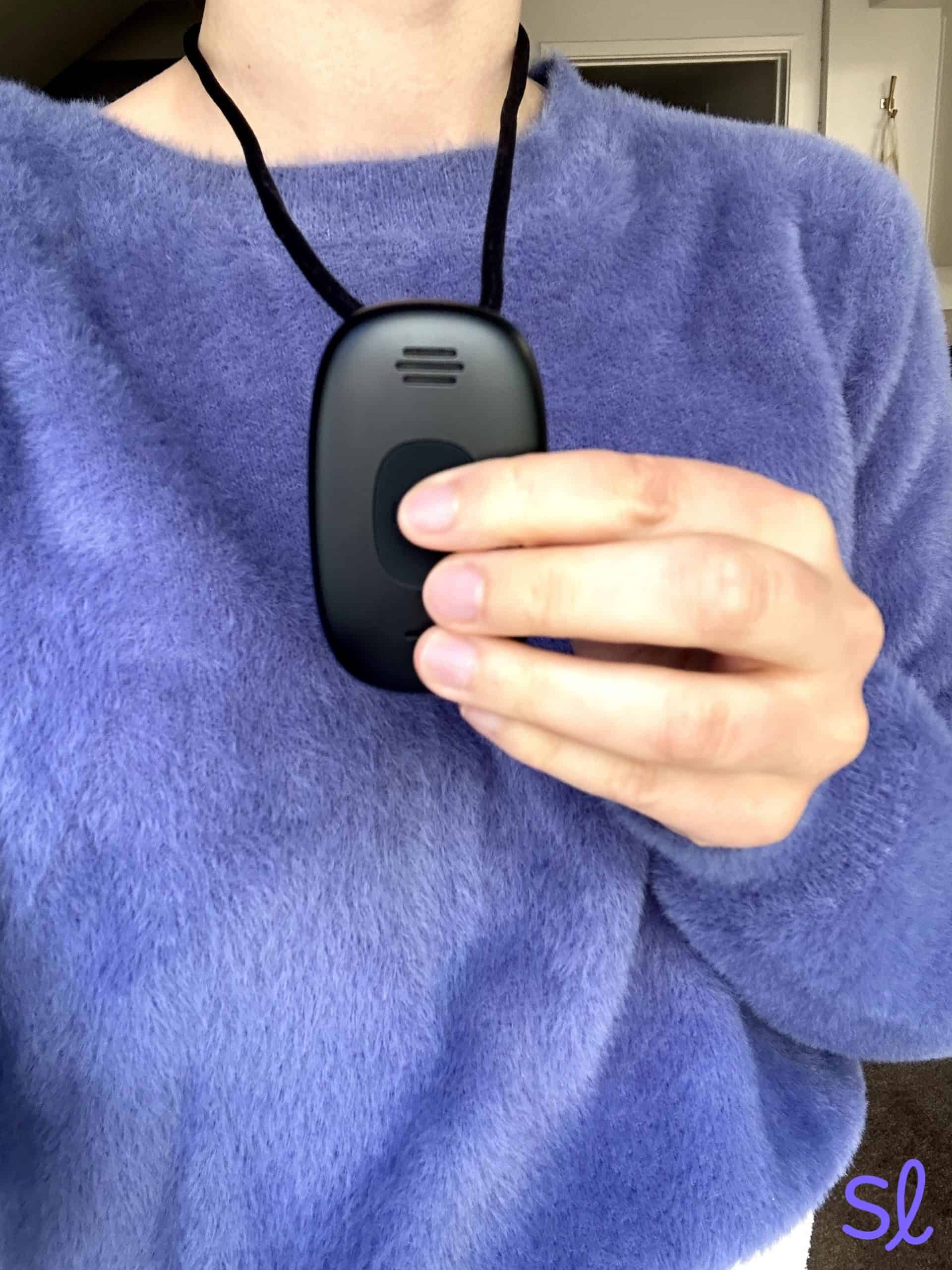
Once our device was charged, we could use it at home and on the go. Just make sure to wear the Mobile2 on the lanyard if you’re using fall detection. We found that out the hard way after clipping it to a belt when we first tested the system. The Lively Mobile2 will not detect falls unless it is worn around your neck!
Lively’s monitoring agents responded within about 12 seconds of an automatic fall alert. Our simulated falls consistently triggered automatic calls to Lively’s urgent-response team, demonstrating reliable fall detection. We tried dropping the device without falling a few times, and Lively’s monitoring system was consistently able to tell the difference between the two.
Charging the Lively Mobile2
You can read our latest Lively medical alert review to learn more about our testing experience.
Features for Caregivers
The Lively Link app is particularly valuable for families concerned about falls. After a fall is detected, caregivers receive immediate push notifications with the user’s GPS location, which is critical information when someone falls outside the home. The app provides real-time updates on device location, battery status and activity, allowing family members to remotely monitor their loved one’s safety.
What sets this app apart from those of other brands, such as Medical Guardian and Bay Alarm Medical, are the additional health and safety features. With the Premium Lively plan, we could contact a nurse for medical advice at any time or work with a care advocate to create a plan that supported our well-being and overall health. If you want a medical alert system with fall detection that offers additional health and safety features, Lively is a great choice.

Testing out the Lively Link app's location tracking feature
Lively Mobile2 Pricing and Product Details
Feature Lively Mobile2 Health and safety packages pricing $24.99 to $34.99 per month Automatic fall detection available Yes Additional price for fall detection $9.99 per month Fall detection type Built-in sensors Equipment fee $79.99 Battery life Up to 24 hours -
4. LifeFone VIPx - Most Affordable Fall Detection

What we like most
- Affordable automatic fall detection
- Easy-to-use system
- Lifetime price lock
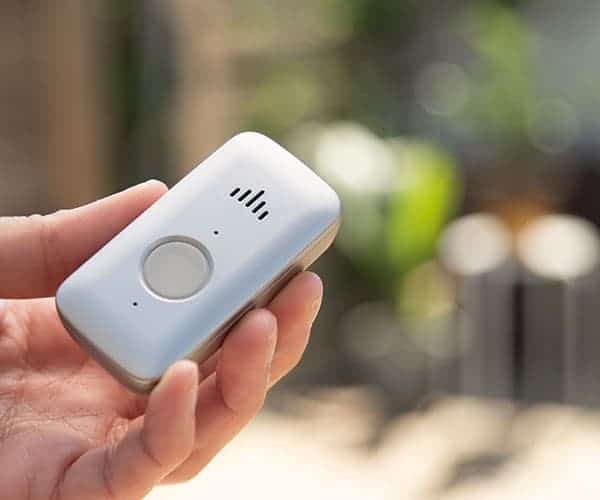
Overview:LifeFone VIPx is a lightweight, sensitive system with affordable fall detection at just $5 per month. That’s half the price of fall detection from Bay Alarm Medical, Medical Guardian and Lively.
The device itself is very lightweight and more discreet than some of the other systems on our list. We like that users can choose between LifeFone’s Verizon or AT&T cellular service for nationwide coverage. Although the system has slower average response times than Lively, their fall-detection accuracy rate is high.

Lifefone's VIPx system
The VIPx has a long battery life of 10 days, so you’ll be protected after a fall even if you don’t charge your device every day. For some older adults, however, that may make it challenging to remember to charge the device.
The VIPx caregiver app lets caregivers keep an eye on battery life, as well as the user’s activity level, fall alerts and location. The app costs an additional $8 a month, which is a drawback considering Bay Alarm Medical and Medical Guardian have free mobile apps.
Expert InsightsFrom Linda Schlenker, M.S., M.A., O.T.R.Fall detection is absolutely critical, and it is wonderful that LifeFone makes this feature affordable. A double bonus is that they offer a price lock guarantee so there are no surprises with the bill in years to come.Pros & Cons:Pros About LifeFone VIPx
- Automatic fall detection costs just $5 per month
- U.S.-based monitoring center
- Affordable with no activation fees
- Lifetime price-lock guarantee
- Lifetime equipment warranty
Cons About LifeFone VIPx
- Slower fall-detection response times than some competitors
- Caregiver app is an additional monthly charge
- No language support
Our Hands-on Testing:LifeFone’s systems are easy to set up, which matters when you need fall protection in place quickly. We began by connecting the charging base and placing the mobile device on it to power up. After it reached a full charge, we tested the system by pressing the single help button to initiate a call. Once we spoke with a representative through the two-way communication feature, we were reassured that everything was functioning properly.
» Learn More: LifeFone review
When simulating test falls with the VIPx system, we were connected to the response center in about 30 seconds. The response time is about twice as long as we experienced with other providers, which is concerning during a fall, when rapid response is essential. It’s still very fast, however, considering someone was available to help us in less than a minute.
The VIPx has an impressive battery life of 10 days. During a week of testing, we never had to charge it. That means you’ll have reliable fall detection for over a week at a time, as long as you remember to charge it regularly!
Features for Caregivers
LifeFone VIPx users can purchase the VIPx Caregiver app for an additional $8 per month, providing peace of mind by notifying family members when fall alerts are triggered. LifeFone also has a unique $24-per-month daily check-in service that you can customize to your needs.
We were disappointed to see the extra costs, since the other providers on our list offer free mobile apps. Still, the daily check-in service is a unique feature, especially if you’re worried about your loved one falling while they’re alone.
» Also Check Out: Best Medical Alert Systems for Seniors With Dementia
LifeFone Pricing and Product Details
At-Home Landline At-Home Cellular At-Home & On-the-Go, VIP Flex At-Home & On-the-Go, VIP Active At-Home & On-the-Go, VIPx At-Home & On-the-Go Safe Watch Active Monthly pricing $29.95 $34.95 $43.95 $41.95 $43.95 $47.95 Fall detection available Yes Yes Yes Yes Yes Yes Additional price for fall detection $5 per month $5 per month $5 per month $5 per month $5 per month $5 per month Fall detection built in or requires extra pendant Pendant Pendant Built in Built in Pendant Built in Equipment fee No No No No No No Battery life 32-hour backup battery 32-hour backup battery Up to 5 days Up to 5 days Up to 10 days Up to 24 days
How to Choose the Best Medical Alert System With Fall Detection
When selecting a medical alert system with automatic fall detection, consider these key factors.
Speed and Accuracy of Fall Detection
An important feature is how reliably the system detects actual falls without triggering false alarms. It’s also vital that automatic fall alerts, as well as emergency alerts manually initiated by the wearer, are responded to quickly and effectively.
Did You Know? Unlike some home security systems, medical alert companies don’t charge for false alarms. It’s OK if your system falsely detects falls and alerts the monitoring center.
24/7 Professional Monitoring and Response Time
Falls can occur at any time — often when you least expect them. Monitoring centers should operate around the clock and have clear escalation protocols, such as contacting emergency services and your designated caregivers immediately.
Once a fall is detected, every second counts. The best systems connect you to professionally trained operators within 30 seconds or less. Fast response times can mean the difference between a quick recovery and serious complications. Look for call centers that are based in the U.S., especially if you are an English speaker. Some call centers offer interpreter services in other languages, such as Spanish and French.
GPS Tracking for Mobile Users
If you're active and leave home regularly, GPS tracking helps responders locate you after a fall away from your residence. Some systems offer geofencing features that alert caregivers when you leave designated safe zones. That combination of fall detection and location tracking provides comprehensive protection both indoors and outdoors.
Checking our system's location in Medical Guardian's MyGuardian mobile app
Two-Way Communication
After a fall, you may not be able to reach a phone or push a button. The device should have a built-in speaker and microphone with clear audio quality, allowing you to speak directly with the monitoring agent even if you’re disoriented or injured. This feature is especially valuable for bathroom falls, where help is needed most.
Connectivity and Coverage
Reliable transmission of fall alerts is nonnegotiable. Cellular connectivity ensures that the system works anywhere with network coverage, while Wi-Fi backup helps indoors if cellular signal is weak.
GPS is essential for pinpointing your location outdoors or indoors in areas with spotty cellular coverage. Also check the in-home range; some systems cover up to 1,400 feet, ensuring that alerts reach the base station even from distant rooms such as basements and garages.
Caregiver Notifications
Family members deserve to know immediately when a fall is detected. The best systems send push notifications, text messages or app alerts to designated caregivers. If the device has GPS tracking, caregivers also receive location information, which is very important if the person falls while outside the home.
Using Medical Guardians MyGuardian mobile app
Battery Life and Low-Battery Alerts
A fall-detection device must be ready at all times. Look for systems with battery life measured in days or weeks, rather than hours. Equally important: Low-battery alerts should notify caregivers, not just display on the device. Some providers automatically replace batteries before they fail, ensuring that your fall protection never lapses.
In-Home Range
Multiple on-the-go systems with fall detection can be used at home. Meanwhile, home-based systems use a base station and a wearable pendant or wristband with built-in fall-detection sensors that must be within range to function.
Expansive coverage ranges allow you to move around your home, go to the mailbox or tend to the garden while staying protected. Since falls can happen in unexpected places like the garage, basement or backyard, a longer range ensures that you’re covered throughout your property.
Wearability and Water Resistance
Fall detection works only if you’re actually wearing the device. Choose comfortable, lightweight options that you’ll wear consistently, whether it’s a pendant, wristband or watch. Water resistance is essential because the bathroom is one of the most common locations for falls among older adults, particularly during bathing or showering. A waterproof device protects you during those high-risk moments.
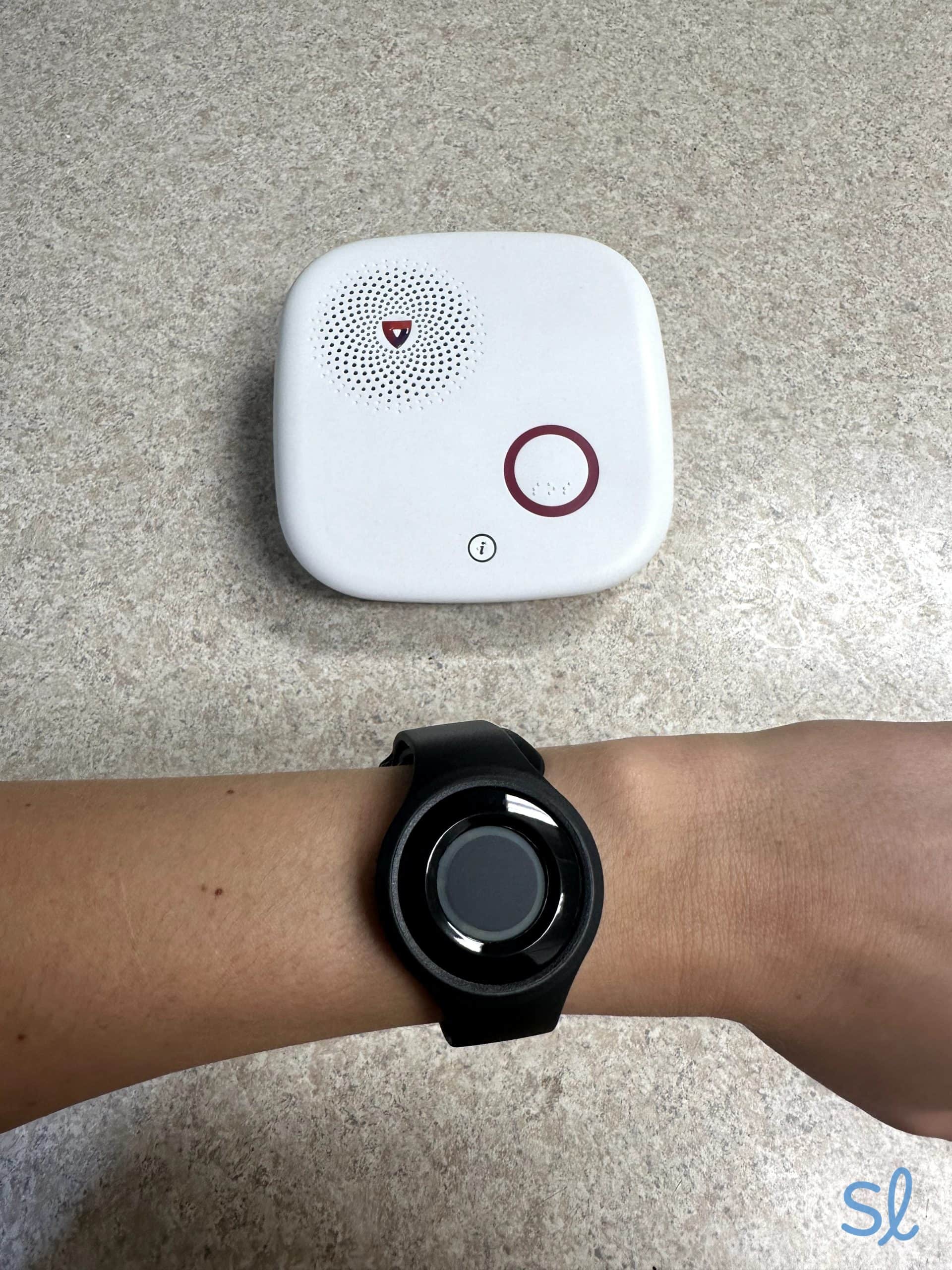
Using Medical Guardian's help bracelet with the MGHome Cellular system
Your Budget
Fall detection adds to the cost of a medical alert system, but it’s a worthwhile investment for people at risk of falling. Whether you need basic fall detection at an affordable price or you’re comfortable spending extra for advanced sensors and GPS tracking, consider how your needs and budget intersect.
» Save More: Best Medical Alert Systems With No Monthly Fees
Watch our video below to learn more about important considerations when choosing a medical alert system.
Frequently Asked Questions
-
How much does fall detection cost?
Most medical alert system providers charge between $5 and $15 per month to add automatic fall detection to your medical alert system.
-
Does fall detection work?
Fall-detection sensors are calibrated to account for patterns in drops and falls. Advanced sensors help filter out everyday movements, such as sitting down quickly or bending over, to avoid false alarms.
-
Is fall detection accurate?
Most systems achieve accuracy rates between 80 percent and 95 percent. That’s why it’s crucial to manually press your help button whenever possible during a fall, in case your system doesn’t detect the fall.
-
Who should have automatic fall detection?
Automatic fall detection is especially valuable for seniors who have health conditions that can cause fainting or loss of consciousness. Problems with balance, low vision, a history of falls or cognitive decline also strongly warrant this add-on.
-
Does fall detection work in the shower?
Yes, most fall-detection pendants are water-resistant and can be worn in the shower. If your device is not waterproof, do not bathe or swim with it on.
-
CDC. (2024). Older Adults Fall Data.
-
CDC. (2024). Facts About Falls.
-
Science Direct. (2017). Depressive symptomatology and fall risk among community-dwelling older adults.
-
National Library of Medicine. (2024). Falls and Alzheimer's Disease
-
Purdue University. (2024). Purdue clinician: Hearing loss leads to more falls for older adults.