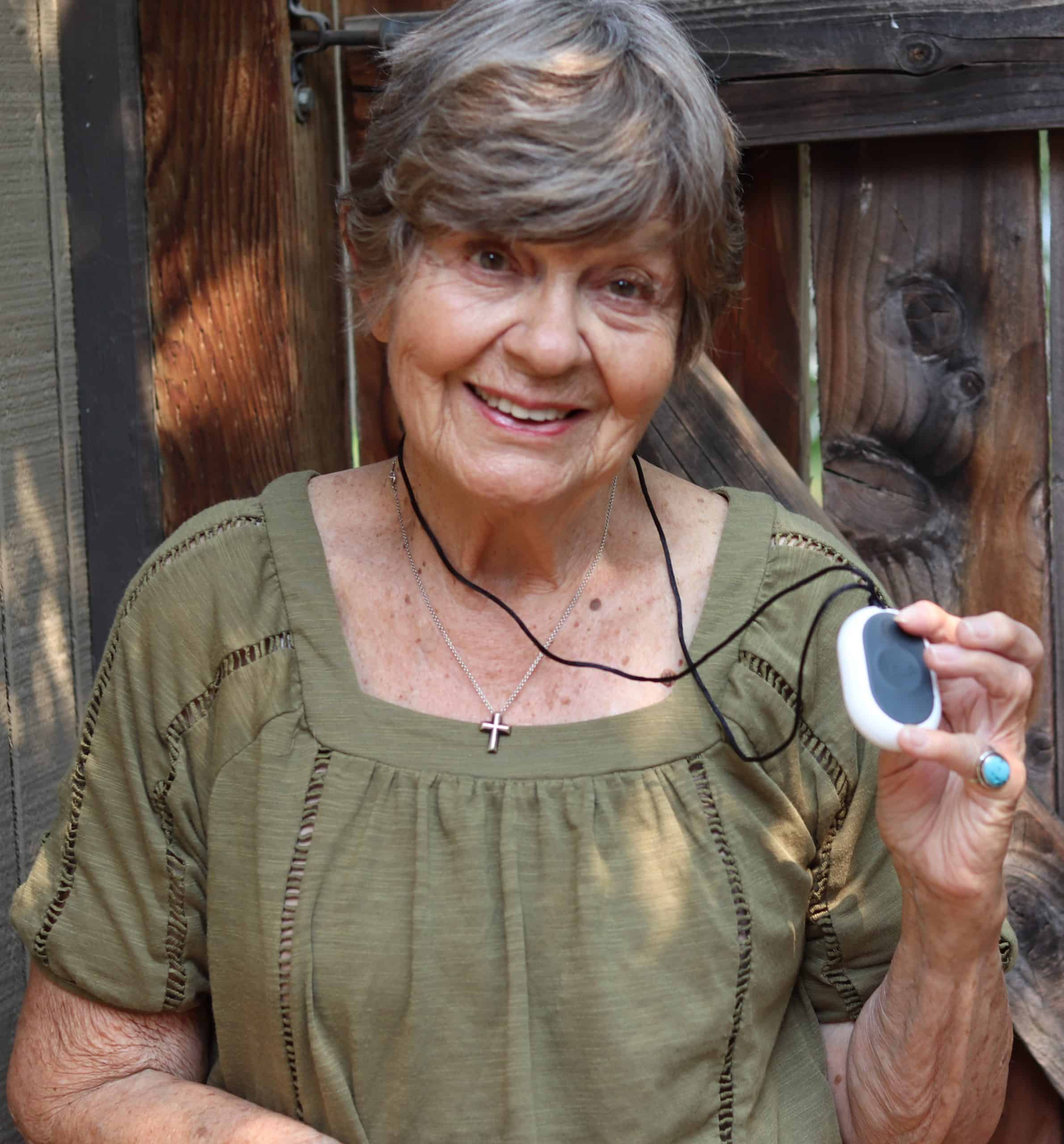
Bay Alarm Medical Alert System Review 2026
We found that Bay Alarm Medical offers affordable and reliable medical alert systems starting at $27.95 per month.


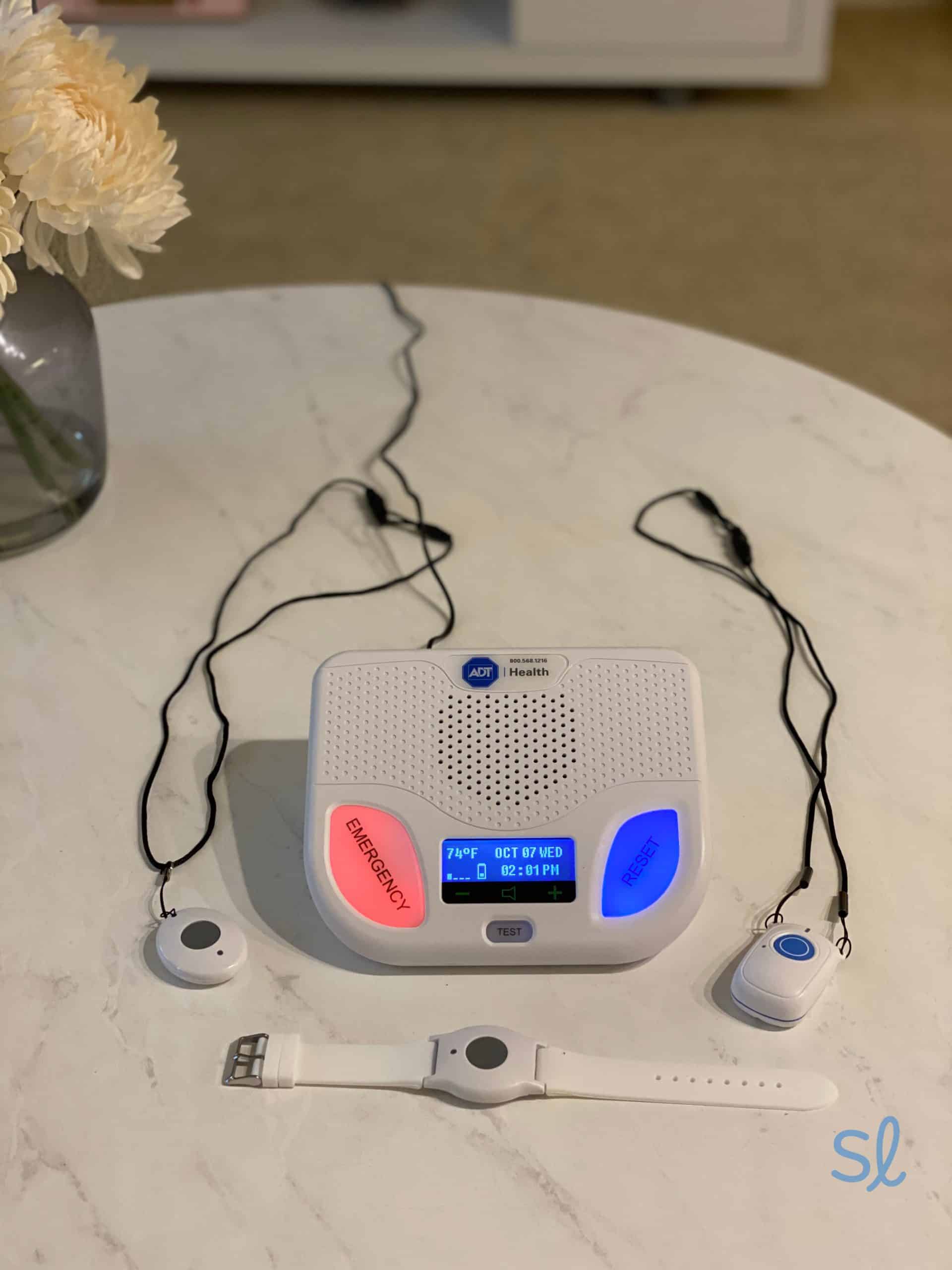
Testing the SOS ALl-in-One 2 system from Bay Alarm Medical
How We Researched and Tested Bay Alarm Medical
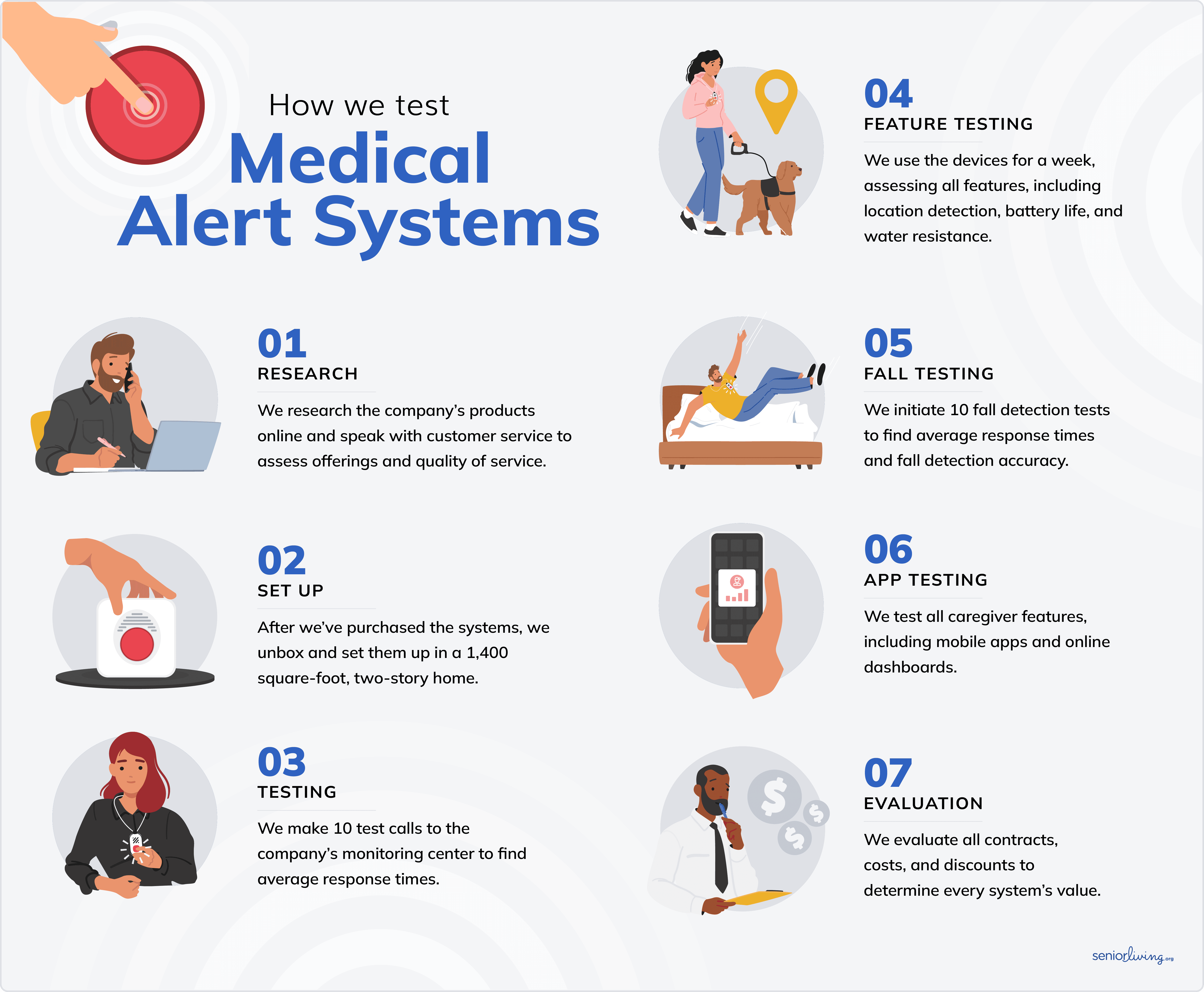
My tech team and I conducted over 75 hours of hands-on testing and research so that we could provide seniors with accurate information about each medical alert system. Here’s what our research process looked like:
- We spoke with sales reps from Bay Alarm Medical to learn more about their products and offerings.
- Our tech team ordered all four of Bay Alarm Medical’s systems and unboxed them. I tested each one, focusing on usability and response times. I compared my experiences with tests I’ve conducted of medical alert systems from other providers.
- We downloaded the mobile app and looked for any special features or use cases for older adults.
- We contacted the company’s customer service and emergency response teams to test their systems and ask questions, evaluating their overall quality of care.
How We Evaluated Bay Alarm Medical
Every product we review goes through hands-on testing and evaluation. As we test medical alert systems, we rank them using several key criteria. We also receive feedback from older adults about the products whenever possible. Below is a closer look at the most important factors we considered when evaluating Bay Alarm Medical.
- Price and value: We evaluated the cost of devices against functionality and value. We also considered additional fees for items such as equipment, add-ons, and protection plans, as well as seasonal promotions to help you save.
- Customer service: The efficiency, accessibility, and friendliness of a company’s customer service are very important. We spoke with Bay Alarm Medical’s customer-service team to assess their knowledge and helpfulness.
- Response times: We made 10 test calls to the company’s emergency response center to calculate their average response times. Our team also tested Bay Alarm Medical’s fall-detection pendant, initiating several test falls to evaluate accuracy and response times.
- Reliability: We assessed Bay Alarm Medical’s coverage area and reliability by testing our systems at home, on walks, and while traveling.
Visit our medical alert system methodology guide to learn more about our testing process.
Why Trust Us?
Our team of tech experts has logged hundreds of hours testing and reviewing medical alert systems from dozens of brands.
In addition to our hands-on research, I have personally tried dozens of medical alert systems over the past few years, evaluating how they’ve evolved. My research frequently involves the help of senior volunteers who can provide valuable feedback on their experience with multiple brands, including Bay Alarm Medical.

Bay Alarm Medical, one of the top medical alert system brands, has provided older adults with reliable protection for years. Their diverse product line includes in-home systems with fall detection, mobile units, and high-tech smartwatches. I put all four of Bay Alarm Medical’s systems to the test for this review.
After 75 hours of testing and research, I found that Bay Alarm Medical offers some of the least expensive medical alert systems on the market (starting at just $27.95 per month) without sacrificing quality. With stellar customer support, great add-on features, reliable equipment, and 24/7 monitoring, I believe most seniors will be satisfied with Bay Alarm Medical.
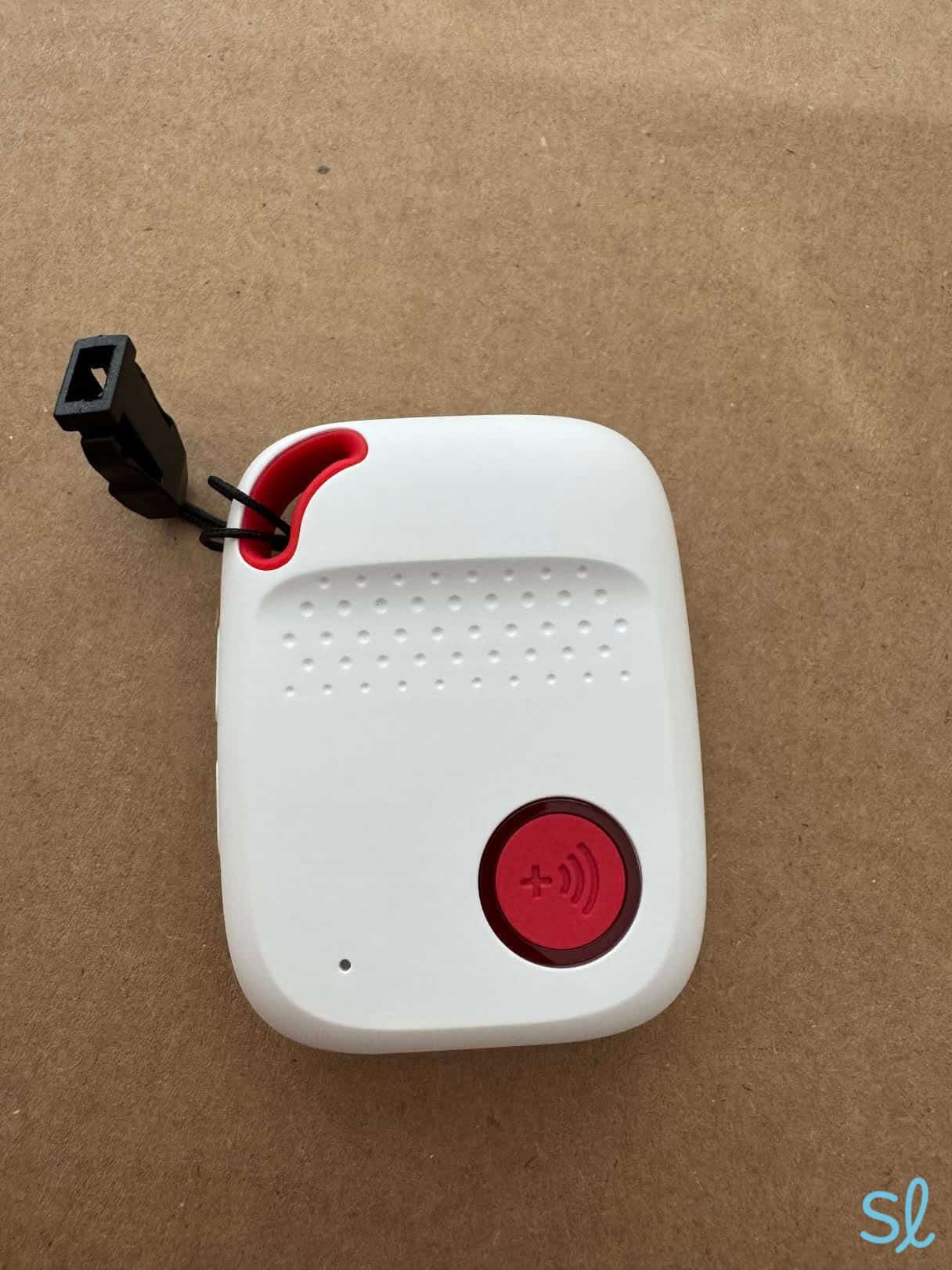
Testing out Bay Alarm Medical's SOS All-in-One 2

Pros About Bay Alarm Medical
- Affordable packages
- 15-day risk-free trial
- Easy installation
- No activation fees
- Discreet smartwatch option
- No long-term contracts
- Superb customer service with live chat option
Cons About Bay Alarm Medical
- In-home unit looks a bit dated compared to competitors’ solutions
- Equipment fees on most systems
The Buying Experience
Navigating Bay Alarm Medical’s website isn’t difficult, but I recommend speaking to a customer-care representative to determine which system is best for you. Bay Alarm Medical is known for excellent U.S.-based customer service, similar to Medical Guardian and Lifeline.
It took just under a minute to connect with a friendly representative by phone. After I told the agent I wanted an in-home system, she recommended the SOS Home. It can be combined with add-on waterproof wall buttons with adhesive mounts — handy for high-risk areas like the shower or stairs.
Did You Know? Roughly three million older adults go to the emergency room each year as a result of falling, and about 80 percent of home falls occur in the bathroom.1
I asked if they offer language support in Greek, thinking of my great aunt who speaks little English. They offered to connect her to a fluent operator. I was impressed to learn that Bay Alarm Medical provides support in over 170 languages.2
You can get customer service by live chat, phone, or the FAQ portal. When I tested the live chat, I connected with a representative in about 30 seconds. Other companies we’ve reviewed, like Lively, also have top-rated customer support, but they don’t offer the same range of language services as Bay Alarm Medical.
» Compare Providers: Medical Guardian vs. Lifeline
Setting Up My Systems
SOS Home
Bay Alarm Medical’s at-home system is functional and easy to set up. It’s ideal for seniors who spend the majority of time at home. Although the system resembles an old-school answering machine, it works.
My system came with a base unit, all the necessary cords, and a wearable help button with a wristband and neck lanyard. I plugged the base unit into an outlet and then connected it to the phone line.
Testing the SOS Home
The system’s two-way audio allowed me to communicate with a dispatcher from anywhere in the house (a 1,000-foot range from the base unit).
To test the in-home system, I pressed the help button on the pendant, which connected wirelessly. The base station beeped for five seconds, and then an automated voice said, “Call connected, please wait.” In around 20 seconds, the operator answered and asked if I needed help.
Using the base station’s two-way speaker, I let them know that I was only testing the system. Bay Alarm Medical recommends making a test call once a month to ensure that it’s working properly.
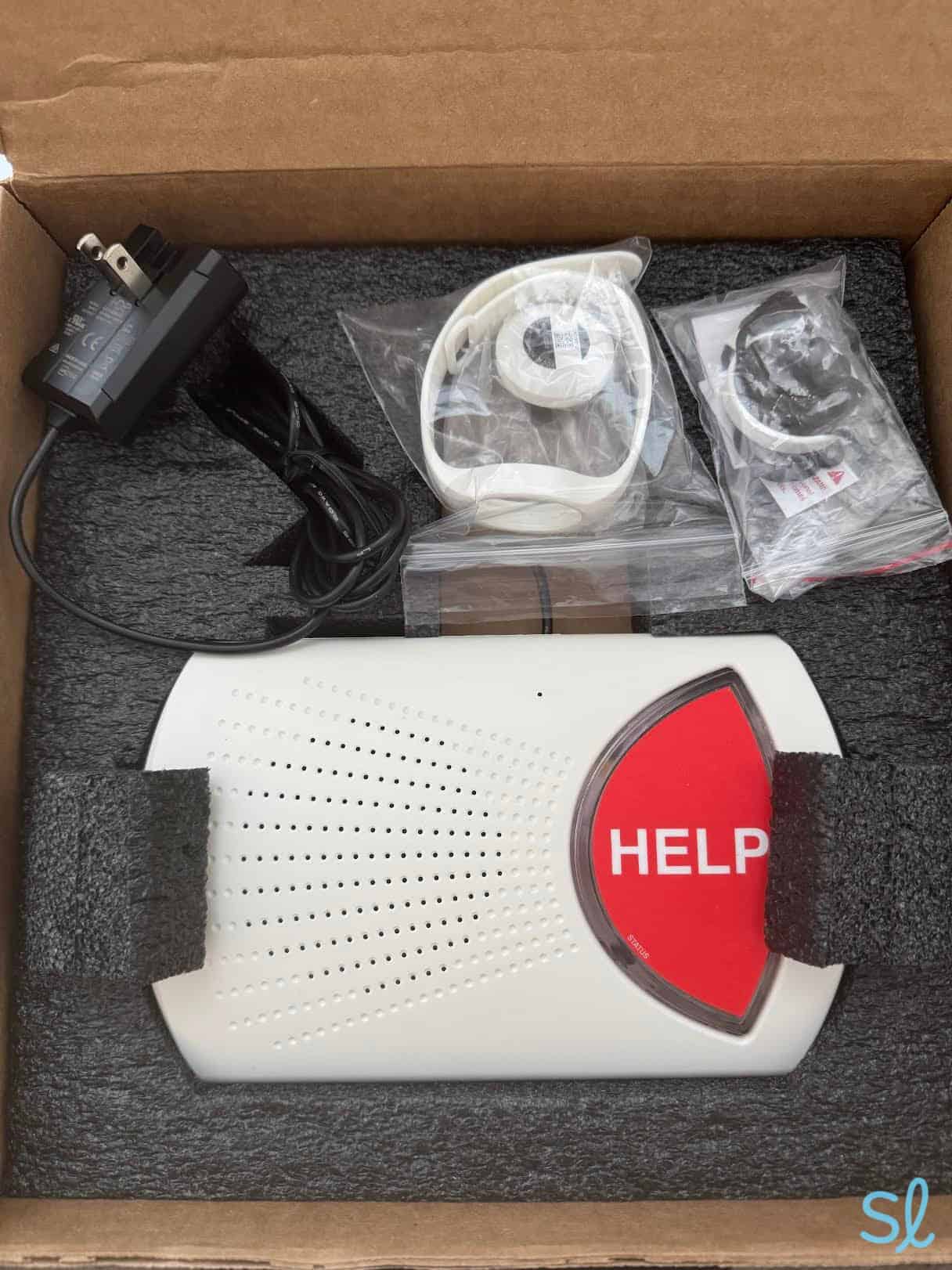
Unboxing Bay Alarm Medical's SOS Home system
All-in-One 2
The All-in-One 2 is smaller and lighter than the previous all-in-one model, and available in black or white.
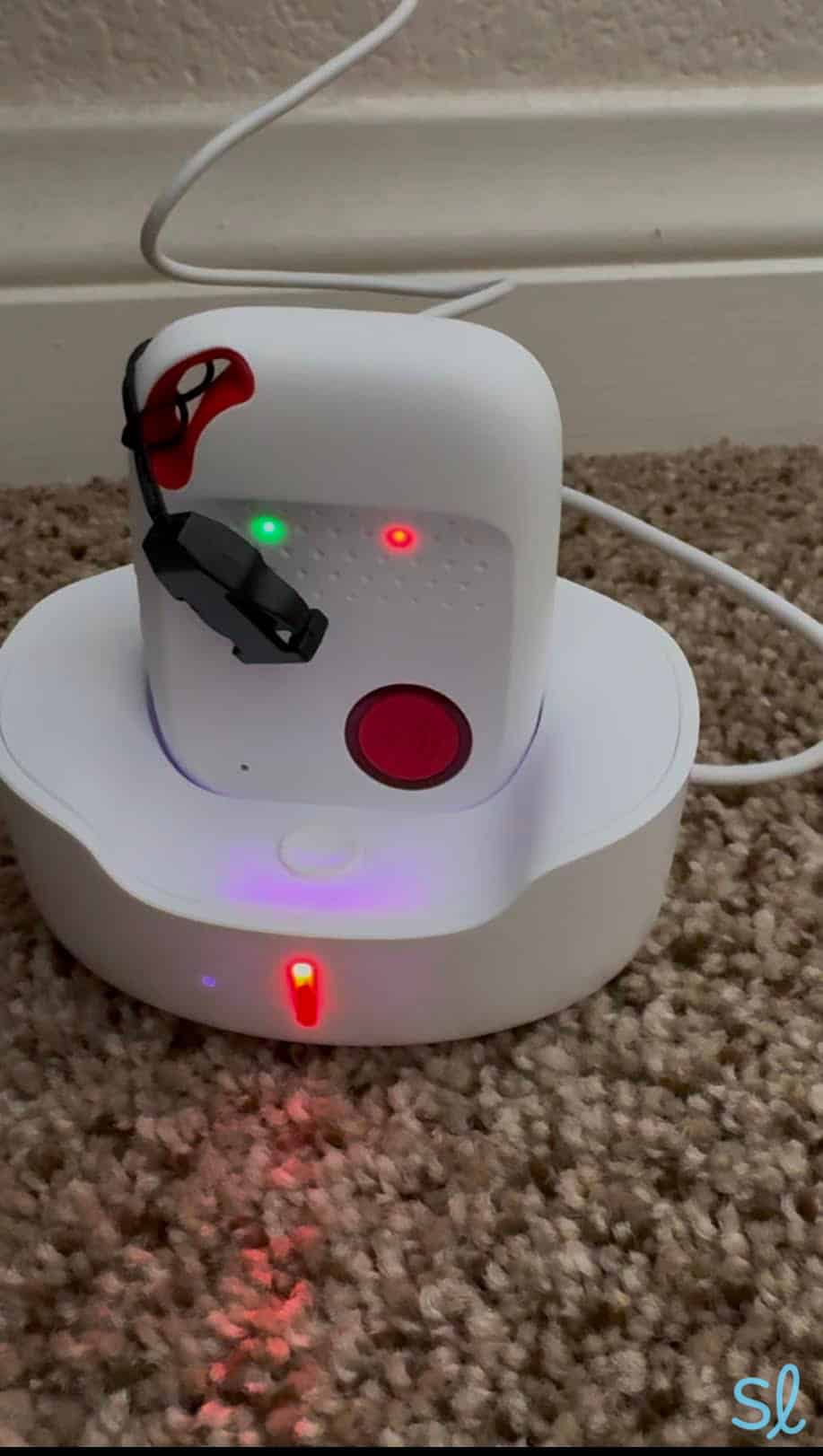
To charge the All-in-One 2, I plugged the charging base power cord into a power outlet and then placed the device on the charger. You’ll know it’s fully charged when the indicator light turns solid red. When the green light blinks twice every three seconds, it means the device is stable and the SIM card is active.
It charged in two or three hours. The SOS All-in-One 2 device has a battery life of up to 72 hours, so one charge lasted a few days for me.
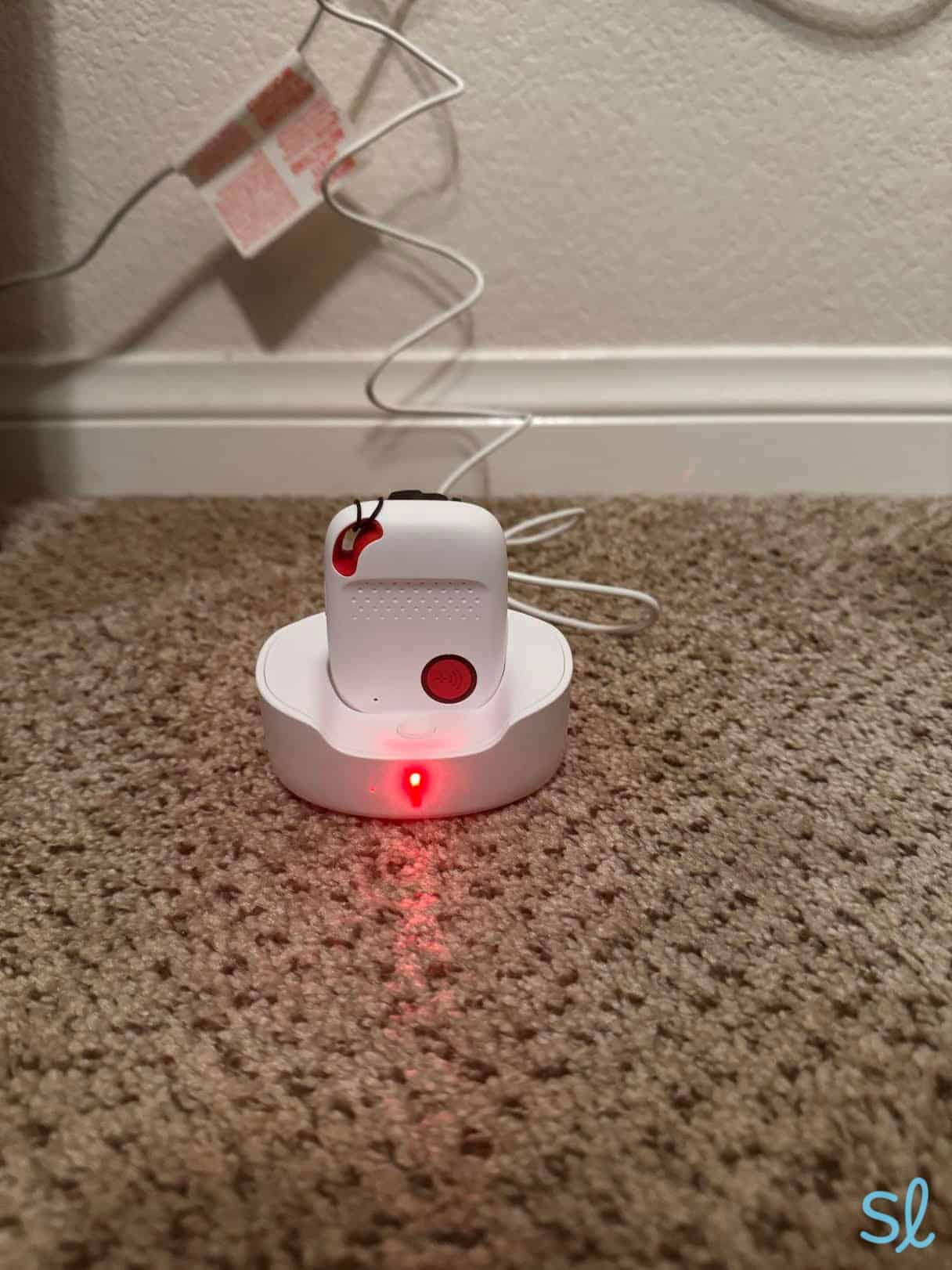
Charging Bay Alarm Medical's SOS All-in-One2 system
Testing the All-in-One 2
The instructions say it can take up to 60 seconds to connect with a live dispatcher. When I tested the SOS All-in-One 2, it beeped, and I heard, “An SOS alert has been activated.” One minute later, I was connected to a friendly agent who confirmed my name and asked repeatedly if I needed help.
The device comes with a clip to use on your pants or bag, plus a lanyard. If you use a pacemaker, the clip option is probably better, ensuring the two devices stay separate. Fall detection is an optional add-on that lets you get help without pressing a button.
» Also Check Out: Best Medical Alert Systems for Seniors With Dementia
SOS Micro
The SOS Micro is a lightweight, wristband-style device that can be converted into a wearable lanyard or buckle. I found the SOS Micro very easy to set up, as it just needs to be charged, and it only has one big button to press to call for help.
Like the All-in-One 2 system, the SOS Micro has built-in GPS that caregivers can access, as well as optional fall detection activated for a fee.
The SOS Micro is preferable to the SOS Smartwatch for seniors who just want a simple wristband device. One potential drawback is that it looks like a medical alert device, unlike the SOS Smartwatch, so it’s not quite as discreet.
» Related Reading: Best Medical Alert Systems With Fall Detection
Testing the SOS Micro
I held down the button for the recommended three seconds. I knew it was initiating a call because the red light around the button turned blue.
It took roughly 20 seconds for an operator to answer. I spoke into the two-way speaker above the button and told him it was a test. He confirmed my information and double-checked that I didn’t need help.
The SOS Micro works via Verizon or AT&T 4G LTE service, so as long as you have service where you are, you’ll be able to connect to an operator.
» You Might Like: Verizon Senior Cell Phone Plan Review
The device is very simple, which may be a plus for less tech-savvy seniors. It’s just one big button and a very loud two-way speaker.
I had no trouble hearing the operator, and vice versa. Even with the SOS Micro wristband extended away from my body, we could both hear each other perfectly. This makes it a great option for older adults with hearing loss.
Did You Know? Hearing loss increases the risk of emergency department visits among older adults.3
SOS Smartwatch
The SOS Smartwatch is ideal for tech-savvy older adults who want a more discreet wearable device. When I unboxed the SOS Smartwatch, it looked exactly like a regular smartwatch. The smartwatch came with a charging cable, charging cradle, and power supply. To charge it, simply place the unit on the charging cradle.
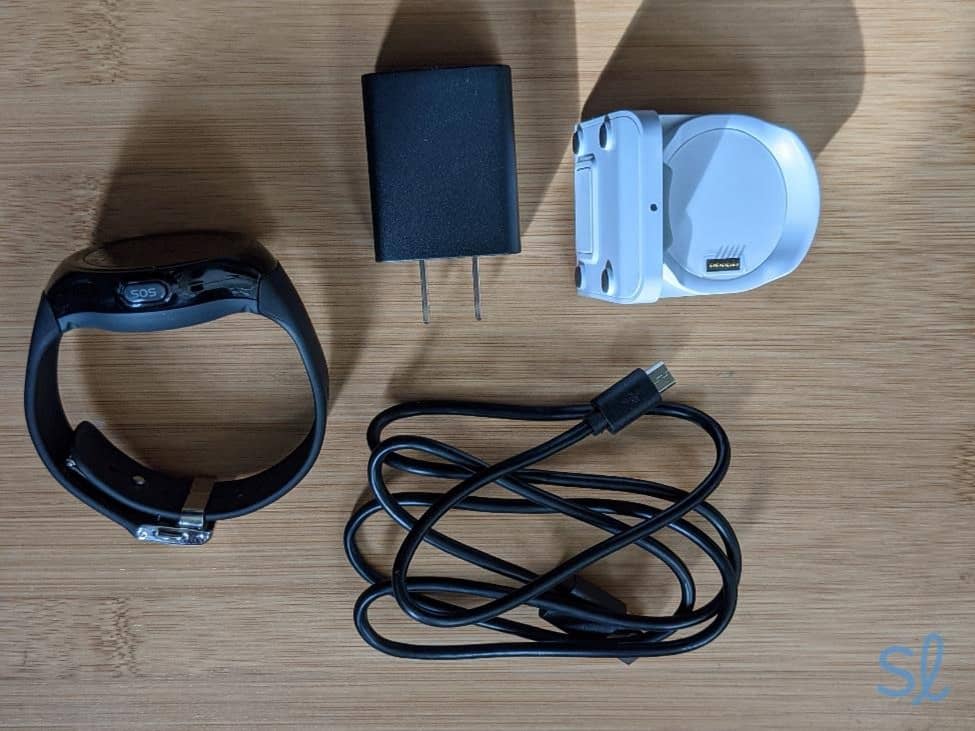
Unboxing my SOS Smartwatch
As advertised, the watch was ready to go out of the box. You don’t need a smartphone — or even an internet-capable device — to use the SOS Smartwatch.
FYI: Many of today’s high-tech smartwatches come with built-in emergency response features. Check out our guide to the best smartwatches for seniors to learn more!
I followed the simple directions provided to turn on the watch. It already had 83 percent battery life, but I charged it to 100 percent, which is recommended for the first use.
Figuring out how to open the watchband and adjust the size was a little tricky. The metal clasp may be difficult for older adults with arthritis or dexterity problems.
After I fastened the watch onto my wrist, I opened the pedometer app and went for a walk. The step counter seemed accurate. Fitness enthusiasts can even change their daily step goals. There’s also a location-based weather app.
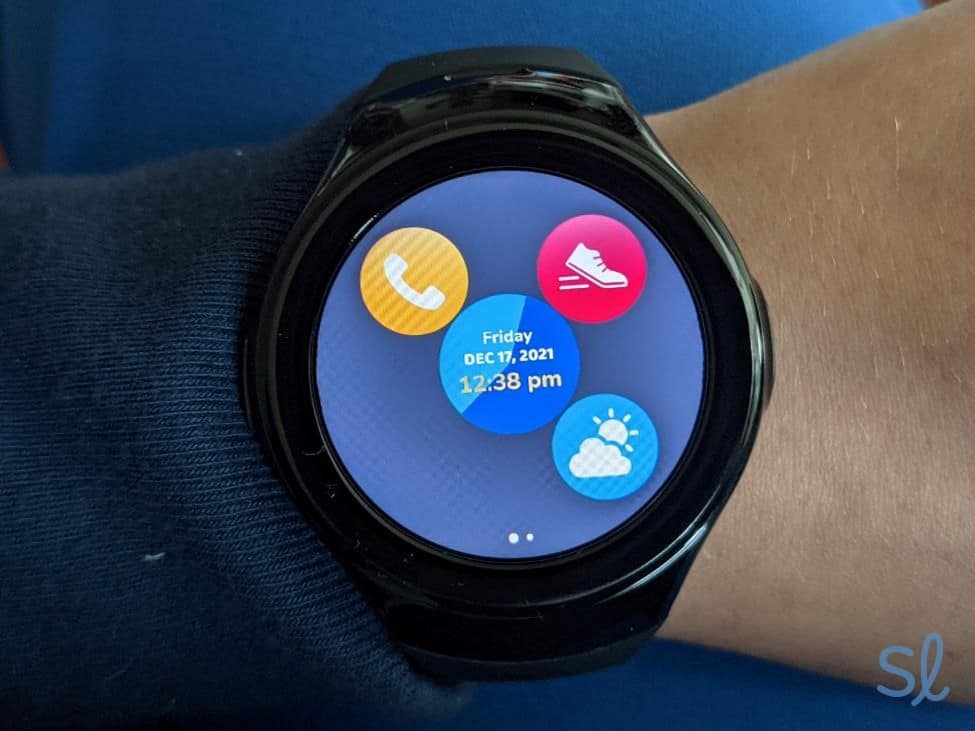
Checking out my SOS Smartwatch's features
Testing the SOS Smartwatch
Finally, I gave the SOS button a test. It requires you to press and hold the SOS button on the side of the watch for a few seconds (to avoid accidental calls). Holding the button was a little awkward since it’s on the side of the watch and not the top, but I got used to it.
Did You Know? Falls are the leading cause of both fatal and nonfatal injuries for seniors in the U.S.4, which is why fall-detection pendants are so important for aging in place.
After pressing the button for about five seconds, the watch initiated a phone call. An operator answered within 10 seconds, and I let her know that I was testing my watch. She politely confirmed that it was a test, verified my identity, and ended the call. That was the fastest response time I got for any Bay Alarm Medical system!
Contract and Warranty
The Bay Alarm Medical representative explained that the company’s optional extended warranty, the Premier Protection Plan, allows for one free system replacement per contractual year and a 50 percent discount on lost or damaged accessories. The SOS Home system also includes lifetime low-battery replacement for the personal help button.
If you choose one of Bay Alarm Medical’s bundle packages, you can protect all of your equipment for $4.95 per month. The warranty plan includes a lifetime personal help button, low battery replacement, one free base system replacement per contractual year, and 50 percent off accessory replacements. If you don’t want the protection plan, you’ll pay up to $299 for non-manufacturing-related damage.
» Save More: Best Medical Alert Systems With No Monthly Fees
Bay Alarm Medical Systems at a Glance
| Product | Cost per month | Connection type | Features | Best for |
|---|---|---|---|---|
| SOS Home | Landline: $27.95; cellular: $34.95; cellular with fall detection: $44.95 | Landline or cellular | 32-hour backup battery, choice of waterproof necklace or wristband button, 1,000-foot coverage area | Homebodies or those on a tight budget |
| SOS Micro | Standard: $34.95; SOS Micro with fall detection: $44.95; 360° Bundle (In-Home + SOS Micro): $59.95 | Cellular | Includes charger, lanyard, wrist straps, and belt clip; water-resistant buttons; 36-hour battery life; caregiver tracking app | On-the-go users |
| SOS Smartwatch | Smartwatch only: $39.95; Smartwatch with fall detection: $49.95; 360° Bundle (In-Home + SOS Smartwatch with fall detection): $64.95 |
Cellular | Step tracking; touch screen; up to 12-hour battery life; emergency help button | Active older adults who want health and lifestyle tracking features |
| SOS All-In-One 2 | Basic package: $34.95; All-In-One with fall detection: $44.95; 360° Bundle (In-Home & mobile fall detection + SOS All-in-One 2): $54.95 | Cellular | Wearable help button and mobile unit; caregiver tracking app; 72-hour battery life | Those who want comprehensive at-home and on-the-go protection |
Bay Alarm Medical System and Product Details
SOS Home
Cost
SOS Home is Bay Alarm Medical’s least-expensive system, making it a great option for those on a tight budget. It costs $27.95 per month for the standard landline model and $34.95 for the system with a cellular connection. For premium cellular with fall detection, the monthly price is $44.95.
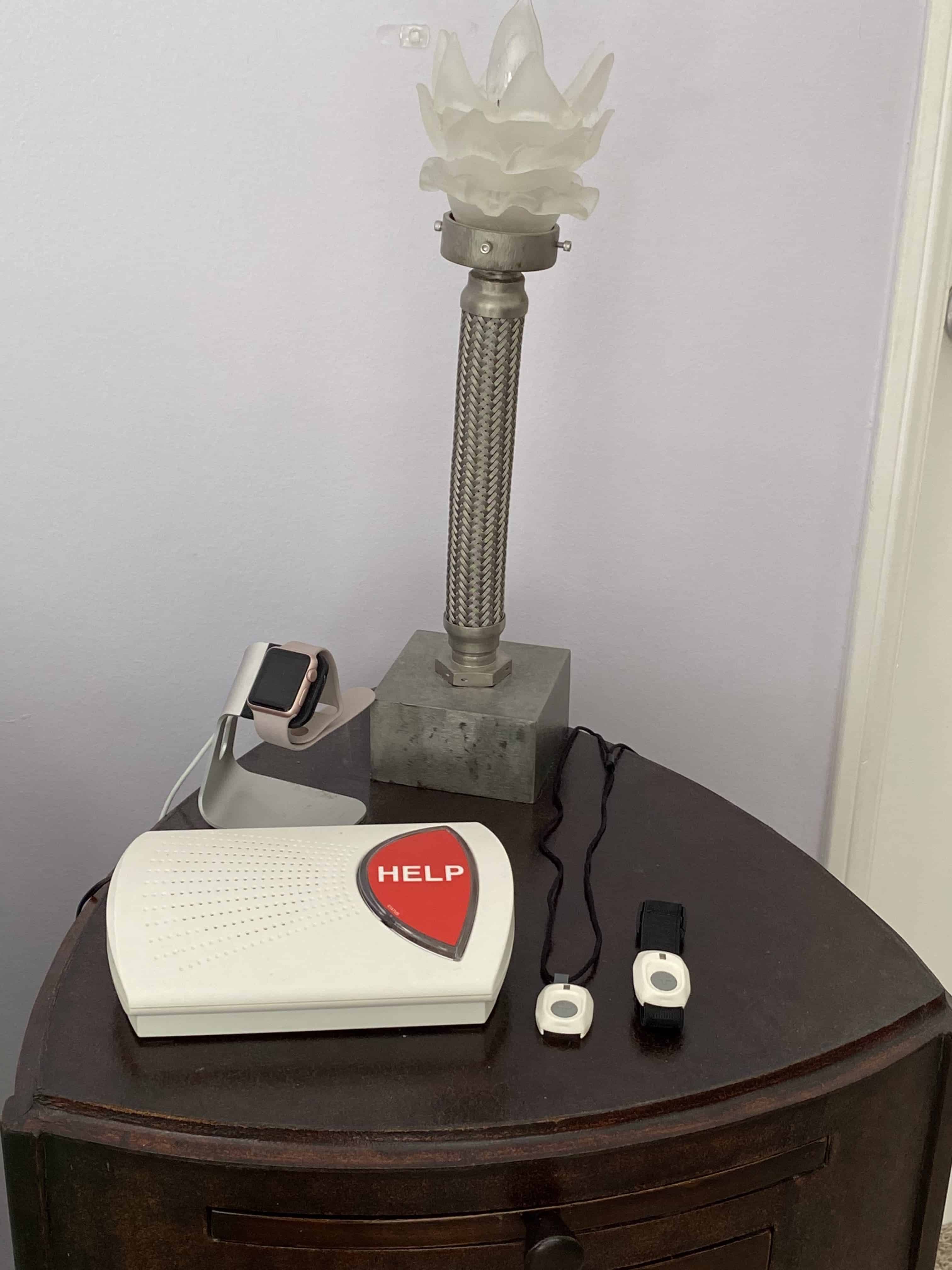
Bay Alarm Medical’s SOS Home system
Equipment
SOS Home comes with a base unit and a wearable help button. When I plugged in the cellular option, I first saw a red light. After searching for my cellular coverage, the light turned green and an audible voice said, “System ready.”
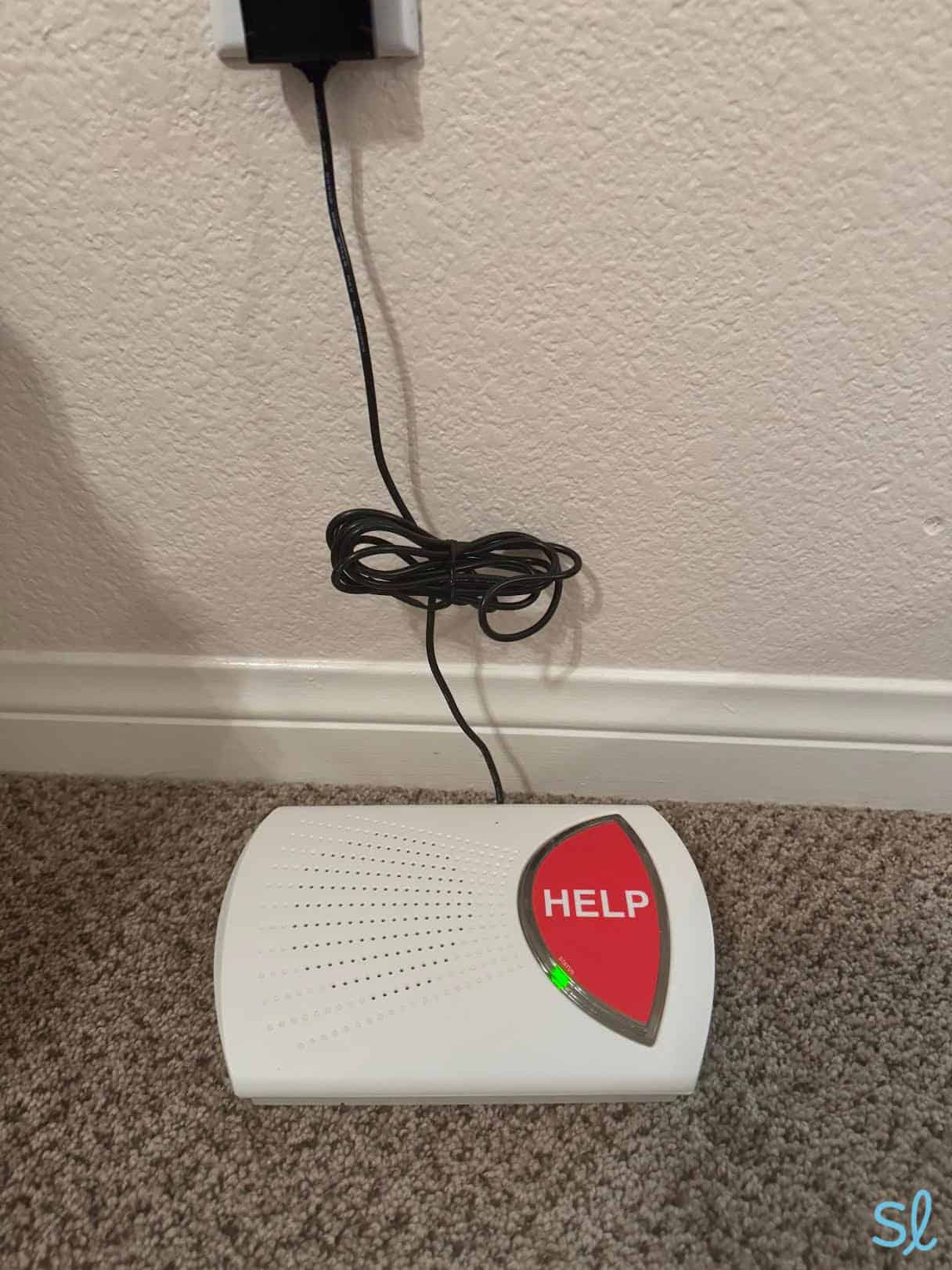
Testing out Bay Alarm Medical's SOS Home system
The system's two-way audio allowed me to communicate with a dispatcher from anywhere in the house (a 1,000-foot range) without being near the base unit. I pressed the help button on my pendant in the kitchen, and it quickly connected to the base station in the living room on the other side of the house.
» Without a Landline: Best Cellular Medical Alert Systems
The personal help button is lightweight and discreet. I was a big fan of the button because you can wear it on a white wristband or a small lanyard. The lanyard is so small and light that you can wear it inside your shirt, and no one would even notice it. Plus, you can add Bella Charms to disguise the help button to look like a fun necklace.
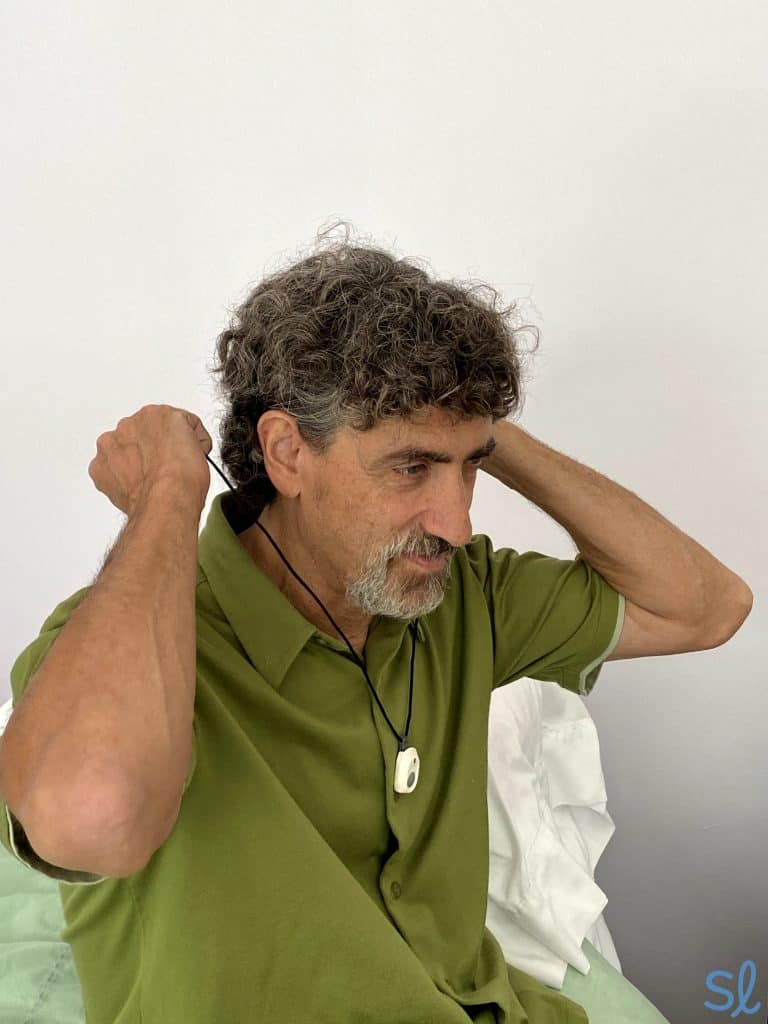
Our Editor, Jeff Hoyt, wearing the Bay Alarm Medical auto fall-detection pendant.
Service and Monitoring
Bay Alarm Medical’s 4G LTE cellular connection runs off AT&T or Verizon cell towers. I preferred the stable connection of my landline since I don’t have great AT&T coverage (plus, it saved me $10 per month).
However, the cellular option is a good choice if you don’t have or don’t want to use a landline. When I tested the cellular option, I connected with a friendly operator in 15 seconds, and the reception was clear and loud.
All of Bay Alarm Medical’s in-home systems offer 24/7 monitoring, and you can add automatic fall detection for $10 per month. With this feature, falls are detected automatically, even if you can’t press your help button. I recommend it for people at high risk of falling or those who want the added protection.
Expert Tip: Bay Alarm Medical cautions against wearing the fall detection pendant while sleeping because an emergency response will be sent if you don’t respond to the monitoring center.
SOS All-In-One 2
Cost
The SOS All-In-One 2, Bay Alarm Medical’s hybrid at-home and on-the-go system, costs $34.95 per month, plus a $149 device fee. This price is pretty typical for hybrid systems. Plus, it offers excellent value, providing comprehensive protection everywhere you go.
Deal Alert: The SOS All-In-One 2 equipment fee ($149) is currently 40 percent off – $89.40 for a limited time! Bay Alarm Medical is offering big discounts on equipment fees for other systems as well. Visit the website to see how much you can save.
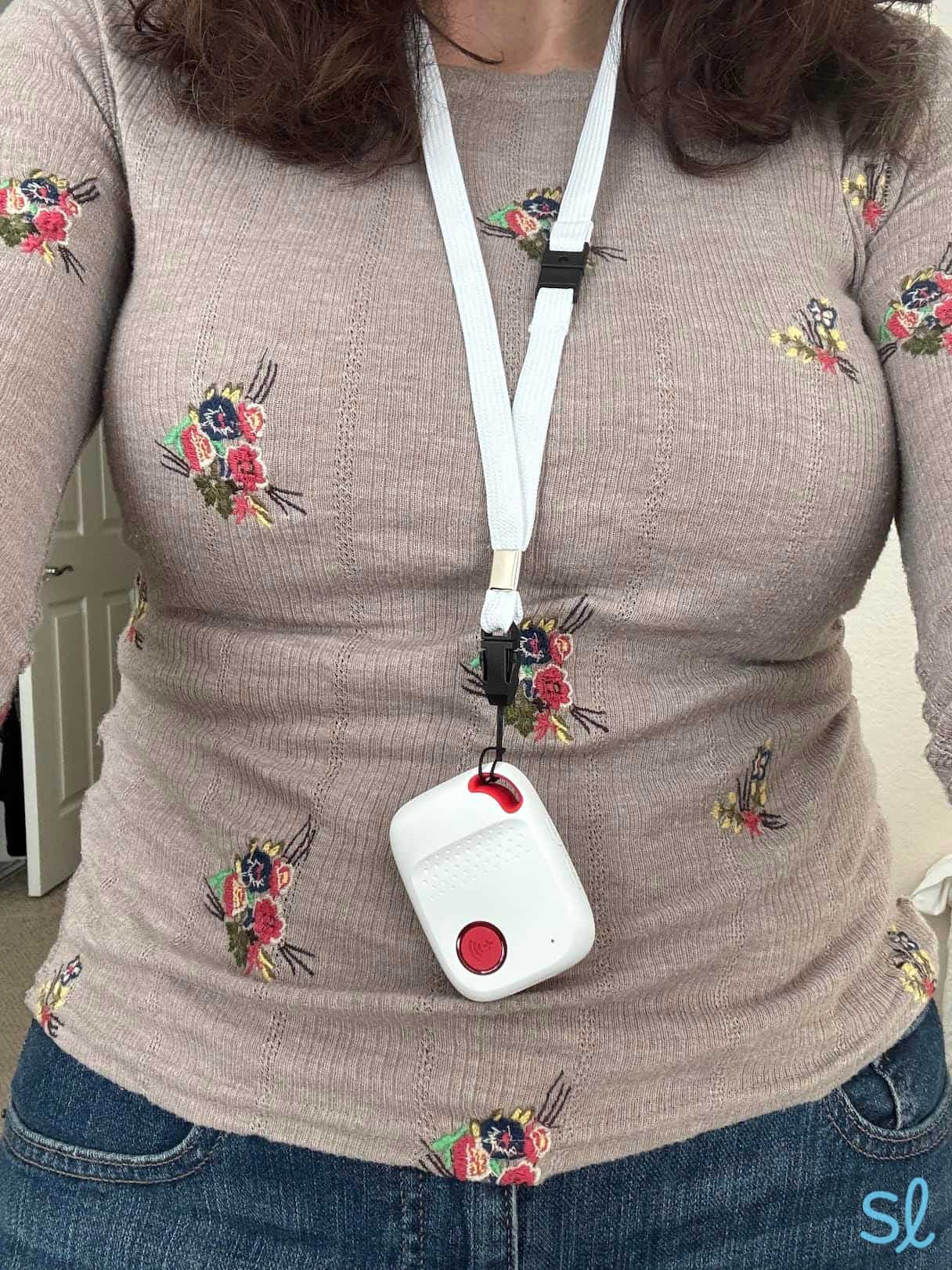
Wearing Bay Alarm Medical's SOS All-in-One 2 system
Equipment
SOS All-In-One 2 is a two-piece system designed for at-home and on-the-go use. It features an all-in-one wearable unit equipped with a two-way speaker, GPS tracking, and a built-in help button. The system also comes with a wearable help button designed to be worn at home, which is compatible with the mobile unit.
During an emergency, pressing the help button will connect you to Bay Alarm Medical’s 24/7 monitoring center. During my testing, it connected me to a friendly emergency support operator in about 60 seconds.
I preferred wearing it on my belt buckle with the clip, but fall detection won’t be as accurate unless you wear it as a necklace. Another helpful tip: If you want to check the current time, just press the SOS button once.
» For Hearing Difficulty: Best Medical Alert Systems for Seniors With Hearing Loss
Service and Monitoring
Like the rest of Bay Alarm Medical’s mobile systems, the SOS All-In-One 2 features a 4G LTE cellular connection. It also includes GPS tracking, so you can receive help at your exact location, no matter where you are.
When I tested the system’s GPS tracking, the Bay Alarm Medical response agent could pinpoint exactly where I was.
For an extra $10 per month (plus an additional $30 for equipment), you can add automatic fall detection for more robust protection.
» Useful Guide: Best GPS Medical Alert Systems
SOS Micro
Cost
The SOS Micro is a compact and lightweight device that costs $34.95 per month, plus a $149 equipment fee. It includes 24/7 monitoring and GPS caregiver tracking. The system provides on-the-go support and multiple discreet ways to wear the device, which won’t disrupt your daily routine.
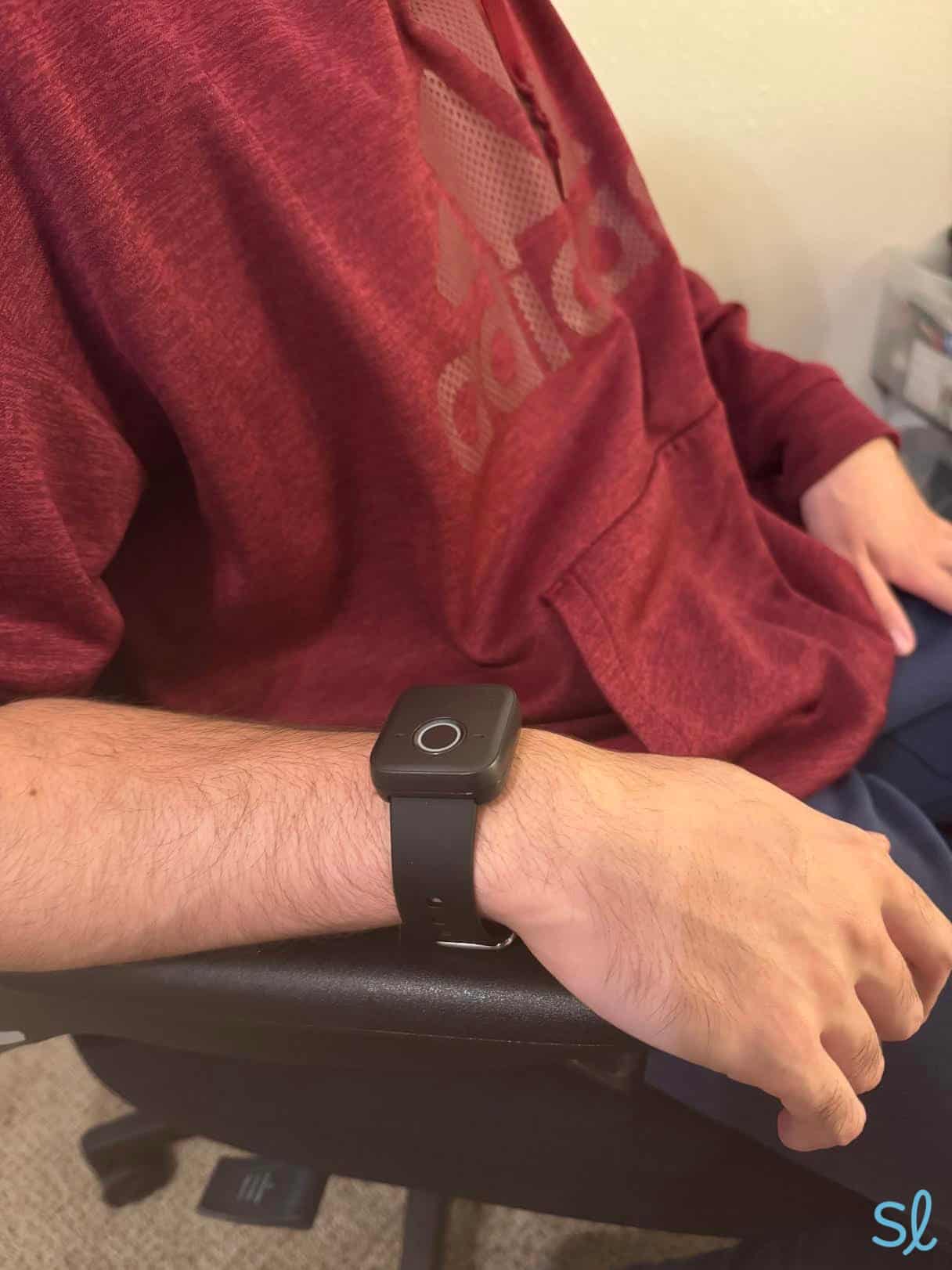
Wearing Bay Alarm Medical's SOS Micro system
Equipment
The device comes with a wristband, lanyard, and belt clip. Straps for larger wrists are available on request.
My system came preinstalled with wrist straps, so I could wear it as a watch. I found the SOS Micro to be surprisingly lightweight, and I often forgot I was wearing it.
The SOS Micro lasts up to 36 hours. It takes two to three hours to fully recharge the battery, which is typical for a mobile system. With caregiver tracking, I could check the device’s current location in real-time, access location history, and get low-battery notifications.
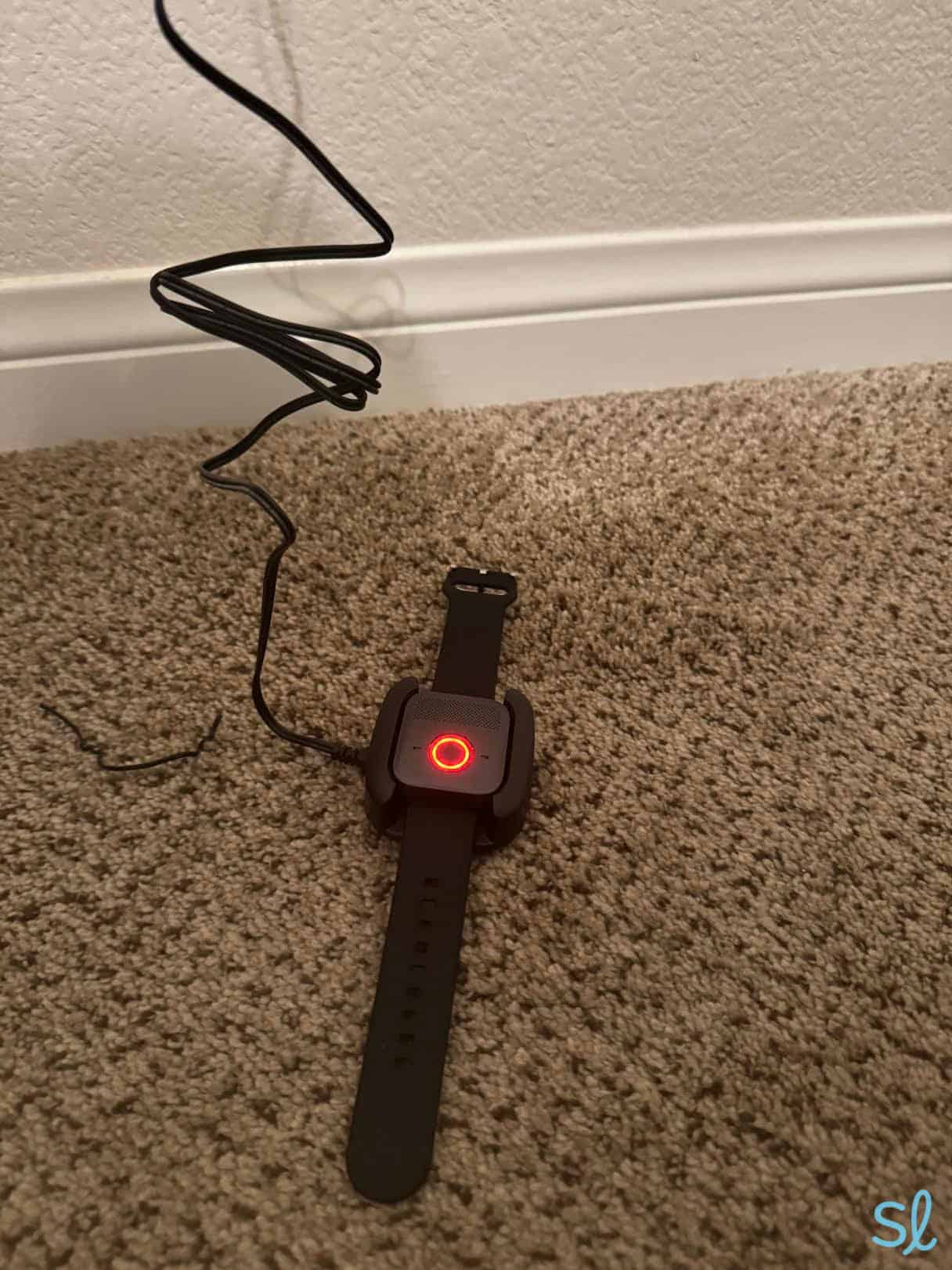
Charging Bay Alarm Medical's SOS Micro system
Service and Monitoring
The SOS Micro is available on both AT&T and Verizon networks, and it features Wi-Fi location services and optional automatic fall detection. The device comes preactivated with either an AT&T or Verizon SIM card.
» Learn About: AT&T Cell Phone Plans for Seniors
SOS Smartwatch
Cost
Bay Alarm Medical’s SOS Smartwatch costs $39.95 per month, plus a one-time $199 equipment fee. These costs are pretty average compared to other popular smartwatch systems. Medical Guardian’s MGMove watch, for instance, costs $199.95, and its interface and features are very similar to the SOS Smartwatch.
The SOS Smartwatch is our top pick for medical alert watches, while MGMove is our second pick.
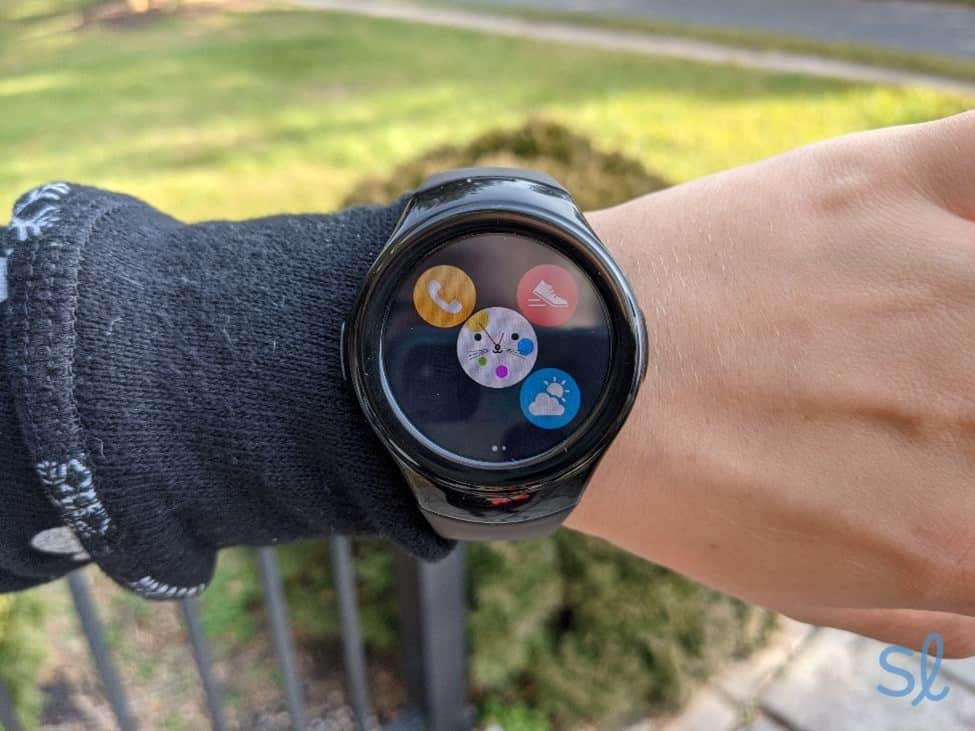
Taking my SOS Smartwatch for a test drive
Bay Alarm Medical also lets customers pay for any system quarterly or annually. Right now, if you pay quarterly, you get free shipping with certain plans. If you pay annually, you get free shipping and one month of service free.
Equipment
This water-resistant smartwatch has a simple touch screen, a navigation button, and a help button. It also has extra features like step tracking and daily goal setting. This is an excellent option for older adults who want to track their daily activity or those who want a discreet, sleek medical alert system.
» For Active Seniors: Active Senior Living Communities
The watch comes with a charging dock and has a six- to 12-hour battery life, so I recommend charging it every night beside your bed. That way, your watch is charged when you wake up and is right there if you experience an emergency in the middle of the night.
Want to see the SOS Smartwatch in action? Check out our hands-on review below!
Service and Monitoring
The SOS Smartwatch is best for active older adults who spend a lot of time out and about. The watch offers 24/7 monitoring, 4G LTE service, and GPS location tracking.
It’s easy to tell when you have good coverage, too: A green dot indicates a strong cellular connection, a yellow dot indicates a moderate connection, and a red dot indicates a weak connection. Pressing the SOS button alerts trained operators to initiate two-way communication through the watch and send help, wherever you are.
FYI: Research indicates that older adults with medical alert systems feel more confident to go about their daily activities without fear of physical restrictions or falling.5
Bundle Packages
For the best of both worlds, Bay Alarm offers a few packages that combine in-home and on-the-go services. You can save around $60 per year by bundling a mobile and in-home solution compared to purchasing the systems separately. Remember that prices will be higher overall, starting at $64.95 per month, and there are one-time equipment fees for mobile devices.
Still struggling to decide which system is right for you? Visit our guide to medical alert systems to compare important features and learn insider tips for choosing the best system for you.
Using the Bay Alarm Medical Mobile App
Bay Alarm Medical’s mobile app, which comes with all systems, is one of my favorite things the company offers. After downloading the app, I found it was very streamlined and simple to use. I could check my system’s exact location on a map, see its battery levels, view a step tracker, set goals, and create an emergency plan.
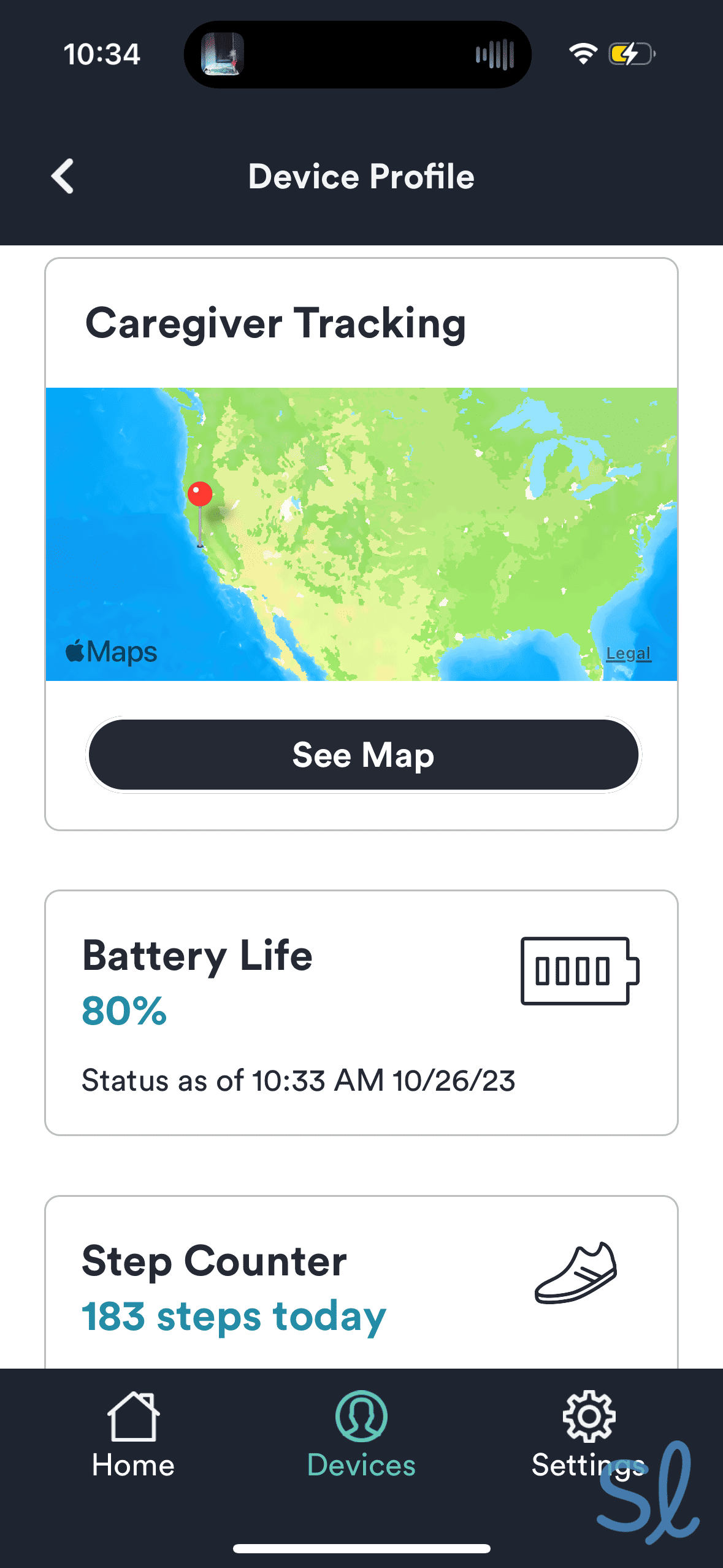
Navigating Bay Alarm Medical's companion mobile app
One of the best things about the app is that you can ring your device if it’s lost. I am terrible at keeping track of my things, so I inevitably forgot where I put the SOS All-in-One 2 one afternoon.
I opened the app and tapped the Ring Device button. The app sent a ringing noise through my device’s speakers. After walking around my house and garage, I realized I’d left the system in my car. This feature is excellent for people who have memory loss or who, like me, always misplace things!
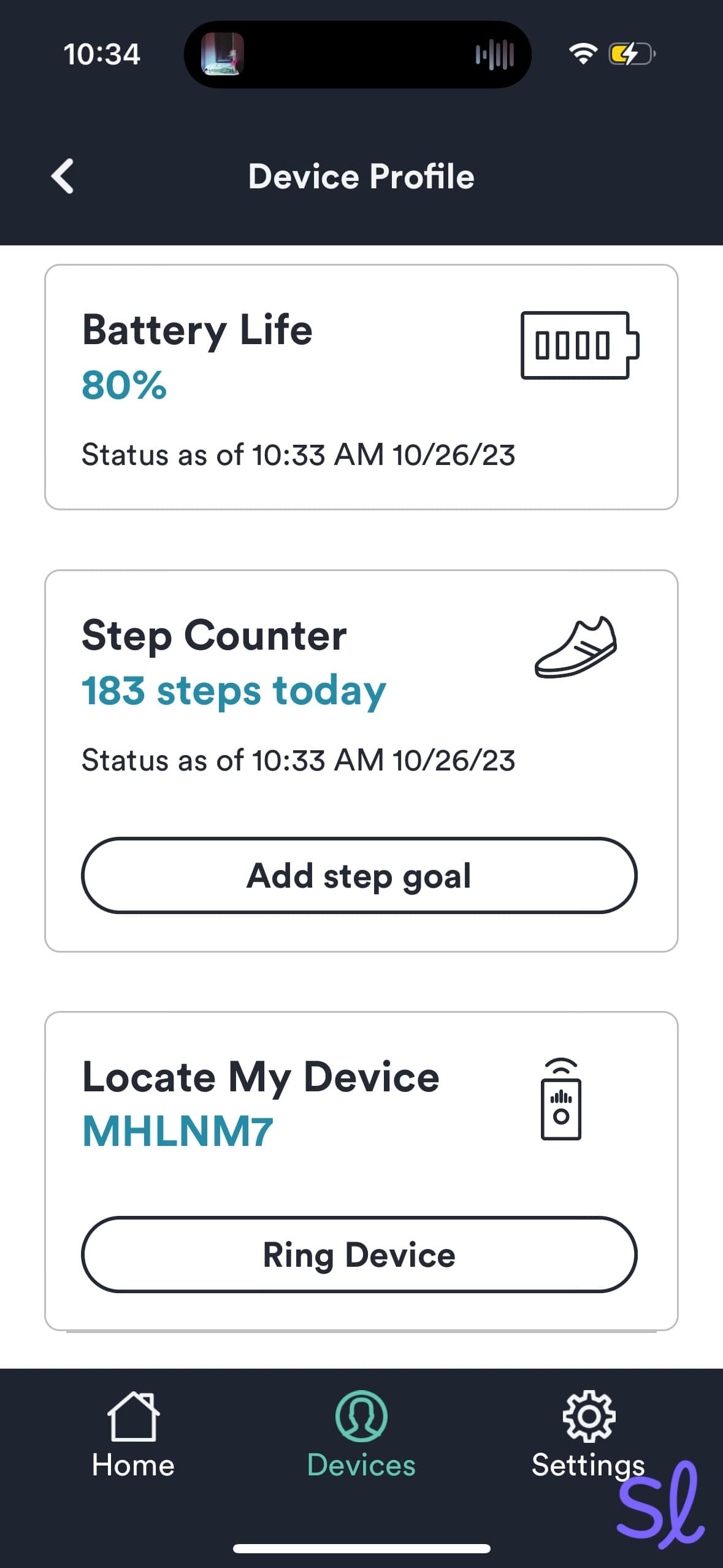
You can ring a lost device in the Bay Alarm Medical app
Add-On Features and Accessories
Bay Alarm Medical has add-ons similar to other companies I've reviewed, such as Medical Guardian. Most charge a one-time fee, but a few have recurring monthly charges.
Lockbox
During emergencies, emergency medical services (EMS) are trained to enter people’s homes by any means necessary. With Bay Alarm Medical’s lockbox, you can let first responders enter your home without breaking down the door.
Just set up a secret four-digit code, place up to five house keys inside the lockbox, and secure it to the front door. Bay Alarm Medical operators will give EMS the code during an emergency. The add-on costs $30, but it’s well worth the cost if you don’t want to replace your front door after an emergency!
Additional Help Buttons
All in-home packages come with one wearable (wrist or necklace) help button at no extra cost. You can order an additional button for $40 if you’d like added protection or convenience.
Wall Buttons
These wall-mounted help buttons cost $35 each. They’re designed to signal for help when you are not holding or wearing your help button. Wall buttons can be placed in high-risk areas like the bottom of the stairs or the bathroom.
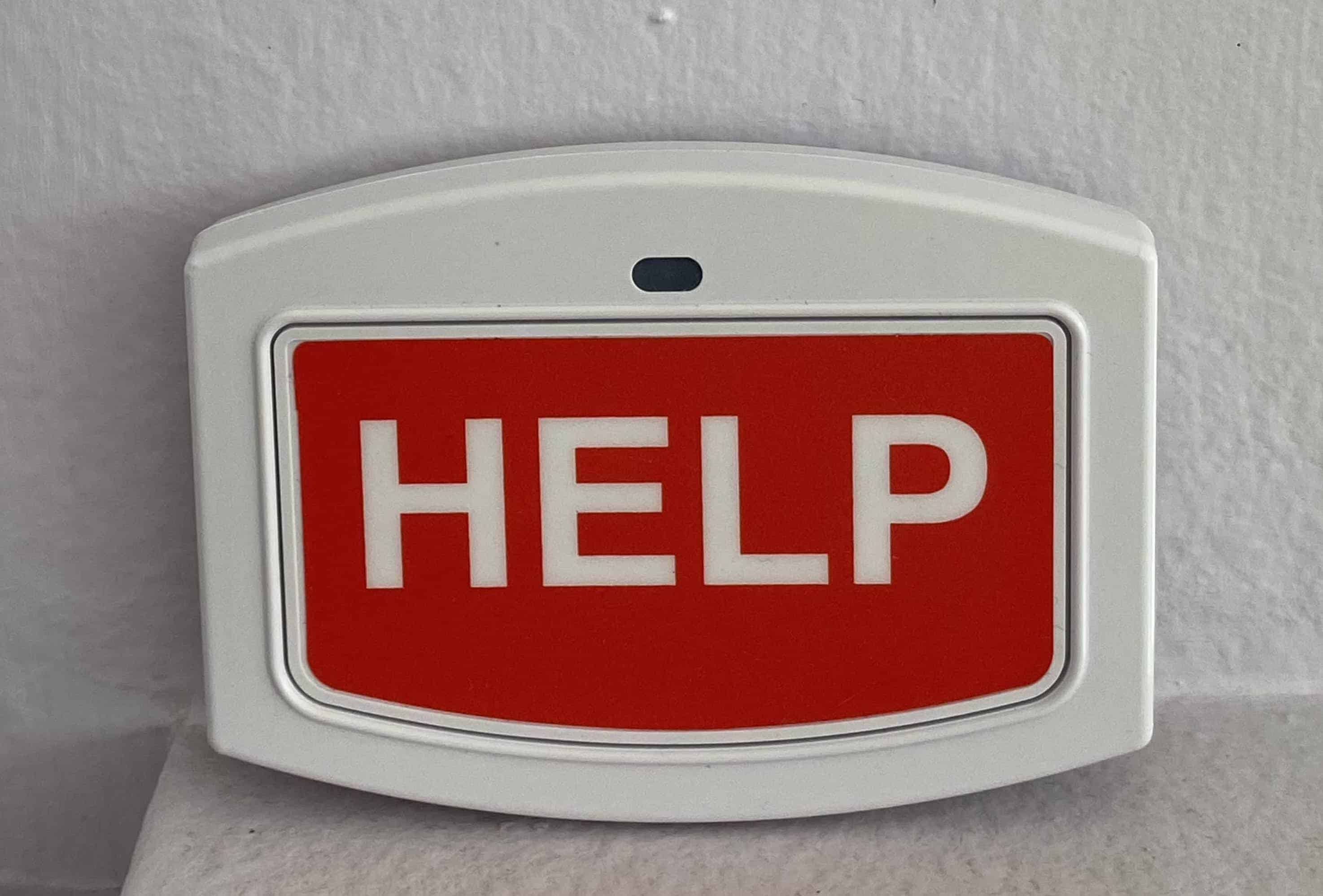
Bay Alarm Medical's wall help buttons offer extra protection around your home.
Bella Charms
Bella Charms offer another way to jazz up your medical alert device. Available in three designs, these charms cost $28 each and allow you to wear alert buttons as a stylish necklace.
Vial of Life
The Vial of Life is an $8 magnetic card that lists your vital medical history, allergies and medications. You can stick it on the fridge to help EMS quickly assess medical needs and prevent treatment mistakes. When my SOS Smartwatch arrived, a Vial of Life card was included.
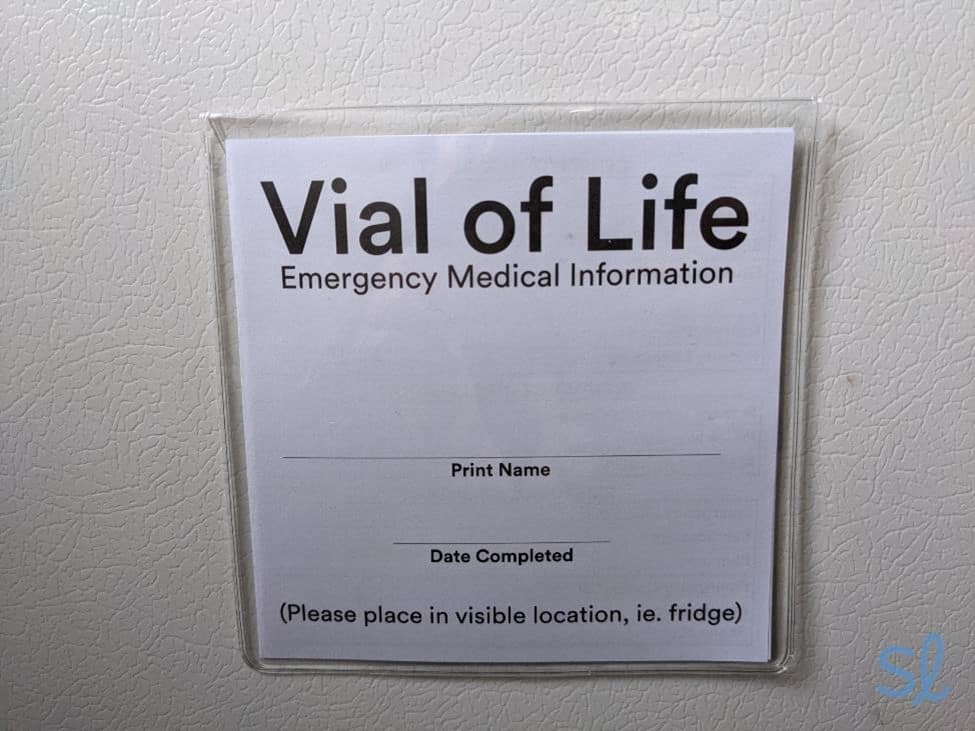
My Vial of Life card
Automatic Fall-Detection Buttons
Bay Alarm Medical’s fall-detection pendant automatically places a call for help after a fall, even if you can’t press your help button. Sensors detect downward movement, followed by no movement before triggering a response.
I’d recommend this add-on for any older adults with a history of falls or medical conditions that put them at a higher risk of falling. You’ll pay $10 per month, plus a one-time $30 equipment fee. You can add additional pendants for a spouse or roommate for an additional fee.
To learn more about our hands-on experience with Bay Alarm Medical, check out the video review below.
Bay Alarm Medical vs. the Competition
Bay Alarm Medical vs. Medical Guardian
Medical Guardian’s monthly rates are higher than Bay Alarm Medical's, starting at $31.95 per month for the landline in-home system. Medical Guardian’s equipment is sleeker and more high-tech, though.
Both companies have similar add-ons, including a free caregiver mobile app and fall detection for $10 per month. Medical Guardian stands out for their in-home coverage range of 1,300 to 1,400 feet, which is larger than Bay Alarm Medical’s 1,000-foot coverage area.
» Compare Providers: Bay Alarm Medical vs. Medical Guardian
Bay Alarm Medical vs. LifeStation
LifeStation offers at-home and mobile systems, but their monthly premiums and activation fees are on the higher end. LifeStation’s fall detection costs $14 per month, compared to $10 per month for Bay Alarm Medical.
If you’re looking for a long-lasting, on-the-go system, LifeStation’s mobile device lasts up to 120 hours compared to 72 hours for Bay Alarm Medical.
Worth noting is that Bay Alarm Medical offers only a 15-day trial period to test their products, but LifeStation products come with a 30-day risk-free trial, making it easy to try before you commit. Check out our LifeStation review to learn more.
Bay Alarm Medical vs. MobileHelp
If you and your spouse are looking for a medical system, MobileHelp is a great option, as they offer multiple systems designed for two users. MobileHelp’s starting prices are the same as Bay Alarm Medical’s.
» Compare Providers: MobileHelp vs. Bay Alarm Medical
Monthly rates start at $24.95 per month, while fall detection costs just $5.50 to $11 monthly, depending on the system MobileHelp’s caregiver portal costs extra, but Bay Alarm Medical’s app is free. Visit our 2026 MobileHelp review for more details.
The Bottom Line on Bay Alarm Medical
Bay Alarm Medical is an affordable and trustworthy provider. It keeps older adults safe with fast response times, automatic fall detection, 24/7 monitoring, durable equipment and easy-to-use systems. Their customer-service team and extensive language support are also stellar. The company has stepped up its game with the SOS Smartwatch — an excellent choice for active older adults who want a high-tech system.
I was happy with my Bay Alarm Medical experience and would recommend the brand to most seniors. Bay Alarm Medical ranks No. 1 on our list of the best medical alert systems because it’s great for budget-conscious seniors who want a simple, reliable medical alert device.
Frequently Asked Questions About Bay Alarm Medical
-
How much is Bay Alarm Medical per month?
Monthly rates for Bay Alarm Medical systems start as low as $27.95 per month and range up to $64.95 per month for bundles.
-
How long does it take to get a response once the medical alarm is triggered?
Bay Alarm Medical’s 24/7 professional monitoring team will respond in 60 seconds or less.
-
What home phone services work with the Bay Alarm Medical system?
Standard phone lines are compatible with Bay Alarm Medical systems, including Comcast, Time Warner, Charter, and Cox.
-
How do I cancel my Bay Alarm Medical service?
Give Bay Alarm Medical a call, and you will receive instructions on how to power down and return your device. Keep in mind that the account is not fully canceled until the equipment has been returned (in working condition) and processed. There aren’t any cancellation fees, so you can cancel at any time.
-
What if I move? Can I bring my Bay Alarm Medical system with me?
Bay Alarm Medical systems can move anywhere in the U.S. as long as you contact Bay Alarm Medical and update your emergency contact information with them. They do not recommend making these changes for moves of less than two weeks.
-
What cell service does Bay Alarm Medical use?
Bay Alarm Medical’s cellular systems are powered by 4G coverage from AT&T or Verizon.
-
UCLA Health. (2025). How to Prevent Falls in the Bathroom.
-
Bay Alarm Medical. (2025). Language Line Services.
-
National Library of Medicine. (2023). Hospitalizations, Emergency Department Visits, and Home Health Use Among Older Adults with Sensory Loss.
-
National Council on Aging. (2025). Get the Facts on Falls Prevention.
-
Home Health Care Services Quarterly. (2017). Personal Emergency Alarms: Do Health Outcomes Differ for Purchasers and Nonpurchasers.