Best Voice-Activated Cell Phones for Seniors
The Moto G 5G from Consumer Cellular is our favorite voice-activated phone for seniors in 2026, thanks to its simple design and affordable price.


Our senior tech experts tested several voice-activated phones and narrowed down the list to our top picks for older adults.

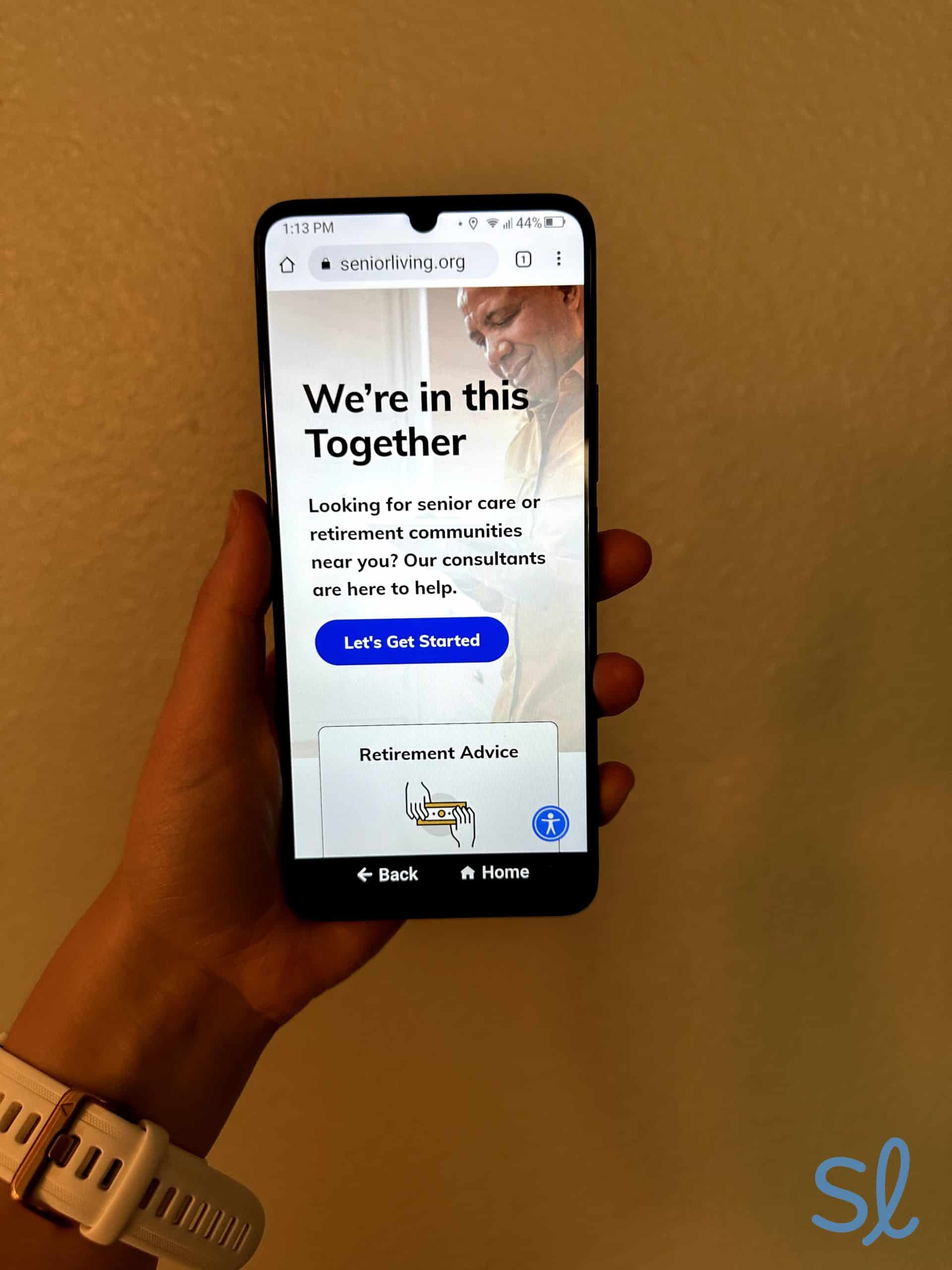
Making a call on the Jitterbug Smart4
How We Tested the Phones
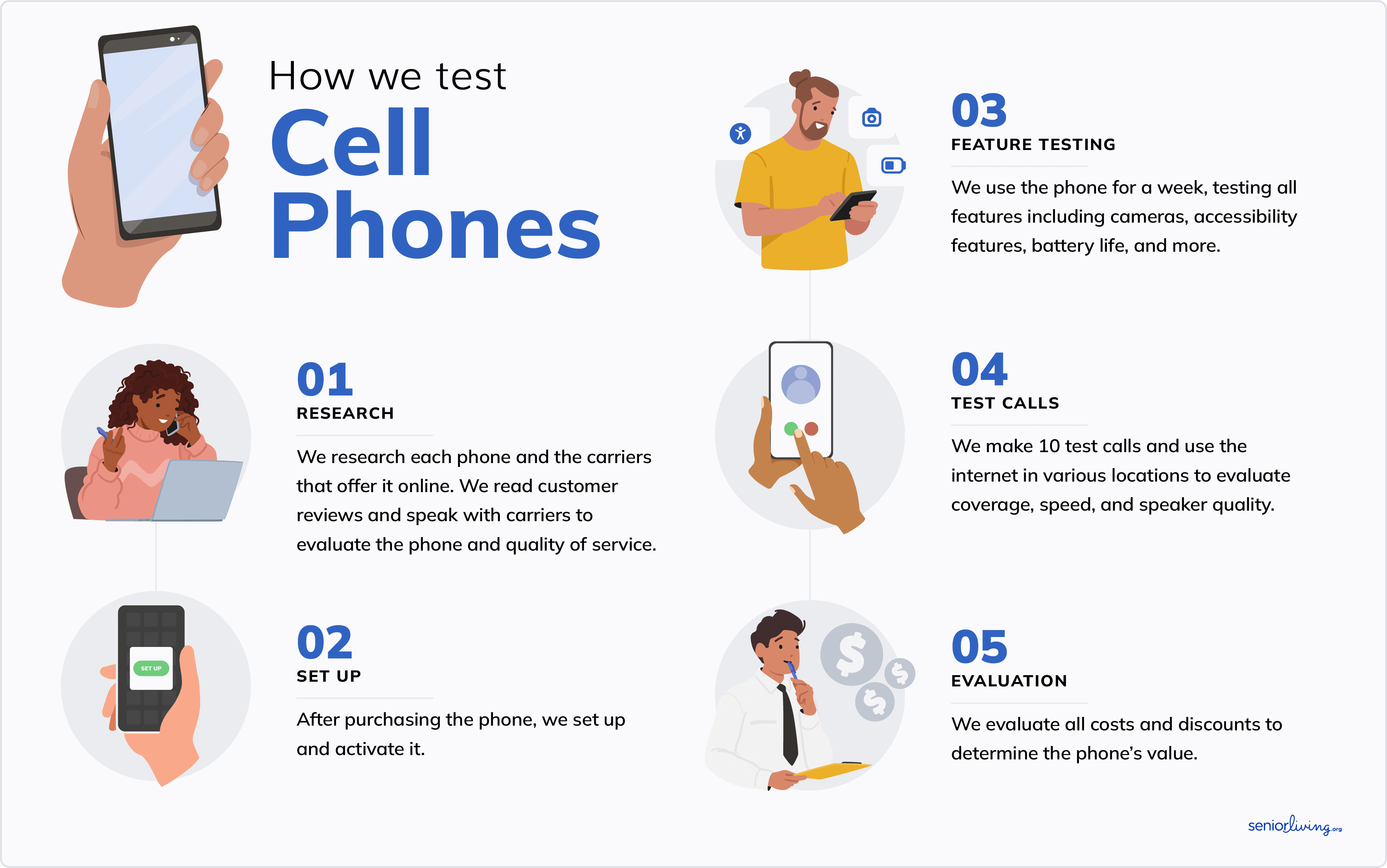
Our senior tech experts (including my grandma and me) conducted over 150 hours of research and testing to narrow the list to our top picks. Here’s what our testing process looked like:
- We researched the best phones with voice activation, focusing on those with senior-friendly designs and features. We combed websites, spoke with customer service reps, and ordered our top picks.
- After receiving the devices, we tested each phone for a week, taking notes on our experience. I recruited my grandma to help me with testing whenever possible.
- We evaluated each phone’s sound quality, responsiveness to voice commands, hearing-aid compatibility, accessibility features, general usability, size, battery life, plan options, and other senior-friendly features to create our ranked results.
How We Chose the Best Voice-Activated Phones for Seniors
We chose the phones on this list because they all have some level of voice commands. They also have other accessibility features (including hearing aid integration), superb sound quality, and senior-friendly features. We also examined price and value, features such as emergency services, and cell phone plan costs.
More specifically, we used three essential parameters to compare each phone:
- Voice activation: Our team tested the voice activation features on every phone to understand their capabilities and functionality. We tried everything from the simplicity of initiating voice commands to the types of things we could (and couldn’t) do with our voices.
- Pricing: We considered each phone, including financing options and senior discounts, and paired it with a carrier that could offer the best value and prices.
- Health and safety features: A phone is a lifeline and, potentially, a way to track your health and well-being. We tested each phone’s health and safety features, including step tracking, measuring fitness levels, and contacting emergency services.
Why Trust Us
Our senior tech experts test the latest products for older adults. We’ve spent hundreds of hours testing and reviewing cell phones for seniors. We consult with older adults to learn about their personal experiences with different phone models, including what they liked, what they disliked, and features they think could make the phone easier to use and more senior-friendly.
SeniorLiving.org is supported by commissions from providers listed on our site. Read our Editorial Guidelines
- Simple design
- Affordable smartphone
- Includes wired headphone jack

- Easy-to-use design
- Affordable flip phone
- Clear, crisp speaker

- Large display
- Advanced smartphone
- Excellent speaker
- Smartphone designed specifically for seniors
- Built-in medical response capabilities
- Voice-to-text functionality

- 6.1” Super Retina XDR display
- 8GB of RAM
- Unique feature: intuitive Apple interface

- Built-in personal voice assistant
- Durable design
- Bright display
Contents
A voice-activated cell phone helps you stay connected, even if you struggle with vision loss or dexterity problems.1 Most modern smartphones include features for making voice-only calls and texting by default; however, these may not be suitable for all seniors due to their complexity.
Our tech team spent over 150 hours researching and testing voice-activated cell phones for seniors. After a week of hands-on testing, we chose the Motorola Moto G from Consumer Cellular as our top pick, thanks to its responsive voice commands, easy-to-use interface, and clear speakers.

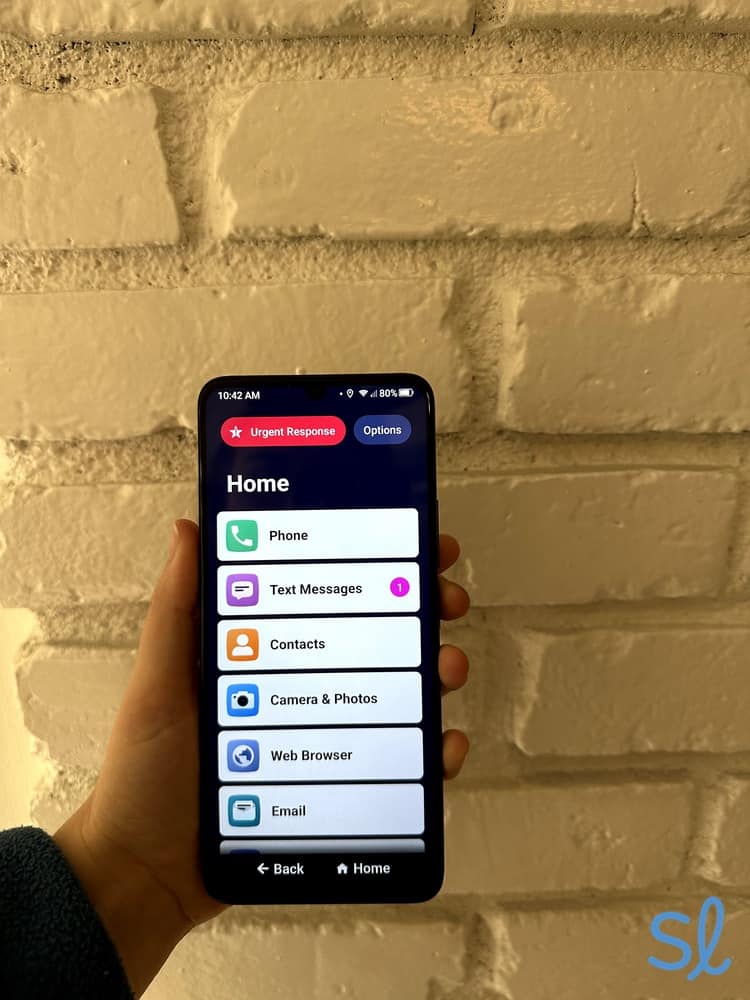
Testing out Lively's Jitterbug Smart4
The Best Voice-Activated Cell Phones for Seniors
We’ve researched and tested the top voice-activated phones, to help you find one that fits your needs and budget. Whether you want an affordable smartphone, enhanced health features, or seamless smart home integration, there’s an option here for you.
-
Moto G 5G 2025 from Consumer Cellular - Most affordable smartphone
-
Jitterbug Flip2 from Lively - Best flip phone
-
Google Pixel 10 Pro XL from AT&T - Best phone with Google integration
-
Jitterbug Smart4 from Lively - Best health and safety features
-
 Apple iPhone 16e from Mint Mobile - Best budget-friendly iPhone
 -
 Samsung Galaxy S25+ from Visible by Verizon - Best phone for smart home voice control
-
1. Moto G 5G 2025 from Consumer Cellular - Most affordable smartphone
See Pricing Links to Consumercellularplan.comWhat we like most
- Simple design
- Affordable smartphone
- Includes wired headphone jack
Moto G 5G 2025 from Consumer CellularSee Pricing Links to Consumercellularplan.comOverview:
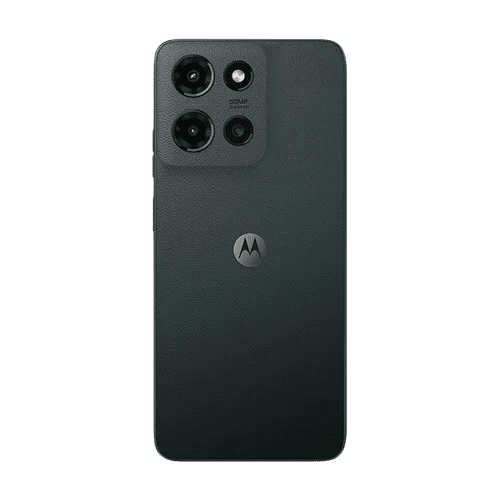
Motorola Moto G 5G 2025
At just $135 for a refurbished phone, the Motorola Moto G 5G 2025 is one of the most budget-friendly smartphones on our list. It uses Google Assistant for voice commands, excellent for those with mobility or dexterity issues.
FYI: Are you shopping for a cell phone on a tight budget? Check out our guide to the cheapest cell phones for seniors.
Beyond the price tag, this smartphone features a large 6.7-inch high-definition screen, loud Dolby Atmos speakers, and a 50 MP camera. It also has a headphone jack, increasingly rare on smartphones. Apple phones, including the iPhone 16e, have discontinued this feature. If you prefer wired headphones, the Moto G 5G 2025 is a great option.
Pros & Cons:Pros About Moto G 5G 2025 from Consumer Cellular
- Affordable price
- Built-in Google assistant
- Includes a wired headphone jack
- Clear sound quality
- 50 MP camera system
Cons About Moto G 5G 2025 from Consumer Cellular
- Limited advanced features
- Can get slow with heavy usage
Our Hands-on Experience:Voice Activation
The Motorola Moto G 2025 uses Google Voice Assistant. You can also download the Gemini AI app for more advanced voice-command capabilities. The Google Pixel 10 Pro XL comes with Gemini AI as the default voice assistant.
To start a voice command, I just said, “Hey, Google” (even when the phone was on the lock screen). Then, I asked questions or made requests. Alternatively, I could hit the speaker icon on the home screen. Either way, Google Voice Assistant was easy to use, even though it took a few seconds longer to respond than the Google Pixel 9 Pro XL. If you want a more advanced phone with Google Voice Assistant and have the budget, I’d recommend upgrading to the Google Pixel 9 Pro XL.
» For Simpler Devices: Easiest Cell Phones for Seniors to Use
Health and Safety Features
Unlike the iPhone 16e or Lively's phones, the Motorola Moto G 5G 2025 doesn't have many built-in health and safety features. There are apps on Google Play for tracking steps, monitoring sleep, and managing medications, but I had to find those on my own.
The Motorola Moto G 5G 2025 can still function as an emergency response device. I could contact emergency responders by swiping up on the lock screen and pressing the Emergency icon or holding the power button and pressing the same icon. While these are useful features, they aren't much better than dialing 911.
>> App Guide: The Best Apps for Older Adults in 2025
Pricing
The Moto G 5G costs $135, and Consumer Cellular 0% interest payment plans start at $5 per month. This gives you flexibility and control over your monthly costs.
» For More Information: Consumer Cellular Cell Phone Plan Review 2026
-
2. Jitterbug Flip2 from Lively - Best flip phone
What we like most
- Easy-to-use design
- Affordable flip phone
- Clear, crisp speaker
Overview:
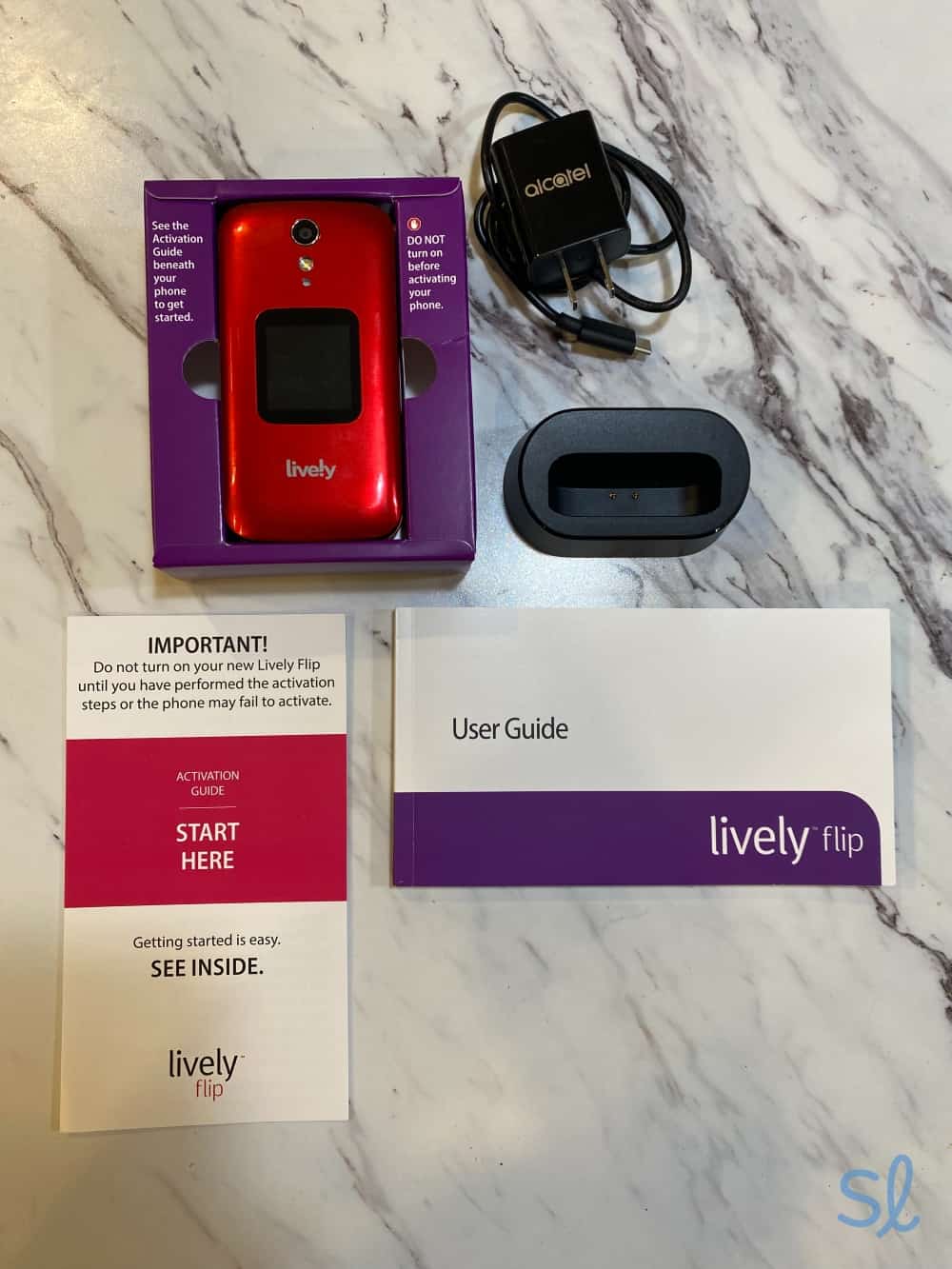
Navigating the Jitterbug Flip2
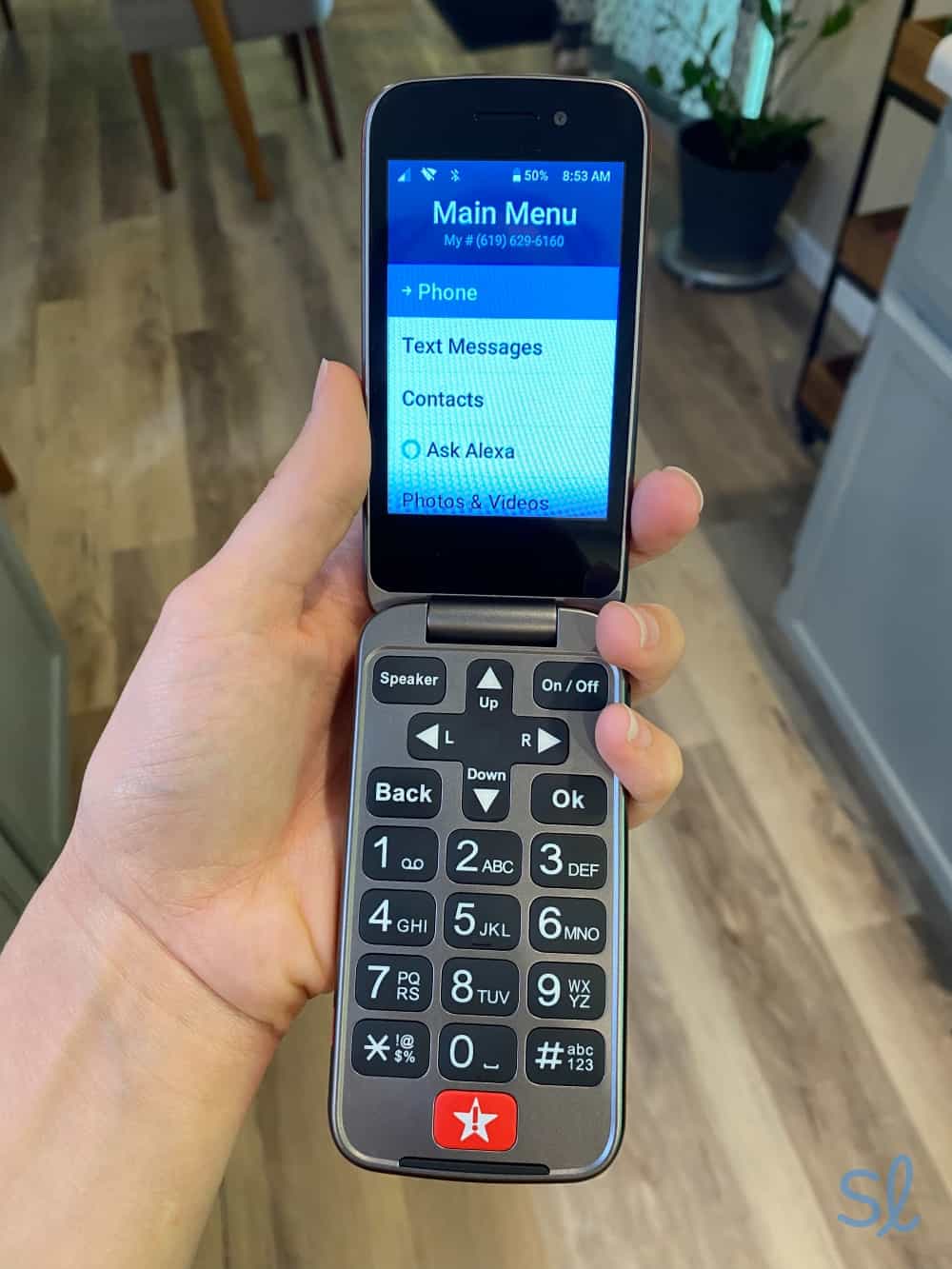
The Jitterbug Flip2 from Lively is a budget-friendly voice-activated flip phone at $79.99. It has a big screen, clear speakers, and large, tactile buttons. I like that the Jitterbug Flip2 uses Amazon Alexa for voice controls. I've used many Alexa-enabled smart speakers, so I was already familiar with the voice assistant. If you're also familiar with Alexa, using the phone's voice assistant will be easy. I could make calls, send texts, and check my phone's battery level using my voice.
To enjoy all the Jitterbug Flip2 offers, I'd recommend upgrading to the Preferred or Premium phone plan. These plans have health and safety features, such as access to the Lively Link mobile app and a 24/7 Urgent Response Center. In an emergency, I could use the Urgent Response button to call for help. That's a bonus for seniors who don't want to buy a separate medical alert device.
» Just in Case: Best Medical Alert Systems of 2026
Pros & Cons:Pros About Jitterbug Flip2 from Lively
- Alexa-enabled voice controls
- Simple, easy-to-use design
- Clear, crisp speaker
- Affordable price
- Health and safety features available
Cons About Jitterbug Flip2 from Lively
- Limited voice command features
- No internet access
- You must have an Amazon account to use Alexa voice commands
Our Hands-on Experience:Voice Activation
Since it's a flip phone, I knew the Jitterbug Flip2 wouldn't be as advanced as the smartphones on this list. It keeps things simple on purpose. I found the voice-activated features easy to use. You can use the built-in Amazon Alexa assistant with an Amazon account (which is free to set up).
FYI: According to AARP, at least 32 percent of adults over 50 use voice-activated assistants to help with daily tasks today, compared to just four percent in 2017.2
However, the phone does not have internet access. If you want an easy-to-use phone that can do more with voice commands, such as deliver emails or ask for directions, I’d recommend Lively’s Jitterbug Smart4.
My grandma was disappointed with the lack of voice command features on the Jitterbug Flip2, but we were both happy with the performance. I used the simple, list-style menu to locate the “Ask Alexa” icon to activate the voice assistant. When I clicked this icon, I was prompted to ask a question or give a command. While Alexa understood me most of the time, I needed to keep my requests simple to get the desired results.
» Home Internet Help: Best Internet Service for Seniors in 2026
Health and Safety Features
Health and safety features set the Jitterbug Flip2 apart from most other flip phones if you're willing to pay more. With the Basic plan ($14.99 per month), the Flip2 acts like a regular cell phone. If you upgrade to the Preferred plan ($34.99 per month), you get 24/7 Urgent Response monitoring (activated by clicking the big red button) and the Lively Link app for caregivers and loved ones.
» Learn More: Jitterbug Flip2 Review
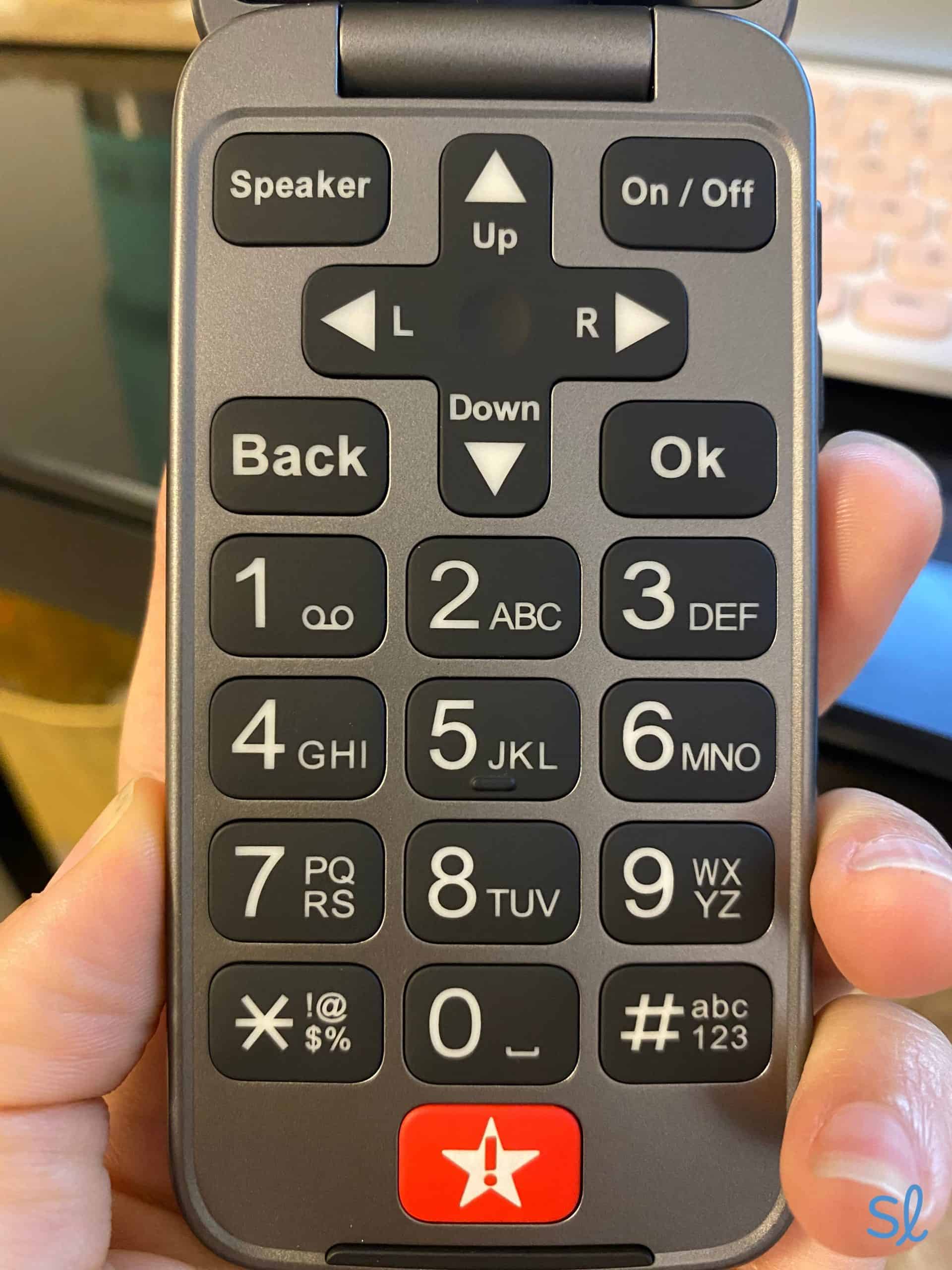
I tested the Urgent Response feature by pressing the large red button at the bottom of the phone's keyboard. In about 30 seconds, I was connected to a live agent who asked if I needed help. This feature is ideal for emergencies, whether you experience a fall, get lost, or have a flat tire.

The Jitterbug Flip2 has a large red Urgent Response button
Pricing
The Jitterbug Flip2 costs $79.99, while Lively phone plans cost $14.99 to $44.99 per month. All plans come with unlimited talk and text.
-
3. Google Pixel 10 Pro XL from AT&T - Best phone with Google integration
See Pricing Links to Att-promotions.comWhat we like most
- Large display
- Advanced smartphone
- Excellent speaker
Google Pixel 10 Pro XL from AT&TSee Pricing Links to Att-promotions.comOverview:
Google Pixel 10 Pro XL from AT&T
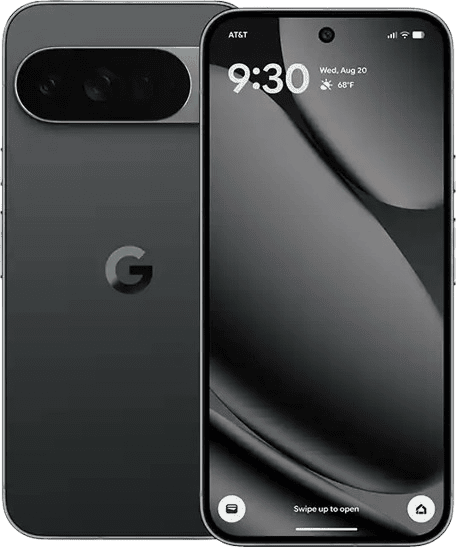
The Google Pixel 9 Pro XL is one of the best Android phones currently available on the market. The phone's camera quality blew me away, featuring a 50 MP rear camera and a 42 MP front-facing camera. It also features a large, easy-to-read display, ideal for older eyes. It has up to 24-hour battery life, a high-speed operating system (with 16 GB of RAM), and crisp, clear speakers.
The Google Pixel 10 Pro XL includes Gemini AI, the more advanced version of Google Voice Assistant. I could use Gemini AI to reach contacts, search the web, dictate text, and more. It's simple to use with the command “Hey, Gemini.” I didn't have to press any buttons to use the voice assistant, which is unique, even among smartphones.
» Also Check Out: Best Cell Phones for Seniors With Hearing Loss
Pros & Cons:Pros About Google Pixel 10 Pro XL from AT&T
- Gemini AI is easy to use
- No button inputs for voice activation
- High-quality cameras
- Large, easy-to-read display
- Excellent speakers
Cons About Google Pixel 10 Pro XL from AT&T
- Can get warm when used heavily
- On the pricier side
- Heavy usage can drain the battery quickly
Our Hands-on Experience:Voice Activation
Using the voice assistant was simple. I could either hold down the power button or say, “Hey, Gemini,” for the assistant icon to appear. I tried setting timers, setting reminders, requesting directions, and taking photos. For instance, I could say, “Take a selfie photo in 10 seconds.” The phone would confirm it had heard the command and open the camera app, then display a large countdown timer.
» Shopping Tip: The Best Android Phones for Seniors
Health and Safety Features
The Google Pixel 9 Pro XL includes a preloaded Personal Safety app, featuring an SOS button. I opened the app and held down the SOS button for three seconds. Then, my phone called 911, shared my location with my emergency contacts, and began recording a video. The phone can also detect collisions.
» Related Resource: Best Medical Alert Watches of 2026
Pricing
At $1,099, the Google Pixel 9 Pro XL is the most expensive phone on this list. However, you can finance the Google Pixel 9 Pro XL with zero interest for as little as $30.53 per month through AT&T.
Pro Tip: Want to get a phone without spending a dime? Check out our guides to the best free phones for seniors!
» Get More Data: Best Senior Unlimited Cell Phone Plans
-
4. Jitterbug Smart4 from Lively - Best health and safety features
What we like most
- Smartphone designed specifically for seniors
- Built-in medical response capabilities
- Voice-to-text functionality
Overview:
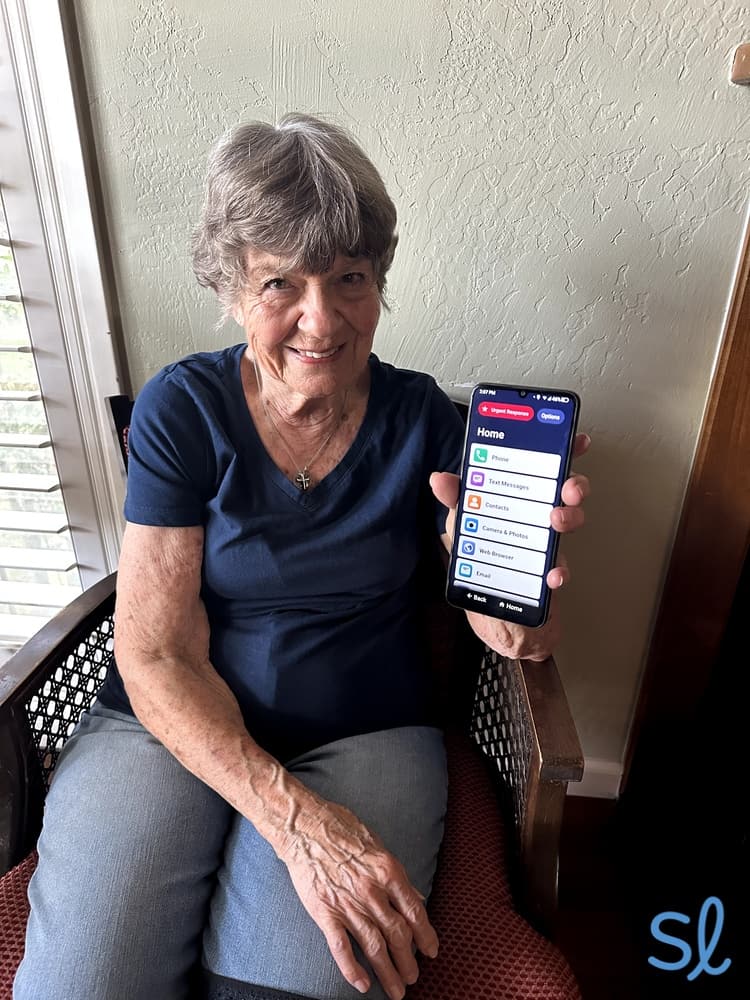
My grandma trying out the Jitterbug Smart4
The Jitterbug Smart4 includes all the health and safety features of the Flip2 in a smartphone. It features a simple, list-style menu that's easy to navigate but adds internet browsing, GPS navigation, email, and voice typing. If you want to balance modern tech and senior-friendliness, the Jitterbug Smart4 is a stellar choice. My grandma didn't need help navigating the simple menu or using the voice assistant.
If you upgrade to a higher-tier Lively phone plan, you can use the phone's Urgent Response button to get help. That will connect you with an agent at a Lively call center who already has information about your health and medical history.
» Dive Deeper: Jitterbug Smart4 Review
Pros & Cons:Pros About Jitterbug Smart4 from Lively
- Voice typing
- Specifically designed for seniors
- Loudspeakers
- Simple navigation and list-style menu
- Large, 6.75-inch screen
- Urgent Response button
Cons About Jitterbug Smart4 from Lively
- Voice command responses are slow
- May be too basic for some seniors
- Extra cost for Urgent Response and safety features
Our Hands-on Experience:Voice Activation
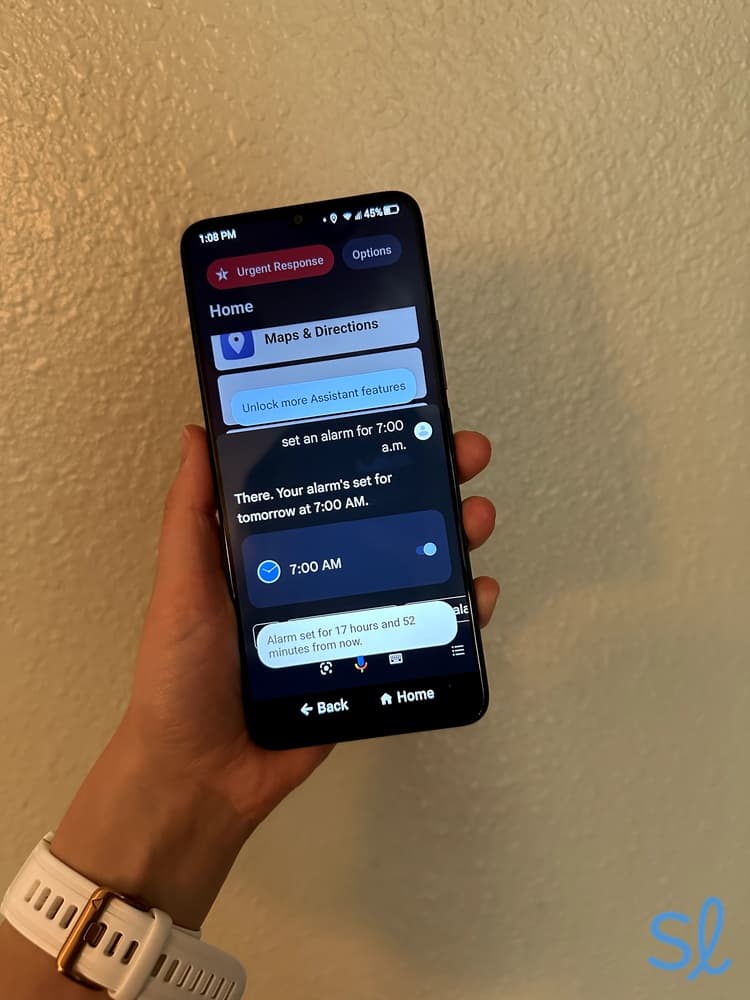
While the Jitterbug Flip2 uses a limited version of Amazon Alexa, the Jitterbug Smart4 uses Google Assistant (my favorite). I held the phone near me and said, “Hey, Google,” to ask questions, set alarms, change settings, and more.

Using Jitterbug Smart4's voice navigation feature
The downside is that the Smart4 runs a bit slowly, especially when compared to the much faster Google Pixel 9 Pro XL or Samsung Galaxy S25+. My grandma and I often had to wait 10 seconds or longer when we asked a question.
» Check Out: Jitterbug Smart4 Review
Health and Safety Features
Like the Jitterbug Flip2, the Smart4 is packed with health and safety features if you upgrade to Lively's Preferred or Premium plan. I could use the phone's Urgent Response button to call for help, share my activity and location with loved ones via the Lively Link app, and get medical advice from a care advocate or on-call nurse. I tested the big Urgent Response icon on the Smart4 home screen and was connected to a Lively agent in under 15 seconds.
 Expert InsightsFrom Taylor Shuman, Senior Tech ExpertI’m a big fan of Lively’s health and safety features. They make the carrier’s phones stand out from most competitors. It’s like bundling a medical alert system and phone all in one!
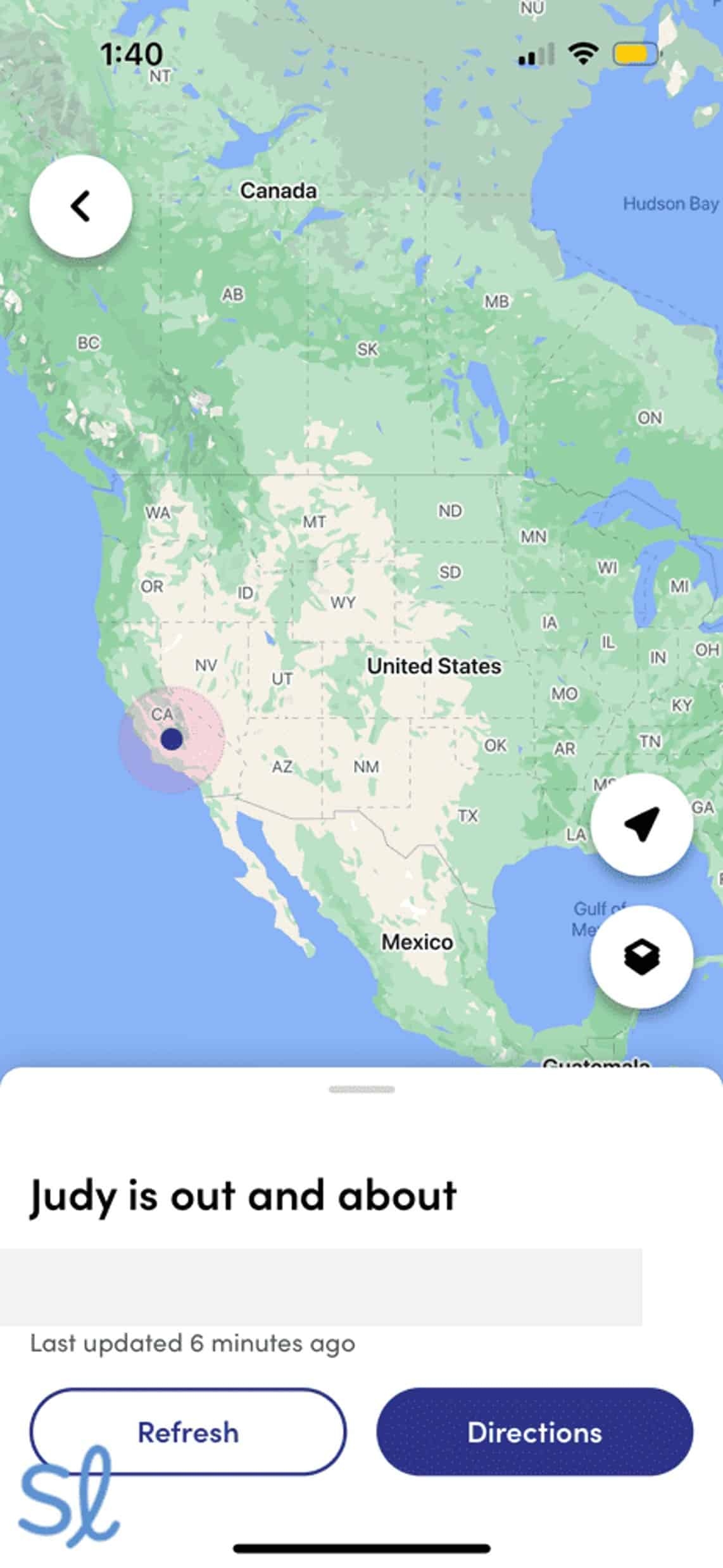
I'm a big fan of the Lively Link mobile app. I tested it while my grandma was on a walk. I could see her location on a map, the phone's status, and updates from the past week. That is great for caregivers or family members who want to check in without nagging their older loved one.

Tracking my grandmas location using the Lively Link mobile app
Pricing
The Jitterbug Smart4 costs $149.99, making it one of the most affordable smartphones on this list. Plans range from $19.99 to $49.99 per month. All three of Lively's plans include unlimited text and calling, but you'll need to add a separate data plan since the phone has internet access.
» Related Reading: 2026 Jitterbug Phone Review
-
5. Apple iPhone 16e from Mint Mobile - Best budget-friendly iPhone
See Pricing Links To Mint MobileWhat we like most
- 6.1” Super Retina XDR display
- 8GB of RAM
- Unique feature: intuitive Apple interface
Apple iPhone 16e from Mint MobileSee Pricing Links To Mint MobileOverview:
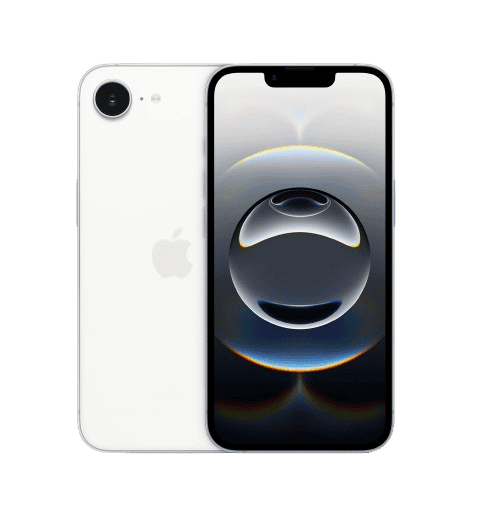
Apple iPhone 16e
The iPhone 16e is one of Apple's smallest, simplest, and most affordable iPhone models at $599. It's a great middle-ground option between cheaper smartphones, such as the Jitterbug Smart4, and more expensive ones like the Google Pixel 9 Pro XL. Plus, the iPhone has senior-friendly features and is compatible with most hearing aids.
» For iPhone Users: Best Made for iPhone Hearing Aids
Pros & Cons:Pros About Apple iPhone 16e from Mint Mobile
- Includes Siri and voice accessibility
- Apple’s easy-to-use user interface
- Good battery life
- Affordable price tag
- Good camera quality
- 5G capability
Cons About Apple iPhone 16e from Mint Mobile
- Screen is a little small
- Siri is not as intuitive as Google Voice Assistant
Our Hands-on Experience:Voice Activation
Using voice commands on the iPhone 16e is simple. You can say, “Siri,” or hold the side (power) button. From there, you can make calls, compose and send texts, check the weather, or ask whatever is on your mind. One thing I liked about using Siri was that it was easy to turn on and off. With the iPhone 16e, I could tell Siri to “go to sleep.”

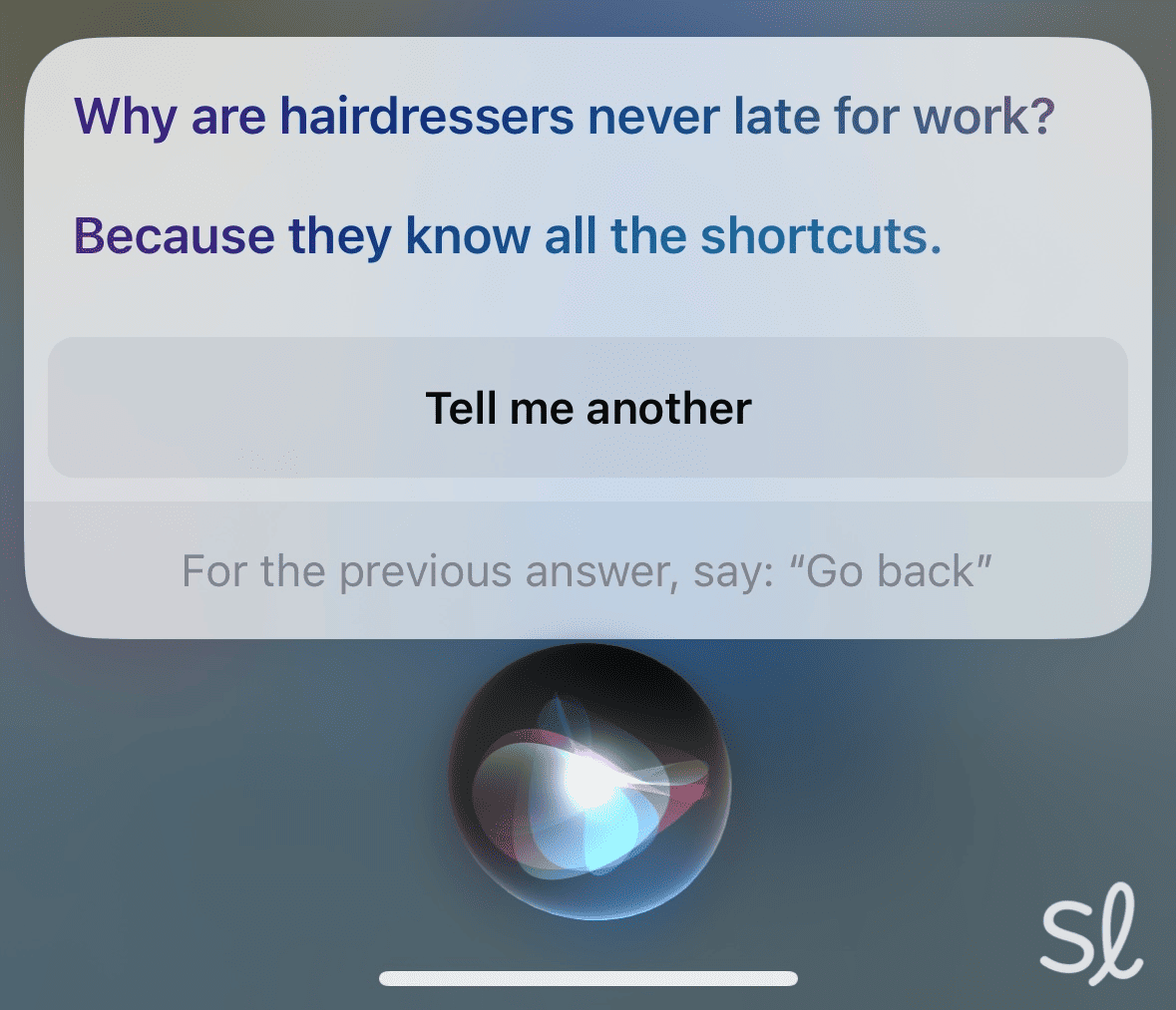
Asking Siri a joke on the iPhone 16e
One thing I liked about using Siri was that it was easy to turn on and off. With the iPhone 16e, I could tell Siri to “go to sleep.” When I was ready to use voice commands again, I asked Siri to “wake up.” This is a useful feature that you can't get with simpler phones like the Jitterbug Smart4.
Expert InsightsFrom Taylor Shuman, Senior Tech ExpertWhen your iPhone is charging, you can use Siri completely hands-free. Simply say “Hey Siri” while standing near your phone, and tell the voice assistant what you want to do!Health and Safety Features
Apple makes its devices useful for many users. The preloaded Health app tracked my mobility and sleep patterns. I could also contact emergency services by holding the volume and power buttons and then swiping the SOS icon to the right. If you have an Apple Watch, you can track your heart rate, blood oxygen levels, and other health data.
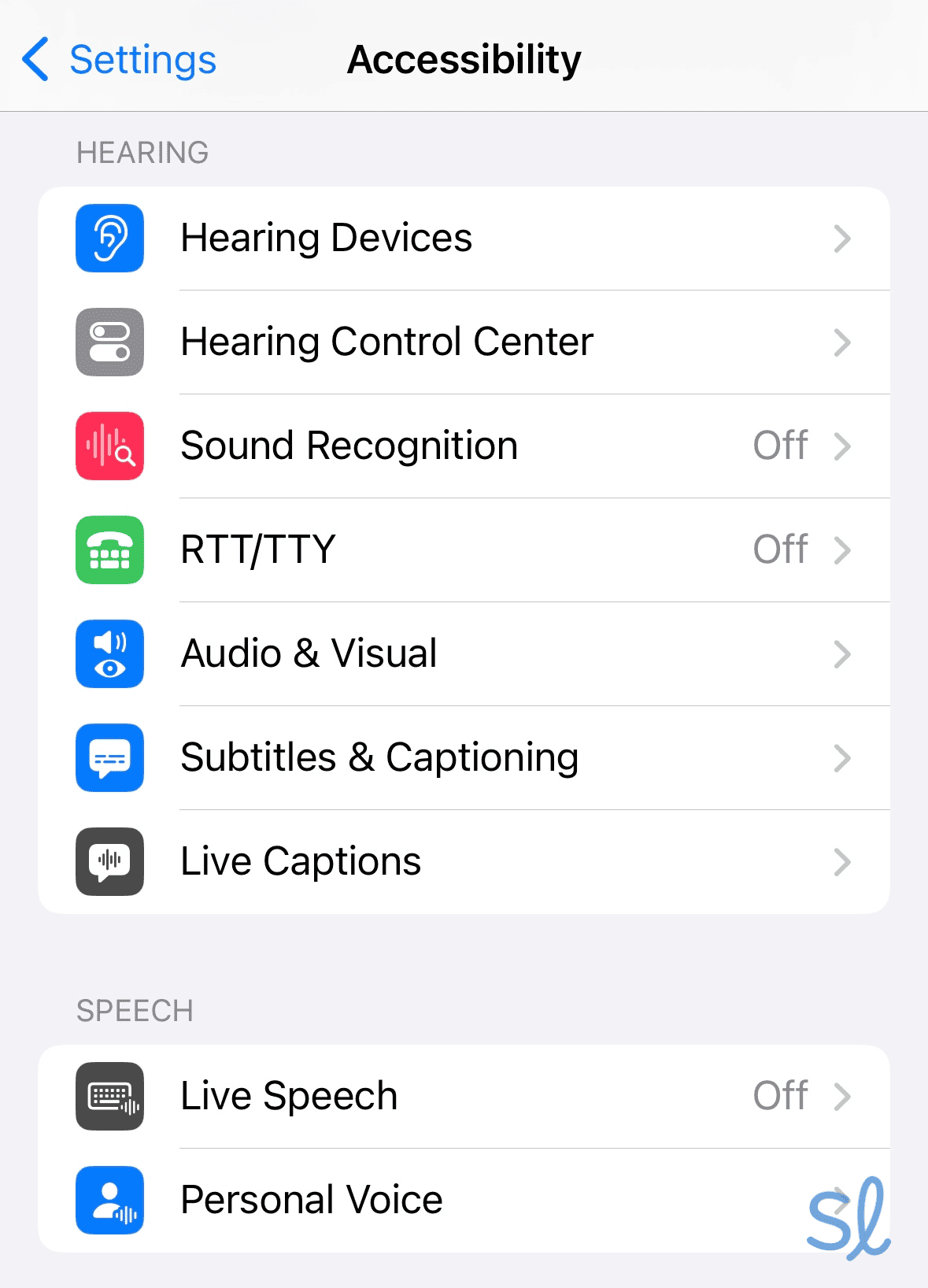
If you have vision or hearing loss, the iPhone 16e has many accessibility features. For instance, the VoiceOver feature allowed me to hear everything displayed on the screen. This is great if you struggle to read text or see images on the 6.1-inch screen. You can also pair most hearing aids with the iPhone 16e or use the RTT call feature to read what's being said.

Using the iPhone's accessibility features for those with hearing loss
I would have liked to see a headphone jack. They were once standard with smartphones. My grandma enjoys listening to music using wired headphones, but couldn’t do this with the iPhone 16e since the phone works with Bluetooth headphones. If you want a phone with a wired headphone jack, I’d recommend the Motorola Moto G 2025.
» Learn About: The Best Smartwatches for Seniors
Pricing
For an iPhone, the iPhone 16e is relatively affordable at $599. Mint Mobile's plans start at $15 per month. It features 5G service, unlimited talk and text, and 5 GB of data per month.
» Learn More: Mint Mobile Senior Phone Plan Review 2026
You can purchase your phone through Mint Mobile and finance it via a third-party provider like Affirm. This would allow you to get zero-interest financing on your iPhone 16e starting at $18 per month. It's a solid option for those on a tight budget.
-
6. Samsung Galaxy S25+ from Visible by Verizon - Best phone for smart home voice control
View Packages Links to VisibleWhat we like most
- Built-in personal voice assistant
- Durable design
- Bright display
Samsung Galaxy S25+ from Visible by VerizonView Packages Links to VisibleOverview:
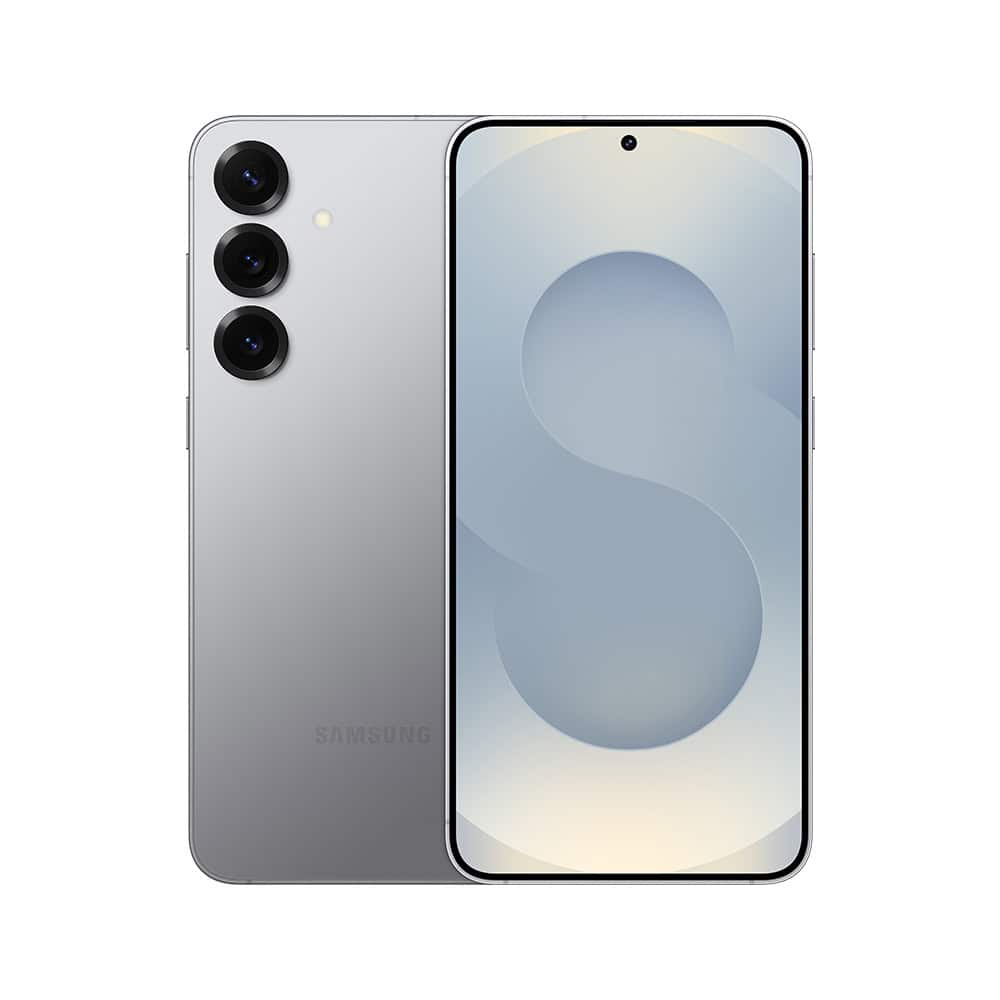
Samsung Galaxy S25+
The Samsung Galaxy S25+ is a unique smartphone that lets you control your phone and other smart home devices with your voice. It comes equipped with Bixby, your personal voice assistant. I could use Bixby to turn on more accessibility features, search the web, tell jokes, and control connected Samsung devices (like a smart TV). This phone is tough and durable, so it's less likely to break if you drop it.
» You Might Like: Best Home Security Systems for Seniors in [Month] [Year]
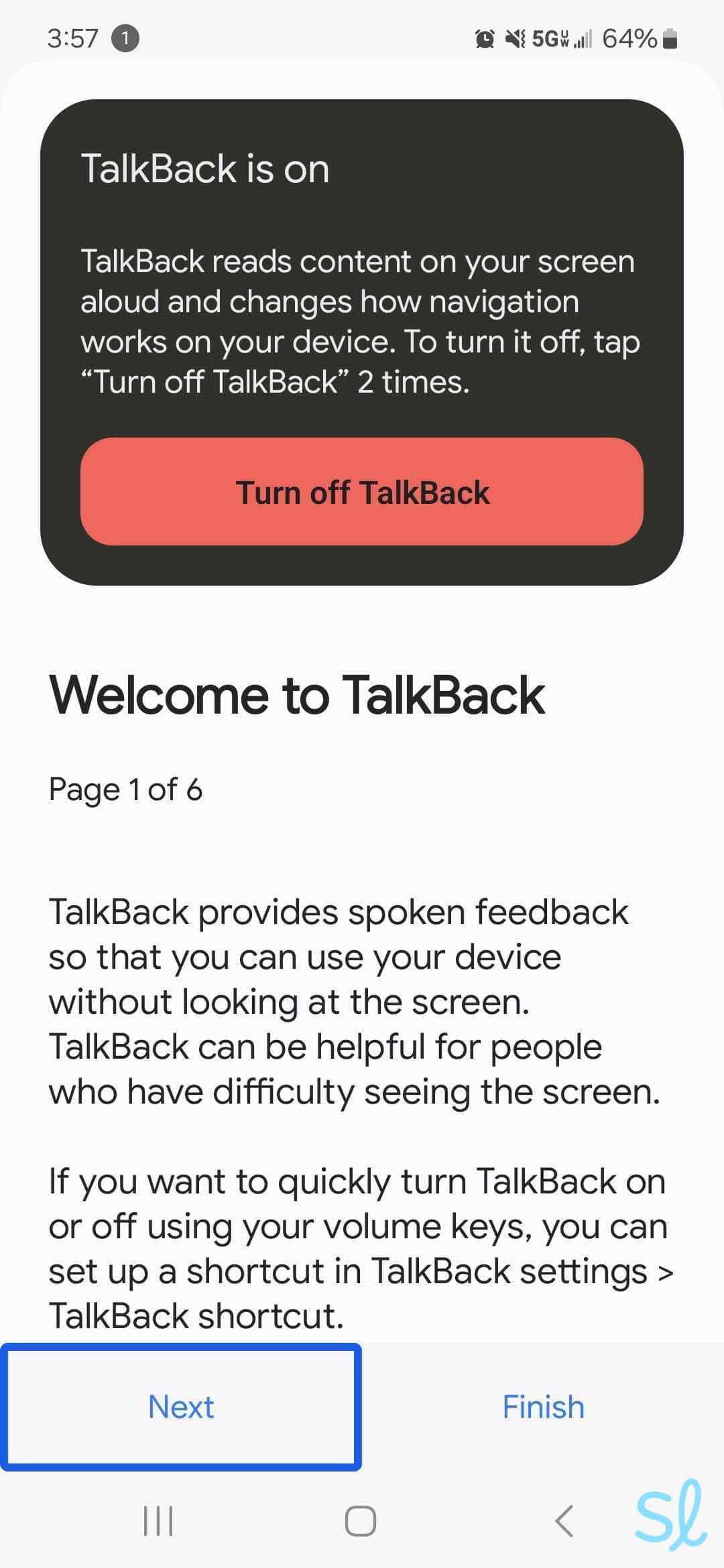
I love the Samsung Galaxy S25+'s bright display and low-light camera features, which are easy on the eyes. The phone also includes multiple useful accessibility functions for seniors, like TalkBack. The S25+ is also tough and durable. If you have trouble holding onto things, this phone can take a few drops. With 12 GB of RAM, the Galaxy S25+ feels lightning fast.

Using the Galaxy S25+'s TalkBack feature
Pros & Cons:Pros About Samsung Galaxy S25+ from Visible by Verizon
- Bixby personal voice assistant
- Integrates with Samsung smart home devices
- Tough and durable design
- Brightly lit screen
- 50 MP camera
- Fast mobile processor
Cons About Samsung Galaxy S25+ from Visible by Verizon
- Price tag is a little high
- Slow charging
Our Hands-on Experience:Voice Activation
Even if you're unfamiliar with Samsung devices, using the Bixby personal voice assistant is easy. All I had to do was pick up the phone and say, “Hi, Bixby.” While Google Voice Assistant on the Google Pixel 10 Pro XL was my favorite, Bixby on the Samsung Galaxy S25+ is a close second.
I didn't encounter anything that Bixby couldn't do, from standard commands like making calls and sending texts to more nuanced requests like adjusting screen brightness and controlling the camera's zoom feature.
The only downside of using Bixby to control compatible smart home devices is that it's built to work with Samsung devices. Google Voice Assistant has a larger ecosystem of compatible devices, though it takes extra time to get all of them connected. The good news is that Bixby can work with non-Samsung devices (with a little extra effort). For example, I could get Bixby's voice commands on a Sony smart TV.
» For Samsung Users: Best Samsung Phones for Seniors
Health and Safety Features
Like the iPhone 16e, the Samsung Galaxy S25+ includes a built-in health app for tracking your fitness and health goals. The phone also includes an emergency SOS feature, but you must set it up. Once enabled, you can press and hold the side key and volume down key simultaneously to send an SOS message with your location, photos, and an audio clip.
Pricing
The Samsung Galaxy S25+ offers many advanced features, which come at a steep price of $999. However, Visible phone plans start at just $27.75 per month.
What Is a Voice-Activated Phone?
A voice-activated phone can be operated using voice commands instead of buttons. You can use your voice to:
- Make phone calls
- Write or read text messages
- Search the web
- Get the weather forecast
- Plan a route via GPS
- Open apps
- Have your phone read your screen to you
- Use accessibility features
Did You Know? Research indicates that devices with voice assistants can address both usability needs and emotional needs in older adults.3
It's important to note that not all voice-activated cell phones work without any other inputs. With some phones, you'll need to press a button to bring up the voice assistant or let the phone know you're issuing a command. The process differs with each phone.
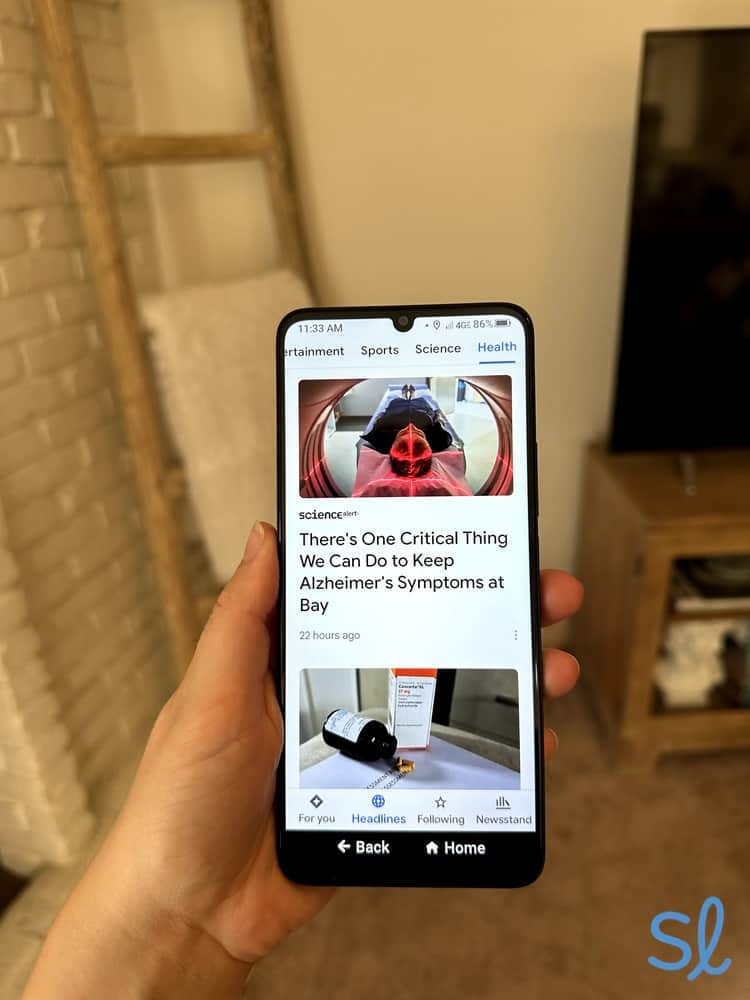
On Lively's Jitterbug Smart4, we used the voice assistant to perform many tasks, such as opening the News mobile app.
How to Choose the Best Voice-Activated Phone for You
Any of these voice-activated phones will get the basic job done, so how do you choose the best phone for you? Here are a few questions to ask as you shop:
- How much can your voice assistant do? Some phones offer more voice-assisted features than others, such as screen reading and simple dictation.
- Do you want a phone that offers emergency services, such as 24/7 monitoring and an on-call nurse?
- Do the costs for the monthly plan and phone fit your budget?
- Do you want premium services or just talk and text?
- Do you want a smartphone to search the web and use apps? Or are you just looking for a basic phone to stay connected?
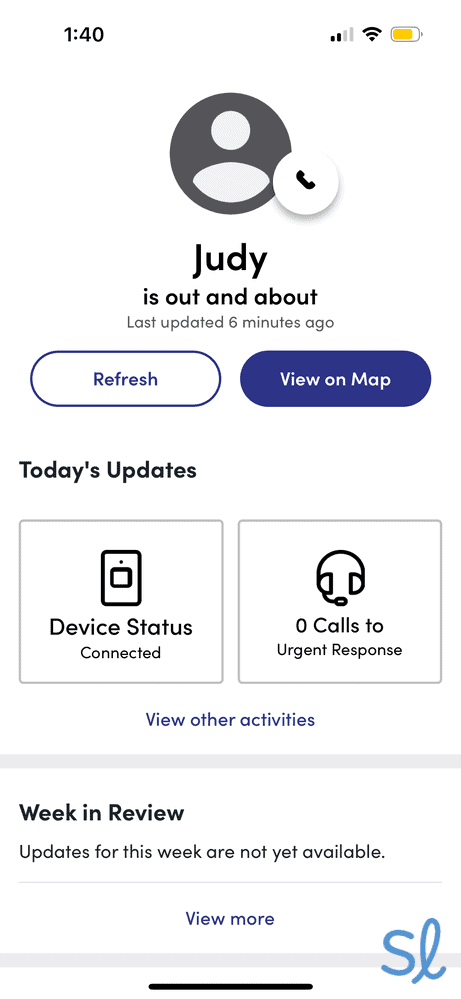
Testing out the Lively Link app's location tracking feature
More Cell Phone Resources for Seniors
If you're looking for a type of phone or just want to compare all the options, check out our resources below. We've tested cell phones for many different needs:
- Best iPhones for Seniors
- Best Flip Phones for Seniors
- Best Cell Phones for Visually Impaired Seniors
- Best Cell Phones for Seniors With Dementia
- Best Smartphones for Seniors
- Best Big-Button Cell Phones for Seniors
- Best Cheap Cell Phones for Seniors
- Best Voice-Activated Cell Phones for Seniors
- Best VoIP Phones for Seniors
- Best 5G phones for seniors
Frequently Asked Questions About Voice-Activated Phones
-
How do I turn on the voice-activated menu?
Every phone is different. In most cases, you’ll use the Voice Assistant, such as Siri or Alexa, or go into accessibility settings to turn on Voice Assist. You can usually activate Siri by saying, “Hey, Siri,” or Google Voice Assistant by saying, “Hey, Google.”
-
Is there a voice-activated flip phone?
Yes, some flip phones, like the Jitterbug Flip2, have voice-activated features.
-
How does the Samsung S25+ control my home appliances?
If you have smart home appliances, such as a Samsung TV, you can set your voice assistant to control them using the Samsung app. However, you must have smart appliances for this feature to work.
-
Are voice-activated phones more expensive?
No. Being voice-activated does not necessarily make a phone more expensive. Other features, such as size, camera quality, and speed, will affect the price. Many phones have some level of voice activation within their accessibility features.
-
Do I need internet access to use my voice-activated phone?
It depends. If you use Siri or Google for voice assistance, you may need internet access. If you use the phone’s accessibility services, like the built-in voice assistant, you don’t need internet access.
-
Do I have to pay additional fees for voice-activated phone plans?
No. Most phones include voice activation at no cost. The exception is Lively, which requires an Amazon account to use the Alexa features (though you can get an Amazon account for free).
-
What phones are voice-activated?
Most phones, particularly smartphones, made within the last few years incorporate voice activation features or voice assistants. Common examples include Siri (found on iPhones), Samsung’s Bixby, and the Google Assistant or Gemini AI on Android phones.
-
National Library of Medicine. (2025). Exploring the Utility of Digital Voice Assistants for Primary Care Patients, Including Those With Physical and Visual Disabilities: Cross-Sectional Study
. -
AARP. (2025). Older Adults are Navigating AI..
-
National Library of Medicine. (2023). Older adults' intention to use voice assistants: Usability and emotional needs.