Best Smartphones for Seniors, Tested by Tech Experts
The best smartphones for seniors balance value, ease of use, and helpful features.

How We Chose the Best Smartphones for Seniors
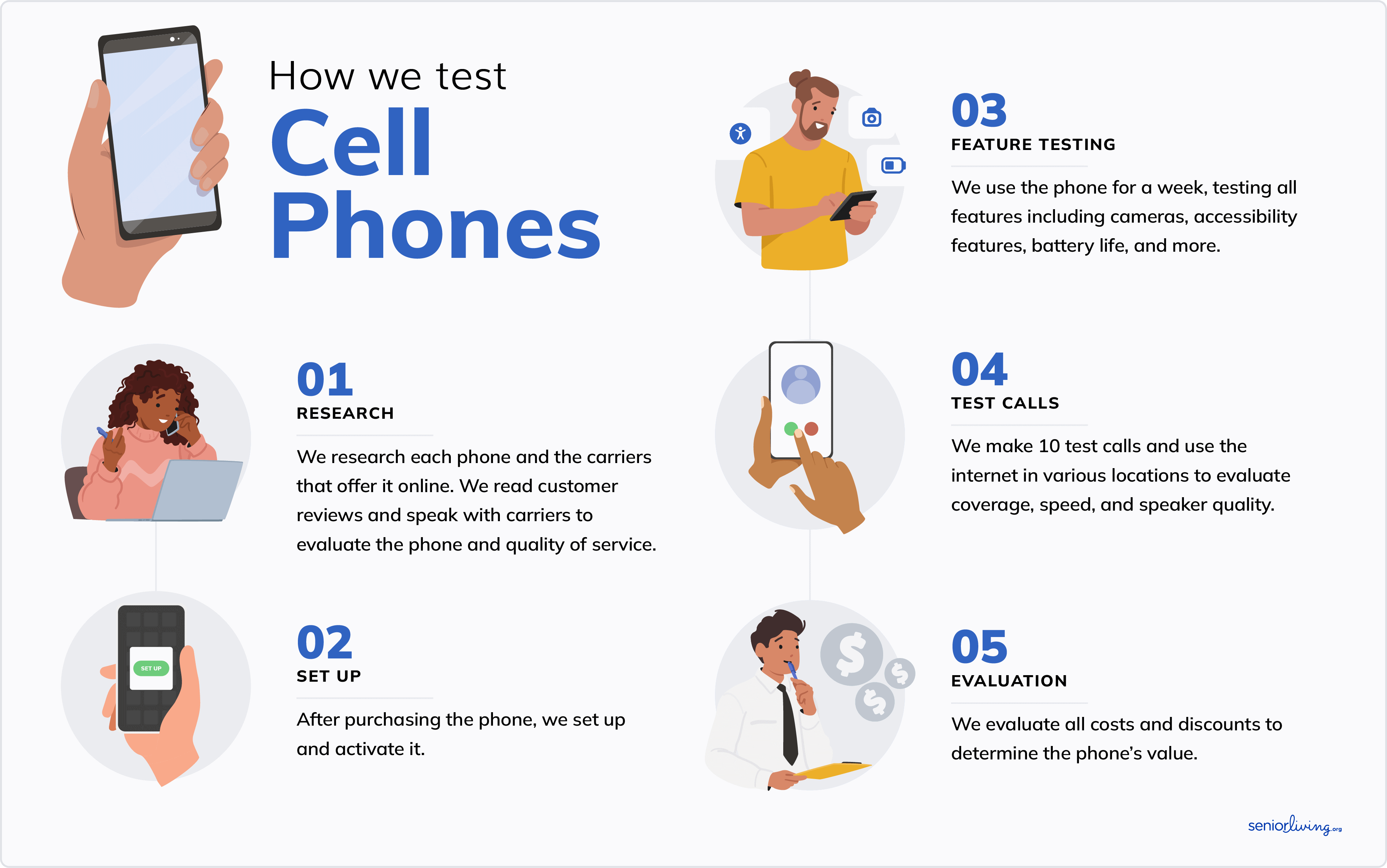
We spent over 300 hours researching, asking questions, and testing various phones to create a list of the best smartphones for seniors.
Smartphones have many more features than regular cell phones, so we needed to develop a unique list of criteria to help us rank the best smartphone on the market for seniors. The four most important criteria we looked at were:
- Senior-friendliness: We examined senior-friendly features, including large, bright screens, simple navigation, medical alert capabilities, adjustable speakers, and hearing aid compatibility. Not every phone has it all, but each phone on our list offers a good mix of senior-friendly features.
- Value: We don’t know your budget, but we’ve strived to include various budget-friendly and higher-end smartphone models. The pricier picks certainly have the high-tech features to justify the cost. Our low-end picks still get the job done without breaking the bank.
- Camera quality: Our top picks have excellent cameras. You can video call loved ones, take gorgeous pictures of your garden or grandkids, and get your selfie game on. Keep in mind that the best smartphone cameras come with a higher price tag.
- Usability: Each phone on the list is easy to use. Compared to an old-school flip phone, figuring out your smartphone will require some extra effort, but not as much as you’d expect, with the right help.
How We Tested the Smartphones
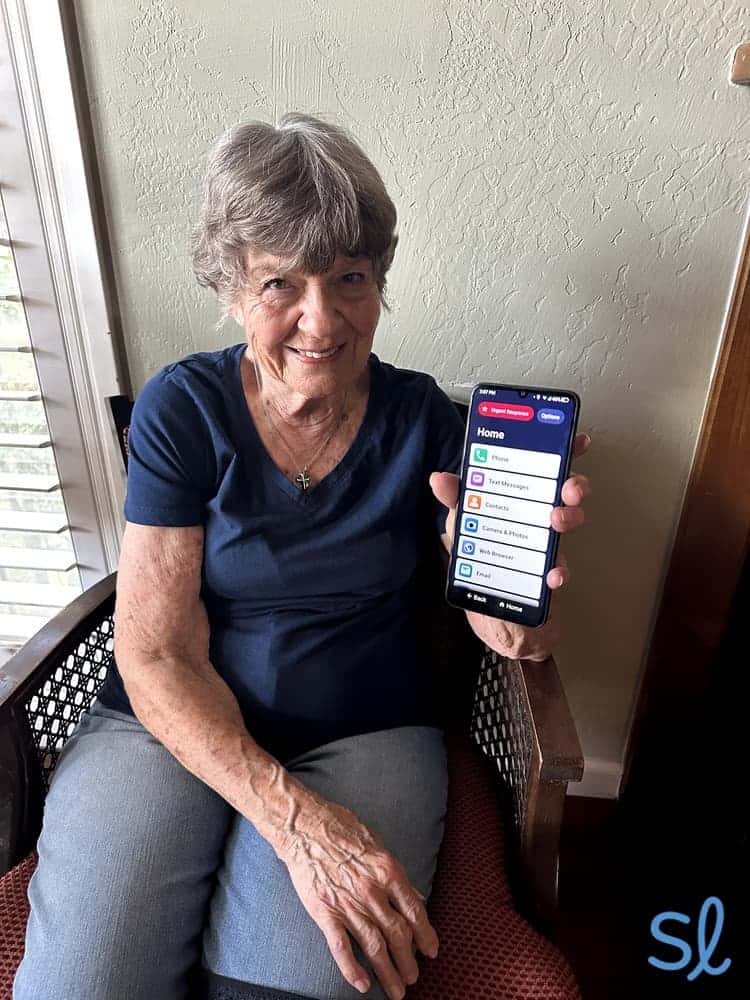
Based on the above four criteria, our tech team — including my grandma and I — implemented the following testing process to evaluate 15 smartphones. These steps helped us narrow the list to five of the best smartphones for older adults.
- Our tech team researched the top smartphones for seniors. We browsed websites, spoke with customer service reps, and ordered our top picks.
- My grandma and I used each phone for a week to get a feel for it.
- We evaluated the price compared to other smartphones on the market. I asked my grandma how well each phone and any add-ons would work within her budget.
- We both saw how each phone felt in our hands. (Is it light or heavy? Is it easy to hold? Is it easy to take pictures with?)
- My grandma and I tested how the operating system works, specifically evaluating its usability for seniors.
- We tested specific features, such as speaker volume and medical alert capabilities, to accurately compare them.
- Once we had spent sufficient time using each phone, we sat down to discuss our likes and dislikes. We also discussed how individual phones compared to others we had tested and determined which models deserved to be on the list of the best smartphones for seniors.
Why Trust Us
Our senior tech experts try the latest products for older adults. We’ve spent hundreds of hours testing and reviewing cell phones and plans for seniors.
We consult with older adults to learn about their personal experiences with different smartphones, including what they liked, what they disliked, and features they think could make smartphones better and easier to use for older adults.
SeniorLiving.org is supported by commissions from providers listed on our site. Read our Editorial Guidelines
- Battery can last up to two days on a single charge
- High-quality camera and speakers
- Large, 6.6-inch screen

- Smartphone designed specifically for seniors
- List-based menu for simple navigation
- Functions as an emergency response device with Preferred and Premium plans.

- Fingerprint unlock feature
- Built-in scam call blocker
- Large, 6.5-inch screen
- Dual camera system
- Secure Face ID for privacy
- Large Super Retina display

- Voice Assistant
- Built-in Braille keyboard
- Lookout camera identification
Contents
I've tested dozens of the best cell phones for seniors, including many smartphones. Our tech team selected these smartphones based on senior-friendliness, value, usability, and camera quality. I chose the Moto G from Consumer Cellular as the best all-around smartphone for seniors thanks to its affordable price, long battery life, and 50 MP camera.

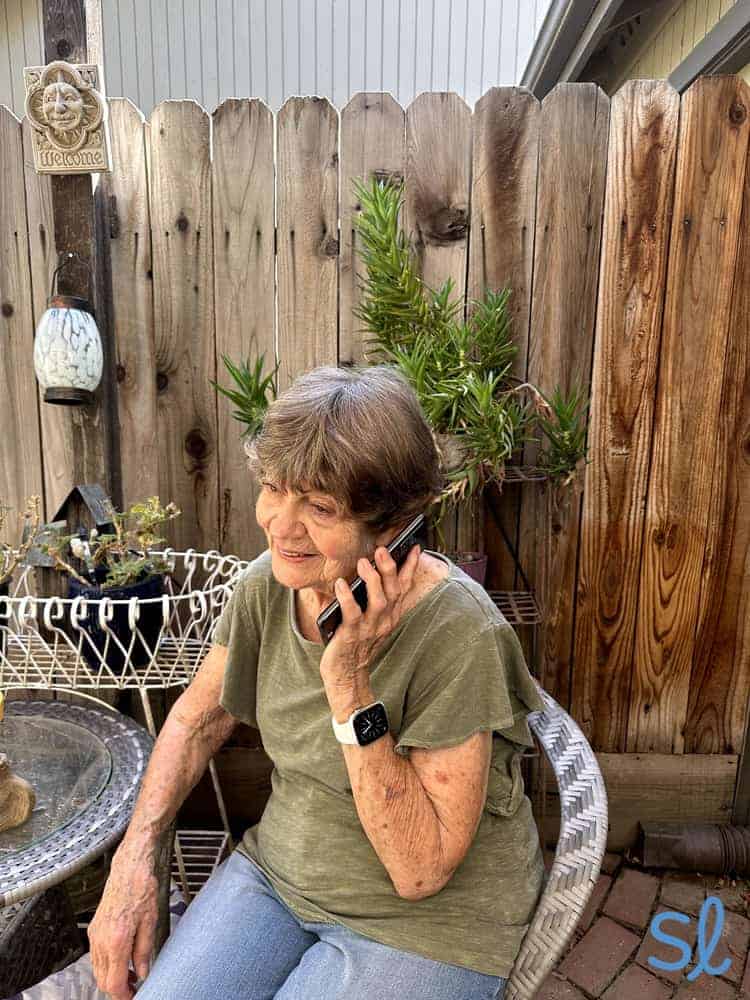
Making a call on the Jitterbug Smart4
Best Smartphones for Seniors
-
Moto G Power 5G From Consumer Cellular - Best Value
-
Jitterbug Smart4 from Lively - Best Smartphone with Medical Alert Features
-
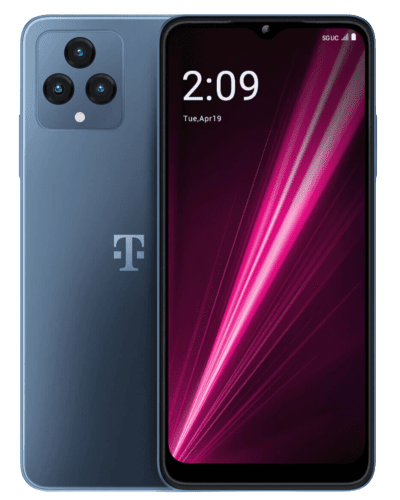
REVVL 6 5G from T-Mobile - Most Basic Smartphone for Seniors
-
 Apple iPhone 13 from Verizon - Best Apple Smartphone for Seniors
 -
 Samsung Galaxy S24+ from AT&T - Best Android Smartphone for Seniors
Overview of the Best Smartphones for Seniors
|
Moto G Power 5G From Consumer Cellular
|
Jitterbug Smart4 from Lively
|
REVVL 6 5G from T-Mobile
|
Apple iPhone 13 from Verizon
|
Samsung Galaxy S24+ from AT&T
|
|
|---|---|---|---|---|---|
| Rating | 4.7 | 4.6 | 4.8 | 4.5 | 4.5 |
| Device cost | $149 | $119.99 | $199 | $529.99 | $999.99 |
| Financing available | Yes | No | Yes | Yes | Yes |
| Contract Required | No | No | No | No | No |
| Battery life | 2-day battery | Up to 37 hours of talk time | 37 hours of talk time | 20 hours of talk time | 44 hours of talk time |
| Hearing Aid Compatibility | M3/T3 | M3/T4 | M3/T3 | M3/T4 | M3/T4 |
| Weight | 6.7 ounces | 6.7 ounces | 7.27 ounces | 6.14 ounces | 6.91 ounces |
| Screen Size | 6.6 inches | 6.75 inches | 6.58 inches | 6.5 inches | 6.7 inches |
| Other Features |
|
|
|
|
|
-
1. Moto G Power 5G From Consumer Cellular - Best Value
See Plans Links to Consumercellularplan.comWhat we like most
- Battery can last up to two days on a single charge
- High-quality camera and speakers
- Large, 6.6-inch screen
Moto G Power 5G From Consumer CellularSee Plans Links to Consumercellularplan.comOverview:Motorola packs many features into the budget-friendly Moto G (2025), including two-day battery life, a large 6.7-inch screen, and stereo speakers tuned with Dolby Atmos. It has a 50 MP camera for crystal-clear photos, Bluetooth, and hearing aid compatibility (M3/T3). Priced at $179, it's the second most affordable phone on this list behind the Jitterbug Smart4.
Consumer Cellular offers several senior-friendly mobile plans to match this phone. Our Consumer Cellular phone plan review has all the critical details.
» Learn More: Consumer Cellular pricing guide

Moto G Power
Pros & Cons:Pros About Moto G Power 5G From Consumer Cellular
- Long battery life
- 50 MP camera
- Large, bright screen
- Built-in voice assistant
- Bluetooth enabled
- Water-repellent design
Cons About Moto G Power 5G From Consumer Cellular
- Unreliable fingerprint sensor
- Average speaker quality
Summary:Senior-Friendly Features
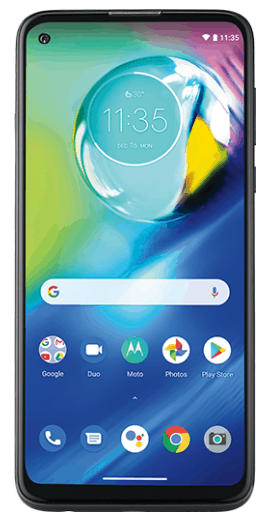
My grandma and I noticed the Moto G's user-friendly interface immediately. The home screen displays the day, date, and time at the top, with a Google search bar to browse the internet quickly. We used it to look up recipes for dinner.
The bottom third features recognizable app icons for calling, texting, taking pictures, and more. While my grandma is more familiar with iPhones, she quickly figured out how to use this device.
Here are my favorite senior-friendly features:
- Two-day battery life
- Large, high-definition display
- Fingerprint and facial recognition
- Hearing aid compatibility (M3/T3)
- 5G data
One drawback: During my testing, the fingerprint sensor wasn't always reliable. I sometimes had to press it multiple times before it unlocked. It could've been because I had recently put lotion on my hands, but it's worth noting.
Camera Quality
My grandma and I enjoyed the high-quality photos we shot with the Moto G. Its front-facing camera has a 16 MP lens, offering twice as much clarity as Lively's Smart4 selfie camera. The rear camera features a 50 MP lens. We took crystal-clear photos in most lighting environments.
Pricing
The Moto G 5G retails for $149.99, making it a solid option for seniors on a budget. The iPhone 13 and Samsung Galaxy S24+ cost $529.99 and $999.99, respectively, while the REVVL 7 5G costs $199.
Motorola offers several Moto Care options ranging from $20 to $99 for extended service or $35 to $399 for accident protection (depending on your device and length of protection). These plans offer peace of mind for one or two years.
» Get 5G Speeds: Best 5G Phones for Seniors
Motorola is not a mobile service provider, so your phone plan cost depends on the carrier you choose. I've found that Consumer Cellular is often one of the most affordable choices for seniors.
Most major carriers, such as Verizon, AT&T, and T-Mobile, work with the Moto G. Consumer Cellular can finance your Moto G for as little as $7 per month (plus $11 upfront) with 0 percent interest. You might snag a refurbished model and save more than $30.
Pro Tip: Need a great plan to go with your new smartphone? Check out our guide to the best senior cell phone plans!
All Consumer Cellular plans feature unlimited talk and text, so you'll just choose the amount of data that's right for you. With an unlimited plan, you don't need to track your data, texts, or minutes. That's convenient, but it costs $50 per month.
You can save per line when you sign up for two or three lines instead of one. Get an additional 5 percent off your monthly premium if you sign up for at least two unlimited plans with an AARP membership. If you don't need unlimited data, Consumer Cellular has other plans starting at $20 per month.
» More Ways to Save: AARP membership guide
-
2. Jitterbug Smart4 from Lively - Best Smartphone with Medical Alert Features
What we like most
- Smartphone designed specifically for seniors
- List-based menu for simple navigation
- Functions as an emergency response device with Preferred and Premium plans.
Overview:Choosing the Jitterbug Smart4 as one of the best smartphones for seniors was simple. It's designed specifically for seniors and is the most affordable phone on our list. My grandma found the 6.75-inch screen easy to see, and the list-based menu was a breeze to navigate.
» Learn About: Jitterbug Smart4 review
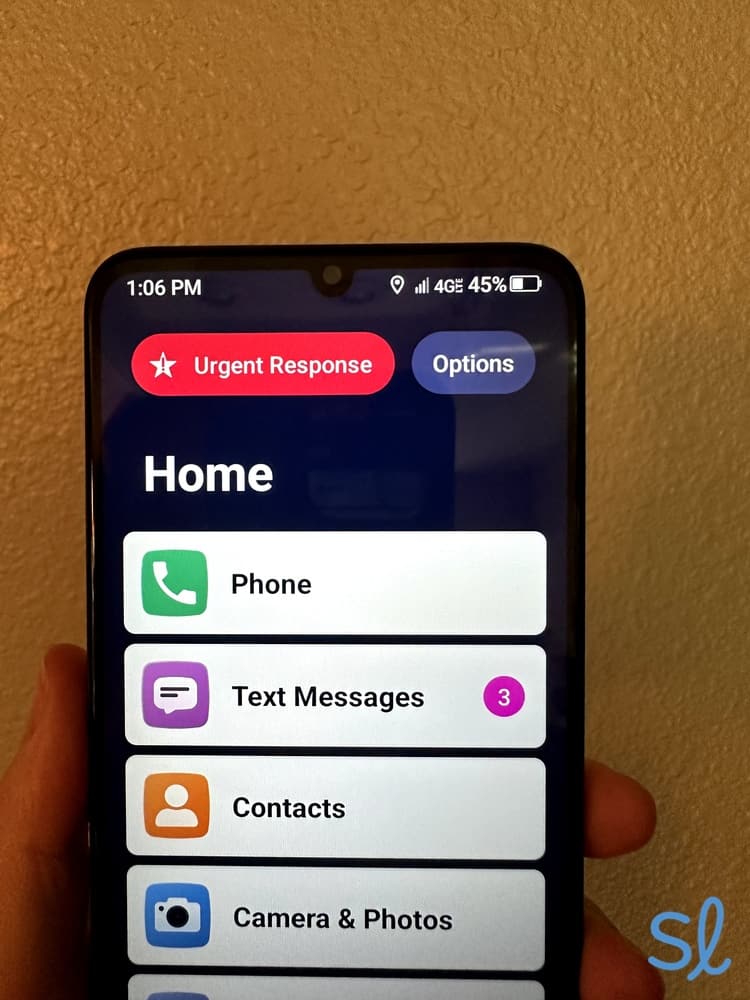
The Jitterbug Smart4 keeps you safer thanks to Lively's health and safety features. I could press the smartphone's Urgent Response button anytime to contact an IAED-certified agent. Urgent Response helps if you fall, get locked out, lose track of your location, or experience a medical emergency.
Your family and caregivers will love the Lively Link app. I downloaded it to stay connected with my grandma, monitor her activity, check her phone's battery level, and receive notifications if someone called Urgent Response. This feature made me feel more secure about my grandma's health and well-being.

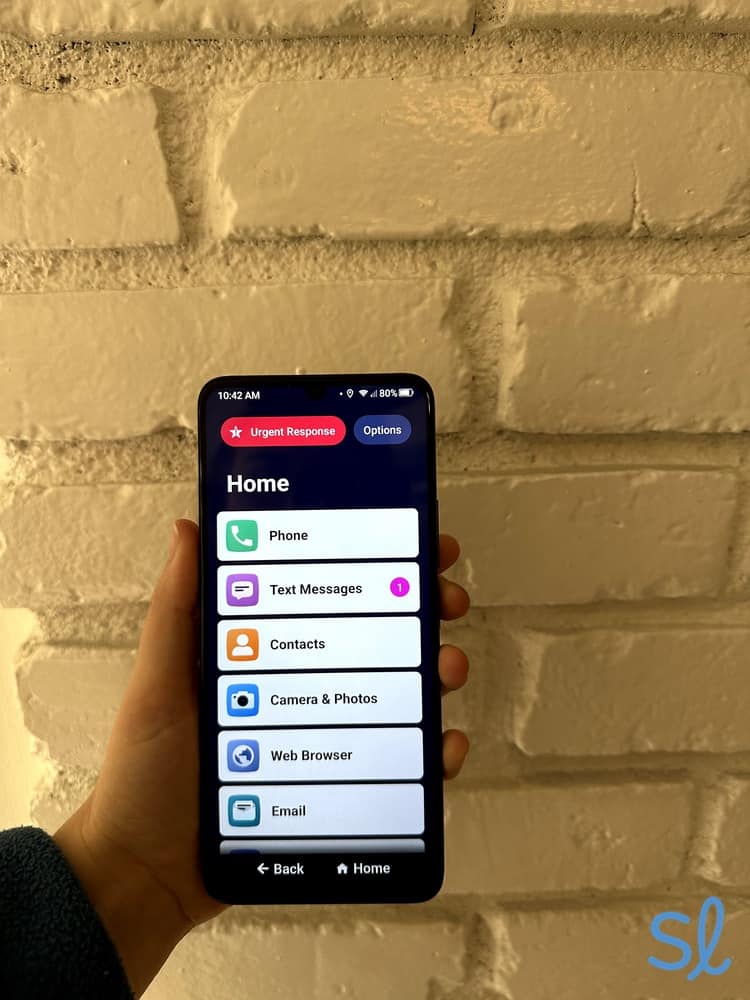
The Jitterbug Smart4 home screen
Keep in mind that Lively's Jitterbug Smart4 won't be as fast as some other smartphones. I noticed a delay whenever I clicked certain buttons. I had no trouble using it for texts, calls, e-books, surfing the web, and playing music, but larger apps like Gmail took longer to load. That's one reason it's so affordable at just $119.99 (plus monthly plan, activation fees, and taxes). The website also regularly offers discounts of up to 50 percent during select sales.
» Learn More: Easiest Cell Phones for Seniors to Use
Pros & Cons:Pros About Jitterbug Smart4 from Lively
- Specifically designed for seniors
- Simple navigation and list-style menu
- Loud speakers
- Large, 6.75-inch screen
- Voice typing
- Urgent Response button
- Internet access
Cons About Jitterbug Smart4 from Lively
- May be too basic for tech-savvy seniors
- Camera quality not extraordinary
- Extra-cost Urgent Response and safety features
- Activation fee is an additional $35.
Summary:Senior-Friendly Features
Lively's Jitterbug Smart4 greatly improves upon its predecessors. It's equipped with longer battery life (up to 37 hours of talk time), a larger screen, and dual speakers that deliver loud, crystal-clear audio.
When making calls, my grandma had no trouble hearing the person on the other end. It features voice-to-text functionality for those with vision issues or difficulty typing. I used Google Assistant to set reminders, make calls, and search the internet. The Urgent Response button was always visible (typically in the upper left corner), ensuring you can contact emergency help anytime.

Lively's Urgent Response button is clearly displayed on the home and lock screen
The Lively Smart4 boasts more senior-friendly features than most smartphones:
- Simple list-based menu and large touch screen
- Built-in GPS and navigation
- Google Assistant for voice navigation
- Urgent Response available for emergencies
- Your cell phone number displayed on the home screen
- Optional 24/7 monitoring
The simple, list-based menu lets me choose from basic options to navigate to the camera, messages, email, and more. This easy-to-use design makes Lively's Jitterbug Smart4 one of the most senior-friendly phones available.
The Jitterbug Smart4 is heavier due to its long-lasting battery and larger screen. It weighs 6.75 ounces, making it the heaviest phone on this list (slightly heavier than the Galaxy S24+). My grandma didn't have much trouble holding the Smart4 when taking pictures, but she noticed it felt heavier than many other phones we tested, especially the iPhone 14, which is more than half an ounce lighter.
Camera Quality
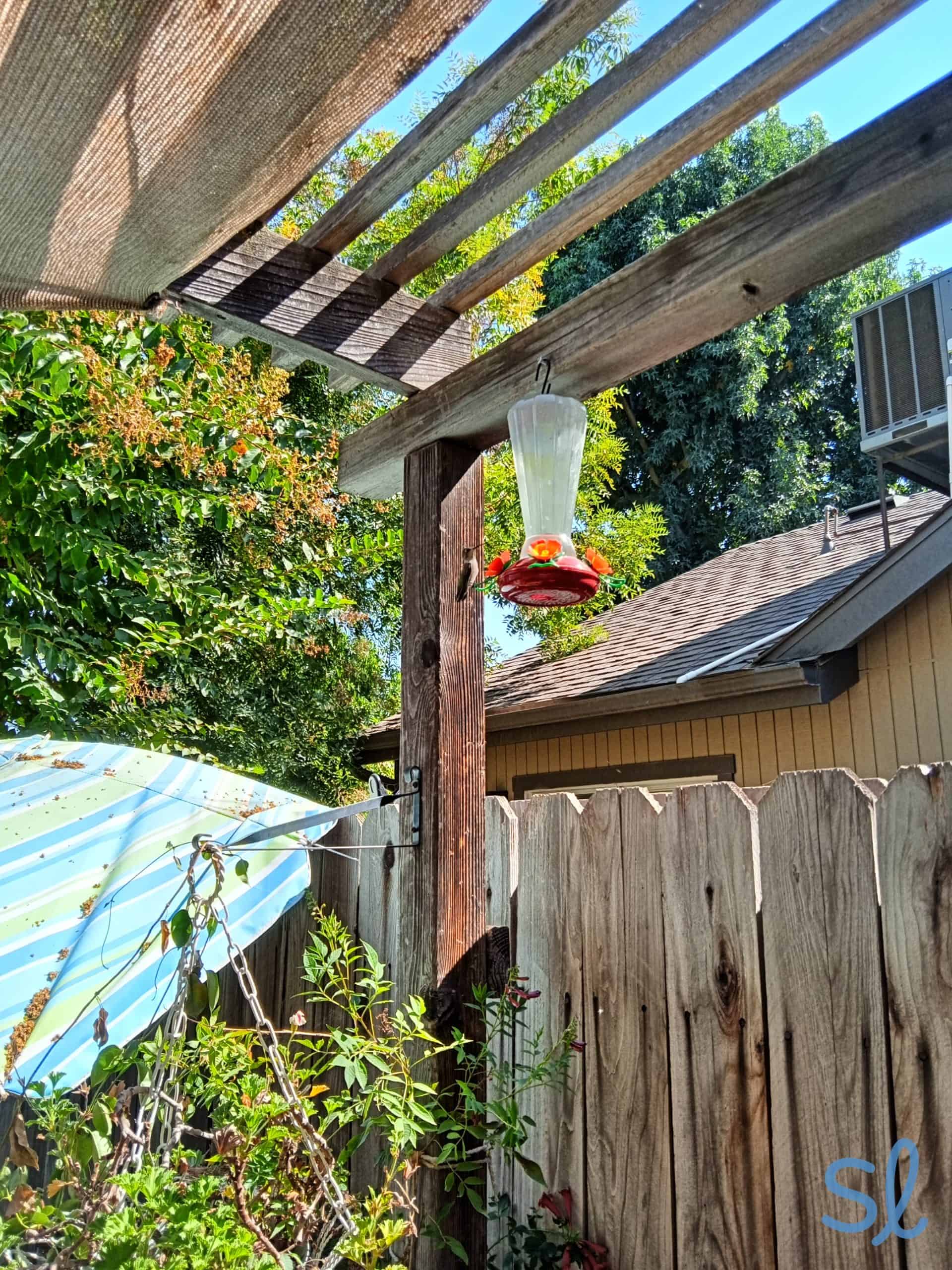
The cameras on Lively's Jitterbug phones have never been stellar, but I noticed improvement with the Jitterbug Smart4. It features a rear-facing triple camera system (13 MP/2 MP/2 MP) and an 8 MP front camera. The environment and lighting can affect photo quality.
If camera quality is critical, you're better off with the iPhone 13 or Samsung Galaxy S24+. Even the budget-friendly Moto G packs more power in its camera. Still, the Jitterbug Smart4 works fine if you're not concerned about quality and just want to capture memories.

A photo taken on Lively's Jitterbug Smart4 (1)
Pricing
The Jitterbug Smart4 costs $119.99, less expensive than the other phones on our list, including the Moto G. Shipping is free, but includes a $35 activation fee. How much you pay per month depends on the Lively phone plan you choose:
- Basic Plan: $19.99 per month (plus taxes and fees)
- Preferred Plan: $39.99 per month (plus taxes and fees)
- Premium Plan: $49.99 per month (plus taxes and fees)
The two higher-tier plans include the built-in Urgent Response service, while the most expensive plan also offers access to on-call nurses 24/7 and personal care advocates who can help you reach your health and wellness goals. These features are unique; I haven’t seen them from any other carriers. They’re entirely worth the price if you’re looking for ways to stay on top of your health.
 Expert InsightsFrom Taylor Shuman, Senior Tech ExpertThe Jitterbug Smart4 used to cost $149.99, but Lively recently reduced prices for both their phones. I appreciate these cost reductions and Lively's commitment to keeping things affordable for older adults!
You'll also need to add a data plan, which costs anywhere from $5 for 1 GB to $30 for unlimited data. Compared to other major carriers like T-Mobile and AT&T, whose 55-and-up plans start at $50 and $60 per month for one line, respectively, Lively is relatively affordable. However, if you want unlimited data and a Premium plan, be prepared to pay.
» Read About: A guide to senior discounts
-
3. REVVL 6 5G from T-Mobile - Most Basic Smartphone for Seniors
What we like most
- Fingerprint unlock feature
- Built-in scam call blocker
- Large, 6.5-inch screen
Overview:If you're looking for a smartphone that isn't too complicated, say hello to the REVVL 7 5G from T-Mobile. At $199, it's affordable. My grandma and I found it simple to navigate, with high-tech features like fingerprint unlock.
T-Mobile and the REVVL 7 5G help stop spam calls with built-in five-layer scam-blocking protection. During my testing, I received far fewer spam calls than typical. That feature could save you from stress down the road. Phone scams are more costly to seniors than any other scams, including internet scams.
» Further Reading: T-Mobile Unlimited 55+ plan review.

Revvl 6 5G
Pros & Cons:Pros About REVVL 6 5G from T-Mobile
- Simple design
- Low price for a 5G phone
- Built-in spam call protection
- Long-lasting battery
- Triple-camera system
- Large, 6.58-inch screen
Cons About REVVL 6 5G from T-Mobile
- Simplistic user interface
- Heavier than many other smartphones
- Unreliable fingerprint scanner
Summary:Senior-Friendly Features
The REVVL 7 5G smartphone from T-Mobile features long-lasting battery life (up to 37 hours of talk time), M3/T4 hearing aid compatibility, and a bright, 6.58-inch screen. The home screen is minimalistic by design, with an internet search bar at the top and a few icons for favorite apps at the bottom. My grandma easily navigated the phone. Best of all, the REVVL 7 5G keeps out phone and text scams better than most smartphones, thanks to T-Mobile's Scam Shield app, plus built-in Scam ID and Scam Block features.
Here are the best senior-friendly features I noticed:
- Fingerprint unlock
- Built-in scam-blocking protection
- Battery lasts all day
- Large, 6.58-inch full HD screen
- High-resolution triple-camera system
The only major drawback is the size and weight of the REVVL 7 5G. Weighing 7.27 ounces, it's the heaviest phone on this list—0.36 ounces heavier than the Galaxy S24+. My grandma preferred putting the phone on a table or flat surface while using it, especially for more than a few minutes. If you're worried about dropping your phone or experiencing discomfort from holding the device for extended periods, the REVVL 7 5G may not be your best option.
Camera Quality
The REVVL 7 PRO 5G offers a fantastic camera system at this price. The rear-facing triple-camera system features 50 MP/2 MP/2 MP lenses. The front-facing camera has an 8 MP lens. You'll get decent picture quality for selfies. Overall, its cameras were comparable to the Moto G, but we could take better selfies with the Moto G.
Pricing
The REVVL 7 5G costs $199, making it one of the less expensive phones on our list. When I signed up for T-Mobile online, you may be able to pay nothing upfront if you sign up for a new T-Mobile plan at the time of purchase. While your monthly costs vary based on the plan, T-Mobile offers some of our favorite unlimited cell phone plans for seniors. Its 55-and-over plans range from $50 to $90 monthly for one line.
» Further Reading: Best unlimited phone plans for seniors
You can save money per line on T-Mobile's 55+ Unlimited plans if you sign up for two or more lines. The Essentials Choice 55 plan comes with unlimited talk, text, and data for $50 per month for one line or $70 per month for two lines.
Alternatively, opt for the Experience More or Experience Beyond 55 plan, starting at $110 and $140 per month for two lines, respectively. Just make sure T-Mobile offers reliable coverage in your area. I've personally experienced spotty T-Mobile coverage where I live, so I'd recommend asking nearby friends and family about their experience.
» For Couples: Best 2-Line Cell Phone Plans for Seniors
-
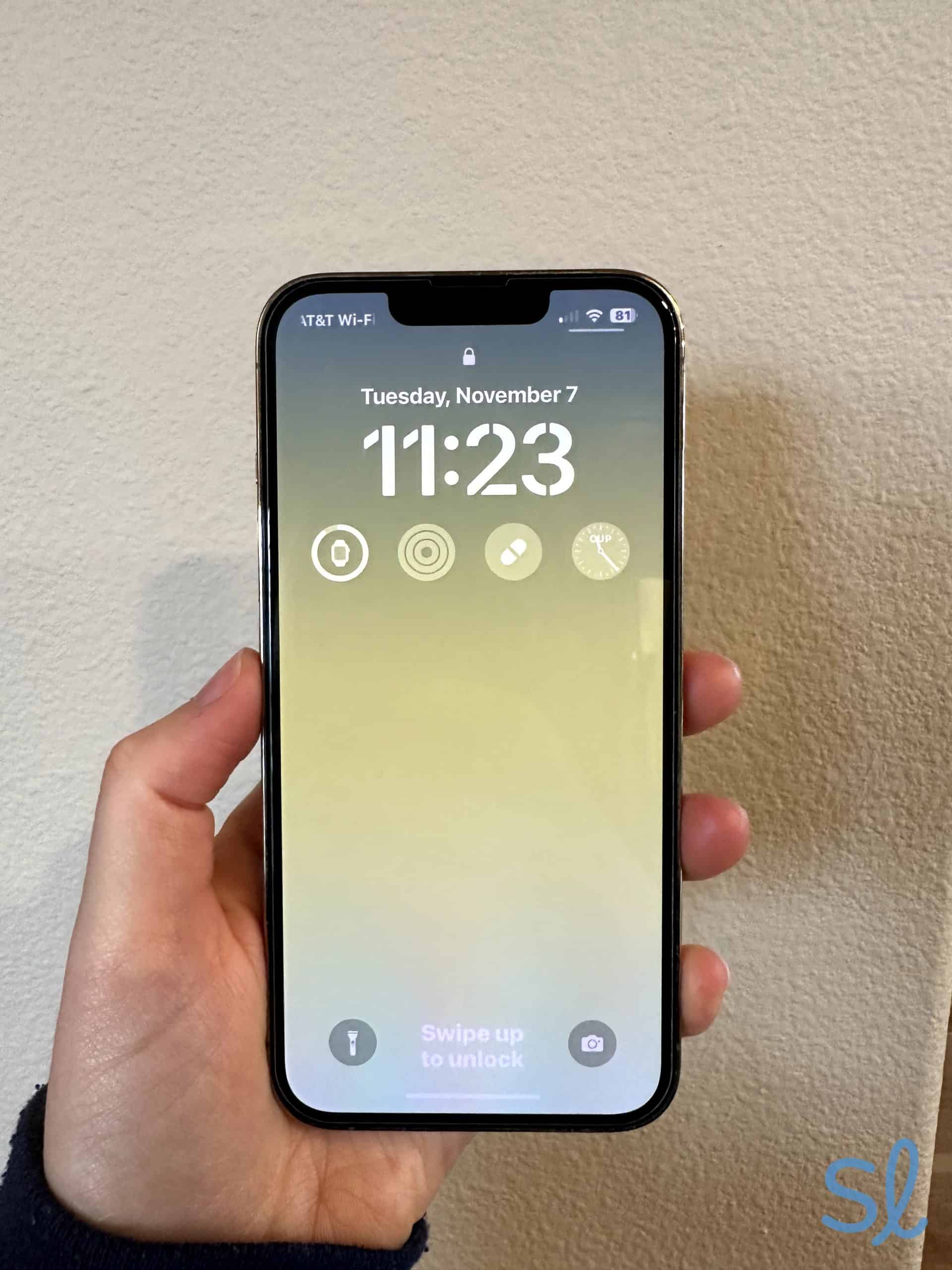
4. Apple iPhone 13 from Verizon - Best Apple Smartphone for Seniors
See Pricing Links to VerizonWhat we like most
- Dual camera system
- Secure Face ID for privacy
- Large Super Retina display
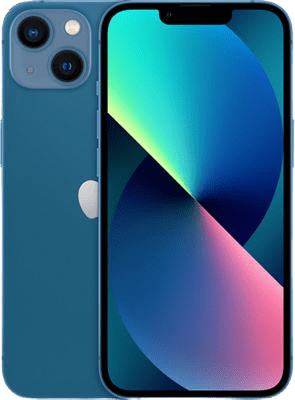
Apple iPhone 13 from VerizonSee Pricing Links to VerizonOverview:Verizon's iPhone 13 earned its place on our list as the best Apple smartphone for older adults. Its Face ID system protects your privacy without passwords. For many older adults with memory loss, this is a big win. All I had to do to unlock the phone was hold it up and look at it.
Plus, you can upgrade your phone to 512 GB of memory. If your camera roll is packed with thousands of photos and videos like mine, this expanded memory is excellent. The phone's dual-camera system lets you shoot clearer images while zoomed in, at night, and with a wider angle than other smartphones on our list, such as the Jitterbug Smart4.
I'd recommend the iPhone 14 for seniors with family members or friends who also have iPhones. My grandma and I are both iPhone users, and sending iMessages and video chatting make staying in touch a breeze. Plus, if your loved ones are familiar with Apple products, they can help you learn how to use your new iPhone.
» Learn About: The best iPhones for seniors
Testing out the iPhone 13
Pros & Cons:Pros About Apple iPhone 13 from Verizon
- Face ID feature
- Dual-camera system
- Optional upgrade for more storage
- Zero-interest financing through Verizon
- Strong screen that’s resistant to damage
Cons About Apple iPhone 13 from Verizon
- Expensive if you buy the phone outright
- Face sensor difficult to use in darker environments
Summary:Senior-Friendly Features
Apple products are user-friendly. Even if you've never used an iPhone, you can figure out the basics quickly. I opened the box, plugged in the iPhone 14, and handed it to my grandma. Within minutes, she was downloading apps and browsing the internet.
Here are our favorite senior-friendly features:
- Secure Face ID for privacy
- Fast, high-performing device
- Tough glass screen
- 12 MP front and rear cameras
- 6.1-inch Super Retina display
- 5G connectivity
Large icons make it easy to take a picture, browse photos, call friends and family, or look for new apps. Plus, the iPhone 13 is M3/T4 compatible and has strong speakers, making it great for seniors with hearing loss. My grandma loves chatting with friends and family, and she never has trouble hearing thanks to the phone's powerful speakers.
» Need New Hearing Aids? Guide to choosing a hearing aid
Camera Quality
I have over a decade of experience with iPhones. My grandma is also an iPhone owner, and she enjoys tinkering with different camera modes like portrait and panoramic. She even recorded a slow-motion video! The iPhone 14 has a dual 12 MP camera system great for taking photos of loved ones, snapping selfies, and recording and editing videos. I took the phone on a hike and captured beautiful photos.
A photo taken during my hike on the iPhone 13
Pricing
The iPhone 14 is certainly not the cheapest smartphone on our list, as the Jitterbug Smart4, Moto G 5G, and REVVL 7 5G all cost at least $300 less. Still, if you get your iPhone with a qualifying T-Mobile plan, you won't pay anything upfront.
Instead, you pay a small amount monthly in addition to your service fee toward the cost of the phone until it's paid off. T-Mobile lets you finance your phone over two years with no interest. The iPhone 14 currently retails for $629.99. Even with zero-interest financing, it's far more expensive than basic Apple models like the iPhone SE, which retails for $429.99.
Verizon offers several unlimited plans for the iPhone 13. Live in Florida? You might be eligible for the Verizon 55+ Unlimited plan. I don't love that the plan is available only to Floridians, because other carriers like T-Mobile offer 55-and-over plans nationwide. If you live outside Florida, my next-best pick is the Prepaid 5 GB plan with unlimited talk, unlimited text, and 5 GB of data. Our latest Verizon review found that you'll pay only $35 monthly with loyalty and AutoPay discounts. Consumer Cellular's 5 GB plan costs $25, which is affordable.
-
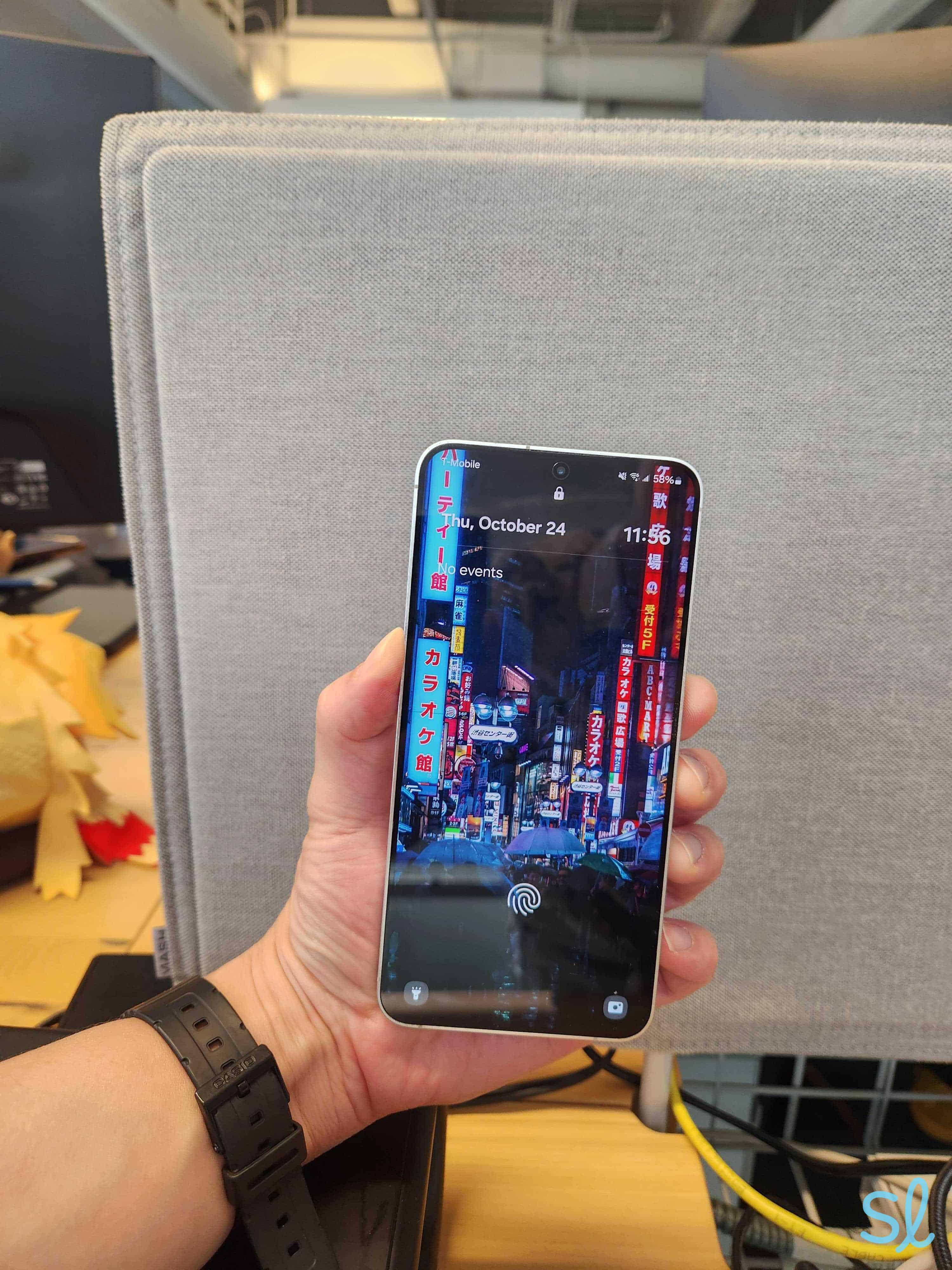
5. Samsung Galaxy S24+ from AT&T - Best Android Smartphone for Seniors
See Pricing Links to Att-promotions.comWhat we like most
- Voice Assistant
- Built-in Braille keyboard
- Lookout camera identification
Samsung Galaxy S24+ from AT&TSee Pricing Links to Att-promotions.comOverview:The Samsung Galaxy S24+ from AT&T is one of my favorite Android phones for seniors. It's pricey at $999.99, but it offers the best in new technology.
» Learn More: Best Android phones for seniors
The high-tech Galaxy S24+ lets you take and send amazing pictures and uses Galaxy AI for live translation during calls, perfect if you travel or have family overseas. My favorite senior-friendly features are its durable glass screen and battery life. If you're hard on your devices, fear not. The Gorilla Glass Victus 2 screen delivers superior shatter- and scratch-resistance. I'm hard on my devices, and I dropped the phone a few times during testing with no scratches or dents.
You won't have to worry about charging your phone constantly. The phone has up to 31 hours of video playback time. And if it dies, you won't be without power for long. When the Galaxy S24+ died during my tests, it took around 30 minutes to charge back to 65 percent.

Testing out the Samsung Galaxy s24+
Pros & Cons:Pros About Samsung Galaxy S24+ from AT&T
- Wireless charging feature
- Simple user interface for stress-free navigation
- Strong screen
- Fast-charging battery
- High-quality camera
Cons About Samsung Galaxy S24+ from AT&T
- Very high retail price
- A little too heavy for some seniors
- Large, bulky size
Summary:Senior-Friendly Features
Because the screen is extra durable, I didn't have to worry about pressing down too hard. It was designed to take a beating. The Samsung Galaxy S24+ has a fast-charging battery that helps conserve battery life.
Here are features my grandma and I liked most:
- Charges to 100 percent in 66 minutes or less
- Intelligent battery conserves battery life
- Super durable Gorilla Glass Victus+ screen
- Stream music via YouTube Music
- Triple 50 MP/10 MP/12 MP rear camera with 12 MP front camera
- 44 hours of talk time
- 6.7-inch display
- Wireless charging
Camera Quality
I was particularly fond of the Samsung Galaxy S24+ camera system. It's easy to use and offers some of the best picture quality on this list. The rear-facing camera features a 50 MP front lens, plus two additional lenses (10 MP/12 MP). Even the selfie camera has a 12 MP lens. Compared to the Apple iPhone 14, which has an excellent camera, the Samsung Galaxy S24+ camera surpasses the competition.

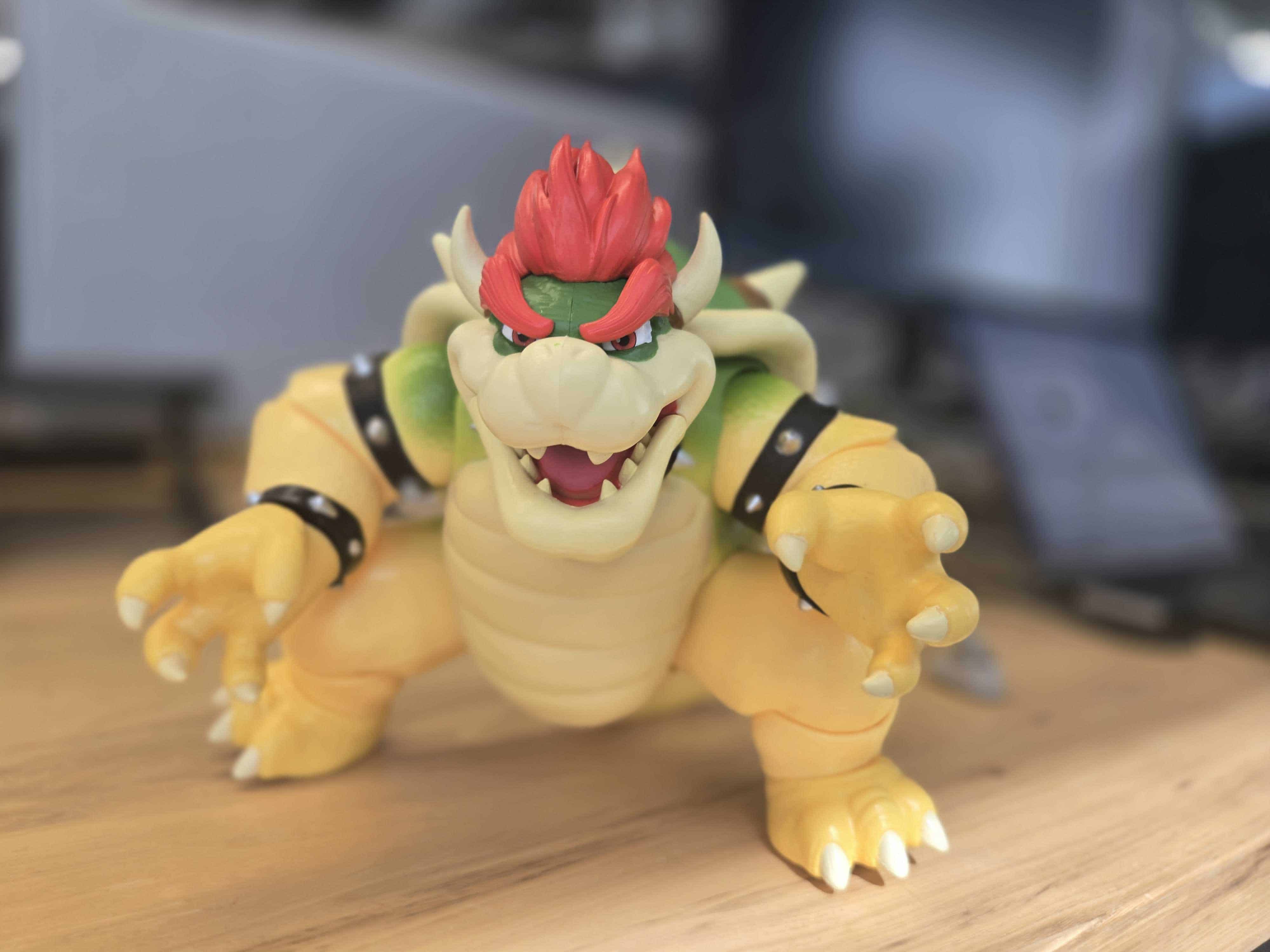
A photo taken on the Galaxy S24+
The phone weighs 6.91 ounces. It may not sound like much, but it's over 12 percent heavier than the iPhone 13. I didn't have issues holding up the phone for pictures, but my grandma felt it was too heavy to comfortably hold for more than a few minutes. Still, it's lighter than the REVVL 7 5G.
Pricing
The Samsung Galaxy S24+ may seem pricey at $999.99, but you get what you pay for. Don't forget to take advantage of AT&T's perks and discounts. When I tried the Samsung Galaxy S24+ from AT&T, the carrier was offering a deal to trade in your old smartphone for up to $200 in credit toward monthly installments.
You can also finance the Samsung Galaxy S24+ for $27.78 per month over 36 months (even less with an eligible trade-in). Only select postpaid phone plans are eligible. If you want to avoid spending too much on a smartphone, you could save upwards of $800 by opting for the Jitterbug Smart4 or Moto G.
» Take a Closer Look: Best Samsung phones for seniors
AT&T also offers a 55+ plan, priced at $40 per month for one line or $70 per month for two. This plan is available nationwide, which is a major bonus, as their former 55+ plan was only available in Florida.

Do I Need a Smartphone?
More seniors are answering yes to that question. Recent data suggests that 76 percent of adults aged 50 and older now own smartphones Why? Most seniors associate smartphones with improvement in life satisfaction, primarily through enhanced social connections. Because smartphones offer many features and access to thousands of mobile apps, they keep seniors connected, entertained, and protected.
How you answer depends on what you do, how comfortable you are with technology, and why you're looking for a new phone. A smartphone can help prevent feeling isolated and alone, which can contribute to depression and anxiety for many older adults.
How Do Smartphones Compare to Flip Phones?
A smartphone lets you access the internet, video chat with loved ones, watch movies, stream music, download mobile apps, and more. Many mobile apps offer brain games, medication reminders, exercise routines, and easy-to-book telehealth appointments.
FYI: Looking for more ways to be social with your smartphone? Check out our guide to the best social media apps for seniors!
Flip phones are simpler. Most allow you to send texts and make calls, while some let you surf the web. Since they lack many smartphone features, they also lack some perks. While we've found many great flip phones for seniors, they're best for those who want to keep things basic. If you simply want to stay connected and don't care about advanced features like a high-quality camera, touch screen, or mobile apps, a flip phone will work better. Plus, traditional cell phones are less expensive for those on a tight budget.
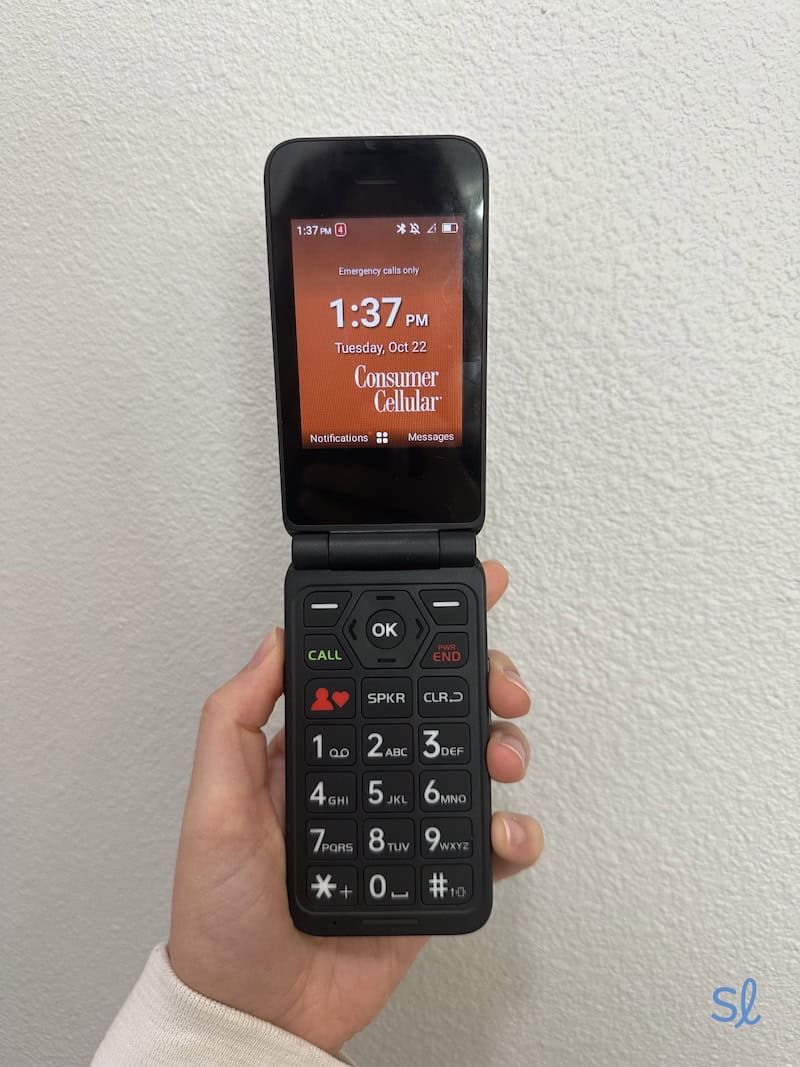
Testing out the IRIS Easy Flip from Consumer Cellular
Not all flip phones are old-school! Smart flip phones, like the Samsung Galaxy Z Flip5, have become popular in 2024 and 2025. If you like the feel of a flip phone but don't want to sacrifice smartphone features, you have options.
» Compare Your Options: Best Flip Phones for Seniors
Which Types of Seniors Are Smartphones Best For?
Any older adult willing to learn has plenty to gain, but smartphones are best for those who:
- Are interested in upgrading to newer technology
- Want to video chat with friends and family
- Want to take advantage of stimulating brain games and other apps
- Want to upgrade their homes with smart devices such as smart bulbs or a home security system
- Need mobile apps and internet access
- Enjoy taking high-quality pictures and videos
- Need to access emails and use the web on the go
- Aren’t satisfied with their current block-style phone or flip phone
- Want to browse the web, catch up with friends on Facebook, or make voice calls
You can start your smartphone search by reading our cell phone for seniors buyer’s guide. We cover top brands, pricing, how to choose the right phone for your needs, and more.
A Senior’s Guide to Choosing a Smartphone
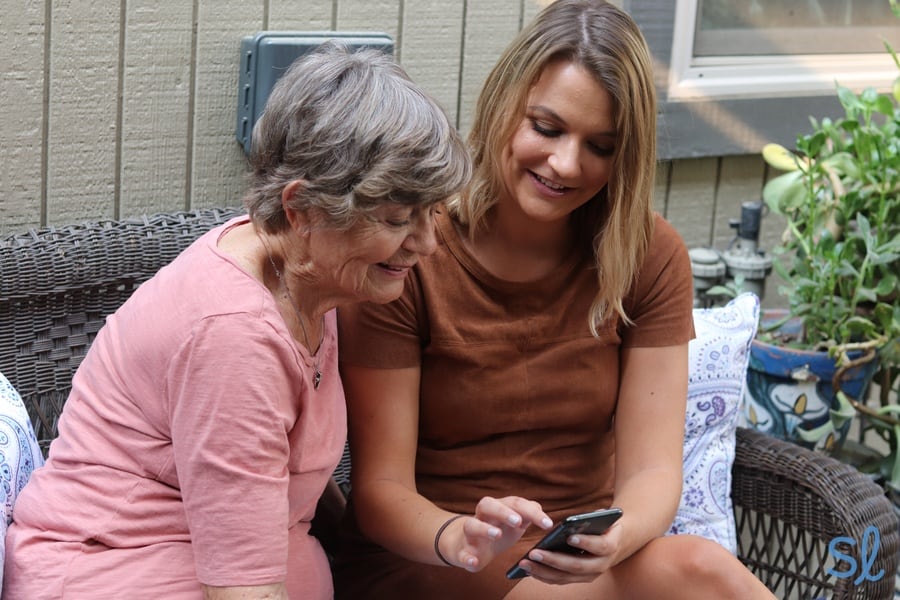
Showing my grandma how to use the iPhone 11 Pro
Even after viewing our top picks, you may need help deciding on a smartphone. Here are factors you should consider.
Price
Narrow your search to phones within your price range. Sure, you can finance a phone to avoid steep upfront costs, but that locks you in with the carrier. There are plenty of affordable smartphones with great features on our list!
FYI: If you’re on a tight budget and unsure about getting a smartphone, check out our list of the cheapest cell phones for seniors.
Medical Alert Capabilities
Do you want your phone to work as a medical alert device? If so, there's a simple solution: the Jitterbug Smart4. It's one of the best cell phones for seniors because of Lively's health and safety features. Help is just a press of a button away, and family members can track loved ones using a caregiver mobile app. You can't beat the $119.99 price tag.
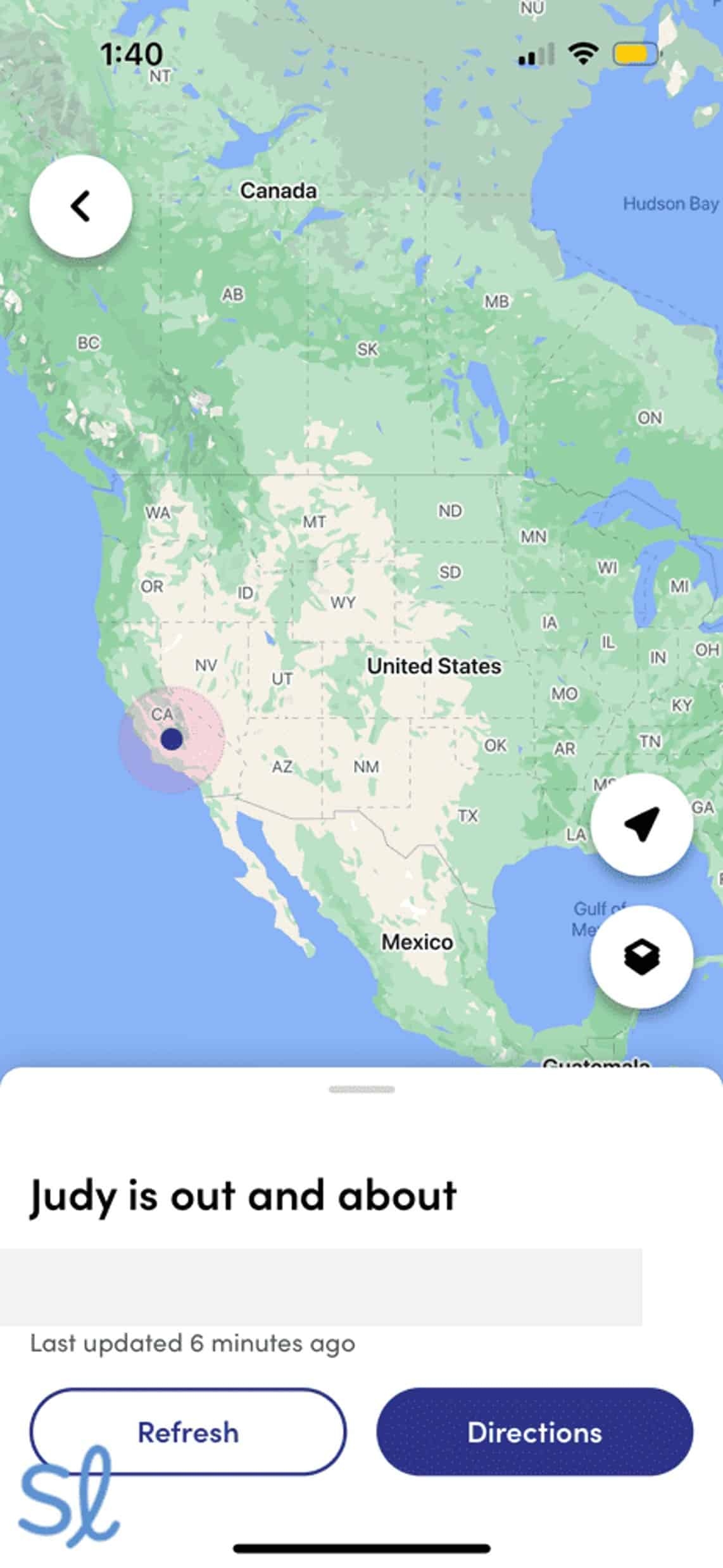
Tracking the Jitterbug Smart4's location using the Lively Link mobile app
Battery Life
Smartphones work great for older adults, but only when charged. If you're forgetful or don't want to charge your phone daily, look for a smartphone with long battery life. Based on my testing, the Jitterbug Smart4, Moto G, and Samsung Galaxy S24+ offered the best battery life.
Others’ Experiences
Ask your friends and family about their smartphones. Knowing what they use can help you choose. If your loved ones use iPhones, picking the iPhone 14 or another iPhone model is smart, as your family understands Apple products and can help you learn. Plus, you can FaceTime with them and send iMessages.
You can also ask what carrier they have. Sometimes bundling with your family's phone plan can lower the price per line. Of course, prepaid phone plans for seniors are another way to cut service costs.
More Cell Phone Resources for Seniors
If you're looking for a certain type of cell phone or want to compare all the options, check out our resources below.
- Best Free Phones for Seniors
- Best Cell Phones for Visually Impaired Seniors
- Best Cell Phones for Seniors With Hearing Loss
- Best Cell Phones for Seniors With Dementia
- Best Big-Button Cell Phones for Seniors
- Best Samsung Phones for Seniors
- Best Voice-Activated Cell Phones for Seniors
- Best Unlocked Phones for Seniors
- Best VoIP Phones for Seniors
Smartphones for Seniors FAQs
-
Which iPhone is best for seniors?
The iPhone 15 is best for older adults due to its premium features and new, easier-to-use USB-C charging port. If you need a budget-friendly iPhone, the iPhone SE (3rd Gen) is cheaper.
-
How can seniors learn how to use smartphones?
The easiest way is by asking a family member, friend, or neighbor for help. Some senior centers and libraries offer technology classes. If you can’t find in-person help, look for videos online.
-
How many seniors use smartphones?
An estimated 76 percent of adults aged 50 or older use smartphones.
-
Are smartphones intimidating for senior citizens?
Some seniors may find smartphones intimidating, but most don’t. A majority of seniors own smartphones. Senior-friendly smartphones like the Jitterbug Smart4, plus help from family and friends, can make smartphones more approachable.
-
What is the easiest smartphone for an elderly person to use?
The Jitterbug Smart4 is the easiest smartphone for older seniors who’ve never used a smartphone or don’t feel tech-savvy. It offers simple list-style menus, large icons, and helpful instructions.
-
Federal Trade Commission. (2023). Who Experiences Scams?
-
Pew Research Center. (2024). Mobile Fact Sheet.
-
National Library of Medicine. (2022). Smartphone Use, Technology Affordance for Healthcare and Elders' Life Satisfaction.