Best Samsung Phones for Seniors, Tested and Reviewed in 2026
The Samsung Galaxy A15 5G’s large screen, simple design, and affordable price make it our top pick.


How We Tested the Phones
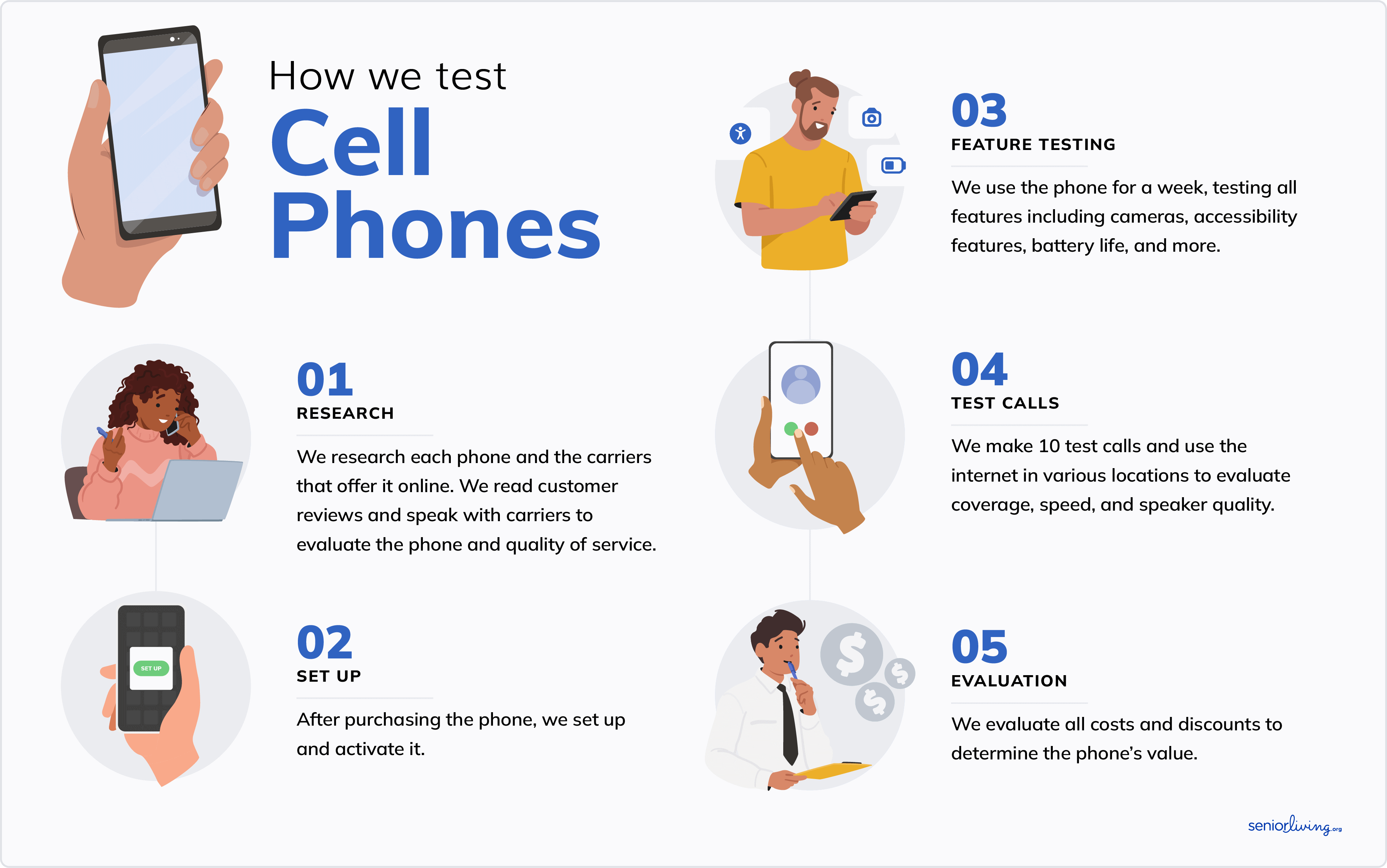
Samsung is among the most well-known cell phone manufacturers, but their available options can seem overwhelming. Do you want the Galaxy A16 5G or the Galaxy A06? Which better meets the needs of seniors: the Galaxy Z Fold6 or the Galaxy Z Flip6? We know it can get confusing, so we spent over 100 hours comparing and testing Samsung phones to create a list of our top options for seniors, following the same steps for each model.
- We researched the top Samsung phones on the market, focusing on those with senior-friendly features and designs. We researched the phones online, spoke with customer service reps, and ordered our top picks.
- After we received each phone, we tested it and took notes on the experience over a weeklong period. Whenever possible, we had seniors test phones as well, so we could get their direct feedback.
- We evaluated each phone’s screen size, sound quality, hearing-aid compatibility, general usability, size, battery life, plan options, and other senior-friendly features to create our ranked results.
How We Chose the Best Samsung Phones for Seniors
After our tech team came up with a list of the best Samsung phones on the market, we tested each one. We weighed the pros and cons and ultimately narrowed down the list to our top picks. We considered several criteria, including:
- Price: Price is a significant factor for anyone buying a new phone. If you’re a senior on a fixed income, you’ll want to ensure you’re sticking to your budget. We offer a range of quality Samsung phones for every budget, from under $200 to over $1,000, and everything in between.
- Screen size: Screen size is a make-or-break factor for most people, especially seniors with vision issues. Every phone on our list has a screen of at least 6.5 inches, and a few are even larger.
- Ease of use: Buying a phone is pointless if you can’t figure out how to use it! Some older adults are more tech-savvy than others, so we did our best to include a healthy mix of simple and advanced Samsung phones.
- Battery life: Keeping your phone plugged in constantly is a drag. After all, they’re called mobile phones for a reason! All phones on our list offer at least 12 hours of talk, text, streaming, and more before requiring a charge.
Why Trust Us?
Our senior tech experts try the latest products for older adults. We’ve spent hundreds of hours testing and reviewing cell phones and plans for seniors. We consult with older adults to learn about their personal experiences with different phone models, including what they liked, what they disliked, and features they think could make their experience even better.
SeniorLiving.org is supported by commissions from providers listed on our site. Read our Editorial Guidelines

- 6.5-inch screen
- Modern design
- Key feature: Affordable smartphone

- Oversized screen
- Foldable design
- Key feature: Outstanding camera

- 6.5-inch HD LCD screen
- Simple design
- Key feature: Long battery life

- Large screen and list-style menu
- Smartphone specifically designed for seniors
- Key feature: Medical alert capabilities

- Extra-large screen for easy viewing
- Range of accessibility features
- Durable, weather-resistant design
Contents
Are you hunting for one of the best cell phones for seniors? Perhaps you’re looking for something affordable that has multiple features. Or maybe you’re after something more accessible for those new to cell phones in general. Samsung offers great options for older adults, from an advanced foldable smartphone, to a simplified smartphone designed specifically for seniors.
Samsung has some of the best smartphones for seniors. We’ll discuss what sets them apart, how much they cost, and why our tech experts chose them. We evaluated and compared the phones on this list using crucial criteria such as price, value, screen size, ease of use, and battery life. After rigorous hands-on testing of Samsung’s full line of phones, including their latest models, we picked the Samsung Galaxy A15 5G as our top Samsung phone for seniors due to its large screen, simple design, and affordable price.
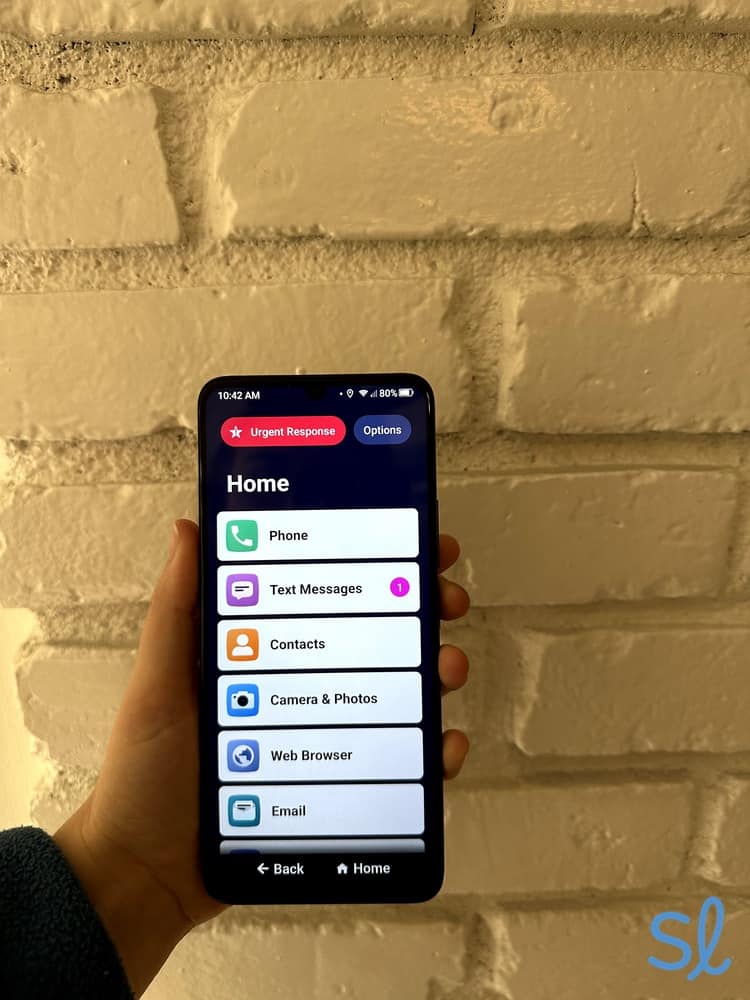
Testing out Lively's Jitterbug Smart4

Best Samsung Phones for Seniors in 2026: Top Picks
-
Samsung Galaxy A15 5G From Consumer Cellular - Best Phone and Service Bundle
-
Samsung Galaxy Z Fold6 From AT&T - Best Oversized Screen
-
Samsung Galaxy A03s From Mint Mobile - Best Budget Phone
-
 Jitterbug Smart4 from Lively - Best Health and Safety Features
 -
 Samsung Galaxy S24 From T-Mobile - Best Phone for Adaptive Technology
Comparing the Best Samsung Phones for Seniors
|
Samsung Galaxy A15 5G From Consumer Cellular
|
Samsung Galaxy Z Fold6 From AT&T
|
Samsung Galaxy A03s From Mint Mobile
|
Jitterbug Smart4 from Lively
|
Samsung Galaxy S24 From T-Mobile
|
|
|---|---|---|---|---|---|
| Rating | 3.8 | 4 | 3.8 | 4.6 | 4 |
| Price | $199.99 | $1,999 | $160 | $119.99 | $699.99 |
| Screen size | 6.5 inches | 8 inches | 6.5 inches | 6.7 inches | 6.7 inches |
| Battery life | 40 hours | 24 hours | 36 hours | 28 hours | 44 hours |
| Camera quality | 50/2/2 MP (main) | 200/12/10 MP (main) | 13/2/2 MP (main) | 13/2/2 MP (main) | 50/10/12MP (main) |
| Hearing aid compatibility | M3/T3 | M3/T3 | M3/T3 | M3/T4 | M3/T3 |
-
1. Samsung Galaxy A15 5G From Consumer Cellular - Best Phone and Service Bundle
See Pricing Links to Consumercellularplan.comWhat we like most
- 6.5-inch screen
- Modern design
- Key feature: Affordable smartphone
Samsung Galaxy A15 5G From Consumer CellularSee Pricing Links to Consumercellularplan.comOverview:
Samsung Galaxy A15 5G
The Samsung Galaxy A15 5G is a budget-friendly 5G phone priced at $139.99 through Consumer Cellular. When paired with one of several affordable Consumer Cellular plans, it offers solid bang for your buck. This no-frills smartphone has fast service without extra stuff to weigh you down.
It features a large, 6.5-inch screen and a 50 MP camera, which one might expect to see with a more expensive phone like the Galaxy S24. Aside from the powerful camera system, this phone keeps things pretty basic. It’s a reliable smartphone with a good battery life and a large screen.
» For Phone Plans: Consumer Cellular Cell Phone Plans and Pricing
Pros & Cons:Pros About Samsung Galaxy A15 5G From Consumer Cellular
- Great price, especially when bundled with Consumer Cellular services
- Large screen is easy to read
- Great camera system
Cons About Samsung Galaxy A15 5G From Consumer Cellular
- Takes a while to charge
- Only 4 GB of RAM
- Not a lot of built-in storage
Our Hands-on Experience:Feature Highlights
The Samsung Galaxy A15 5G is technically a step up from the Galaxy A03s, but we didn’t notice much difference. Both phones worked well enough and had the expected features, although they were a little slow when opening and closing apps. The A15 5G only has 4 GB of RAM, which means it’s not well-equipped to handle multiple tasks simultaneously.
It’s also important to note that the phone comes with only 64 GB of storage, some of which gets taken up by the operating system. You can add up to 1 TB of storage with a microSD card, but you’ll pay more for the extra storage.
If you like to take pictures and videos, you’ll find that the built-in storage gets used up quickly. As we used more and more storage, we noticed that the phone slowed down even more. If you don’t mind paying for extra storage or using a cloud-based service to store your photos and videos off the device, the Galaxy A15 5G is a dependable and budget-friendly option.
Battery Life
Samsung claims that you can get up to two days of use on one charge, which we found to be accurate. We made video calls, sent texts, and downloaded various apps while testing the Galaxy A15 5G, and we didn't need to charge it until we'd been using it for 40 hours. It offers significantly longer battery life when compared to Samsung's premium foldable models.
Pricing
The Samsung Galaxy A15 5G costs $139.99 through Consumer Cellular. You can even finance the phone if you qualify and pay just $10 a month for 24 months. While it’s technically not the most affordable phone on this list, it’s a great deal, especially if you add a Consumer Cellular plan for as little as $20 per month.
Consumer Cellular also lets you finance your phone with zero percent interest. You only have to pay $29 at the time of purchase, then $5 per month for two years. This is great for seniors who want a good smartphone but don’t have the funds to pay for it all at once.
» Dive Deeper: 2026 Consumer Cellular Review
-
2. Samsung Galaxy Z Fold6 From AT&T - Best Oversized Screen
See Pricing Links to Att-promotions.comWhat we like most
- Oversized screen
- Foldable design
- Key feature: Outstanding camera
Samsung Galaxy Z Fold6 From AT&TSee Pricing Links to Att-promotions.comOverview:The Samsung Galaxy Z Fold6 offers a lot for its substantial price tag. This phone will provide you with more usable screen space than almost any other standard smartphone, even those with large screens like the Samsung Galaxy S24. For seniors with vision loss, (or those who can never find their glasses), this translates into viewing ease without squinting, when you’re on your phone.
Did You Know? Studies show that smartphone use can improve quality of life by making it easier to connect with family, friends, doctors, social media, shopping, and more.1
One important caveat of note: At $1,899, the Samsung Galaxy Z Fold6 is by far the most expensive phone on our list, Still, it may be worth splurging if you want a tablet-style phone. We recommend pairing it with an AT&T plan to get senior discounts and solid financing options.
» Another Senior-Friendly Tablet: Consumer Cellular GrandPad Review
Pros & Cons:Pros About Samsung Galaxy Z Fold6 From AT&T
- Can be unfolded to reveal a large, 8-inch screen inside
- Great for easy viewing while streaming videos and playing games
- Hearing aid compatible
Cons About Samsung Galaxy Z Fold6 From AT&T
- More expensive than most other Samsung phones
- Heavy and thick design
- Mediocre battery life
Our Hands-on Experience:Feature Highlights
We sat down with the Samsung Galaxy Z Fold6 to see how well it worked for seniors. After a few days of testing, we were surprised by its simplicity. This phone runs on the Android 14 operating system, which is fast and intuitive. Android 14 includes accessibility features, which are easy to set up from the settings menu.
Unfortunately, the oversized screen is both an advantage and a drawback. To fit so much screen space onto the Z Fold6, Samsung had to create a heavy, chunky phone. That means holding the phone up for extended periods (like when snapping photos or videos) took a toll on our hands and wrists. Weighing in at 8.39 ounces (239 grams), the Z Fold6 is a heavyweight smartphone.
» You Might Like: The Best Senior Phone Plans
Battery Life
According to the manufacturer, the Samsung Galaxy Z Fold6 is designed to last for up to two days with moderate usage. Our experience was different, however. We needed to grab the charging cable after about 24 hours of texting, video calling, video streaming, web browsing, and even several hours of leaving the phone in standby mode.
We understand it takes more power to keep the larger screen up and running, but we wish the battery had lasted closer to two days, like the Samsung Galaxy A03s and Galaxy S24.
Pricing
The Z Fold6 costs about $1,899. That's significantly more expensive than budget-friendly phones, such as the Samsung Galaxy A03s. To soften the blow, AT&T offers a discounted unlimited 55+ plan for older adults starting at $62.99 a month with one line.
» Learn More: AT&T Cell Phone Plans for Seniors 2026
-
3. Samsung Galaxy A03s From Mint Mobile - Best Budget Phone
See Pricing Links to Mint MobileWhat we like most
- 6.5-inch HD LCD screen
- Simple design
- Key feature: Long battery life
Samsung Galaxy A03s From Mint MobileSee Pricing Links to Mint MobileOverview:
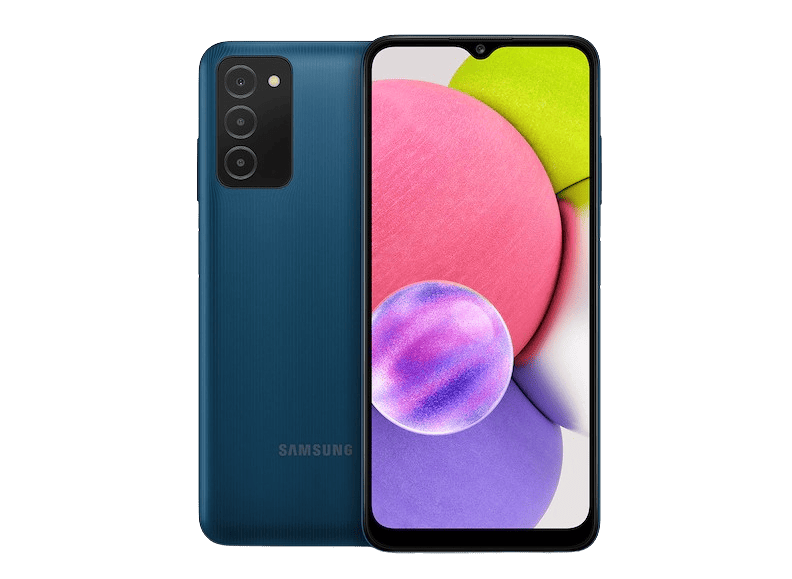
Samsung Galaxy A03s
The Samsung Galaxy A03s from Mint Mobile may be ideal for tight budgets. Compared to other Galaxy models , even pretty affordable smartphones like the Samsung Galaxy A15 5G, this phone is a steal at around $160.
We’ve noticed that it goes on sale quite often, for about $50 off. This tends to drain stock, however, so it may not be available for purchase when you’re ready to commit. The A03s is a no-frills phone. It's a good option if you simply want a cheap phone with a long battery life for texting and phone calls. It's easy to use, and relatively durable.
» For Bargain Shoppers: Cheapest Cell Phones for Seniors
Pros & Cons:Pros About Samsung Galaxy A03s From Mint Mobile
- Excellent price
- Long battery life
- Hearing aid compatible
Cons About Samsung Galaxy A03s From Mint Mobile
- Small internal memory, but can be expanded with a microSD card
- Sluggish when switching between applications
- Midrange camera quality
Our Hands-on Experience:Feature Highlights
Although the Galaxy A03s is more advanced than the Jitterbug Smart4, it’s a fairly simple cell phone. While testing it, we could do everything we wanted — make video calls, text, use Google, check Facebook, download apps, listen to music, and even connect to Bluetooth hearing aids.
Despite all the pros, the cons are overwhelming. The interface was noticeably sluggish. Switching from Facebook to YouTube took time. Even typing messages had a noticeable delay. We made typos because the phone wasn’t displaying letters at the same speed we pressed them. As a result, people with visual processing issues may have even more challenges using the device.
The 13 MP camera wasn’t all that impressive either. It captured decent photos in optimal lighting conditions, but videos and images in low-light environments were not of high quality. The A03s is a solid phone for the price, but you shouldn’t expect the same fast speeds, processing power, and advanced camera systems you can get with the Z Fold7or S24.
» For Hearing Loss: Best Bluetooth Hearing Aids of 2026
Battery Life
What the Galaxy A03s lacks in processing power, it more than makes up for in battery life. We used the phone consistently for more than 36 hours before it needed a charge. We could have gotten nearly two days of battery life with lighter usage.
Even with vigorous usage (playing games, streaming movies, and downloading large files), the battery lasted all day. That was a massive improvement over the comparatively short-lived battery of the Samsung Z Fold7. If you hate having to plug your phone in constantly and don’t want to spend a fortune on a quality Samsung phone, the Galaxy A03s is our top pick.
Pricing
The Samsung Galaxy A03s is available for around $110 to $160, making it one of the most affordable Samsung smartphones on the market. Mint Mobile offers a plan called Mint 55+, which costs $15 per month and includes unlimited talk and text, 5G speeds, and 5 GB of monthly data.
» Check Out: Mint Mobile Senior Phone Plan Review
-
4. Jitterbug Smart4 from Lively - Best Health and Safety Features
What we like most
- Large screen and list-style menu
- Smartphone specifically designed for seniors
- Key feature: Medical alert capabilities
Overview:
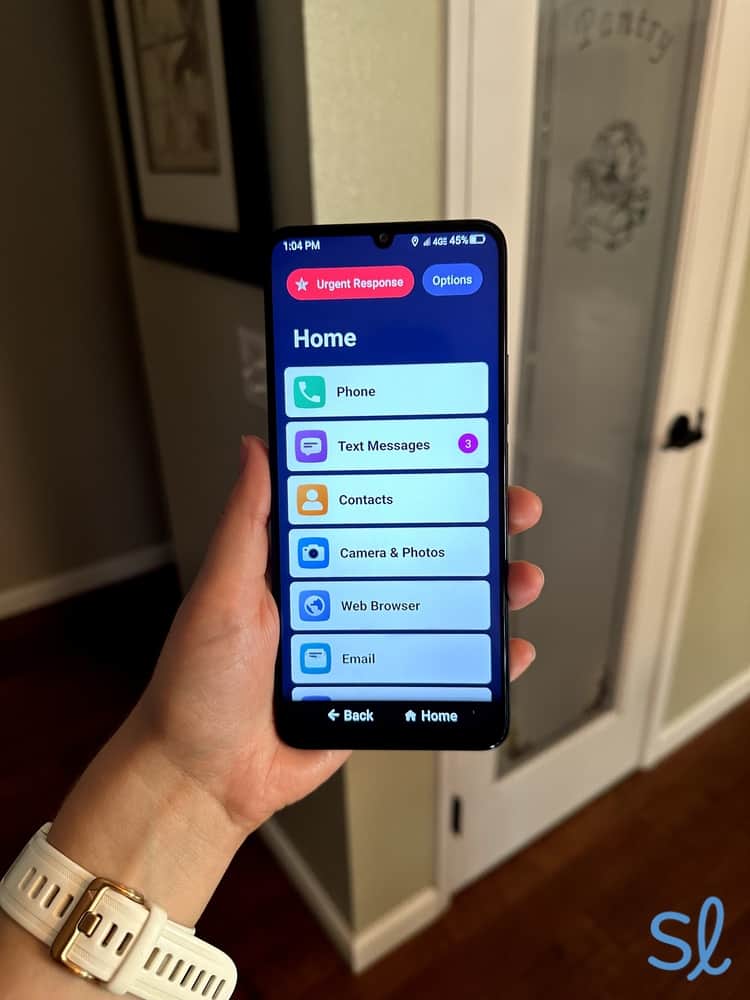
The Jitterbug Smart4 home screen
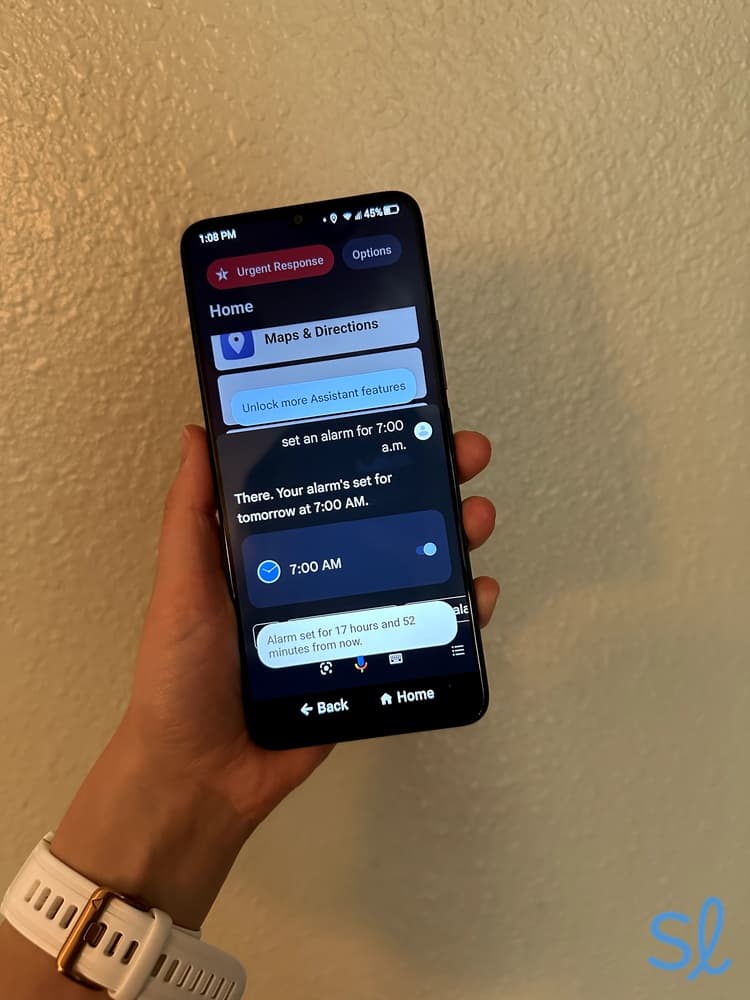
The Jitterbug Smart4 is a smartphone from Lively designed with seniors in mind. It features a large, 6.75-inch screen (even larger than the Galaxy A03s) with a simple, list-style menu that makes calling and sending messages easy. The Jitterbug (made by Samsung) has a robust and crystal-clear speaker that makes hearing conversations a breeze. It also has a built-in Google Assistant, which we use to send messages and navigate the phone without typing. It’s a spectacular feature for people with arthritis, vision loss, or other conditions that make typing difficult.

Using Jitterbug Smart4's voice navigation feature
Our favorite thing about the Jitterbug Smart4 is that it doubles as a medical alert device with a Preferred or Premium phone plan. With the press of a button, we could connect to Lively’s Urgent Response team during an emergency. If you sign up for the Premium plan, you can access a care advocate and an on-call nurse to help you with all your medical questions.
» Related Reading: Best Medical Alert Systems of 2026
Pros & Cons:Pros About Jitterbug Smart4 from Lively
- Easy to use with a large screen and list-style menu
- Connects to specialized emergency services for an extra fee
- Great for communicating with family
Cons About Jitterbug Smart4 from Lively
- Lags occasionally
- Health and safety features available only with top-tier plans
Our Hands-on Experience:Feature Highlights
The Jitterbug Smart4 stands out from other Samsung phones because it was designed for seniors. In our Jitterbug Smart4 review, we found the simple, list-style menu effortless to navigate. We quickly figured out how to make calls, send texts, take photos, and browse the internet.
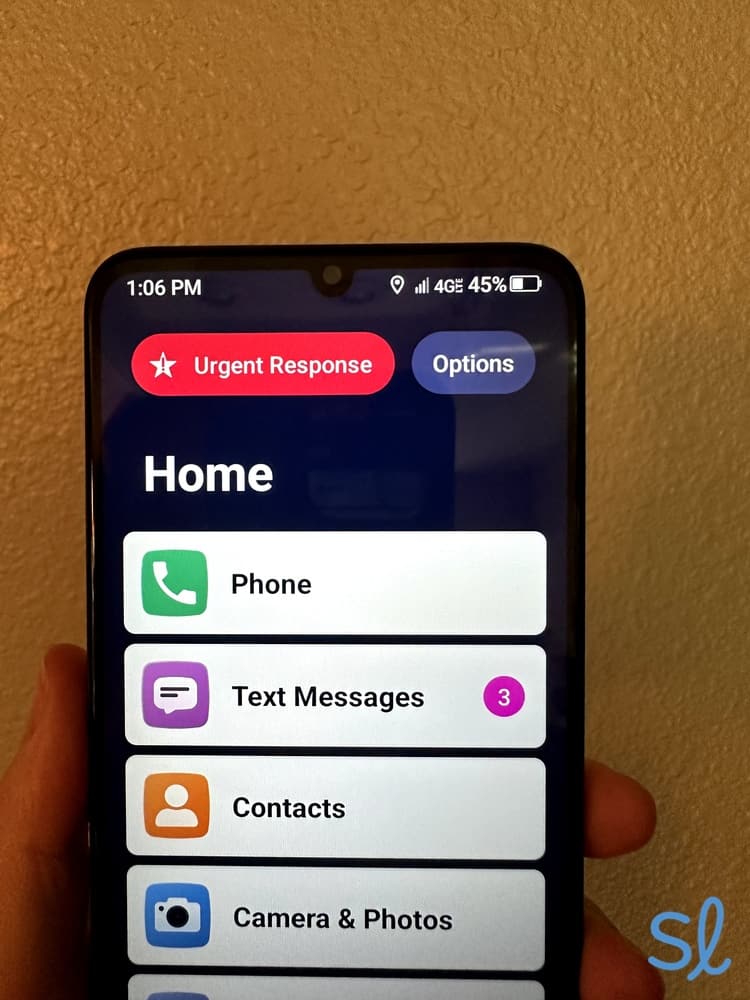
Since we upgraded to the Preferred plan, we could also utilize the bright red Urgent Response icon at the top of the screen. This is one of the Smart4’s best features, as it allows you to use your smartphone as an emergency response device. When we pressed the button, we were connected in just 15 seconds with an agent who could send help quickly.

Lively's Urgent Response button is clearly displayed on the home and lock screen
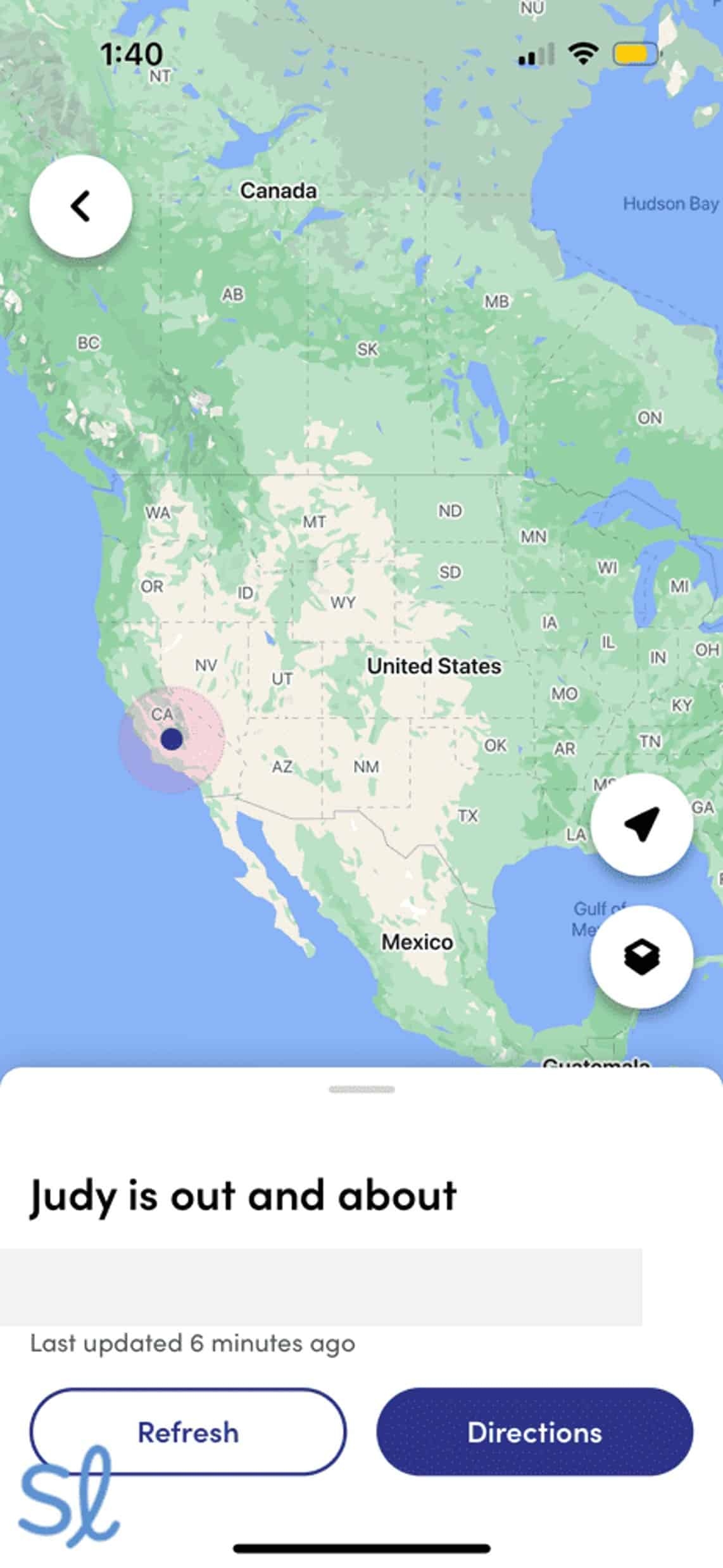
We’re also big fans of Lively Link, a mobile app for caregivers and loved ones. The app allowed us to view the Jitterbug Smart4’s location, see the phone’s status, and receive alerts if an Urgent Response call was made.

Tracking my grandmas location using the Lively Link mobile app
The only downside is that the Jitterbug Smart4 may be too simple for some seniors. We still enjoyed using it, but we missed some of the more advanced features of the Galaxy S24, such as a high-end camera and ample storage. Like the Galaxy A03s, the Smart4 also shows sluggishness despite the simple interface. While testing it, we noticed that the touchscreen took a second or two to respond when we clicked certain icons.
» You Might Like: Easiest Cell Phones for Seniors to Use
Battery Life
The Jitterbug Smart4 has solid battery life. We could get around 28 hours of mixed-usage time (talk, text, and web browsing). The phone performed even better on standby, lasting up to four days. People who use their phones sporadically can expect to get a solid two or three days out of the Jitterbug Smart4 before needing to charge it. Even if you’re constantly on your phone, you probably won’t have to pull out the charging cable more than once per day (if that).
 Expert InsightsFrom Taylor Shuman, Senior Tech ExpertBattery life is one of the first things I consider when testing a phone for seniors. Older adults may forget to charge their devices every once in a while, so a phone must have solid battery life so you can stay connected.
Pricing
The Jitterbug Smart4 costs $119.99. Lively plans start at $19.99 for unlimited talk and text, but you must add a data plan, and a Lively service plan. To access the medical alert features, you must upgrade to the Preferred plan ($34.99 per month) or the Premium plan ($44.99 per month).
» Further Reading: Lively Phone Review
Expert InsightsFrom Taylor Shuman, Senior Tech ExpertI’m a big fan of the Jitterbug Smart4’s medical alert features, as they allow users to stay protected very discreetly. Lively also makes the Jitterbug Flip2, a simple flip phone for seniors, if you want to compare models. -
5. Samsung Galaxy S24 From T-Mobile - Best Phone for Adaptive Technology
What we like most
- Extra-large screen for easy viewing
- Range of accessibility features
- Durable, weather-resistant design
Overview:
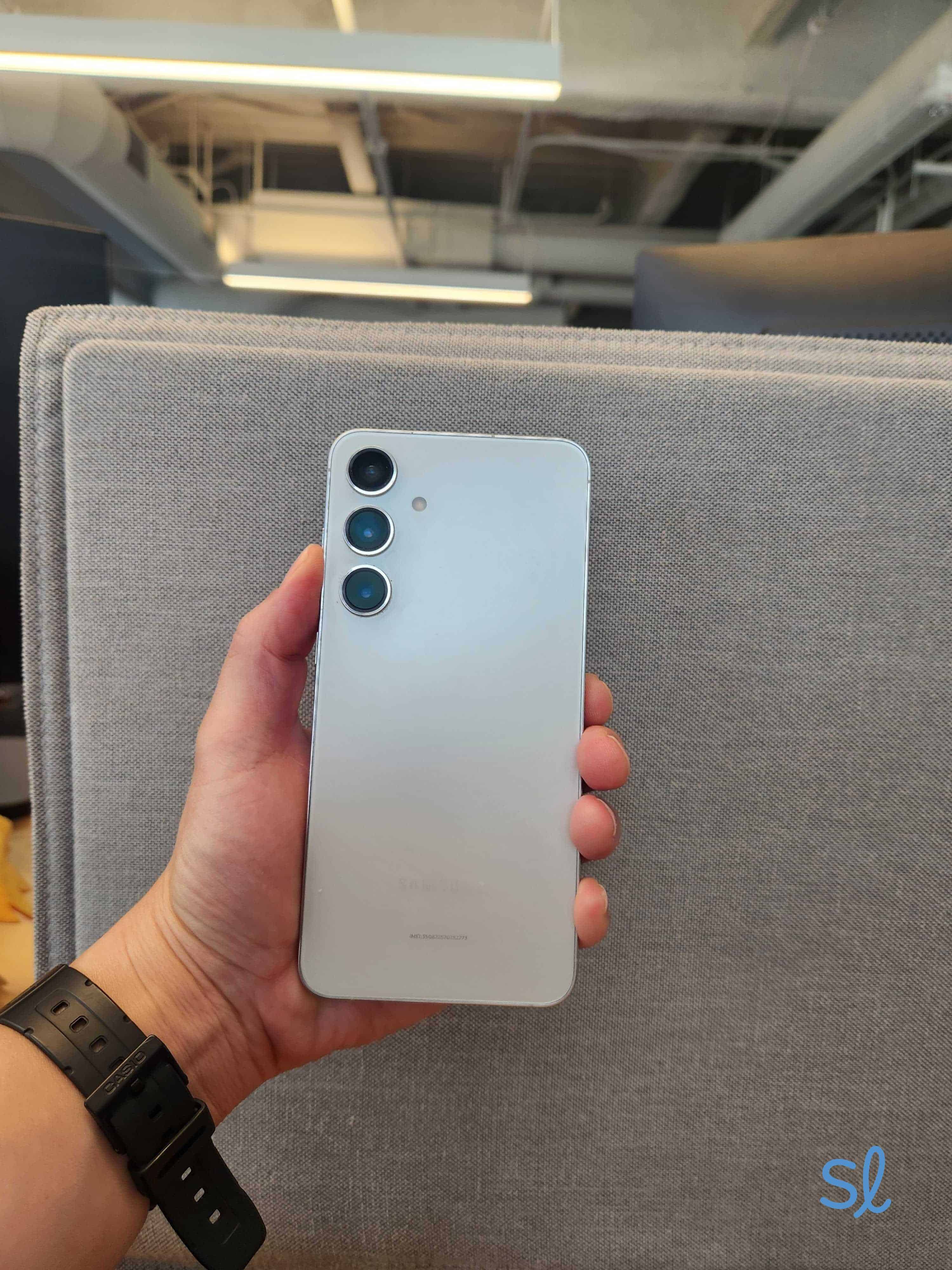
Samsung Galaxy S24+
The Samsung Galaxy S24 from T-Mobile is a well-rounded 5G phone with a great balance of size, battery life, and power. You can easily see what you’re doing with the extra-bright screen — a huge perk. The phone is durable and is a good investment if you plan to keep it for a while. It even has good weather resistance and a pretty advanced camera system.
The Galaxy S24 has accessibility features we love. For example, users can increase the contrast for easier reading, adaptive color contrast, and a display with a vision booster. The audio is clear and easy to hear. In our experience, the phone has excellent reception when paired with a T-Mobile plan.
It also features Galaxy AI, Samsung’s artificial intelligence system for mobile devices. This feature can help you translate text, adjust photos, get quick answers to questions, and more. These voice-activated features are great for those with arthritis or other health issues that could make navigating a phone challenging. It’s also great for those new to smartphone tech and could use a helping hand.
» Useful Resource: Best 5G Phones for Seniors
Pros & Cons:Pros About Samsung Galaxy S24 From T-Mobile
- Adaptive color contrast and vision booster
- Crisp audio
- Built-in AI assistance
Cons About Samsung Galaxy S24 From T-Mobile
- Expensive compared to similar phones
- AI features can take some getting used to
Our Hands-on Experience:Feature Highlights
The Samsung Galaxy S24 boasts 8 GB of RAM — and it shows. We were blown away by how fast and smooth everything felt on the S24. From pulling up the AI chat assistant to scrolling through social media posts, the Galaxy S24 never showed signs of slowing down or faltering. Even though it costs about $1,300 less than the Galaxy Z Fold7, we believe the Galaxy S24 provides a smoother and more user-friendly experience.
The only thing we thought could have been better was the AI system’s implementation. Galaxy AI works exceptionally well, but it’s turned on for most things by default. If we just wanted to jot down a note or send a text the old-fashioned way, we had to go into the settings and disable the AI. If you’re not interested in voice-activated features, you may find that the Galaxy S24 is overly reliant on them. But again, you can turn these features off and on as desired.
Battery Life
Much like the Galaxy Z Fold7, there’s a lot of power and speed at the expense of battery life. That said, the Galaxy S24 outperformed the Fold7, getting a complete 24 hours with moderate usage. If you use your phone for streaming or other high-energy activities, however, you may have to bring out the charger more than once per day.
Pricing
The Samsung Galaxy S24 starts at $799. T-Mobile offers several Unlimited 55+ plans you can pair with the S24. T-Mobile's least expensive 55+ plan starts at $55 per month for one line.
» Learn More: T-Mobile Unlimited 55+ Plan Review
Check out the video below to learn about T-Mobile’s phone plans for seniors.
learn which T-Mobile plan is best for you and how you can test the T-Mobile Network before committing
How to Choose the Best Samsung Phone for You
While we’ve narrowed the list of Samsung phones to our top picks, you’ll need to choose the right device for your needs and budget. As you shop, we’d recommend considering the following topics:
- Screen size and readability: Can you read the screen well enough?
- Phone size: Is the phone too big or too small to be practical for the times and places you’ll need it? If the phone is too big and heavy, you may not want to take it. It may be hard to use if it’s too small.
- Price: Does the phone and a compatible plan fit your budget?
- Features: Which features do you need? Do you want a high-definition camera or just a plain phone for talking or texting? Do you need additional health and safety features?
Did You Know? Research shows that smartphone or tablet use can aid cognitive function and improve memory in older adults.
Choosing a Carrier for Your Samsung Phone
Not every carrier services the entire country. Before you commit to a phone, make sure that the carrier you want offers coverage in your area.
- Consumer Cellular offers affordable, straightforward pricing and plans specifically designed for seniors. You can even score a discount on your monthly premium for being an AARP member.
- Lively’s cellular offerings are unique because they combine dependable cell phone service with emergency-response features (with a higher-tier plan). Since Lively works only with its own senior-friendly devices, you also get a simple, easy-to-use phone, such as the Jitterbug Smart4 or Jitterbug Flip2.
- AT&T is one of the most dependable carriers with nationwide coverage and a large 5G network. You can even get a discounted 55-and-over plan with unlimited data.
- Mint Mobile is a relative newcomer, but they offer affordable pricing, no contracts, and senior-friendly plans. If you’re willing to prepay for your service, you can get service for as low as $15 per month.
- Verizon has extensive nationwide coverage for both 4G and 5G services. They also make it easy to score free phones if you’re willing to stay with the carrier for a few years. Read our Verizon review to learn about our experience with the carrier.
- T-Mobile, like AT&T, is known for having a giant network (particularly for 5G), as well as multiple 55-and-over plans. It’s among the best nationwide carriers for fast speeds and few dead zones.
Pro Tip: As of 2025, more than 155 million Americans use iPhones.3 Check out our guide to see if one of the best iPhones for seniors is right for you!
Samsung vs. Apple Phones for Seniors
Samsung phones and Apple iPhones each offer unique features that may appeal to older adults with differing interests and needs. Samsung phones, powered by Android, are generally better for people seeking affordable options and greater personalization. These include TalkBack, Google’s built-in screen reader for Adobe devices.
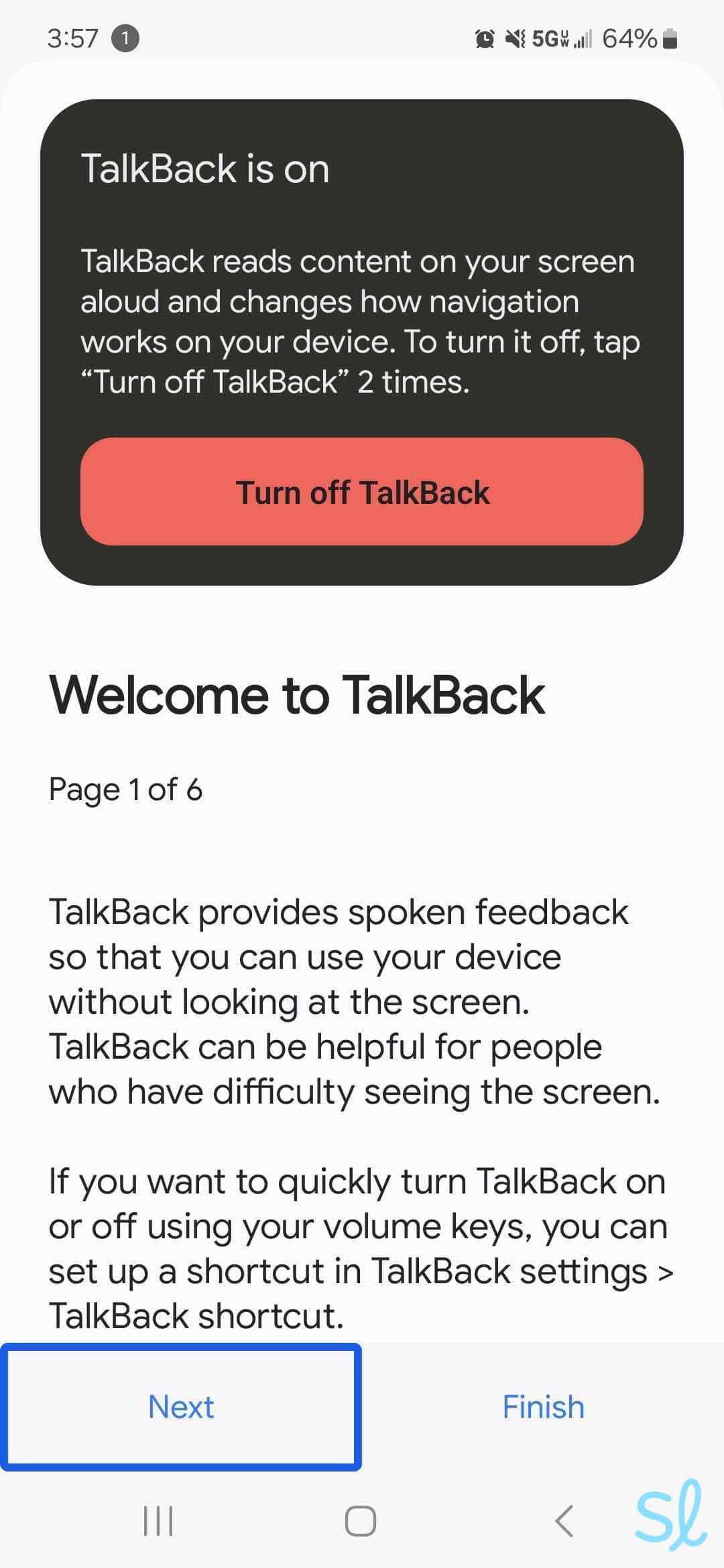
Using the Galaxy S24+'s TalkBack feature
Samsung offers devices at just about every price point, making it easier to find a phone on a budget. The variety of Samsung models can make the shopping experience a little overwhelming, though, especially for seniors who feel less tech-savvy or are unsure what they want in a phone.
Apple iPhones, in contrast, are designed for simplicity and reliability, making them a great choice for seniors who prioritize ease of use. With features such as FaceTime and iMessage, Apple excels in offering easy communication between seniors and their loved ones who also use Apple devices.
The consistent interface across all iPhone models minimizes the learning curve, while robust customer support and extensive accessibility features ensure that help is readily available.
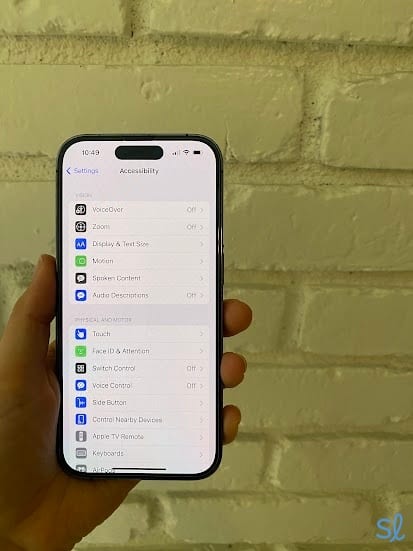
Testing the iPhone 14 Pro's Accessibility Features
The drawback with iPhones is that they tend to be more expensive than many (but not all) Samsung models. There’s also far less selection than with Samsung (and Android in general). You won’t find any flip phones in Apple’s lineup. For seniors who don’t want a smartphone or simply want more options to choose from, Samsung may be the superior option.
Testing out an iPhone
More Cell Phone Resources for Seniors
If you’re looking for a specific type of cell phone or you just want to compare your options, check out our resources below. We’ve tested cell phones for a variety of needs.
- Best Two-Line Cell Phone Plans for Seniors
- Best Cell Phones for Seniors with Vision Loss
- Best Free Phones for Seniors
- Best Flip Phones for Seniors
- Best Cell Phones for Seniors With Hearing Loss
- Best Cell Phones for Seniors With Dementia
- Best Android Phones for Seniors
- Best Big-Button Cell Phones for Seniors
- Best Samsung Phones for Seniors
- Best Unlocked Phones for Seniors
- Best VoIP Phones for Seniors
Frequently Asked Questions About Samsung Phones for Seniors
-
What is the easiest-to-use Samsung Galaxy phone for seniors?
The easiest-to-use Samsung Galaxy phone for seniors is the Jitterbug Smart4. This phone doesn’t have several bells and whistles. It’s just a simple phone that’s perfect for calling and texting.
-
What phone has the best emergency services?
The phone with the best emergency services is the Jitterbug Smart4. You can easily set up on-call services with your Jitterbug phone, so you have regular access to nurses and emergency services (additional fee required).
-
What Samsung phone is the best for tight budgets?
The least expensive Samsung phones are the Jitterbug Smart4 and Samsung Galaxy A15 5G.
-
What is the easiest smartphone for an elderly person to use?
The Jitterbug Smart4 is the simplest smartphone for older adults, thanks to its list-style menus, built-in tutorials, and simple interface.
-
Which Samsung series is best: A or S?
If you want to balance features and price, the A series is the better option. If you want a phone with all the bells and whistles, you should go with one of Samsung’s S-series phones.
-
National Library of Medicine. (2022). Assessing Older Adults’ Intentions to Use a Smartphone: Using the Meta–Unified Theory of the Acceptance and Use of Technology.
-
National Library of Medicine. (2022). A Systematic Review of Smartphone and Tablet Use by Older Adults With and Without Cognitive Impairment.
-
Investopedia. (2025). The Economics of the iPhone.