MobileHelp Medical Alert System Review 2026
Our tech experts appreciated MobileHelp’s affordable in-home systems, large at-home range, and new compact Elite mobile device.


How We Tested MobileHelp
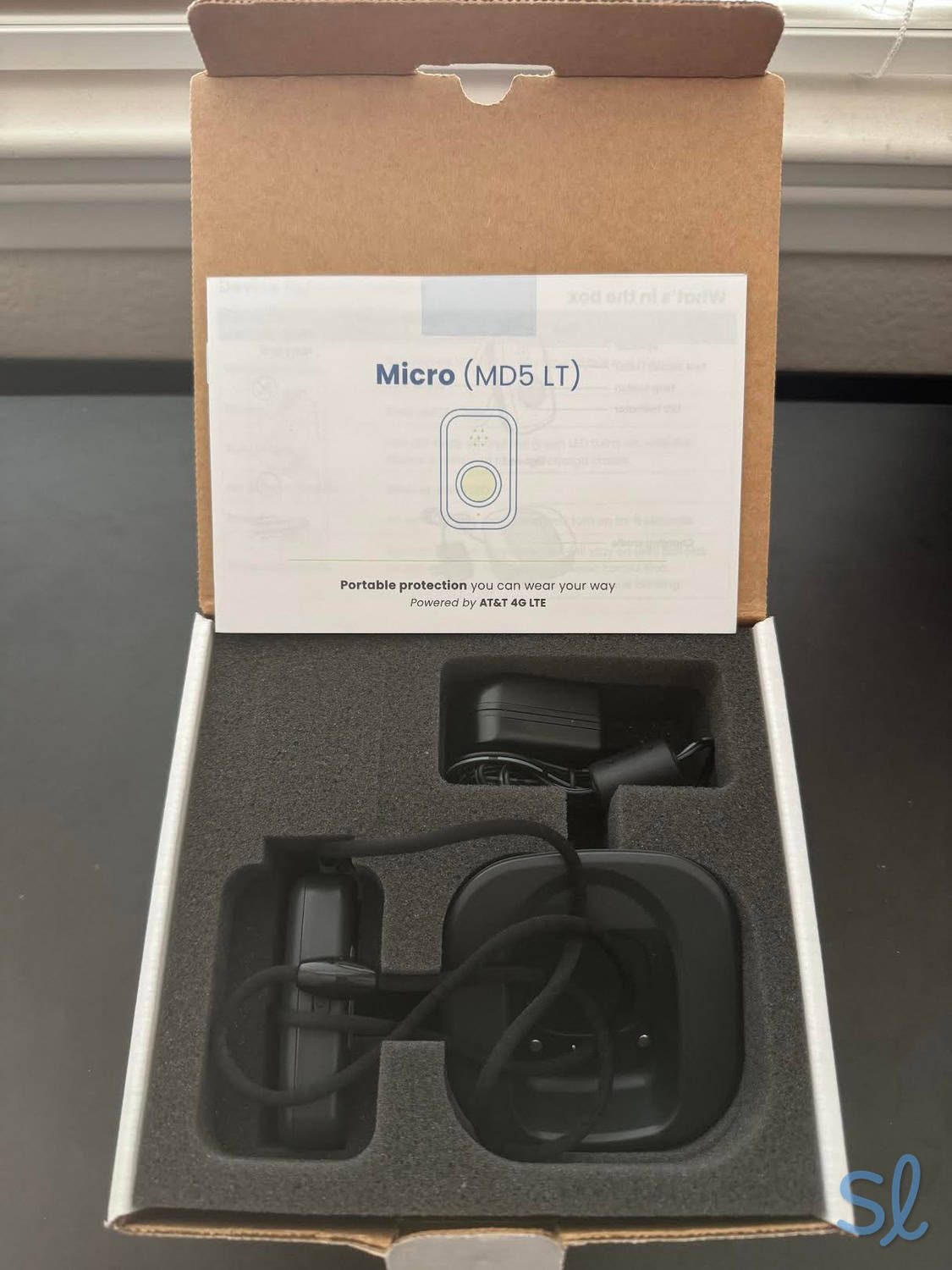
We ordered, unboxed, and tested all of MobileHelp s systems ourselves, including the MobileHelp Micro.
After thoroughly researching a provider’s systems, we conduct hands-on testing for the medical alert systems we review. We then evaluate them for several criteria, including price, value, average response times, ease of use, quality of customer service, equipment quality, and more.
Based on our experience with the systems, we give every provider a rating out of five stars. We also ask for feedback from older adults on the systems whenever possible. We strive to make our testing experience as comprehensive as possible so we can provide readers with accurate and unbiased insights.
Here are some of the criteria we use in our evaluation.
- Pricing: We considered price and value for MobileHelp’s systems, evaluating all costs, including monthly fees, shipping costs, any extra fees, and seasonal promotions.
- Coverage: A good medical alert system should have strong and reliable coverage. We tested MobileHelp’s cellular medical alert systems to evaluate whether they held a strong signal both at home and on the go.
- Customer support: Having 24/7 access to customer support is a critical feature, as are knowledgeable customer-service agents who can answer your questions and help troubleshoot when issues occur. We considered all modes of contact (email, chat, phone) and spoke with customer support multiple times.
- Response times: We made 10 test calls to MobileHelp’s monitoring center and recorded average response times. We also took notes on our experience and assessed if the agents were helpful and responsive. We also made 10 test calls using our fall detection pendant by simulating test falls.
Visit our medical alert system methodology guide to learn more about how we test medical alert systems.

MobileHelp offers affordable medical alert systems for older adults aging in place, with options for in-home and on-the-go protection. The company’s lineup includes Classic, an in-home cellular system; Wired Home, a landline-based in-home system; and the new MobileHelp Elite, a compact mobile medical alert device with GPS and Wi-Fi location tracking. Prices start at $29.95 per month for in-home systems and $41.95 per month for Elite.
After testing MobileHelp’s systems, I found that the company offers competitive pricing, reliable monitoring, and helpful add-on features. The main thing to know is that MobileHelp’s lineup has changed: Solo, Mobile Duo, and Home Duo have been discontinued, and Elite is now the brand’s main mobile option. Read on as I cover everything you need to know about MobileHelp, from choosing the right system to understanding pricing, features, and fall detection.
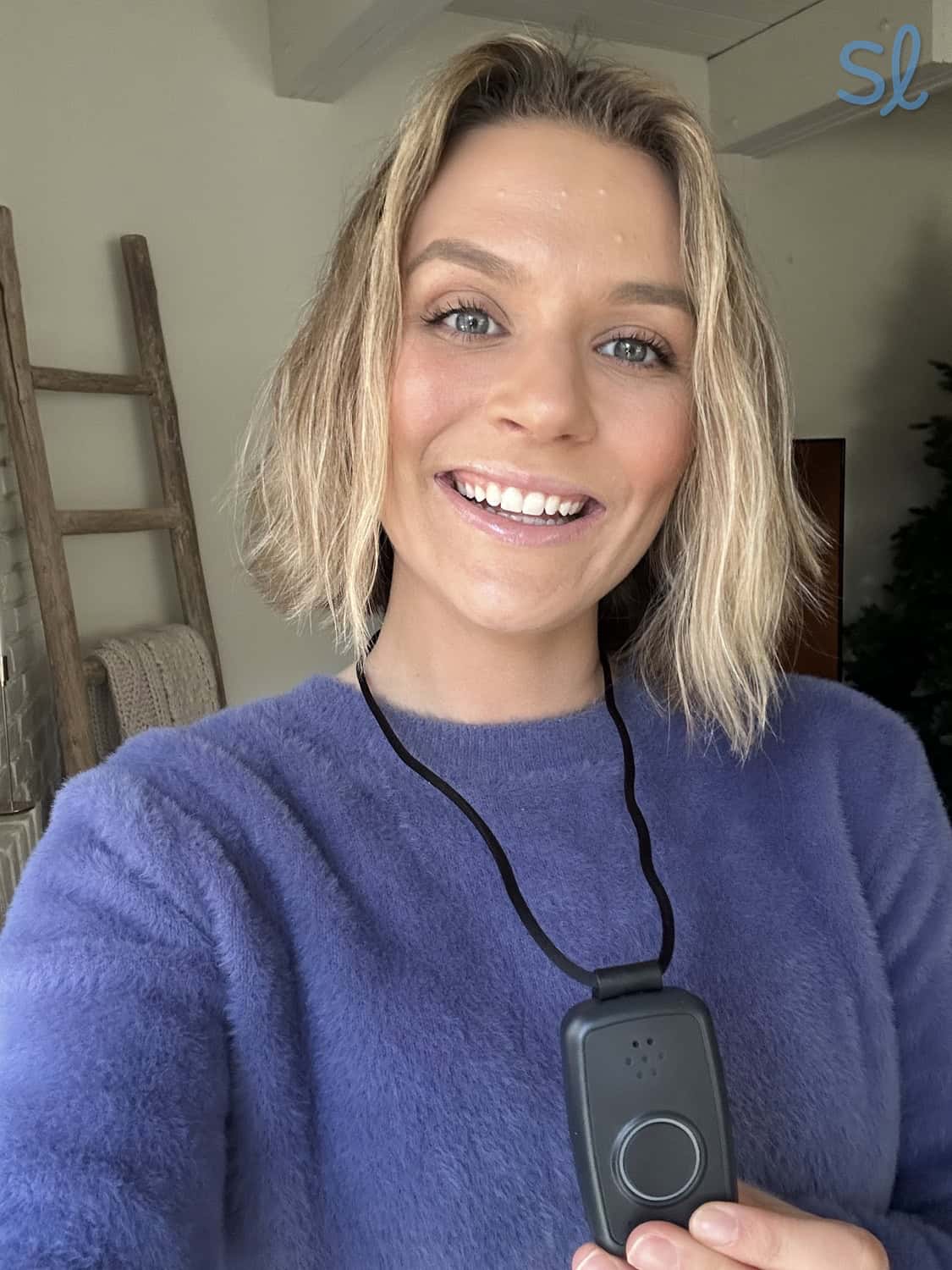
Using the MobileHelp Micro system

Pros About MobileHelp
- Affordable in-home systems: Classic and Wired Home both start at $29.95 per month, which is lower than many competitors’ starting rates.
- New compact mobile option: MobileHelp Elite is a small on-the-go device with GPS and Wi-Fi location tracking, two-way calling, water resistance, and AT&T 4G LTE.
- 30-day money-back guarantee: MobileHelp lets you try their systems for a month without much risk, which is a must-have.
- Competitive pricing: MobileHelp has cheaper starting rates than many competitors, including Lifeline. For anyone on a tight budget, MobileHelp has affordable in-home options.
- Coverage range: MobileHelp Classic has an excellent in-home range of up to 1,400 feet.
Cons About MobileHelp
- Smartwatch discontinued: Unfortunately, as MobileHelp’s product offerings evolved over the years, the company discontinued its smartwatch. The watch was a more discreet option with a built-in alert system for active users. If you’re set on a smartwatch, check out our review of Medical Guardian for a look at their MGMove smartwatch system.
- Wired Home doesn’t offer fall detection: MobileHelp’s landline option, Wired Home, isn’t compatible with automatic fall detection. That’s an important drawback for older adults who want landline-based service and fall detection in one system.
- No more two-user bundles: MobileHelp has discontinued Solo, Mobile Duo, and Home Duo, so it is no longer the best fit for couples or roommates who want two-user bundle pricing.
Overview of MobileHelp
The Buying Experience
MobileHelp’s product line is now simpler than it used to be. The company offers Classic, Wired Home, and Elite. Classic is best for in-home cellular coverage, Wired Home is best for landline-based coverage, and Elite is best for on-the-go protection. I still recommend calling the company before purchasing, especially if you’re deciding between cellular and landline service or want to confirm whether fall detection is available with your chosen system.
Quick Fact: When I tested MobileHelp’s medical alert systems, I found that the average response time was around 17 seconds. The industry average is between 15 and 45 seconds, so MobileHelp is fast.
During my call, the representative explained each system’s features and helped me choose which one fit my needs. Since MobileHelp’s lineup has changed, I’d recommend asking specifically about Classic, Wired Home, and Elite, as well as whether fall detection is compatible with the system you’re considering. Fall detection costs $10 per month when available, but Wired Home is not compatible with fall detection.
Setting Up My System
MobileHelp setup varies by system. Classic includes an in-home cellular base station and wearable help button. Wired Home includes a landline base station, phone cord, and wearable help button. Elite is a mobile device that should be charged before use and tested in areas where you expect to use it most, including your home, yard, neighborhood, and common errands.
You’ll need to test your system after setup. For Classic and Wired Home, press the Test button or help button and follow the system prompts. For Elite, press the mobile help button to connect with the emergency-response center. During testing, let the operator know you’re running a test call. MobileHelp recommends testing your system once per month to ensure your equipment is working properly.
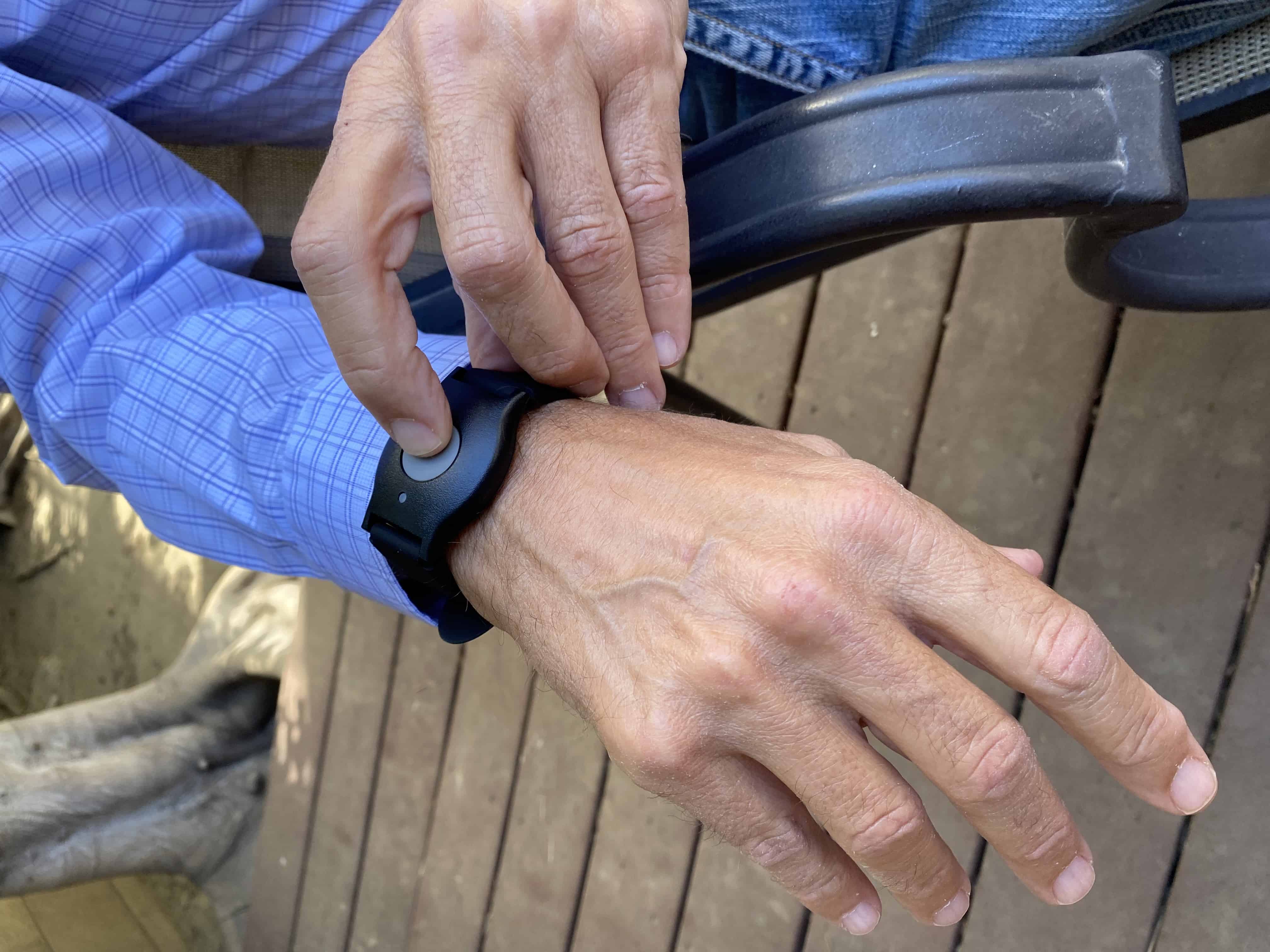
Testing out MobileHelp's wearable help button
To test the mobile unit, simply hold down the mobile help button for two seconds and release it. It will connect to the emergency-response center, and you’ll communicate through the mobile device itself (such as a walkie-talkie) to an agent. The U.S.-based monitoring center answered my call and asked if I needed help. I let them know I was running a test, and that was it! MobileHelp recommends testing your system once per month to ensure that your equipment is working properly.
Contracts and Warranty
MobileHelp’s plans come with a lifetime warranty, so whether you’re a customer for two or 20 years, you’ll be set. Like most medical alert system warranties, the protection covers normal wear and tear. MobileHelp offers Connect Premium, a protection plan that costs $6 per month for equipment that is lost, stolen, or damaged. In addition to this protection, Connect Premium provides discounts on extra products and services and also locks in your monthly rate for two years.
It is good to know that MobileHelp doesn’t require long-term contracts, but they encourage you to choose a quarterly or annual payment plan by waiving the activation fee and offering discounted rates. If you cancel your service, MobileHelp will issue a prorated refund for any unused service for quarterly and annual payment plans.
MobileHelp's Equipment at a Glance
| MobileHelp product | Monthly price | Quarterly price | Annual price | Features | Cellular or landline |
|---|---|---|---|---|---|
| Classic | $29.95 | $89.85 | $329.45 | Two-way communication base unit; waterproof help pendant; 24-hour backup battery; 1,400-foot coverage area; compatible with fall detection for $10 per month; 24/7 U.S.-based monitoring | Cellular |
| Wired Home | $29.95 | $89.85 | $329.45 | Two-way communication base unit; waterproof help pendant; landline connection; 24/7 emergency monitoring; not compatible with fall detection | Landline |
| MobileHelp Elite | $41.95 | $119.85 | $417.45 | Compact mobile alert device; 1.5 oz; 1.5″ x 2.6″; Black, Silver, and White options; one-touch SOS; GPS and Wi-Fi location; water resistance; 4G LTE on AT&T; two-way calling; Find Me locator; hourly heartbeat signals; optional fall detection for $10 per month | Cellular |
MobileHelp System and Product Details
Classic
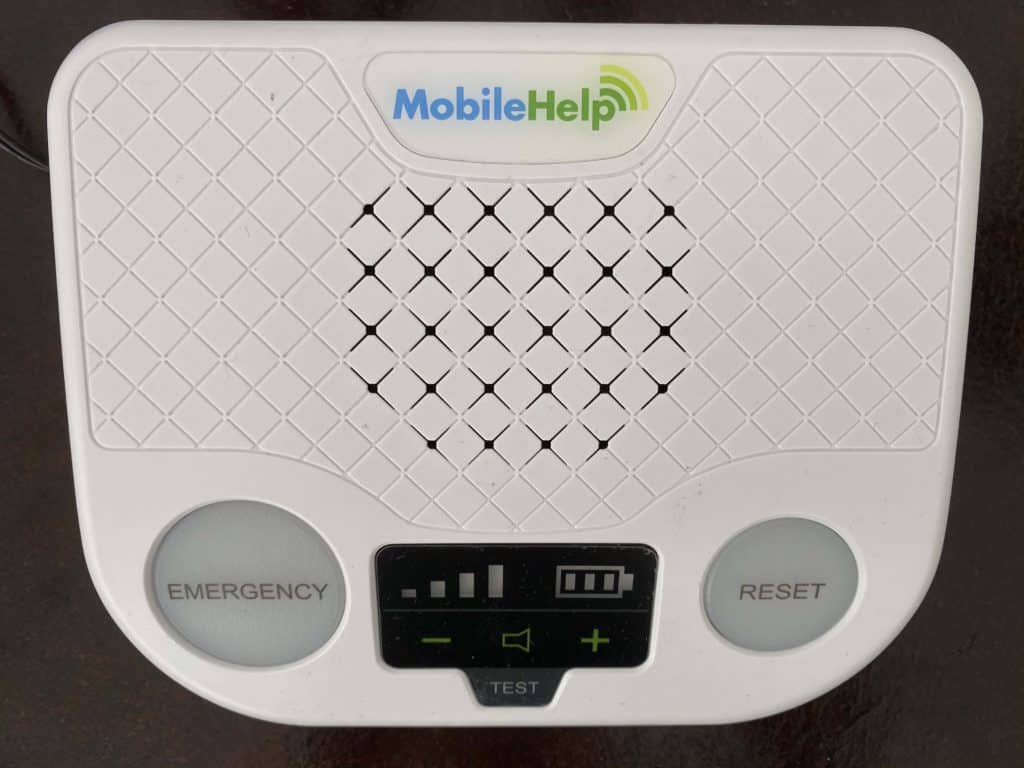
MobileHelp Classic base unit
Cost
Classic is my pick for people on a budget who want in-home cellular coverage. The monthly fee starts at $29.95, or you can pay $89.85 quarterly or $329.45 annually. For comparison, Bay Alarm Medical’s prices for in-home systems start at $27.95 per month, while Medical Guardian’s monthly cost is $31.95. For a closer look at cost and getting the best deal with MobileHelp, visit our MobileHelp pricing guide.
Equipment
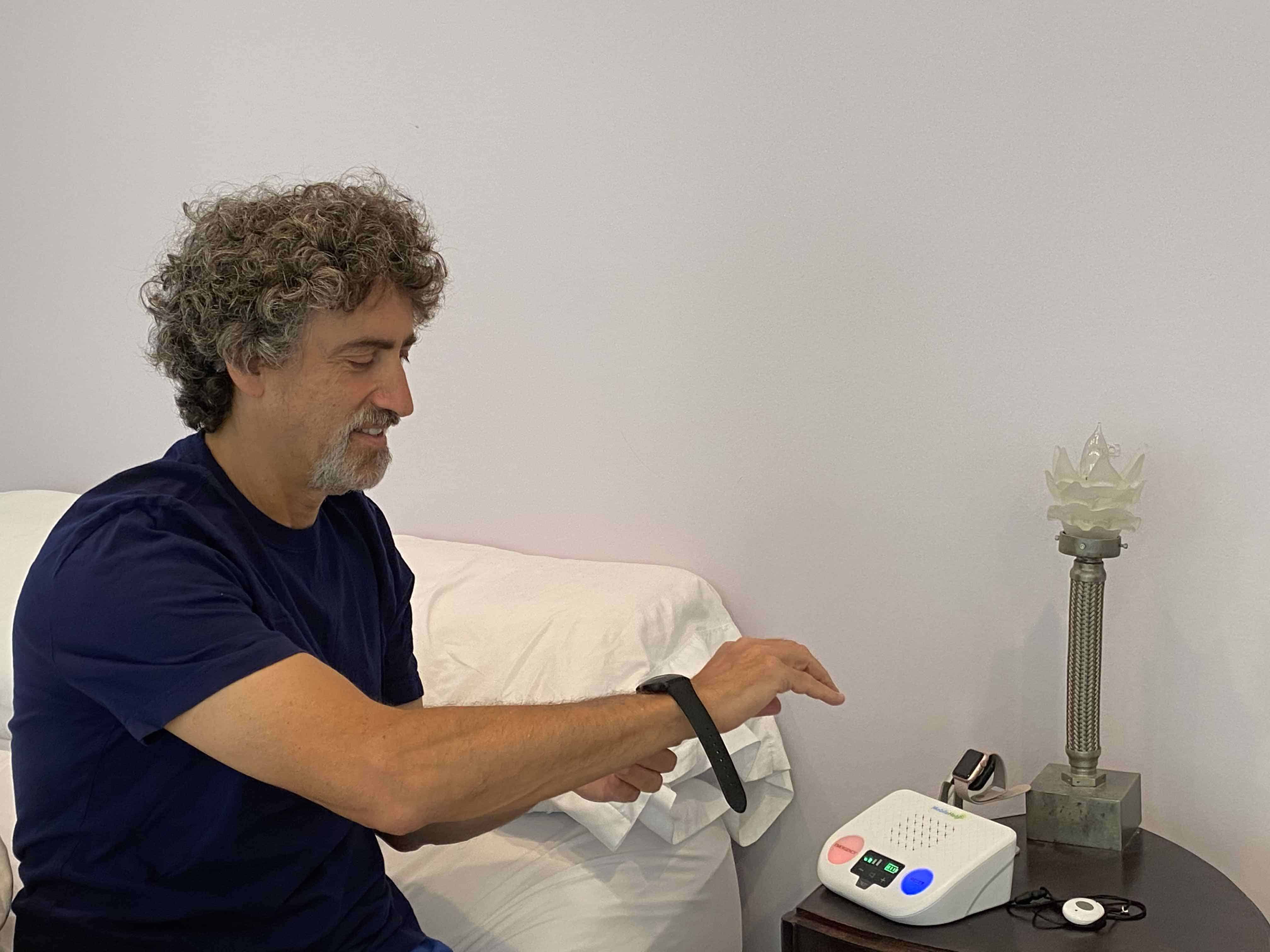
The Classic comes with a base station and power cord plug that includes two-way talk. You also receive a waterproof help pendant worn on a lanyard, black wristband, or white wristband. I like the breakaway neck lanyard that connects with magnets, which is a good safety feature to prevent strangulation. The lanyard is light and easy to wear. My system also came with a lightweight wristband, but I didn’t like that you can’t hide the buckle end under your wrist, like you can with Apple watches.
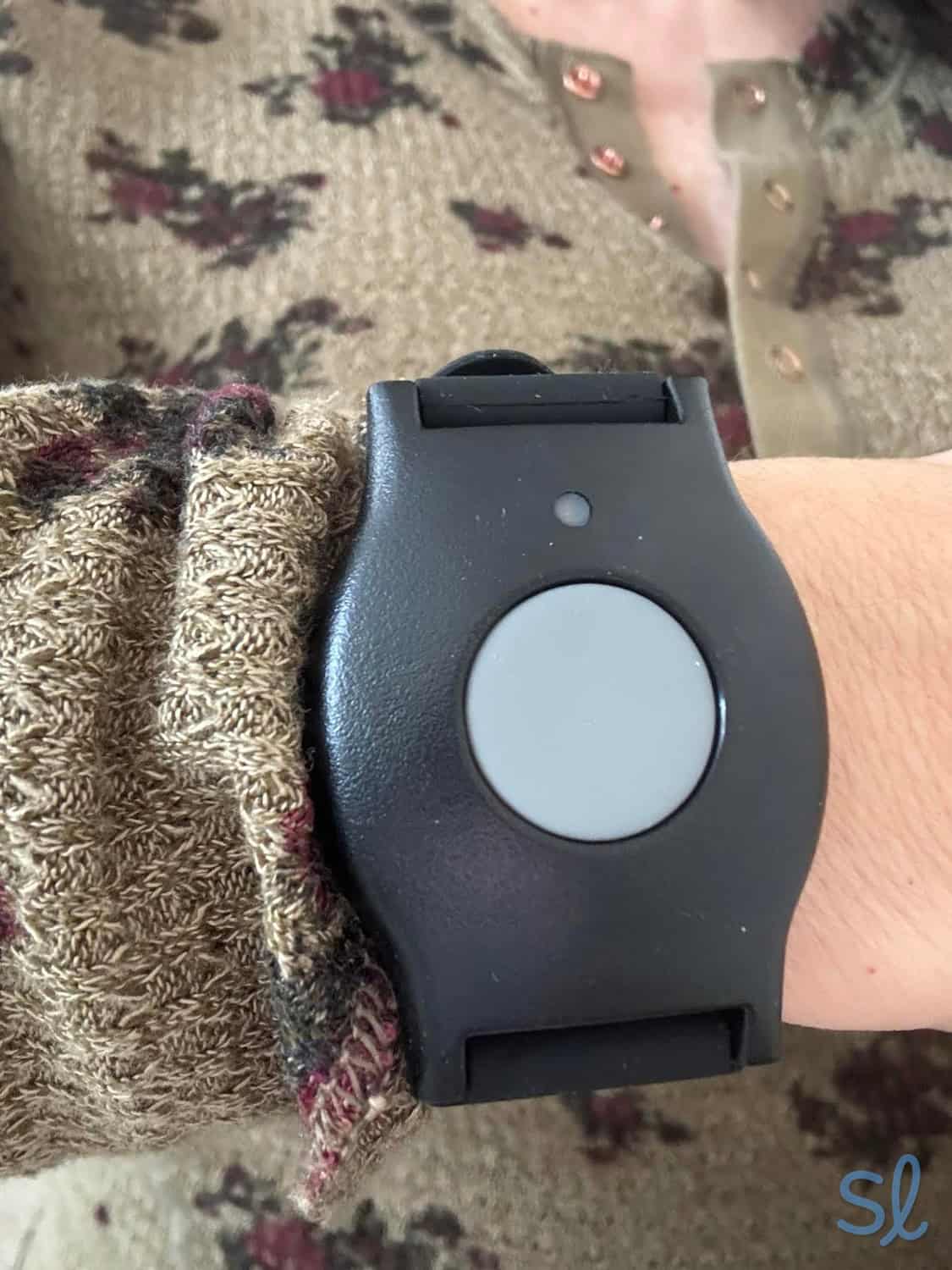
Wearing a MobileHelp button as a wristband
The at-home cellular system looks like an answering machine, but not as bulky. The base station has a large, red illuminated button for emergencies and a slightly smaller blue illuminated button for resetting the device. The display screen on the front is very high-quality and has volume-control icons you can control by pushing the – or + sign. You can check your battery level and signal strength on the display, and there’s also a test button directly below it. Once charged, my signal strength showed three bars of reception.
Whether you’re a master chef in the kitchen or you have a green thumb and spend most of the day in the garden, you’ll be covered anywhere within 1,400 feet of the base station. During an emergency, press the help button on either the pendant or the base station to be connected to MobileHelp’s response center in a matter of seconds. In a power outage, the base unit’s backup battery will kick in and last up to 24 hours. It took about three hours for my base station to fully charge before I unplugged it.
Service and Monitoring
To make a test call, I pushed the help button for a second. The device announced that a call was in progress. Then it said, “Call connected. Please stand by for an operator.” It took up to 30 seconds to connect to an operator during my tests.
Classic Cellular is great for individuals who rarely leave home and live in an area with solid AT&T coverage. In addition to 24/7 monitoring, MobileHelp offers fall detection through a wearable neck pendant. The pendant can detect falls and alert the monitoring center, even when you’re unable to press your help button. This service costs an additional $10 per month, which is standard for MobileHelp systems that support fall detection.
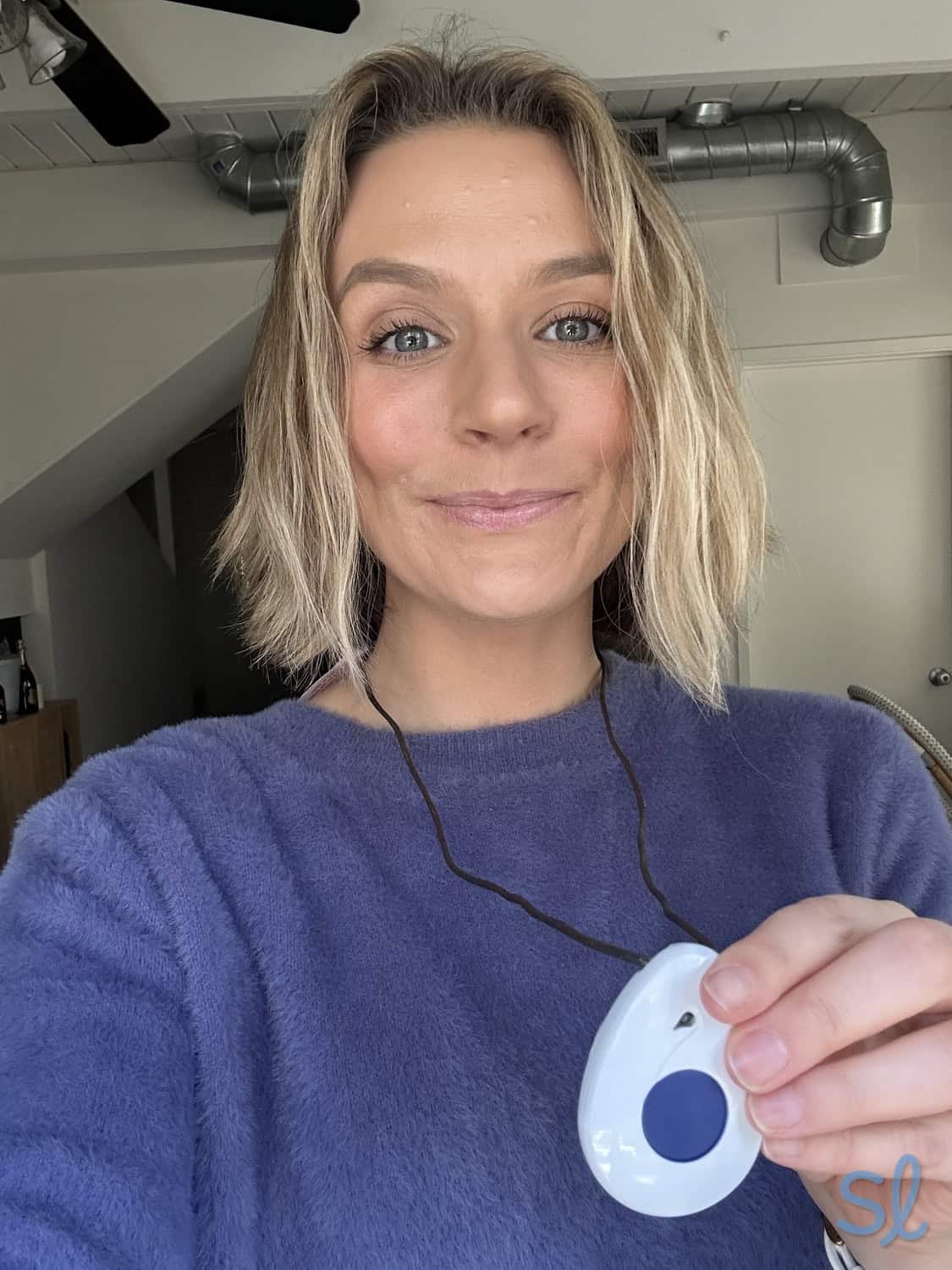
Using MobileHelp's fall detection pendant
Wired Home
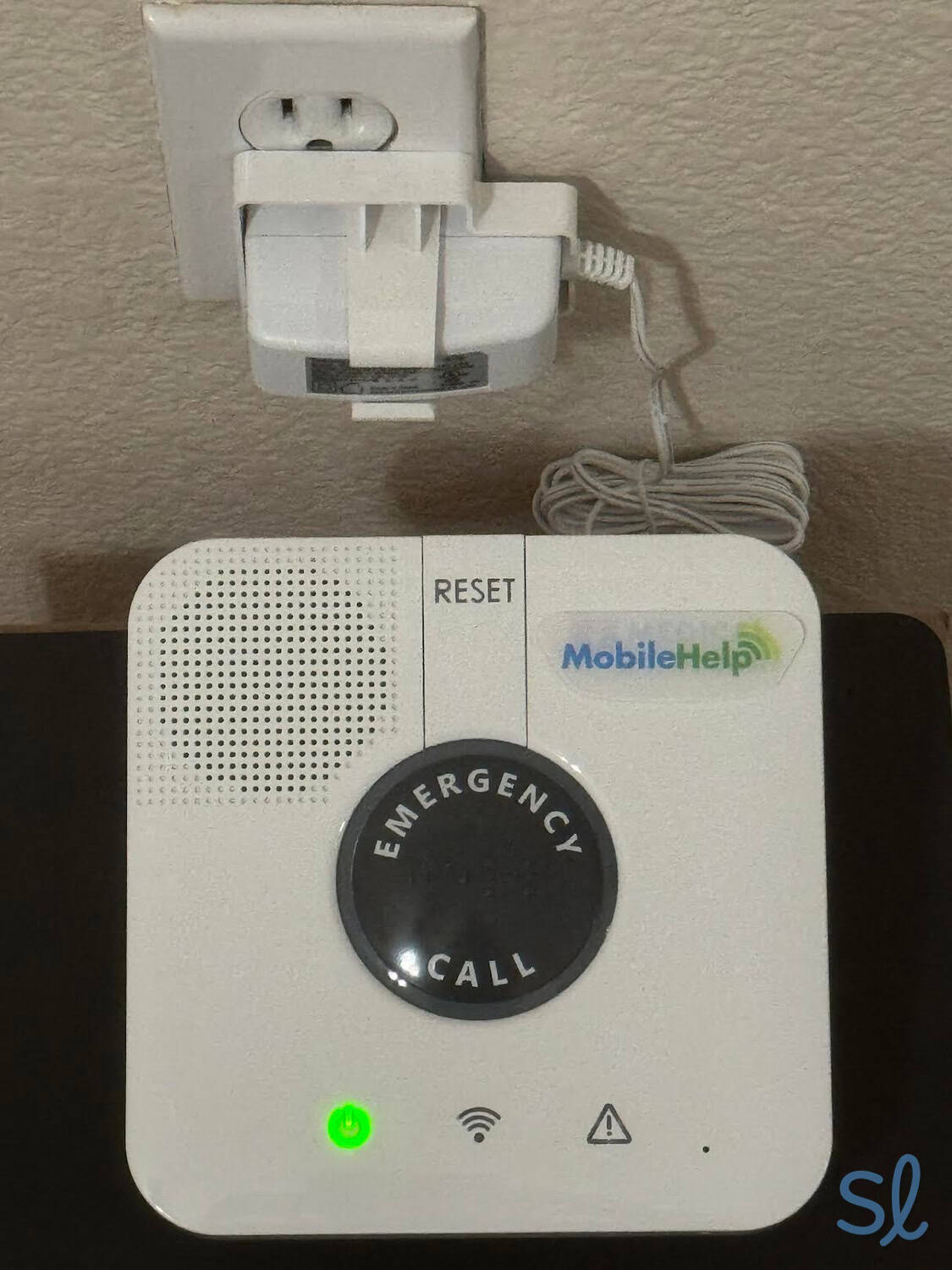
Using MobileHelp s Classic Landline system
Cost
At $29.95 per month, $89.85 per quarter, or $329.45 per year, Wired Home is a cost-effective system compared to many other at-home systems. It’s best for older adults who spend most of their time at home and want a landline-based connection rather than cellular service.
Equipment
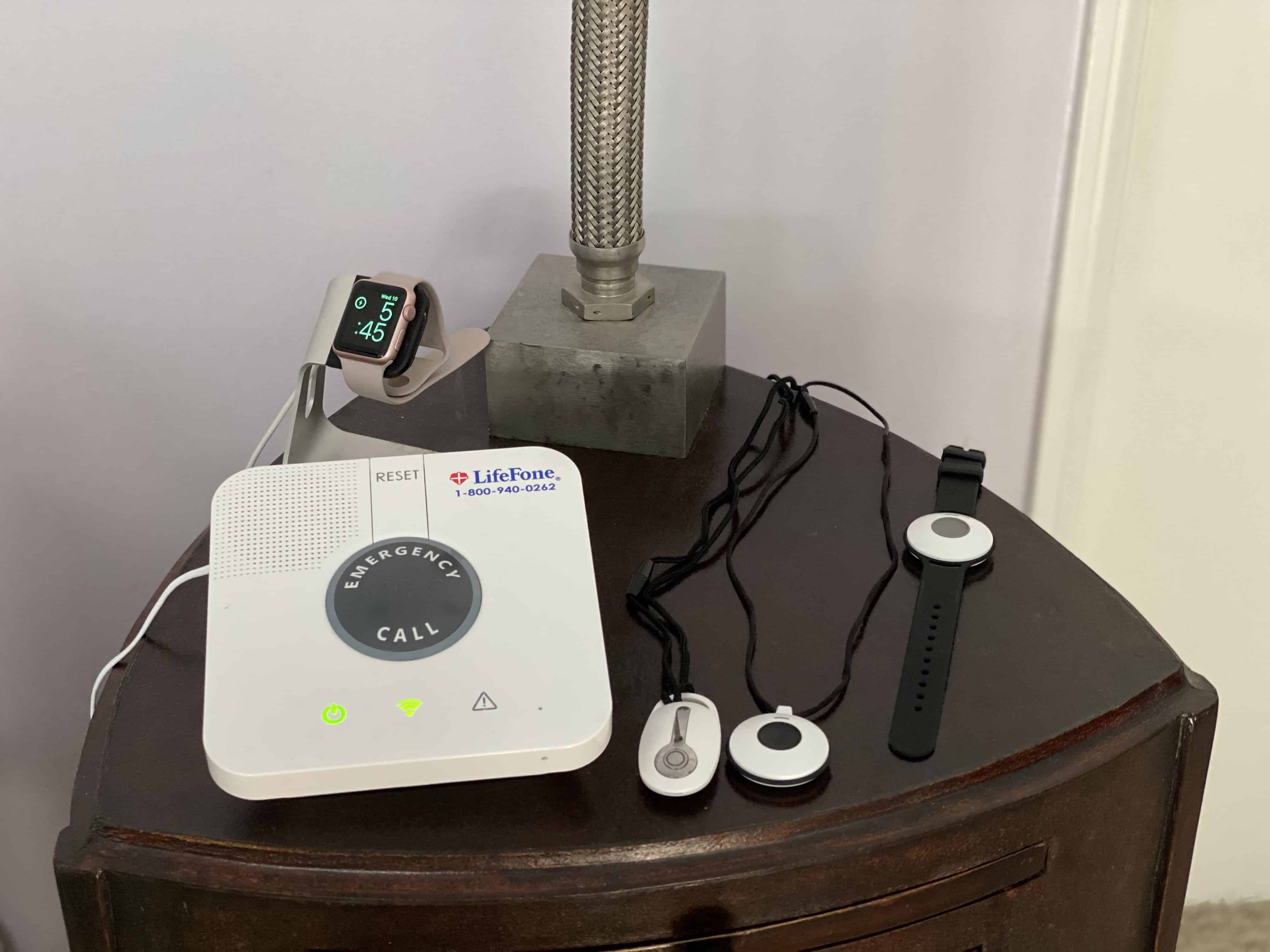
The Wired Home is an in-home system best for people who spend most of their time in the house. Except for the connection type and the base station’s appearance, it works the same as the Classic. It comes with a base station, a power cord, a 6-foot phone cord, and a neck pendant. The base station features two-way communication, a 32-hour rechargeable battery, and a 600-foot range for in-home use.
The system has a lightweight, square-shaped base station with a large, round, black button in the center that says “emergency call” in big letters. Above it is a small “reset” button. I appreciated how large and clearly labeled all the buttons were to eliminate any confusion during an emergency. Below the large, round button are the power light and reception indicators. Once the power and communication indicators on the base station turned solid green and stopped flashing, my system was ready to use.
FYI: If you live in an area with poor AT&T service, check out our Lively review. The company’s systems run on Verizon’s network.
Service and Monitoring
The range from the pendant to the base station is 600 feet, and the neck help button and wristband battery lasts up to five years. MobileHelp recommends letting the pendant rest on your breastbone to lower the risk of false alarms. Unfortunately, you can’t cancel a false alarm once a call has been placed, so you will need to let the operator know it was a false alarm.
If you live in an area with spotty cellular coverage, Wired Home is a good option. The system runs on a landline connection, so you won’t have to worry about poor cellular coverage during an emergency. One important drawback: Wired Home is not compatible with fall detection, so you can’t add automatic fall detection to this system.
MobileHelp Elite
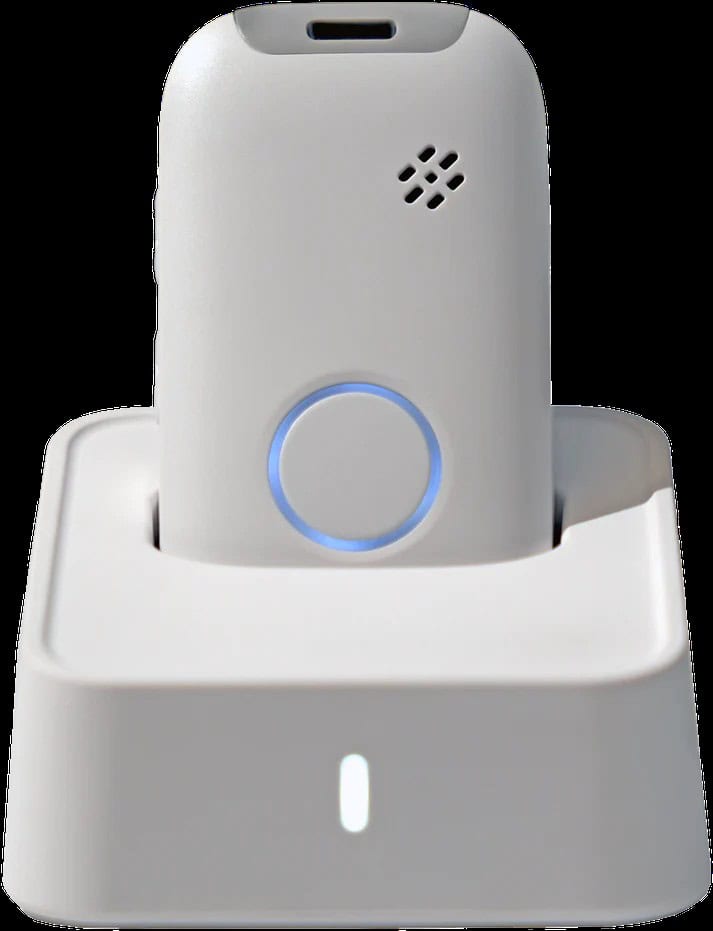
Cost
MobileHelp Elite costs $41.95 per month, $119.85 per quarter, or $417.45 per year. Fall detection is available for an additional $10 per month. The system does not have an activation or equipment fee, and you can add MobileHelp Connect Premium for $6.99 per month to protect your equipment from damage or theft.
Equipment
MobileHelp Elite is the company’s newest mobile medical alert device. It weighs 1.5 ounces, measures 1.5 inches by 2.6 inches, and comes in black, silver, and white. The device is designed for older adults who want on-the-go protection without carrying something bulky.
Elite includes one-touch SOS, GPS and Wi-Fi location tracking, water resistance, AT&T 4G LTE, two-way calling, a Find Me locator, and hourly heartbeat signals. Fall detection is available as an optional add-on for $10 per month.
Because Elite is a mobile device, we recommend charging it regularly and testing it in the places where you spend the most time, including your home, yard, neighborhood, and common errands.
When I spoke with customer service, the representative recommended keeping the device on the charger at night just to make sure it is always at full charge and ready for any potential emergencies.
Service and Monitoring
Elite runs on AT&T 4G LTE, so it’s important to confirm AT&T coverage in your area before choosing this system. During an emergency, you can press the one-touch SOS button to connect with MobileHelp’s 24/7 monitoring center. The device also supports two-way calling, so you can speak with the operator directly through the device.
Elite is best for active older adults who want mobile protection with location tracking, water resistance, and optional fall detection. If you need a landline-based system instead, Wired Home may be a better fit, but remember that Wired Home is not compatible with fall detection.
Compare MobileHelp to Other Providers


Add-on Features and Accessories
Fall-Detection Pendant
Fall detection is one of MobileHelp’s most important add-ons. Falls can happen in the shower, on porch steps, or anywhere else in the home. MobileHelp offers fall detection for an extra $10 per month with eligible systems, including Classic and Elite. Wired Home is not compatible with fall detection. A quarter of adults ages 65 or over fall each year, so fall detection is an important feature to consider if you’re at increased risk of falls.
Wall Buttons
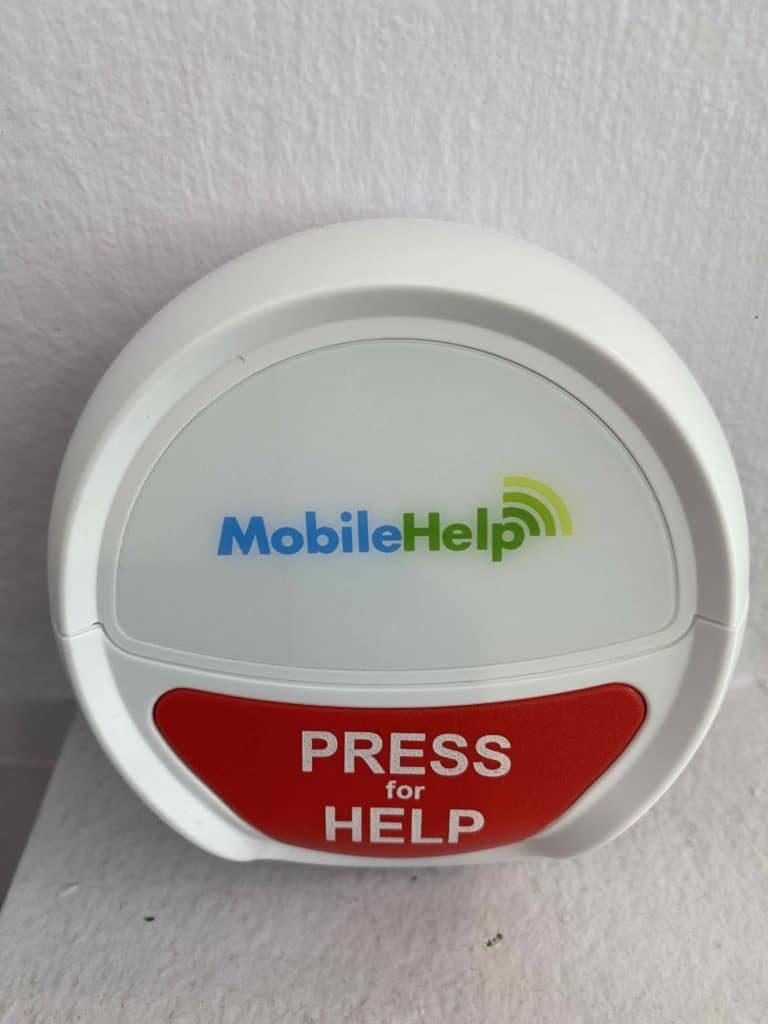
MobileHelp wall button
You can stick wall buttons anywhere — in the bathroom, at the bottom of a staircase, or by the bed. All you need to do is press the help button, and it will connect to your base station to call for help. An additional help button and a waterproof wall button each cost $2.99 per month.
MobileHelp Connect Premium
MobileHelp Connect Premium offers online tools and discounts for subscribers and their families. The add-on also includes discounts on extra equipment and a warranty that covers any lost or damaged equipment, and it lets you lock in your monthly rates for two years. MobileHelp Connect Premium is $6.99 per month.
MobileHelp vs. the Competition
MobileHelp currently offers three medical alert systems for aging adults: Classic, Wired Home, and Elite. Their systems have a lot to offer, but let’s see how they compare to the competition.
MobileHelp vs. Bay Alarm Medical
Bay Alarm Medical’s 1,000-foot coverage for their in-home system doesn’t quite compare to MobileHelp Classic’s range of 1,400 feet, but Bay Alarm Medical provides a wider selection of devices, including landline and cellular-based home systems, mobile options, and a smartwatch. In our review of Bay Alarm Medical, we also found that they have an excellent mobile app for caregivers featuring tracking, notifications for emergency calls, and more.
MobileHelp’s app isn’t quite as robust, but MobileHelp has affordable in-home pricing and the new Elite mobile device with GPS and Wi-Fi location tracking, water resistance, two-way calling, and optional fall detection for $10 per month.
MobileHelp vs. Life Alert
Life Alert stands out for its lifetime warranty, but you’re shackled to a three-year contract and a complex cancellation process. Life Alert lacks fall detection and requires a setup fee, with pricing on the higher side. If brand recognition is essential to you, however, Life Alert may still be worth considering. Head to our Life Alert review for more information on this provider.
MobileHelp vs. Medical Guardian
MobileHelp and Medical Guardian provide around-the-clock monitoring with options for both in-home and mobile coverage, as well as fall detection. If you are looking for more cutting-edge technology and features, Medical Guardian is a great choice. The company, for example, offers sleek equipment, a robust mobile app for caregivers, and unique systems such as a smartwatch. MobileHelp, on the other hand, has affordable in-home systems, a large at-home range with Classic, and the new compact Elite mobile device for on-the-go protection.
The Bottom Line on MobileHelp
Overall, I was satisfied with MobileHelp’s alert systems. As I interacted with the company, I could see that they take pride in caring for older adults. The equipment we tested was durable, easy to use, and worked as expected. MobileHelp has also updated its product lineup, replacing older mobile and bundle options with a simpler lineup: Classic, Wired Home, and the new MobileHelp Elite.
Classic is the best fit for older adults who want affordable in-home cellular coverage and optional fall detection. Wired Home is best for those who spend most of their time at home and prefer a landline connection, though it is not compatible with fall detection. Elite is the best choice for older adults who want mobile protection with GPS and Wi-Fi location tracking, water resistance, two-way calling, AT&T 4G LTE, and optional fall detection for $10 per month.
Frequently Asked Questions About MobileHelp
-
How much does MobileHelp cost per month?
MobileHelp’s medical alert systems cost $29.95 to $41.95 per month, depending on the system. Classic and Wired Home cost $29.95 per month, while MobileHelp Elite costs $41.95 per month. Fall detection costs an additional $10 per month when available.
-
What is the return policy for MobileHelp?
MobileHelp never requires long-term contracts, so you can return your MobileHelp system at any time without penalty. After MobileHelp receives and processes your equipment, they will officially cancel your service and issue a prorated refund for unused service. You do, however, need to pay for return shipping.
-
How much does MobileHelp fall detection cost?
MobileHelp fall detection costs $10 per month. It is available with eligible systems, including Classic and Elite. Wired Home is not compatible with fall detection.
-
Where is MobileHelp located?
MobileHelp’s headquarters are located in Boca Raton, Florida. All of their 24/7 monitoring centers are located in the U.S., servicing all 50 states.
-
Centers for Disease Control and Prevention. (2024). Older Adult Falls Data.